

Does iPhone SE Have eSIM? Which Generation You Actually Need

It depends on the generation. The iPhone SE 2nd generation (2020) and 3rd generation (2022) both support eSIM. The original iPhone SE from 2016 does not — and no software update or accessory can add it.
That matters because all three are still circulating on the second-hand market, all three are called "iPhone SE", and two of them look almost identical in a photo. This guide shows you how to identify yours in ten seconds, what Dual SIM on an SE can and cannot do, how to install a travel plan, and what an always-on data line does to the SE's famously small battery.
Quick answer
| Model | Year | Screen | eSIM | SIM setup |
|---|---|---|---|---|
| iPhone SE (1st generation) | 2016 | 4.0" | No | 1 nano-SIM only |
| iPhone SE (2nd generation) | 2020 | 4.7" | Yes | 1 nano-SIM + 1 eSIM |
| iPhone SE (3rd generation) | 2022 | 4.7" | Yes | 1 nano-SIM + 1 eSIM (5G) |
Our device database carries both supported generations: iPhone SE 2nd generation (2020) and iPhone SE 3rd generation (2022). If you would rather have the phone answer for itself, run it through the Gohub device checker.
iPhone SE 2nd gen (2020) and 3rd gen (2022): yes
Both of these SE models carry the same eSIM hardware as the flagship iPhones of their year. The SE 2020 is built on an iPhone 8 body with an A13 chip; the SE 2022 keeps the body, upgrades to the A15 and adds 5G. For eSIM purposes there is no practical difference between them: both install a travel profile in the same three minutes and behave identically once installed.
What you get on either:
- Dual SIM Dual Standby — the physical nano-SIM keeps your home number, the eSIM carries travel data.
- Several stored eSIM profiles, one active at a time, so old trip plans can stay in the list.
- The full travel setup: hotspot sharing, per-line data settings, Low Data Mode.
What you do not get: two simultaneously active eSIMs. That capability belongs to the iPhone 13 generation and later. On an SE you always have one physical SIM plus one live eSIM — which is the setup most travelers use anyway.
The regional caveat
As with every iPhone, models sold in mainland China generally ship without eSIM. If you bought your SE abroad or second-hand from an unclear source, confirm before traveling: Settings > General > About and look for an EID line. No EID means no eSIM, regardless of what the generation should support. Background reading: Does it matter where I bought my phone?
iPhone SE 1st gen (2016): no — and there is no workaround
The original SE predates eSIM in iPhones entirely. Apple introduced eSIM with the iPhone XS, XS Max and XR in 2018. The SE 1st gen has a single nano-SIM slot, no eSIM chip and no EID. Nothing changes that: not iOS 15 (its last supported release), not a carrier request, not an adapter sold online.
If you are traveling with an SE 1st gen you have three realistic options:
- Buy a local physical SIM at the destination — cheap in many countries, but it needs ID in several and costs you queue time on arrival. Cost comparison: eSIM vs local physical SIM.
- Roam on your home carrier — no setup at all, and usually the most expensive choice by a wide margin. See eSIM vs international roaming cost.
- Install the eSIM on a second, newer device — a traveling partner's phone, a spare handset or a cellular iPad — and share via hotspot to the SE.
The help center has an honest answer for this exact situation in Is my phone too old to support eSIM? and My device isn't on the list — can I still buy a Gohub eSIM?
How to tell which SE you are holding in 10 seconds
The fastest test: screen size and look
The SE 1st gen is the small one — a 4-inch screen in an iPhone 5s body, with flat edges and a headphone jack on the bottom. The SE 2020 and 2022 are 4.7-inch, in a rounded iPhone 8 body with thicker top and bottom bezels and no headphone jack. If the phone fits entirely in your palm and has a 3.5mm jack, it is the 2016 model and it has no eSIM.
The definitive test: model number
Open Settings > General > About and tap the Model Number field once to switch from the part number to the model identifier:
| Model numbers | Generation | eSIM |
|---|---|---|
| A1662, A1723, A1724 | SE 1st gen (2016) | No |
| A2275, A2296, A2298 | SE 2nd gen (2020) | Yes |
| A2595, A2782, A2783, A2784 | SE 3rd gen (2022) | Yes |
The one-second test that skips all of this
In the same About screen, scroll to the bottom. An EID row means the phone has an eSIM. No EID row means it does not. This works on any iPhone, of any generation, in any region, and it is the answer we give first in How do I check if my iPhone supports eSIM?
Separating the 2020 from the 2022
Both support eSIM, so for travel it rarely matters. If you are curious: go to Settings > Cellular > Cellular Data Options > Voice & Data. A 5G option means the SE 3rd gen (2022); LTE as the ceiling means the SE 2nd gen (2020).
Dual SIM on the SE: nano-SIM plus one eSIM
The travel configuration that works, in order:
- Home nano-SIM stays in the tray. Your number, your OTPs, your contacts — untouched.
- Travel eSIM installed and set as the data line: Settings > Cellular > Cellular Data → travel eSIM.
- Allow Cellular Data Switching → OFF. This one setting prevents most accidental roaming charges; left on, iOS can silently borrow the home line when the travel line dips.
- Default Voice Line → home number.
- Home line: Data Roaming OFF. Travel eSIM: Data Roaming ON — a travel eSIM needs roaming enabled on its own line to attach to partner networks.
Result: calls and texts to your usual number still arrive, while every byte of data comes from the travel plan. The help center covers the nuances in How do I choose which SIM handles calls and which handles data? and How do I set my Gohub eSIM as the default data line?
Setup walkthrough
Install at home over Wi-Fi. Downloading the profile needs a connection; the plan itself normally starts counting when the eSIM first connects at your destination, so installing early costs nothing — see Can I install my eSIM before my trip? Activation rules differ by plan type, so check When does my eSIM plan start? for the plan you buy.
- Settings > Cellular > Add eSIM (older iOS calls it Add Cellular Plan).
- Use QR Code — scan the code from your order email displayed on a laptop or second phone.
- No second screen? Enter Details Manually and type the SM-DP+ address and activation code from the email.
- Or install in one tap from the Gohub app.
- Label the line, assign the defaults as above, and you are finished.
Full walkthroughs: How to install an eSIM and How do I install my eSIM on iPhone? If something goes wrong, the common cases are a QR code that will not scan, "this code is no longer valid" and bars but no internet. Everything else is in the troubleshooting guide.
Check the carrier lock first
An SE bought on a carrier instalment plan or second-hand may be locked, in which case eSIM installation fails even though the hardware supports it. Settings > General > About > Carrier Lock should read No SIM restrictions. If it does not, start the unlock process well before departure — see Carrier lock: how to check and unlock your device. Second-hand SE units are the single most common carrier-lock surprise we see, precisely because they are the cheap travel phone people buy in a hurry.
SE battery life when an eSIM data line runs all day
This is the honest weak point of the SE as a travel phone, and it has little to do with eSIM itself. The SE 2020 and 2022 carry small batteries in a compact body. Adding a second active line costs a few percent; adding all-day navigation, photos and 5G costs far more.
What actually drains an SE abroad, in order of impact:
- Maps with the screen on, all afternoon.
- 5G on the SE 3rd gen, especially in weak-signal areas where the modem keeps hunting.
- Photo and video backup over cellular.
- Hotspot sharing to a laptop or a friend's phone.
- The second active line — real, but small.
The fixes that work, in the same order: download offline maps for the city before you leave the hotel; force LTE instead of 5G under Settings > Cellular > Voice & Data; set iCloud Photos to upload on Wi-Fi only; turn Low Data Mode on for the travel eSIM, which also conserves data; and carry a small power bank. With those in place an SE comfortably survives a full sightseeing day — without them, expect to be hunting for an outlet by mid-afternoon.
Data-saving tips that double as battery-saving tips are collected in How can I save data usage while traveling?
How much data does an SE need?
The same as any other phone doing the same things: roughly 500MB to 1.5GB per active day for maps, messaging, rideshare, translation and social media. The SE's smaller screen nudges video consumption down a little, which helps. Use the travel data calculator to size the plan, check consumption with this guide, and remember that topping up mid-trip takes about a minute.
Is the iPhone SE a good travel phone in 2026?
For the 2020 and 2022 models: yes, with eyes open. It is cheap enough that losing it abroad is annoying rather than catastrophic, it takes a modern travel eSIM without complaint, and it keeps a physical SIM slot for your home number — something newer American iPhones have dropped entirely. The compromise is battery, not connectivity.
For the 2016 model: no. It cannot take an eSIM, and a travel phone that needs a local SIM queue on arrival is a travel phone that costs you an hour of your first day. If you are shopping second-hand specifically for travel, an SE 2020 or a used iPhone 12 are the sensible floor.
Test it on your SE before you pay
The most useful thing a free eSIM does is prove that your particular handset — with its particular lock status, iOS version and purchase region — installs a profile cleanly. Ten minutes at home beats troubleshooting at an airport.
Claim the Gohub free eSIM, install it on the SE, and watch the line appear in Settings > Cellular. For the wider market view first, read Best free eSIM trials with no credit card and 12 signs of a free eSIM scam.
Disclosure: Gohub is our own product — worth knowing when we recommend it. The generation-by-generation facts above hold no matter which provider you use.
Destination plans: Japan, South Korea, Thailand, Europe, the United States, or all countries.

Frequently asked questions
Does the iPhone SE 2020 have eSIM?
Yes. The SE 2nd generation supports one physical nano-SIM plus one eSIM, active at the same time.
Does the iPhone SE 2022 have eSIM?
Yes, the SE 3rd generation supports eSIM and adds 5G. The eSIM behavior is identical to the 2020 model.
Can I add eSIM to the iPhone SE 2016?
No. There is no eSIM chip in the hardware, so no update or accessory can enable it. Use a local SIM, roaming, or a hotspot from a newer device.
Can the iPhone SE run two eSIMs at once?
No. One physical SIM plus one active eSIM. Two simultaneously active eSIMs start with the iPhone 13.
How many eSIM profiles can an SE store?
Several — old trip plans can stay installed and inactive. Details here.
Will the travel eSIM change my phone number?
No — a data-only eSIM adds internet, not a number. See the full explanation.
Can I use the SE as a hotspot with a travel eSIM?
Yes, though it will drain the battery quickly on this model. Here is how.
Checklist before you fly with an iPhone SE
- Confirm the generation — an EID in Settings > General > About settles it.
- Carrier Lock reads No SIM restrictions.
- Travel eSIM installed at home over Wi-Fi and labeled.
- Cellular Data = travel eSIM · Data Switching OFF · Default Voice = home number.
- Home line Data Roaming OFF · travel eSIM Data Roaming ON.
- Offline maps downloaded, LTE forced, power bank packed.
That is the whole job. Start with the free eSIM and confirm your SE is ready tonight.
Written by the Gohub editorial team and reviewed by Gohub eSIM Support. Generation and model-number details are checked against Apple's published iPhone SE specifications and eSIM documentation, and against the Gohub compatible-device database, which is maintained per model and region. Last updated: September 2026.

Hi! Chúng mình là Gohub Team Gohub là nhà bán eSIM du lịch hàng đầu Việt Nam và là người bạn đồng hành đáng tin cậy của hàng triệu du khách trong mỗi chuyến đi. Với niềm yêu thích du lịch và công nghệ, team luôn mong muốn mang đến cho bạn những hành trình mượt mà nhất. Chúng mình chia sẻ nhiều mẹo du lịch thực tế, kinh nghiệm được rút ra từ những chuyến đi khắp châu Á đến châu Âu và giới thiệu các giải pháp eSIM tiện lợi để bạn luôn kết nối mọi lúc mọi nơi. Mục tiêu của Gohub Team là giúp bạn tự tin chuẩn bị, thoải mái khám phá và tận hưởng từng khoảnh khắc trong chuyến đi của mình.
View all articles →Related articles
Does Apple Watch Have eSIM? Cellular Models, Carriers and the Travel Reality
Cellular Apple Watch models have an eSIM — but you cannot install a travel eSIM on it. Here is what works abroad, what does not, and the setup that keeps your Watch online overseas.
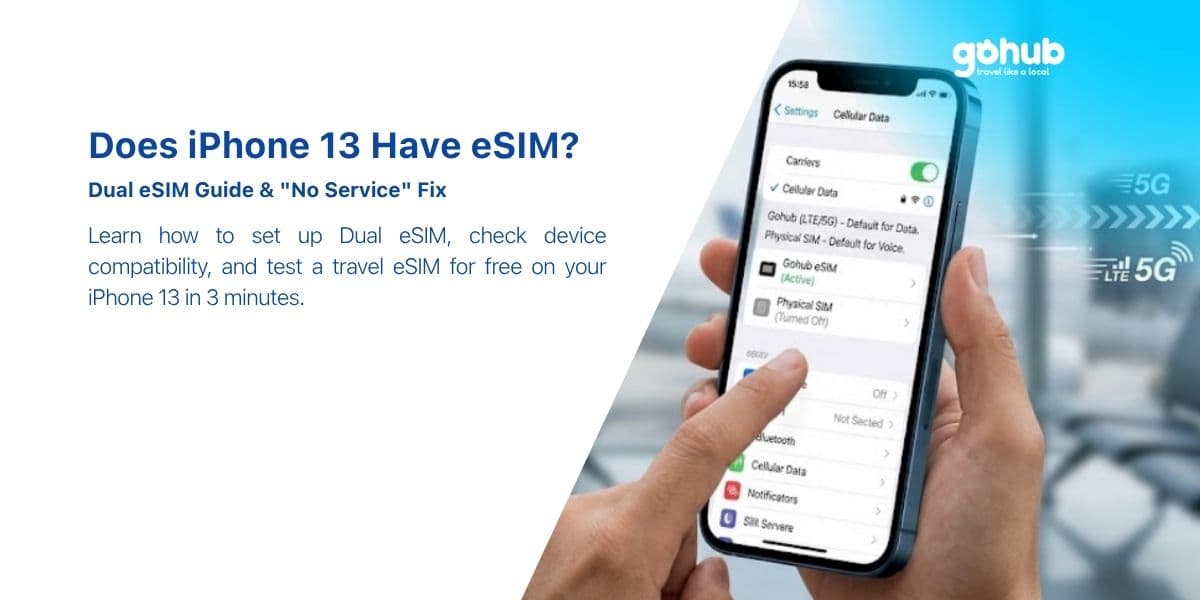
Does iPhone 13 Have eSIM? How to Add One Before You Travel
: Yes — and the iPhone 13 is the first iPhone that runs two eSIMs at once. Here is how to add a travel eSIM before you fly, which setup to pick, and how to fix "No Service" after landing.
Does iPhone 12 Have eSIM? Setup, Dual SIM Limits and Free Trial Options
Yes — every iPhone 12 model supports eSIM except the mainland-China and Hong Kong variants. Here is the 5-minute setup, the Dual SIM limits, and how to test a travel eSIM for free.