

How do I choose which SIM handles calls and which handles data?
You can set each line's role independently - your physical SIM for calls, your Gohub eSIM for data, or whichever combination suits your trip.
iOS
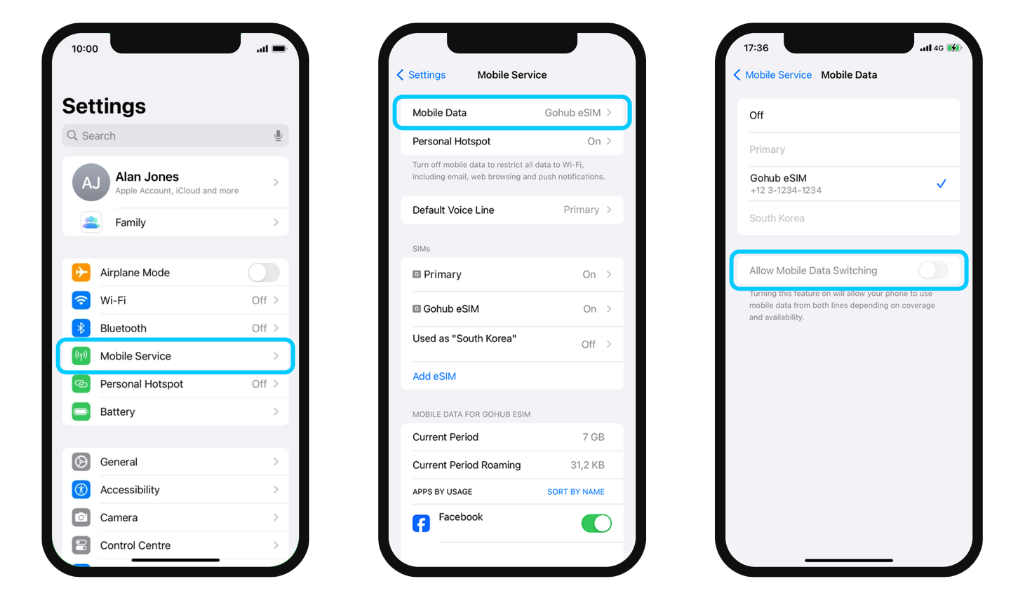
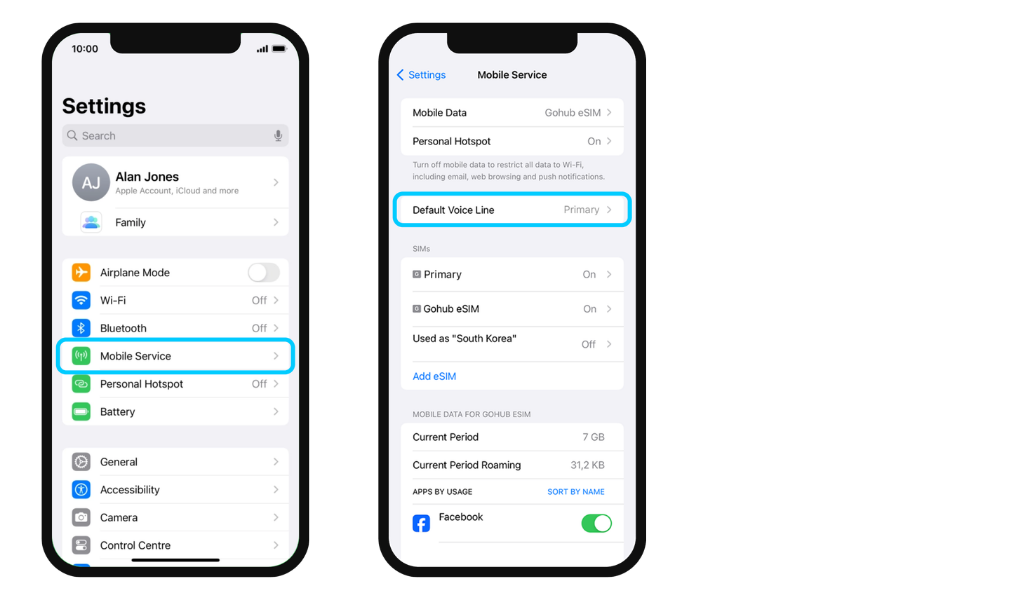
Go to Settings → Mobile Service
- To set default data line:
Tap Mobile Data → Select the eSIM/SIM you want to use for data
- To set default call line:
Tap Default Voice Line → Select the eSIM/SIM you want to use for calls
Android
- Go to Settings → Connections → SIM Manager
- Scroll down to Preferred SIMs. Select your default line one by one for each purpose: Calls, Messages, and Mobile Data
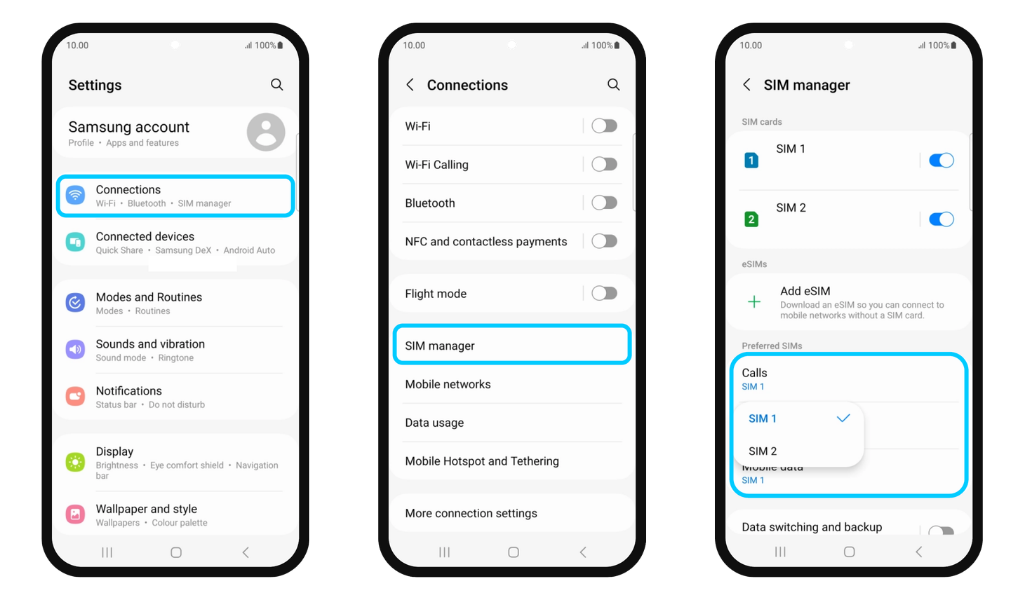
📌 For most travelers, the recommended setup is: Physical SIM for calls and messages, Gohub eSIM for mobile data.
⚠️ On iOS, remember to turn off Allow Mobile Data Switching to prevent your phone from automatically switching data to your primary SIM without you knowing.