

How do I check how much data I've used?
You can check your data usage directly in your phone's settings.
For iOS
- Go to Settings → Mobile Service → Tap Mobile Data
- Select your Gohub eSIM → go back to Mobile Service
- Check your usage under Current Period
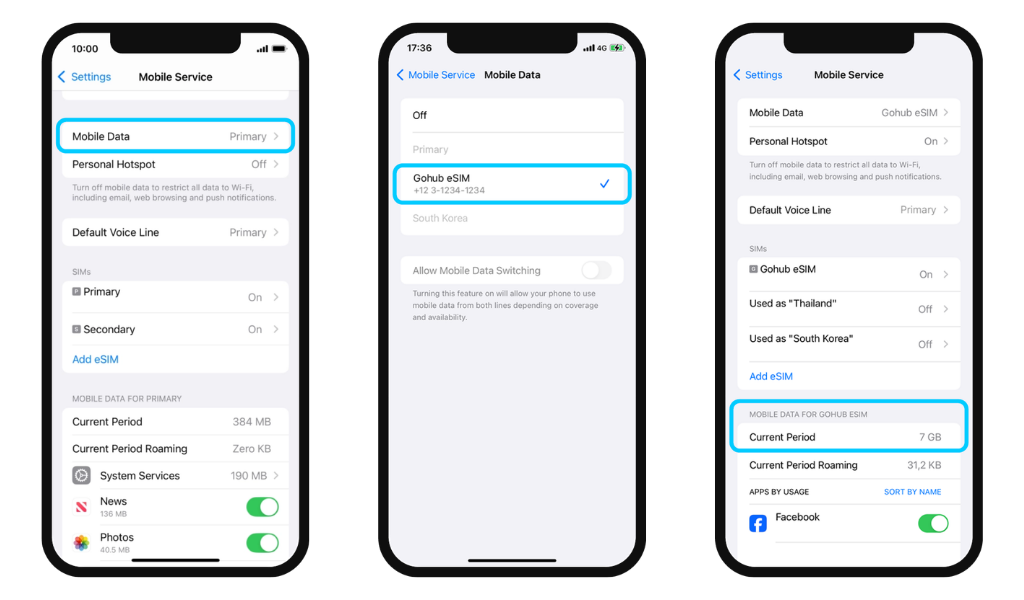
The Current Period counter tracks all data from all active SIMs on your device. For the most accurate reading, we recommend using only one Gohub eSIM during your trip. To track daily usage, reset the counter at the end of each day: Settings → Mobile Service → scroll down → Reset Statistics
For Android
- Go to Settings → Connections
- Tap SIM Manager → make sure your Gohub eSIM is turned on
- Go back to Connections → Tap Data Usage
- Check your mobile data usage here
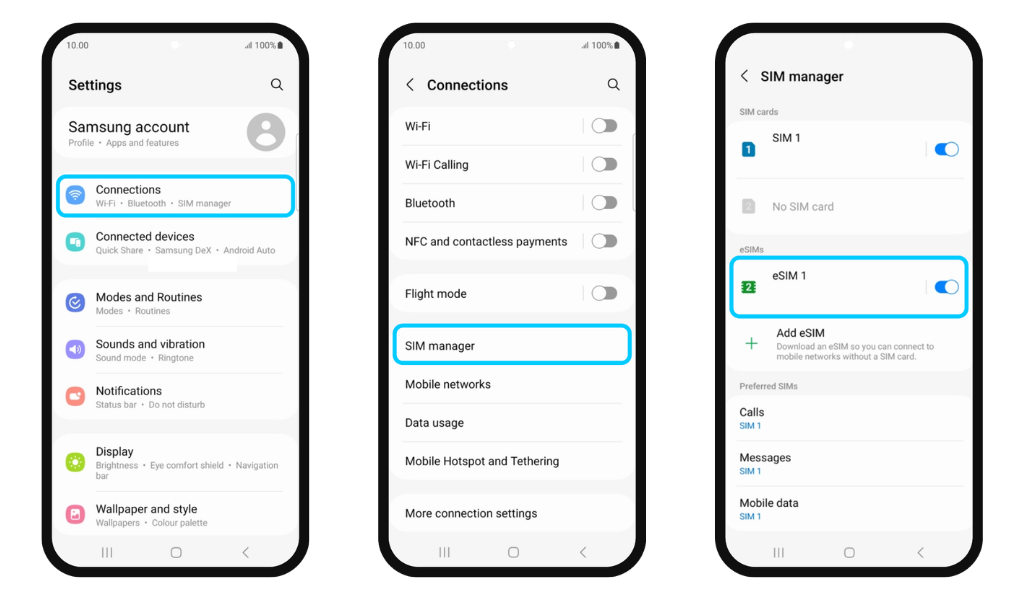
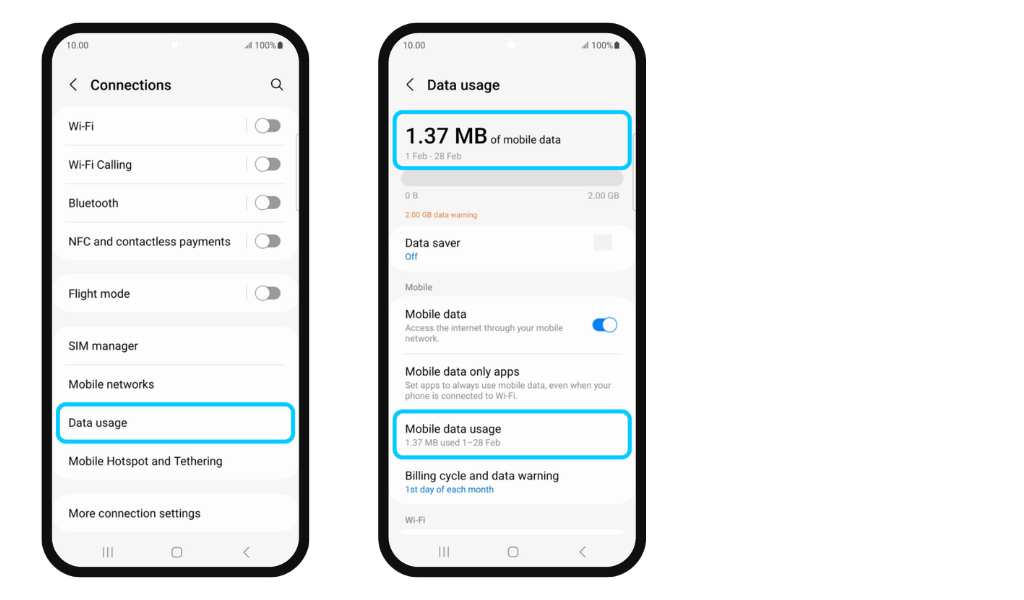
For a more accurate reading, set your data usage cycle to start from your eSIM installation date.
Both methods provide an approximate estimate only. Actual usage may vary depending on background app activity.