What is a carrier-locked phone, and can I use eSIM on one?
No - a carrier-locked phone cannot use a Gohub eSIM until it has been unlocked.
A carrier-locked phone is a device that has been restricted by your mobile carrier to only work with their network. This is common when a phone is purchased through a carrier contract or at a subsidized price - the carrier locks the device to prevent you from switching to another provider.
Why this matters for eSIM
A Gohub eSIM connects you to local networks in your destination country - which means it runs on a different carrier than your home provider. If your phone is carrier-locked, it will block any SIM or eSIM that isn't from your home carrier, including Gohub's.
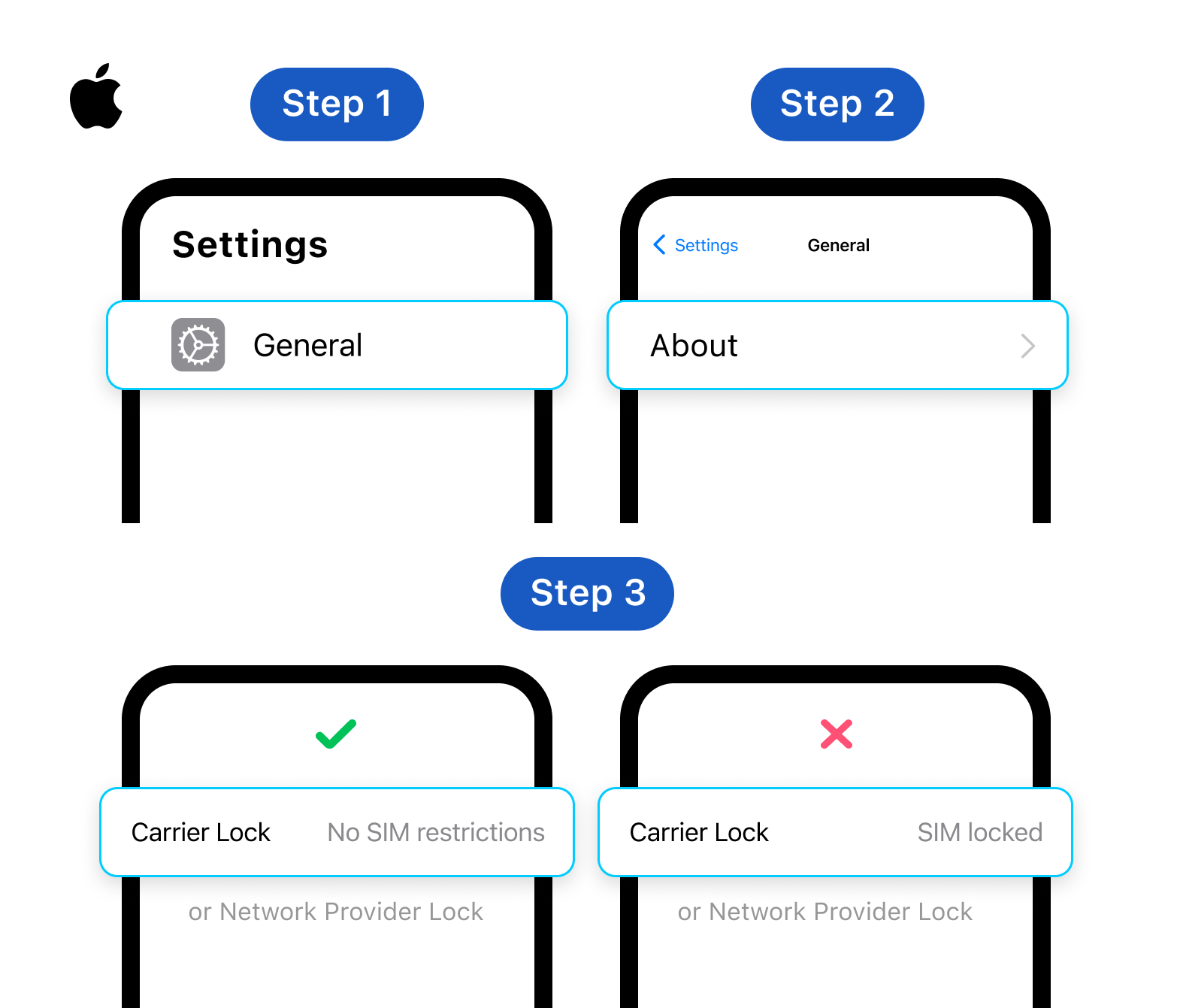
How to check if your iPhone is carrier-locked
Go to Settings → General → About, then scroll down to Carrier Lock or Network Provider Lock. If it says "No SIM restrictions", your device is unlocked and ready to use with a Gohub eSIM.
How to check on Android
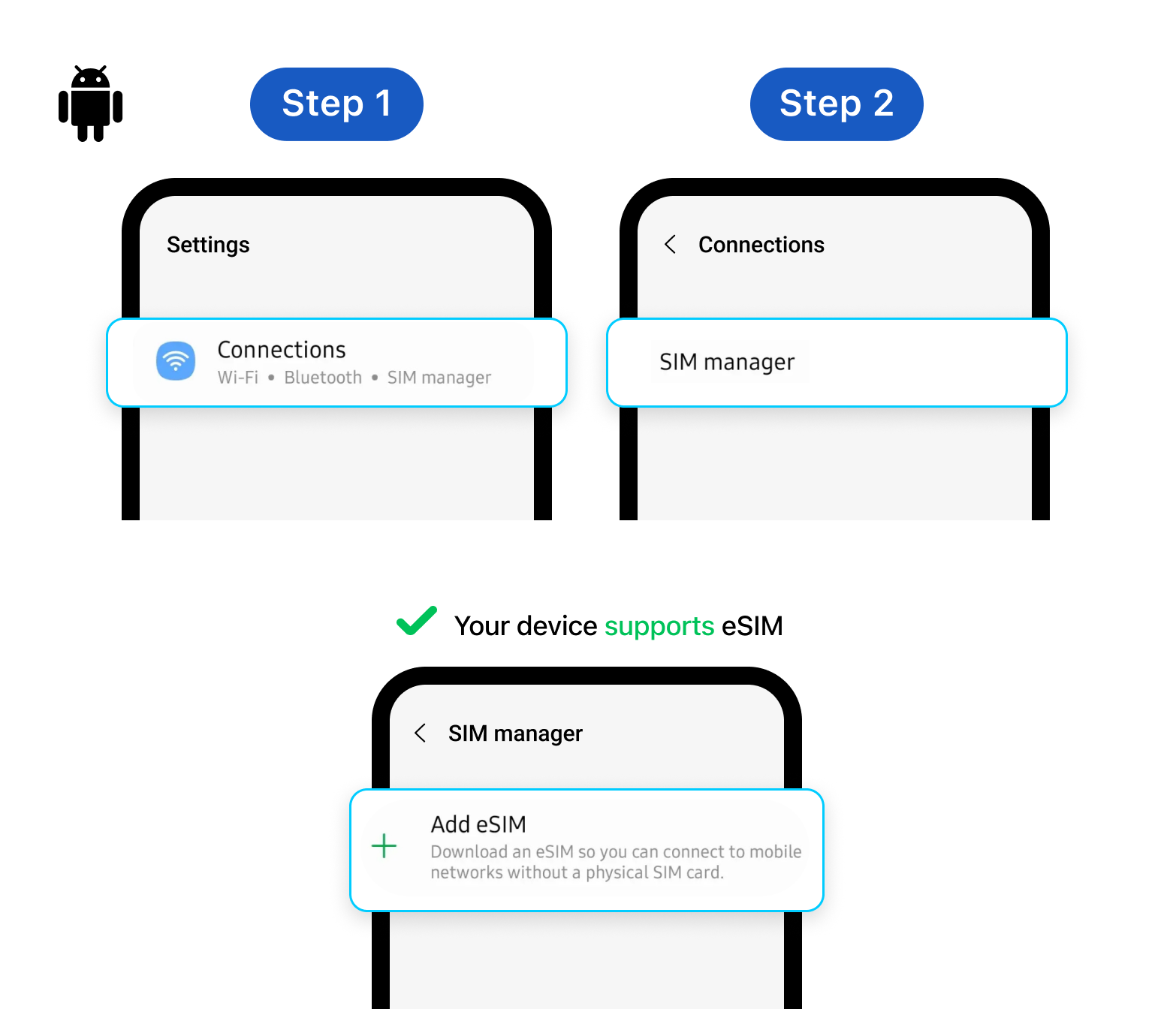
The steps vary by brand. A common method: go to Settings → Connections → SIM manager and look for an "Add eSIM" option. If the option is missing or greyed out, your device may be locked.
→ If your phone is carrier-locked, contact your home carrier to request an unlock before purchasing a Gohub eSIM. Most carriers will unlock your device for free after your contract period ends.