

Malaysia eSIM
Malaysia eSIM
Enjoy fast, reliable internet with trusted local networks worldwide.

Trusted by 500K+ happy global customers since 2018
Enjoy fast, reliable internet with trusted local networks worldwide.
happy global customers since 2018

Get an eSIM data plan for Malaysia
3 days
5 days
10 days
15 days
30 days
Make sure your device is and network-unlocked.

Malaysia eSIM for Travelers – Fast Data, Easy Setup, Instant Activation
Stay connected the moment you land in Kuala Lumpur, Penang, Kota Kinabalu, or any major Malaysian destination. With Gohub's Malaysia travel eSIM, you can access mobile data across the country—from city skylines and heritage streets to tropical beaches, rainforests, and island getaways—without swapping your physical SIM or paying for roaming.
Why choose Gohub's Malaysia eSIM:
Instant activation. Scan a QR code and go online within minutes of landing.
No physical SIM swap. Keep your home SIM active for calls and SMS from family or work.
Premium local coverage. Reliable data via partner networks across Malaysia—KLIA, Penang, Kota Kinabalu and other major airports, KL urban rail lines, hotels, shopping malls, and popular tourist destinations.
Fast mobile data. Smooth performance for Google Maps, Grab, social media, video calls, and streaming in Kuala Lumpur, Penang, Malacca, Johor Bahru, Langkawi, Kota Kinabalu, Kuching, and beyond.
Coverage across Peninsular and East Malaysia. Stay connected whether you're exploring the peninsula or travelling to Sabah and Sarawak on Borneo (coverage details vary by plan—see individual plans for region support).
Flexible plans. Options for short city stopovers in KL, island getaways to Langkawi or Tioman, and longer multi-region trips combining the peninsula with Borneo.
Hotspot ready. Share data with your laptop or travel companions (device/network dependent).
Works with the apps you need. Use Grab for rides and food delivery, Google Maps for navigation, WhatsApp for messaging, plus your usual social apps without restrictions.
Reliable customer support. Get help before and during your trip through our support channels.
How it works:
Choose a plan that matches your travel days and data usage.
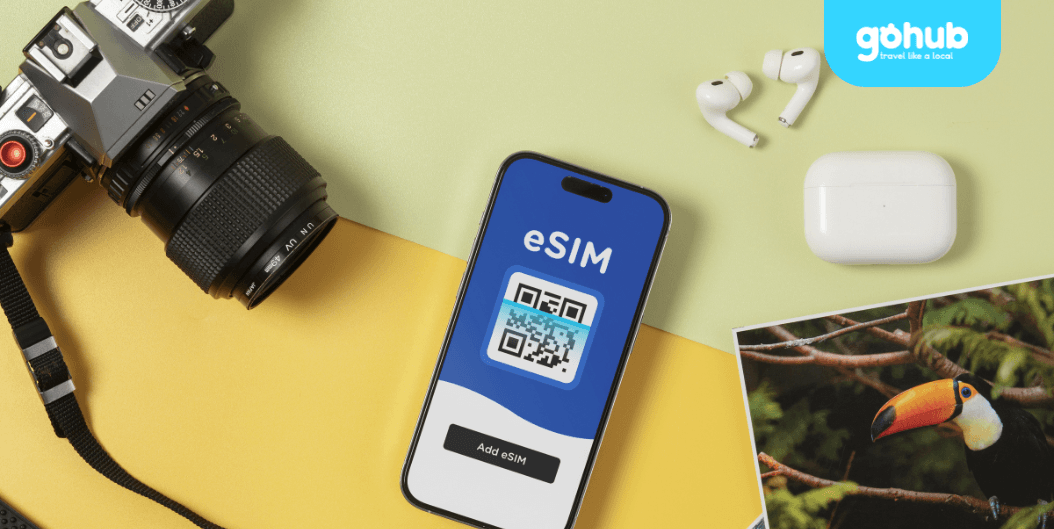
Receive your QR code by email and install the eSIM on your compatible phone.
Turn on the eSIM line, enable data roaming for that line, and you're connected.
Before you buy:
Ensure your phone supports eSIM and is carrier-unlocked. Most iPhones from XS onwards and recent Samsung, Google Pixel, and Oppo flagships are supported.
Install the eSIM while connected to Wi-Fi—ideally before departure or at the airport upon arrival.
Check the validity period and activation window of your selected plan before purchase—these vary by product.
If your itinerary includes East Malaysia (Sabah or Sarawak on Borneo), confirm the plan covers both regions—some travel eSIMs are peninsula-only.
Consider downloading essential apps before your trip—Grab is the dominant ride-hailing and food delivery app in Malaysia, and Touch 'n Go eWallet is widely accepted for payments in shops, parking, and tolls (registration may require a local number).
Coverage is excellent in cities and along main travel corridors, but may be more limited in deep rainforest areas, remote islands, and parts of inland Borneo.
Need help choosing a plan?
Not sure which plan fits your trip? Malaysia itineraries vary widely—Kuala Lumpur for shopping and culture, Penang for heritage and street food, Langkawi for beaches, Malacca for history, and Kota Kinabalu or Kuching for the natural wonders of Borneo. Consider your travel duration, daily data usage, how many regions you'll cover, and whether your trip includes East Malaysia—then pick the plan that matches. If you're still unsure, our support team is happy to help.
How does the Gohub eSIM for Malaysia work?

Choose your destination and duration
Select your destination and number of days to get your Gohub eSIM
Remember check your device compatibility before purchase.
Receive your eSIM instantly
Your QR code or manual installation code will be sent to your email.
💌 Quick and easy setup, just scan and go!
Activate and enjoy your trip
Install your eSIM before your journey, and activate data when you arrive at your destination to stay connected seamlessly.

Download our app for support
Get instant support, manage your eSIM, and track your data usage with our mobile app.