

How do I check if my iPhone supports eSIM?
There are two things to check: whether your device supports eSIM, and whether it's carrier-locked. Both need to be confirmed before purchasing.
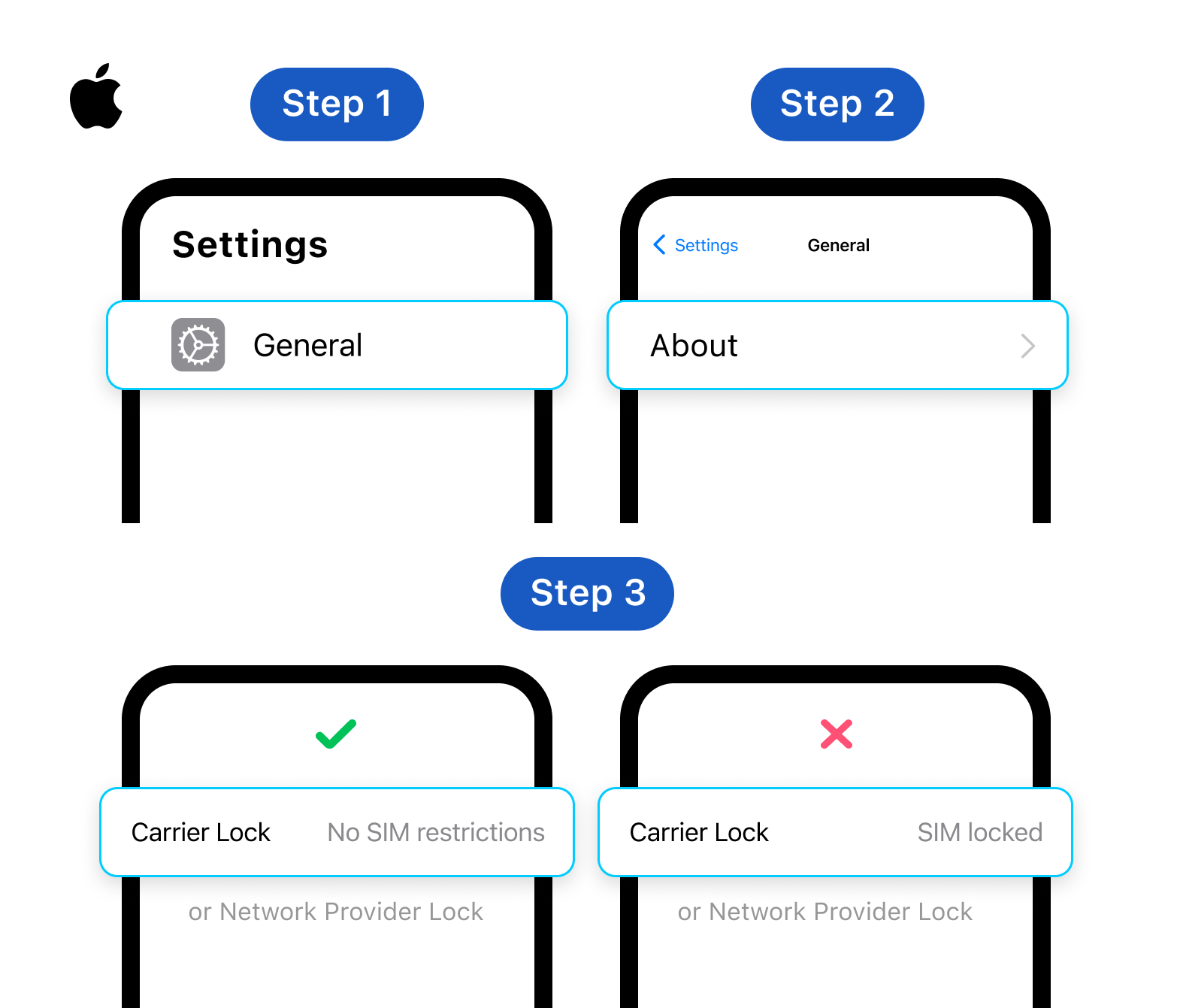
Step 1: Check for carrier lock
Go to Settings → General → About, then scroll down to Carrier Lock or Network Provider Lock.
- If it says "No SIM restrictions" → your device is unlocked
- If it shows your carrier's name → your device is locked and a Gohub eSIM will not work
Step 2: Check if your device supports eSIM
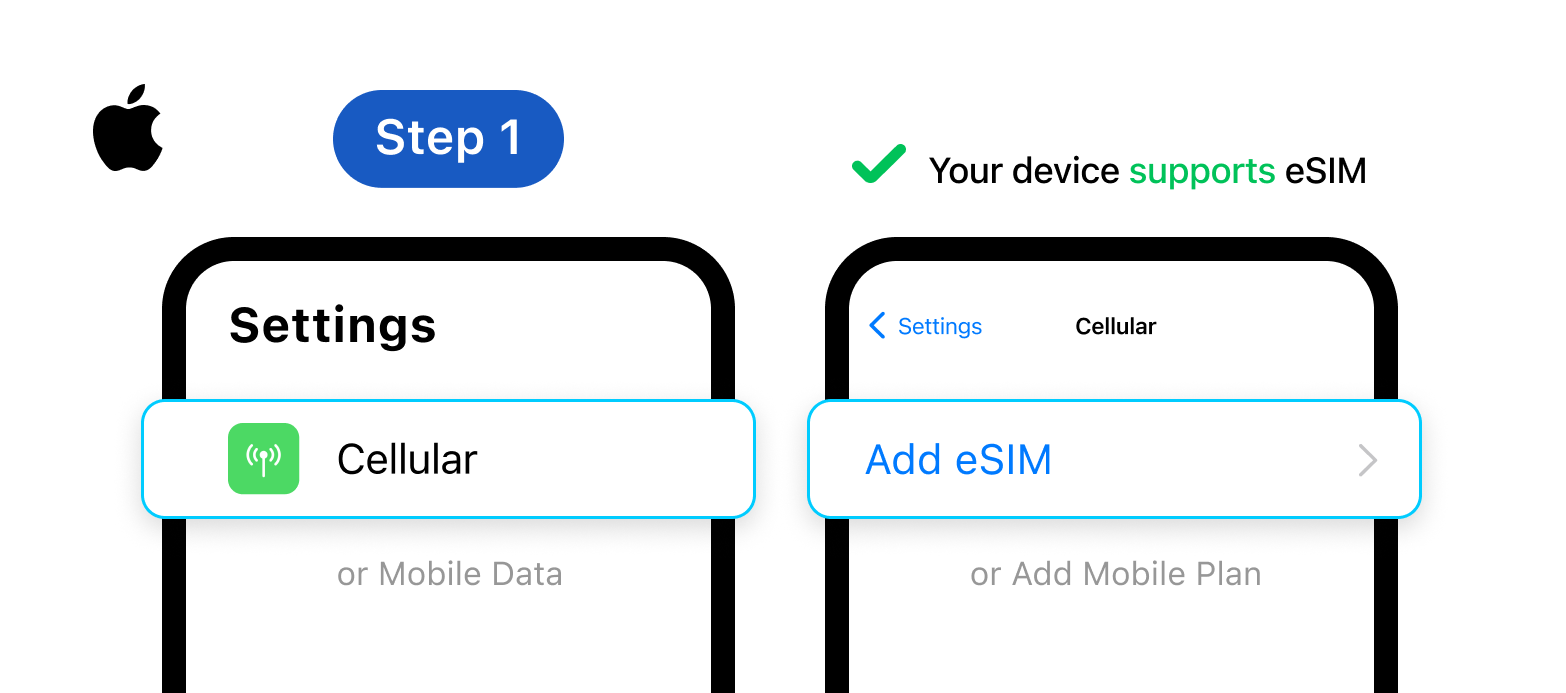
Go to Settings → Mobile Service (or Cellular on some versions).
- If you see "Add eSIM" or "Add Cellular Plan" → your device supports eSIM
- If this option is not there → your device does not support eSIM
Note: Both steps must pass for your iPhone to work with a Gohub eSIM. A device that supports eSIM but is carrier-locked will still not be able to install it.
Devices confirmed not to support eSIM
- iPhone X, iPhone 8, iPhone 7, and all earlier models
- iPhones purchased in China, Hong Kong, or Macao - regardless of model
Confirmed your iPhone supports eSIM? Check your device here