

How do I set my Gohub eSIM as the default data line?
Setting your Gohub eSIM as the default data line ensures your phone uses Gohub's network for mobile data, not your home SIM.
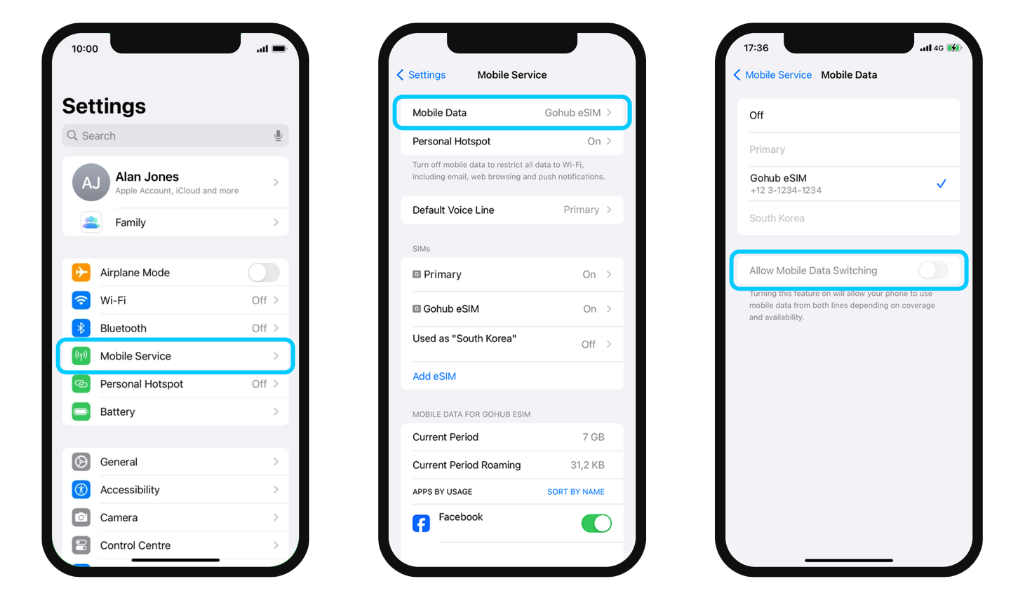
iOS
- Go to Settings → Mobile Service
- Tap Mobile Data
- Select your Gohub eSIM
- Turn off Allow Mobile Data Switching. This prevents your phone from automatically switching back to your primary SIM's data without you knowing.
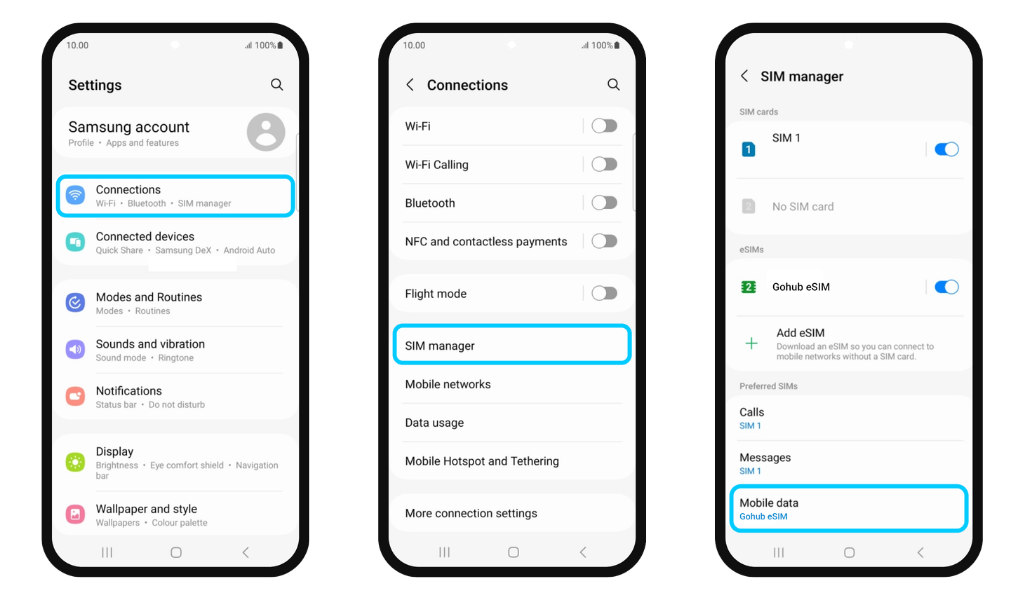
Android
- Go to Settings → Connections
- Tap SIM Manager
- Scroll down to Preferred SIMs
- Under Mobile Data, select your Gohub eSIM
⚠️ If you skip this step, your phone may continue using your home SIM for data - which could result in unexpected roaming charges from your home carrier.
📌 Already done this during installation? You're all set - no need to repeat it.