

iPhone 12 có eSIM không? Cách cài đặt, giới hạn Dual SIM và các tùy chọn dùng thử miễn phí

Có. Mọi mẫu iPhone 12 — iPhone 12 mini, iPhone 12, iPhone 12 Pro và iPhone 12 Pro Max — đều có eSIM tích hợp sẵn. Các trường hợp ngoại lệ duy nhất là các biến thể được bán ở Trung Quốc đại lục, Hồng Kông và Ma Cao, mà Apple trang bị hai khe cắm nano-SIM vật lý thay vì eSIM. Nếu bạn mua iPhone 12 của mình ở bất kỳ nơi nào khác, bạn có thể cài đặt gói dữ liệu du lịch trên đó trong khoảng năm phút mà không cần mở khay SIM.
Hướng dẫn này bao gồm những gì Dual SIM của iPhone 12 thực sự làm hàng ngày, đường dây nào để đặt làm mặc định cho dữ liệu và iMessage, điều gì xảy ra với 5G khi eSIM du lịch mang dữ liệu của bạn, và ba phương pháp cài đặt — để bạn hạ cánh ở nước ngoài đã được kết nối thay vì phải tìm kiếm Wi-Fi sân bay.
Trả lời nhanh
Hỗ trợ eSIM: có, trên cả bốn mẫu iPhone 12.
Hai SIM: một nano-SIM vật lý + một eSIM đang hoạt động (Dual SIM Dual Standby).
Hai eSIM hoạt động cùng lúc: không — tính năng này bắt đầu từ iPhone 13.
Số hồ sơ bạn có thể lưu trữ: tám hoặc nhiều hơn; chỉ một eSIM hoạt động tại một thời điểm.
iOS tối thiểu: iOS 12.1 cho eSIM, iOS 14.5 trở lên nếu bạn muốn 5G khi hai đường dây đang hoạt động.
Bị chặn bởi: khóa nhà mạng, hoặc mẫu máy bán ở Trung Quốc đại lục / Hồng Kông / Ma Cao.
Bạn muốn xác nhận trước khi đọc tiếp? Mở mục iPhone 12 trong cơ sở dữ liệu thiết bị tương thích của chúng tôi, hoặc chạy mẫu máy chính xác của bạn qua công cụ kiểm tra thiết bị Gohub.
Mọi mẫu iPhone 12 đều hỗ trợ eSIM — bao gồm mini và Pro Max
Apple không phân chia hỗ trợ eSIM trên dòng iPhone 12 theo cách họ phân chia phần cứng camera. Chip eSIM giống hệt nhau trên 12 mini rẻ nhất và 12 Pro Max cao cấp nhất. Kích thước lưu trữ, màu sắc và nhà mạng mua cũng không tạo ra sự khác biệt.
Mẫu | eSIM | Cấu hình SIM |
|---|---|---|
iPhone 12 mini | Có | 1 nano-SIM + 1 eSIM |
iPhone 12 | Có | 1 nano-SIM + 1 eSIM |
iPhone 12 Pro | Có | 1 nano-SIM + 1 eSIM |
iPhone 12 Pro Max | Có | 1 nano-SIM + 1 eSIM |
iPhone 12 / 12 Pro / 12 Pro Max bán ở Trung Quốc đại lục, Hồng Kông hoặc Ma Cao | Không | 2 nano-SIM vật lý |
Hàng cuối cùng đó là điều khiến nhiều người bối rối, và đó là lý do phổ biến nhất khiến một du khách với chiếc iPhone hiện đại hoàn hảo không thể cài đặt gói cước du lịch. Apple đã xây dựng phần cứng dành riêng cho từng khu vực: ở những thị trường đó, khe cắm nano-SIM thứ hai thay thế vật lý eSIM. Không có bản cập nhật iOS, jailbreak hay yêu cầu nhà mạng nào có thể khôi phục nó. Thật kỳ lạ, iPhone 12 mini được bán ở Hồng Kông và Ma Cao vẫn giữ eSIM — việc hoán đổi hai SIM vật lý chỉ áp dụng cho các mẫu tiêu chuẩn và Pro.
Cách kiểm tra thiết bị của bạn trong 30 giây
Mở Cài đặt > Cài đặt chung > Giới thiệu.
Cuộn xuống SIM khả dụng hoặc EID. Nếu có số EID được liệt kê, điện thoại có eSIM.
Không có dòng EID nào cả, và có hai khay SIM trong khung máy? Bạn đang cầm một biến thể khu vực có hai SIM vật lý.
Bạn cũng có thể quay số *#06# — cửa sổ bật lên sẽ hiển thị số IMEI của bạn và, trên các iPhone hỗ trợ eSIM, EID. Trung tâm trợ giúp của chúng tôi có hướng dẫn chi tiết hơn trong Làm cách nào để kiểm tra xem iPhone của tôi có hỗ trợ eSIM không?, và vấn đề khu vực được giải thích trong Việc tôi mua điện thoại ở đâu có quan trọng không?
Trở ngại khác: khóa nhà mạng
Một chiếc iPhone 12 bị khóa nhà mạng hỗ trợ eSIM về phần cứng nhưng sẽ từ chối bất kỳ hồ sơ nào không phải từ nhà mạng đã khóa nó. Kiểm tra Cài đặt > Cài đặt chung > Giới thiệu > Khóa nhà mạng. Bạn muốn nó hiển thị Không giới hạn SIM. Bất kỳ điều gì khác và eSIM du lịch sẽ cài đặt nhưng không bao giờ đăng ký được vào mạng. Nếu bạn mua điện thoại cũ, hãy xác minh điều này trước chuyến đi, không phải ở sân bay — xem Khóa nhà mạng: cách kiểm tra và mở khóa thiết bị của bạn.
Dual SIM Dual Standby thực sự có nghĩa gì trong sử dụng hàng ngày ở nước ngoài
iPhone 12 chạy Dual SIM Dual Standby (DSDS). Cả hai đường dây đều được đăng ký và có thể nhận cuộc gọi và tin nhắn, nhưng chỉ một đường dây truyền dữ liệu tại bất kỳ thời điểm nào. Trên thực tế, đó chính xác là điều một du khách mong muốn:
Nano-SIM tại nhà của bạn vẫn nằm trong khay, chuyển vùng tắt, để các mã OTP ngân hàng và cuộc gọi từ gia đình vẫn đến.
eSIM du lịch của bạn sẽ xử lý tất cả dữ liệu với giá cước địa phương.
Nếu ai đó gọi đến số nhà của bạn trong khi bạn đang gọi điện trên đường dây khác, cuộc gọi thứ hai sẽ hoạt động như một cuộc gọi nhỡ thông thường hoặc chuyển đến hộp thư thoại, tùy thuộc vào nhà mạng của bạn.
Hạn chế cần biết: bạn không thể chạy hai eSIM cùng lúc trên iPhone 12. Bạn có thể lưu trữ nhiều hồ sơ eSIM — Nhật Bản, Châu Âu, Hoa Kỳ từ các chuyến đi trước — nhưng chỉ một eSIM có thể được bật. Bật hồ sơ thứ hai sẽ tắt hồ sơ thứ nhất. Hai eSIM hoạt động cùng lúc đã xuất hiện với thế hệ iPhone 13, đây là sự khác biệt thực tế giữa hai dòng nếu bạn đang chọn một chiếc điện thoại cũ để đi du lịch.
Lưu trữ hồ sơ giữa các chuyến đi
Các hồ sơ cũ không tốn phí để giữ và có thể được kích hoạt lại nếu gói cước vẫn còn hiệu lực, vì vậy hiếm khi có lý do để xóa chúng một cách vội vàng. Đổi tên mỗi hồ sơ ngay khi bạn cài đặt — "Nhật Bản T10", "Châu Âu 10GB" — vì "Du lịch" x4 trong danh sách SIM là cách mọi người kết thúc việc nhắn tin trên đường dây sai. Xem Làm cách nào để đổi tên eSIM của tôi? và Khi nào tôi nên xóa eSIM — và cách thực hiện an toàn.
Thiết lập đường dây nào làm mặc định cho dữ liệu, cuộc gọi và iMessage
Đây là phần quyết định chuyến đi của bạn là rẻ hay đắt, và chỉ mất 60 giây sau khi eSIM được cài đặt.
Cài đặt > Di động > Dữ liệu di động → chọn eSIM du lịch của bạn.
Trong cùng màn hình, tắt Cho phép chuyển đổi dữ liệu di động. Nếu bật, iPhone có thể âm thầm chuyển về đường dây nhà của bạn — và đó là một hóa đơn chuyển vùng.
Cài đặt > Di động > Đường dây thoại mặc định → giữ số nhà của bạn để cuộc gọi và SMS hoạt động bình thường.
Chạm vào đường dây nhà của bạn > Chuyển vùng dữ liệu → TẮT. Đảm bảo an toàn tuyệt đối.
Cài đặt > Tin nhắn > iMessage & FaceTime → xác nhận iMessage vẫn được liên kết với số nhà của bạn, không phải đường dây du lịch.
Hầu hết các eSIM du lịch, bao gồm cả của Gohub, chỉ cung cấp dữ liệu: chúng cung cấp cho bạn internet, không phải số điện thoại địa phương. Cuộc gọi và tin nhắn của bạn vẫn chạy qua đường dây nhà của bạn, và WhatsApp, Zalo, Messenger, FaceTime và iMessage đều hoạt động qua dữ liệu du lịch. Nếu bạn muốn biết chi tiết, hãy đọc eSIM Gohub của tôi có đi kèm số điện thoại không? và Tôi có vẫn nhận được cuộc gọi và SMS trên số chính của mình khi sử dụng eSIM không?
Cài đặt mà mọi người thường quên: Chuyển đổi dữ liệu di động
Nó xứng đáng có một đoạn riêng vì nó chịu trách nhiệm cho hầu hết các khiếu nại "Tôi đã sử dụng eSIM du lịch mà vẫn bị tính phí chuyển vùng". iOS bật nó để giữ bạn kết nối khi một đường dây có tín hiệu kém — hợp lý ở nhà, nhưng tốn kém ở nước ngoài. Hãy tắt nó trước khi bạn bay. Một thói quen liên quan giúp tiết kiệm tiền: tắt chuyển vùng dữ liệu trên đường dây nhà cho đến khi bạn xác nhận eSIM du lịch đã có tín hiệu, như đã giải thích trong Tại sao tôi nên đợi đến khi hạ cánh mới bật chuyển vùng dữ liệu?
Hành vi 5G khi eSIM du lịch là đường dây dữ liệu
iPhone 12 là điện thoại 5G đầu tiên của Apple, và các quy tắc Dual SIM liên quan đến 5G đã thay đổi sớm trong vòng đời của nó:
iOS 14.5 trở lên: 5G hoạt động khi cả hai đường dây đều đang hoạt động. Đây là phiên bản bạn sẽ đang chạy hôm nay.
iOS 14.0 đến 14.4: với hai đường dây đang hoạt động, iPhone sẽ chuyển xuống LTE.
Việc bạn có thực sự nhận được 5G ở nước ngoài hay không phụ thuộc vào mạng cục bộ mà eSIM của bạn chuyển vùng đến và các băng tần mà iPhone 12 khu vực của bạn hỗ trợ — các mẫu ở Mỹ hỗ trợ mmWave, hầu hết các khu vực khác thì không. Đối với việc sử dụng khi đi du lịch, điều này ít quan trọng hơn nhiều so với những gì mọi người mong đợi: LTE đủ thoải mái cho bản đồ, ứng dụng gọi xe, dịch thuật và cuộc gọi video, và 5G làm hao pin nhanh hơn. Nếu bạn muốn xem mạng cục bộ thực sự cung cấp gì, hãy chạy kiểm tra tốc độ Gohub sau khi bạn kết nối.
Buộc sử dụng LTE để tiết kiệm pin trong Cài đặt > Di động > [eSIM của bạn] > Thoại & Dữ liệu > LTE. Bạn có thể chuyển đổi lại bất cứ lúc nào.
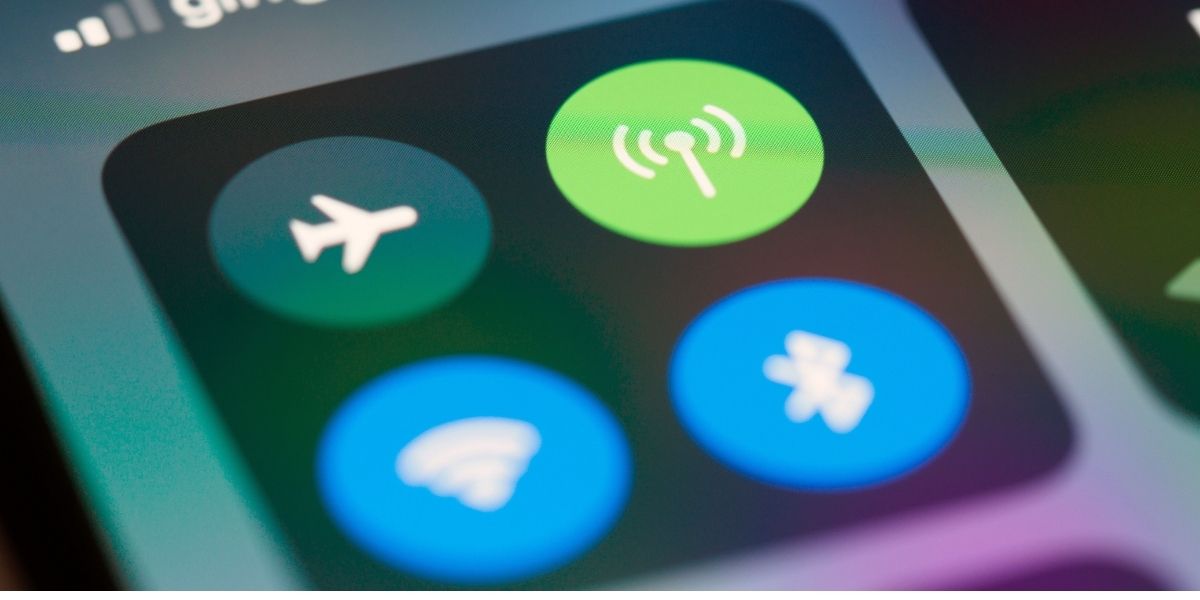
Nút chuyển đổi di động trong Trung tâm điều khiển. Đường dây nào thực sự đang truyền dữ liệu được thiết lập trong Cài đặt > Di động > Dữ liệu di động.
Thêm eSIM: mã QR, chi tiết thủ công hoặc ứng dụng nhà mạng
Cả ba phương pháp đều cần kết nối internet tại thời điểm cài đặt — điện thoại phải kết nối với máy chủ của nhà cung cấp để tải hồ sơ. Vì vậy, hãy cài đặt trước khi bay, trong khi bạn vẫn có Wi-Fi, và kích hoạt sau khi hạ cánh. Cài đặt không giống như bắt đầu gói cước; hầu hết các gói của Gohub bắt đầu tính thời gian khi eSIM lần đầu tiên kết nối với mạng ở nước ngoài. Các quy tắc kích hoạt khác nhau tùy theo loại gói, vì vậy hãy kiểm tra Khi nào gói eSIM của tôi bắt đầu? cho gói bạn mua. Chi tiết trong Tôi có thể cài đặt eSIM trước chuyến đi không?
Phương pháp 1 — Mã QR (cách thông thường)
Cài đặt > Di động > Thêm eSIM (trên iOS cũ hơn: Thêm gói di động).
Chạm vào Sử dụng mã QR và hướng camera vào mã được hiển thị trên máy tính xách tay, bản in hoặc điện thoại thứ hai.
Đặt tên cho gói cước, chọn các đường dây mặc định như trên, và bạn đã hoàn tất.
Phương pháp 2 — nhập chi tiết thủ công
Không có màn hình thứ hai để quét? Trên cùng trang đó, chọn Nhập chi tiết thủ công và nhập địa chỉ SM-DP+ và mã kích hoạt từ email đặt hàng của bạn. Nó tạo ra hồ sơ giống hệt như cách dùng mã QR. Đây là phương pháp để sử dụng tại cổng sân bay khi bạn chỉ có email xác nhận đang mở.
Phương pháp 3 — cài đặt từ ứng dụng nhà cung cấp
Ứng dụng Gohub cài đặt hồ sơ chỉ với một lần chạm và bỏ qua hoàn toàn các mã, đây cũng là cách nhanh nhất để nạp tiền giữa chuyến đi. Nếu bạn sắp hết dữ liệu, nạp tiền mất chưa đầy một phút và không yêu cầu cài đặt lại bất cứ thứ gì.
Hướng dẫn chi tiết đầy đủ với ảnh chụp màn hình có tại Cách cài đặt eSIM và Cách cài đặt eSIM trên iPhone của tôi?
Khi không hoạt động ngay lần thử đầu tiên
"Mã này không còn hợp lệ" — hồ sơ đã được cài đặt một lần. Hồ sơ eSIM chỉ dùng một lần; xem cách khắc phục tại đây.
"Không thể thêm gói di động từ nhà mạng này" — thường là do khóa nhà mạng hoặc hạn chế khu vực: đọc bài này.
Có vạch sóng nhưng không có internet — cài đặt APN hoặc đường dây dữ liệu, được khắc phục trong hướng dẫn này.
Bất kỳ vấn đề nào khác: hướng dẫn khắc phục sự cố eSIM được sắp xếp theo triệu chứng.
Giữ số điện thoại nhà của bạn có thể liên lạc được khi chuyển vùng tắt
Bạn không cần phải chọn giữa "có thể liên lạc được" và "không trả phí chuyển vùng". Với DSDS của iPhone 12, bạn có cả hai:
Nano-SIM tại nhà: bật, chuyển vùng dữ liệu tắt. Cuộc gọi và SMS — bao gồm cả OTP ngân hàng — vẫn đến vì chuyển vùng thoại và SMS tách biệt với chuyển vùng dữ liệu trên hầu hết các nhà mạng. Kiểm tra phí chuyển vùng cuộc gọi đến của nhà mạng bạn; nhận cuộc gọi thường miễn phí hoặc rất rẻ, trong khi trả lời có thể không.
eSIM du lịch: bật, đặt làm đường dây dữ liệu.
Ưu tiên thiết lập không rủi ro? Tắt hoàn toàn đường dây nhà trong Cài đặt > Di động và dựa vào iMessage và cuộc gọi internet qua dữ liệu du lịch.
Một mẹo thực tế nữa: iPhone 12 của bạn có thể chia sẻ eSIM du lịch với máy tính xách tay, máy tính bảng hoặc điện thoại của bạn đồng hành thông qua Điểm truy cập cá nhân — xem Tôi có thể sử dụng eSIM Gohub của mình làm điểm phát sóng không?
iPhone 12 thực sự cần bao nhiêu dữ liệu trong một chuyến đi?
Một ngày du lịch thực tế — bản đồ và điều hướng, nhắn tin, một vài cuộc gọi thoại qua WhatsApp, mạng xã hội, thẻ lên máy bay và một vài bản dịch — tiêu tốn từ 500MB đến 1.5GB. Phát video trên Wi-Fi khách sạn là miễn phí; phát video qua mạng di động là thứ làm cạn gói cước trong hai ngày.
Hai cài đặt giúp iPhone 12 của bạn gọn gàng: bật Chế độ dữ liệu thấp cho eSIM du lịch (Cài đặt > Di động > [eSIM] > Tùy chọn dữ liệu di động), và tắt tải lên Ảnh iCloud qua mạng di động. Sau đó, thỉnh thoảng kiểm tra mức tiêu thụ — Làm cách nào để kiểm tra lượng dữ liệu tôi đã sử dụng? Không chắc nên mua gói cước dung lượng bao nhiêu? Công cụ tính toán dữ liệu du lịch sẽ ước tính dựa trên thời lượng chuyến đi và thói quen của bạn.
Các tùy chọn dùng thử miễn phí: kiểm tra eSIM trên iPhone 12 của bạn trước khi thanh toán
Lý do chân thật để thử trước khi mua không phải là giá cả — mà là để xác nhận rằng thiết bị của bạn, với trạng thái khóa nhà mạng của bạn và phiên bản iOS của bạn, cài đặt hồ sơ một cách sạch sẽ. Mười phút trên ghế sofa của bạn tốt hơn nhiều so với việc khắc phục sự cố ở sảnh đến.
Gohub cung cấp eSIM miễn phí mà bạn có thể yêu cầu mà không cần thẻ tín dụng. Cài đặt nó trên iPhone 12 tại nhà, xem hồ sơ xuất hiện trong Cài đặt > Di động, và bạn sẽ biết điện thoại đã sẵn sàng từ lâu trước khi khởi hành. Chúng tôi cũng có một so sánh thẳng thắn về những gì các ưu đãi miễn phí của ngành thực sự chứa đựng trong Các bản dùng thử eSIM miễn phí tốt nhất không cần thẻ tín dụng, cộng với danh sách cảnh báo trong 12 dấu hiệu của một vụ lừa đảo eSIM miễn phí.
Tiết lộ: Gohub là sản phẩm của chúng tôi. Chúng tôi nói rõ ràng thay vì trình bày đây như một đánh giá trung lập — các sự thật về thiết bị ở trên có thể được xác minh dựa trên tài liệu của Apple và ứng dụng Cài đặt của riêng bạn bất kể bạn chọn nhà cung cấp nào.
Khi bạn đã sẵn sàng mua cho một điểm đến cụ thể, các trang quốc gia sẽ hiển thị phạm vi phủ sóng và giá cả địa phương: Nhật Bản, Hàn Quốc, Thái Lan, Châu Âu, Hoa Kỳ, hoặc duyệt tất cả các điểm đến.
iPhone 12 so với các iPhone mới hơn cho việc du lịch bằng eSIM
Nếu bạn đang quyết định xem iPhone 12 có "đủ tốt" làm điện thoại du lịch vào năm 2026 hay không, thì câu trả lời là có — với một lưu ý.
iPhone 12 | iPhone 13 trở lên | iPhone 14+ (mẫu Mỹ) | |
|---|---|---|---|
eSIM | Có | Có | Có |
Nano-SIM vật lý | Có | Có | Không (mẫu Mỹ chỉ dùng eSIM) |
Hai eSIM hoạt động | Không | Có | Có |
Hồ sơ đã lưu | 8+ | 8+ | 8+ |
Lưu ý này chỉ liên quan nếu bạn muốn hai eSIM du lịch hoạt động cùng lúc — ví dụ, một chuyến đi đa quốc gia mà bạn muốn một gói cước địa phương Nhật Bản và một gói cước khu vực Châu Á chạy cùng nhau. Đối với những người khác, một đường dây nano-SIM tại nhà cộng với một eSIM du lịch là thiết lập hoạt động tốt, và iPhone 12 thực hiện điều đó một cách hoàn hảo. So sánh với iPhone 13 hoặc, đối với lựa chọn tiết kiệm, iPhone SE.
Các câu hỏi thường gặp
iPhone 12 mini có eSIM không?
Có. 12 mini có cùng phần cứng eSIM với các mẫu còn lại trong dòng, và nó cũng là mẫu iPhone 12 duy nhất giữ lại eSIM ở thị trường Hồng Kông và Ma Cao.
Tôi có thể sử dụng hai eSIM trên iPhone 12 không?
Bạn có thể lưu trữ nhiều hồ sơ nhưng chỉ một eSIM có thể hoạt động tại một thời điểm, cùng với nano-SIM vật lý. Hai eSIM hoạt động đồng thời yêu cầu iPhone 13 trở lên.
Cài đặt eSIM có làm thay đổi số điện thoại của tôi không?
Không. Số điện thoại nhà của bạn vẫn nằm trên SIM vật lý. Một eSIM du lịch chỉ cung cấp dữ liệu sẽ thêm internet, chứ không phải một số mới — phiên bản đầy đủ có trong Cài đặt eSIM có làm thay đổi số điện thoại của bạn không?
Tôi có cần Wi-Fi để cài đặt eSIM không?
Có, tại thời điểm cài đặt — điện thoại tải hồ sơ từ nhà cung cấp. Hãy cài đặt tại nhà trước khi khởi hành; gói cước sẽ tự động bắt đầu khi eSIM kết nối ở nước ngoài. Các quy tắc kích hoạt khác nhau tùy theo loại gói, vì vậy hãy kiểm tra Khi nào gói eSIM của tôi bắt đầu? cho gói bạn mua.
iPhone 12 của tôi báo "Không có dịch vụ" sau khi hạ cánh. Giờ phải làm gì?
Kiểm tra xem eSIM du lịch đã được bật chưa, đã được chọn trong Dữ liệu di động chưa, Chuyển vùng dữ liệu đã bật cho eSIM du lịch chưa (đây là điều cho phép nó sử dụng mạng đối tác), và khởi động lại điện thoại. Hầu hết các trường hợp được giải quyết trong vòng chưa đầy một phút; phần còn lại được đề cập trong hướng dẫn khắc phục sự cố.
eSIM có làm hao pin iPhone 12 của tôi nhanh hơn không?
Hai đường dây hoạt động sử dụng nhiều năng lượng hơn một chút vì cả hai đều duy trì đăng ký vào mạng. Yếu tố gây hao pin lớn hơn là 5G và việc điều hướng bản đồ liên tục. Buộc sử dụng LTE trên đường dây du lịch là cách khắc phục hiệu quả nhất.
Tín hiệu trên eSIM có yếu hơn SIM vật lý không?
Không — eSIM sử dụng cùng ăng-ten và cùng các thỏa thuận mạng. Xem câu trả lời trong trung tâm trợ giúp.
Trước khi bay: danh sách kiểm tra 2 phút
Cài đặt > Cài đặt chung > Giới thiệu hiển thị EID, và Khóa nhà mạng hiển thị Không giới hạn SIM.
iOS đã được cập nhật (14.5+ nếu bạn muốn 5G với hai đường dây).
eSIM du lịch đã được cài đặt tại nhà qua Wi-Fi và được đặt tên rõ ràng.
Dữ liệu di động = eSIM du lịch · Chuyển đổi dữ liệu di động TẮT · Đường dây thoại mặc định = số nhà.
Đường dây nhà: Chuyển vùng dữ liệu TẮT.
Email đặt hàng với mã QR và chi tiết SM-DP+ đã được lưu ngoại tuyến, phòng trường hợp cần.
Thực hiện sáu điều đó và iPhone 12 của bạn sẽ từ trạng thái "hỗ trợ eSIM" sang "được kết nối ngay khi cửa máy bay mở". Yêu cầu một eSIM miễn phí và kiểm tra toàn bộ quy trình tối nay.

Hi! Chúng mình là Gohub Team Gohub là nhà bán eSIM du lịch hàng đầu Việt Nam và là người bạn đồng hành đáng tin cậy của hàng triệu du khách trong mỗi chuyến đi. Với niềm yêu thích du lịch và công nghệ, team luôn mong muốn mang đến cho bạn những hành trình mượt mà nhất. Chúng mình chia sẻ nhiều mẹo du lịch thực tế, kinh nghiệm được rút ra từ những chuyến đi khắp châu Á đến châu Âu và giới thiệu các giải pháp eSIM tiện lợi để bạn luôn kết nối mọi lúc mọi nơi. Mục tiêu của Gohub Team là giúp bạn tự tin chuẩn bị, thoải mái khám phá và tận hưởng từng khoảnh khắc trong chuyến đi của mình.
Xem tất cả bài viết →Tin tức liên quan
iPhone 13 có eSIM không? Cách thêm eSIM trước khi đi du lịch
Có — và iPhone 13 là iPhone đầu tiên chạy hai eSIM cùng lúc. Hướng dẫn cách thêm eSIM du lịch trước chuyến bay, chọn cài đặt nào, và cách khắc phục lỗi "Không có dịch vụ" sau khi hạ cánh.
iPhone SE có eSIM không? Bạn thực sự cần thế hệ nào?
iPhone SE thế hệ thứ 2 (2020) và thế hệ thứ 3 (2022) hỗ trợ eSIM. Thế hệ thứ nhất (2016) không hỗ trợ và không có cách khắc phục. Đây là cách nhận biết bạn đang cầm iPhone SE thế hệ nào — chỉ trong 10 giây.
Apple Watch có eSIM không? Các mẫu di động, nhà mạng và thực tế khi đi du lịch
Các mẫu Apple Watch di động có eSIM — nhưng bạn không thể cài đặt eSIM du lịch lên đó. Đây là những gì hoạt động ở nước ngoài, những gì không và cách thiết lập để giữ cho Apple Watch của bạn trực tuyến khi ở nước ngoài.