

How do I rename my eSIM?
Renaming your eSIM helps you easily identify which line is which - especially useful when you have multiple SIMs or eSIMs on your device.
iOS
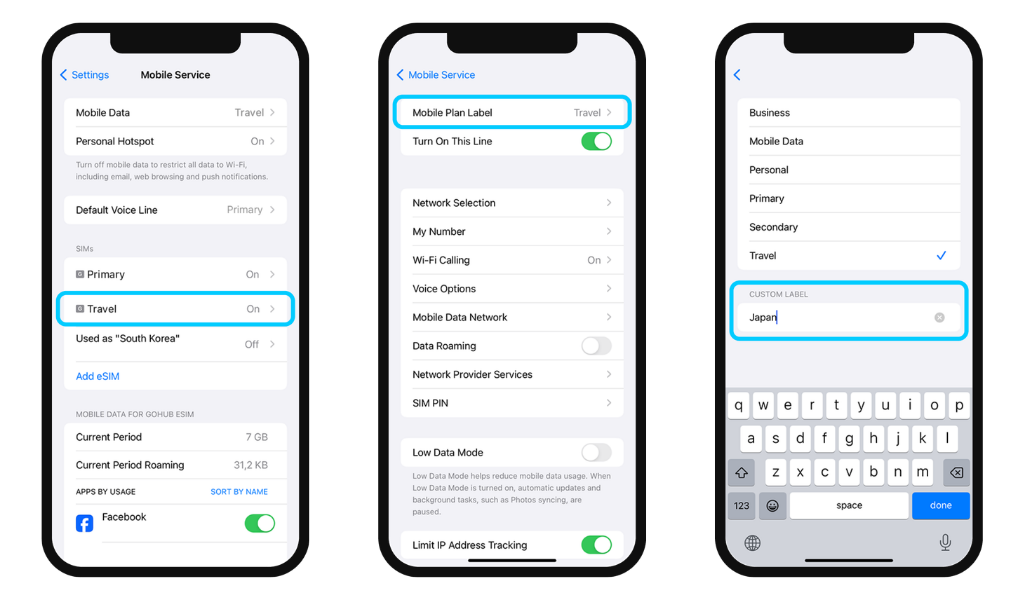
- Go to Settings → Mobile Service → Select the eSIM you want to rename
- Tap Mobile Plan Label
- In the Custom Label section, enter a new name for your eSIM (e.g. "Gohub - Japan")
- Tap Done to save
Android
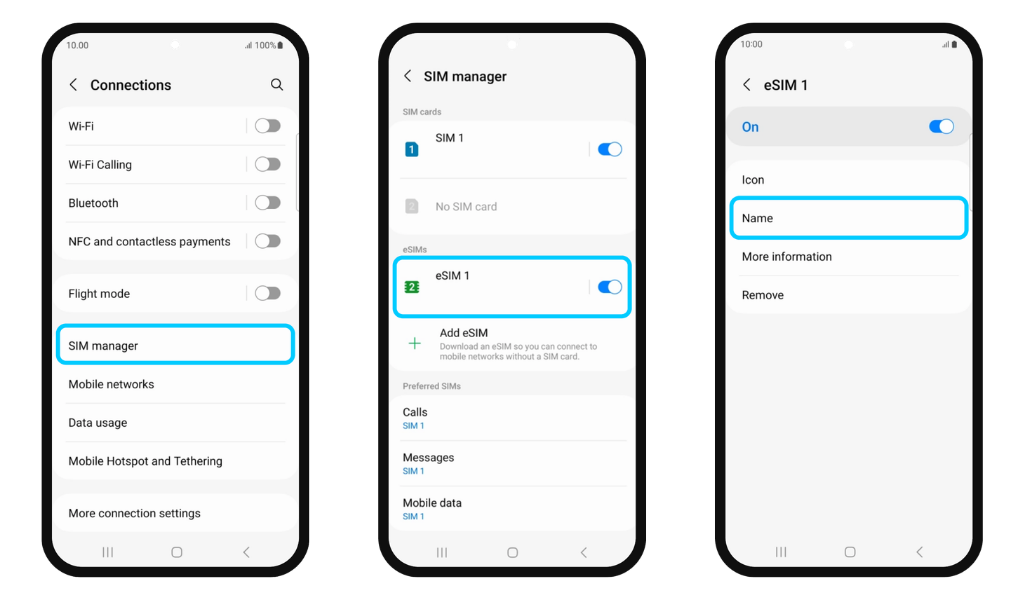
- Go to Settings → Connections → Tap SIM Manager
- Select the eSIM you want to rename
- Tap Name → enter a new name for your eSIM
- Tap Done to save
📌 We recommend renaming your eSIM right after installation so it's easier to manage throughout your trip - especially if you're carrying multiple eSIM profiles for different destinations.