When should I delete my eSIM, and how do I do it safely?
Only delete your Gohub eSIM after your trip is completely over and you no longer need it. Once deleted, an eSIM cannot be reinstalled on any device - not even the same one. Gohub is unable to recover or reissue a deleted eSIM under any circumstances.
Do NOT delete your eSIM to troubleshoot connection issues. If you're experiencing problems, contact Gohub support via WhatsApp first. See Troubleshooting & Support
For iOS
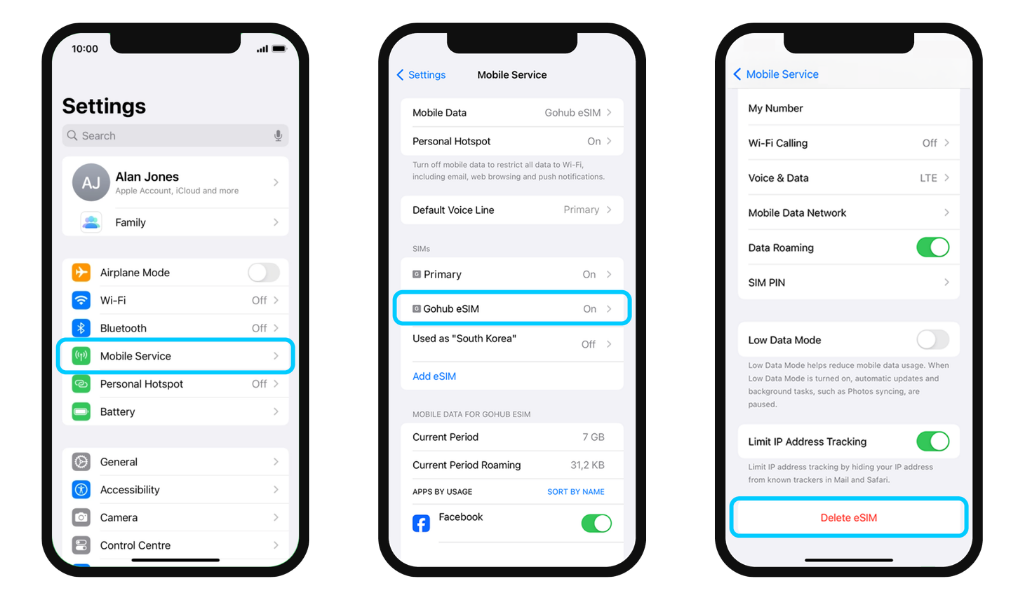
- Go to Settings → Mobile Service
- Select the eSIM you want to remove
- Scroll down and tap Delete eSIM
For Android
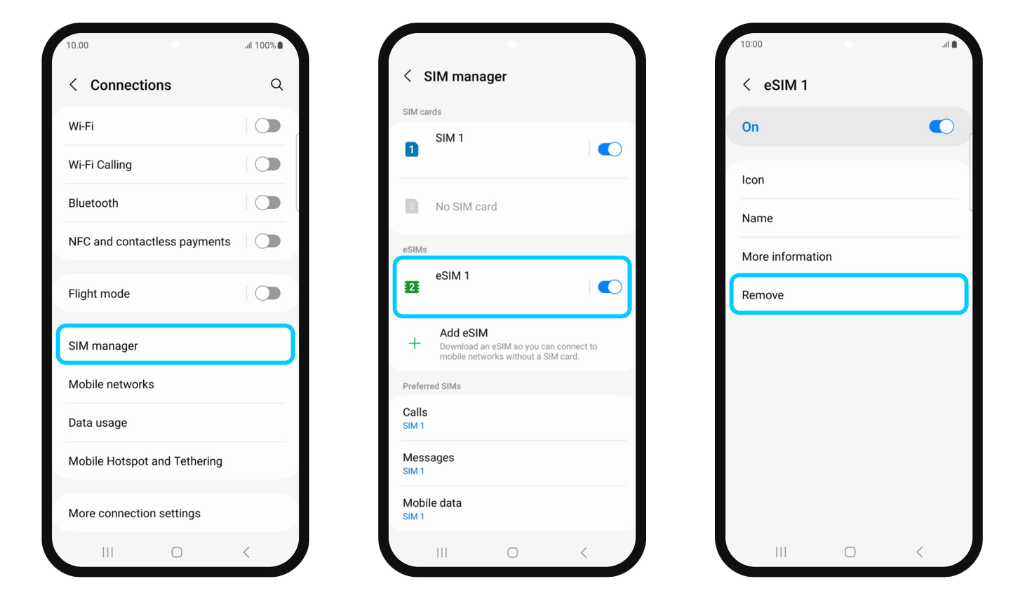
- Go to Settings → Connections → Tap SIM Manager
- Select the eSIM you want to remove
- Tap Remove
To avoid accidental deletion, make sure you only remove eSIMs you are completely done with. If your eSIM is accidentally deleted, Gohub regrets that we are unable to assist in recovering it.