

eSIM at Sydney Airport: Get Online After Landing

Some links in this article are affiliate links. If you book through them, GoHub may earn a small commission at no extra cost to you.
Yes, you can use an eSIM at Sydney Airport (Sydney Kingsford Smith) shortly after landing, as long as your phone supports eSIM and you installed the plan before departure. Turn off airplane mode, set the eSIM as your mobile data line and turn on data roaming. Free terminal WiFi works as a backup while you set up.
An eSIM lets you connect to mobile data without swapping a physical SIM card, waiting at an airport counter, or relying only on public WiFi.
1. Quick Answer
Yes, you can use an eSIM at Sydney Airport shortly after landing if your phone supports eSIM and your plan has been installed before departure.
Once you arrive, turn off airplane mode, enable your travel eSIM, select it for mobile data, and turn on data roaming if your provider requires it. Activation speed may vary depending on your provider, device settings, network partner, terminal location, and local congestion.
Sydney Airport provides free WiFi across its terminals. According to Sydney Airport’s official FAQ, travelers can connect by selecting “Sydney Airport Free WiFi” and following the on-screen instructions. Airport WiFi is useful as a backup, but a travel eSIM keeps working once you leave the airport.
2. Summary Table
| Topic | Quick Answer |
|---|---|
Can I use an eSIM at Sydney Airport? | Yes, if your device and plan support it. |
Should I install it before flying? | Yes, installation is easier with stable WiFi. |
Does Sydney Airport have free WiFi? | Yes, free WiFi is available across all terminals. |
Can I buy a SIM card at Sydney Airport? | Yes, SIM card services are available at T1 International. |
Is eSIM cheaper than roaming? | Often, but it depends on your home carrier. |
Can I keep my home number? | Usually yes on dual-SIM devices. |
Can I use it across Australia? | Generally yes, depending on provider and network partner. |
Does a Gohub Australia eSIM cover New Zealand? | Yes, every Gohub Australia plan also covers New Zealand. |
3. Why You Need Mobile Data at Sydney Airport
Many international travelers need internet access before leaving the airport.
Common arrival tasks include:
Booking Uber, DiDi, taxi, or airport transfer.
Contacting hotels, hosts, or colleagues.
Accessing reservation confirmations.
Using Google Maps or Apple Maps.
Checking train, taxi, rideshare, or shuttle options.
Messaging family or travel companions.
Accessing banking, travel, and airline apps.
Using digital travel documents.
Airport WiFi can help during your first few minutes in the terminal. However, mobile data is more useful once you move toward baggage claim, customs exit, train access, taxi ranks, rideshare pickup, hotel shuttles, or your accommodation.
If Australia is your main destination, reviewing Australia eSIM plans before departure can help you avoid setup delays after landing.
4. Can You Use an eSIM Immediately After Landing?
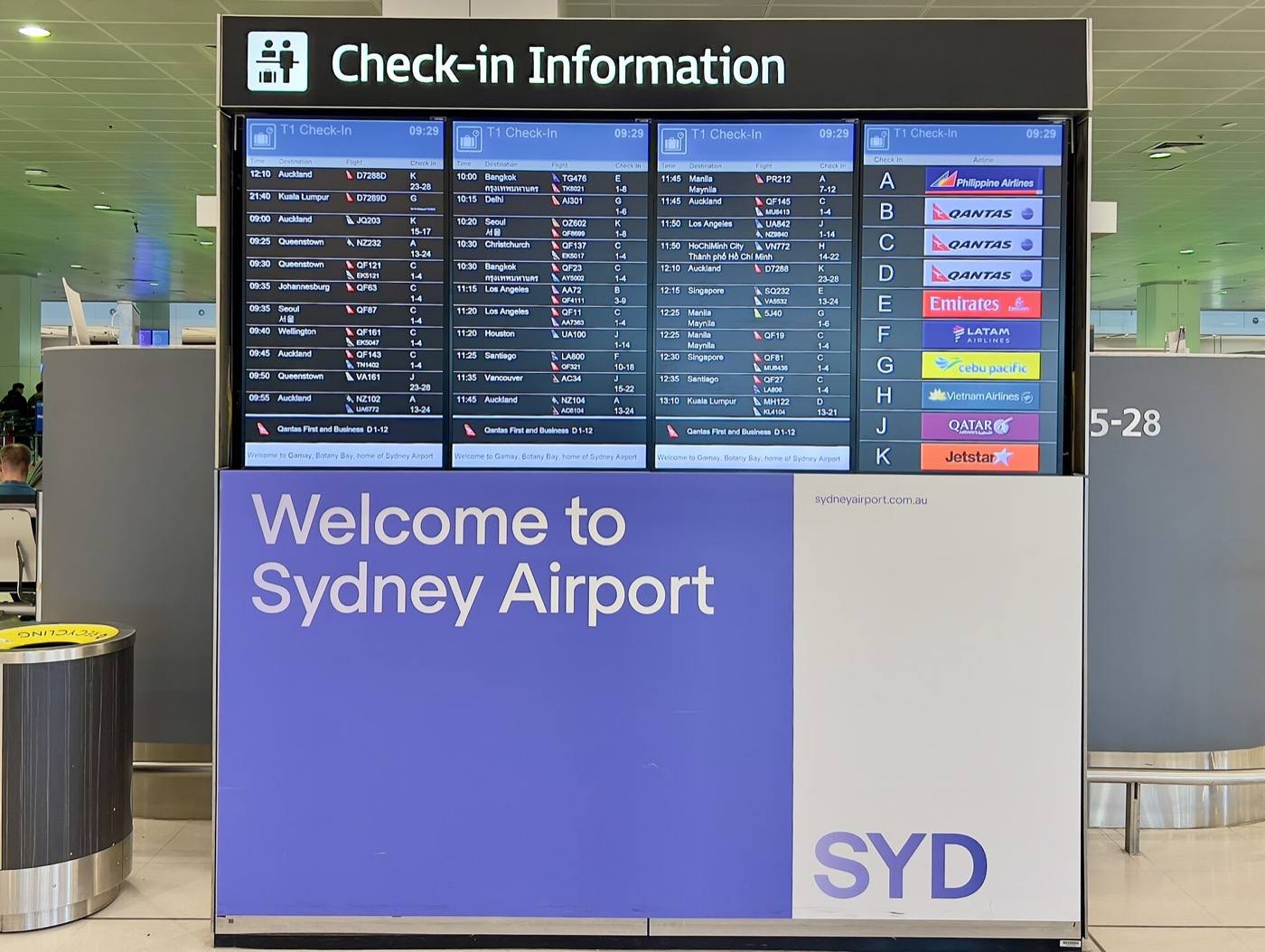
Check-in information board and Welcome to Sydney Airport sign in Terminal 1. Photo: Kgbo, CC BY-SA 4.0.
Yes. Most travelers can use an eSIM at Sydney Airport shortly after arrival if the eSIM has already been installed and the plan includes Australia coverage.
The typical process is:
Purchase your Australia eSIM before travel.
Install the eSIM profile on your phone using stable WiFi.
Arrive at Sydney Airport.
Turn off airplane mode.
Enable the travel eSIM if required.
Select the eSIM as your mobile data line.
Turn on data roaming if your provider requires it.
Wait for network registration.
Activation is usually quick, but it is not guaranteed to be instant for every traveler. Performance depends on your eSIM provider, device compatibility, phone settings, network partner, airport location, and temporary congestion.
Gohub's Unlimited and fixed-data Australia plans start when the eSIM connects in Australia. The 3 GB-a-day plans start when you install the QR code, so install those 2–3 hours before your flight or on arrival. Every plan must activate within 30 days of receiving the QR code.
Before traveling, check your phone with the Gohub device checker. Install guides: install your eSIM on iPhone (iPhone video) or install it on Android (Android video).
5. Can You Buy SIM Cards or eSIMs at Sydney Airport?
Yes. Sydney Airport lists SIM card and telecom services at T1 International. The airport’s official SIM Planet listing describes SIM Planet as a telecom retailer offering SIM card support and mobile solutions at T1 International Arrivals A.
Buying a SIM card at the airport may be useful if:
Your phone does not support eSIM.
You forgot to arrange mobile data before departure.
You prefer in-person assistance.
You need a physical SIM card.
You want help setting up connectivity after arrival.
However, airport purchases can involve queues, limited product options, registration steps, or store-hour restrictions. For travelers who want mobile data shortly after landing, installing an eSIM before departure is usually the smoother option.
6. Airport WiFi vs eSIM vs Roaming vs Local SIM
| Feature | eSIM | Airport WiFi | Local SIM | International Roaming |
|---|---|---|---|---|
Works shortly after landing | Yes | Yes, inside airport areas | After purchase/setup | Yes |
Requires physical SIM | No | No | Yes | No |
Works outside airport | Yes | No | Yes | Yes |
Keeps home number | Usually | Yes | Usually no | Yes |
Setup before travel | Yes | No | No | Usually no |
Cost predictability | Generally good | Free | Medium | Varies by carrier |
Queue required | No | No | Often | No |
Airport WiFi is useful for quick messages or troubleshooting. A local SIM can work well for longer stays, but it requires purchase and setup after arrival. International roaming needs no setup, but costs vary significantly by home carrier and plan.
For a deeper cost comparison, see international roaming vs eSIM.
7. Recommended Data by Traveler Type
| Traveler Type | Recommended Data |
|---|---|
Airport layover | 1GB–3GB |
Weekend visitor in Sydney | 5GB–10GB |
One-week Australia trip | 10GB–20GB |
Business traveler | 10GB–20GB |
Road trip traveler | 20GB+ |
Digital nomad | 20GB+ |
Australia and New Zealand trip | 20GB+ |
Most travelers use data for maps, messaging, rideshare, public transport, email, travel apps, and booking confirmations. Streaming video, hotspot use, and video calls can use much more data, so choose a larger plan if you expect heavy usage. Not sure? See how much data you need for your trip.
For Sydney, Melbourne, Brisbane, Perth, Adelaide or Cairns, Gohub's Australia eSIM plans run on Telstra, are data only and need no ID registration. A 10 GB plan costs $11.90–$13.80 for 5–15 days, and the Unlimited plan gives 3 GB of high-speed data per day, then 10 Mbps, from $13.40 for 3 days. To compare Gohub with other providers, read our guide to the best eSIM for Australia.
If your itinerary continues to New Zealand, the same Gohub plan works there on Spark, so you do not need a second eSIM.
8. Setup Checklist Before Flying
Before departure:
Confirm your device supports eSIM.
Check that your phone is carrier-unlocked.
Install the eSIM profile using stable WiFi.
Save activation instructions offline.
Update your phone software if needed.
Check whether data roaming must be enabled.
Keep a copy of your QR code or manual setup details.
Download offline maps as a backup.
Save your hotel address and transport details.
Charge your device before arrival.
9. Activation Steps After Landing
Once you arrive at Sydney Airport, follow these steps (Gohub's on-arrival guide and arrival video show each step):
Turn off airplane mode.
Enable your installed eSIM.
Assign mobile data to the eSIM line.
Enable data roaming if required by your provider.
Wait for network registration.
Test internet access.
Open maps, messaging, or rideshare apps to confirm connectivity.
If the eSIM does not connect, restart your phone. Check three settings: data roaming is on for the Gohub eSIM, mobile data uses the eSIM line, and the APN is gohub.com. If you see signal bars but no internet, follow the fix for iPhone (iPhone troubleshooting video) or Android (Android troubleshooting video). Use Sydney Airport WiFi to reach Gohub's 24/7 WhatsApp support. If the problem is not fixed within an hour, Gohub's 1-hour replacement policy provides a replacement eSIM or another fix. Do not delete the eSIM while troubleshooting: a deleted eSIM cannot be reinstalled.
10. Getting from Sydney Airport to the City
This article focuses on connectivity, not transportation planning. Still, mobile data becomes useful immediately when you need to check routes into Sydney or beyond.
Popular options include:
Airport Link train.
Taxis.
Rideshare services.
Public buses.
Hotel shuttles.
Sydney Airport’s official transport options page states that the airport is about 13 minutes by train from the city, with trains running approximately every 10 minutes. The same airport transport page also explains where travelers can access trains, taxis, rideshare services, buses, and rental cars.
For rideshare users, Sydney Airport provides official taxi and rideshare information, including terminal-specific pickup details.
With mobile data active, you can compare routes, check train times, book a ride, contact your hotel, and share your arrival time.
11. Australia Entry Requirements Note

Platforms at Sydney International Airport railway station. Photo: Daniel.yin2, CC BY-SA 4.0.
Entry requirements vary by nationality, passport, trip duration, and travel purpose. This article is not a visa guide, so keep this step simple: before flying, review the Australian Department of Home Affairs page on entering Australia or check the official Australian visa list.
12. Arrival Connectivity Checklist
Before leaving the airport:
Confirm mobile data is active.
Verify that the eSIM has signal.
Test Google Maps or your preferred navigation app.
Open your hotel reservation.
Check train, taxi, bus, rideshare, shuttle, rental car, or transfer apps.
Save important addresses offline.
Turn off unwanted roaming on your home SIM if needed.
Keep airport WiFi as a backup option.
If you prefer to avoid airport SIM counters and reduce reliance on public WiFi, reviewing Australia eSIM plans before departure can help you get connected more smoothly after landing at Sydney Airport.
If your trip continues to Asia, Gohub's Asia eSIM plans cover destinations such as Singapore, Japan and Thailand, but not Australia.
Using an eSIM at Sydney Airport is one of the simplest ways to access mobile data shortly after arriving in Australia.

Aerial view of Sydney Airport runways, Port Botany and the city. Photo: Andrew Harvey, CC BY 2.0.
Rather than searching for a SIM card counter or relying only on airport WiFi, travelers can install an eSIM before departure and activate it after landing. Whether you are visiting Sydney for a few days, traveling around Australia, or continuing to nearby destinations, mobile connectivity can make your arrival more efficient and less stressful.
FAQ
1. Can I use an eSIM immediately after landing at Sydney Airport?
Yes. Most travelers can connect shortly after landing if the eSIM has been installed before departure and the plan includes Australia coverage.
2. Can I buy an eSIM at Sydney Airport?
SIM card and mobile connectivity services are available at Sydney Airport, but eSIM-specific availability can vary by provider, product, terminal area, and operating hours. Installing an eSIM before travel is usually faster.
3. Does Sydney Airport have free WiFi?
Yes. Sydney Airport provides free WiFi across all terminals. Travelers can connect by selecting “Sydney Airport Free WiFi” and following the on-screen instructions.
4. Should I install my eSIM before landing?
Yes. Installing your eSIM before departure is usually easier because you can use stable WiFi and save setup instructions before flying.
5. Is airport WiFi enough for my trip?
Airport WiFi can help inside the terminal, but it will not provide continuous connectivity after you leave the airport. A travel eSIM is more practical for maps, transport, rideshare, and hotel communication.
6. Can I use my eSIM throughout Australia?
Generally yes, if your eSIM plan includes Australia coverage. Actual performance depends on provider, device, network partner, location, and congestion.
7. Is eSIM cheaper than international roaming?
Often, but not always. It depends on your home carrier’s roaming rates, your travel duration, and how much data you need.
8. Why is my eSIM not working after landing?
Common causes include airplane mode still being enabled, the wrong data line selected, data roaming disabled, delayed activation, APN settings, or device compatibility issues.
9. Can I keep my home phone number while using an eSIM?
Yes. Many dual-SIM phones allow you to keep your primary SIM active for calls or texts while using the eSIM for mobile data.
10. Does an Australia eSIM work in New Zealand?
A Gohub Australia eSIM does: every plan covers Australia on Telstra and New Zealand on Spark. Other providers' Australia plans may cover Australia only, so check the supported-country list.
Airport services, WiFi availability, telecom vendors, transportation options, operating hours, entry requirements, and connectivity policies may change. Travelers should verify the latest information through Sydney Airport, official transport operators, Australian government sources, and their eSIM provider before departure.

Loves technology and looks at eSIMs from a technical angle. Dylan writes clear, practical guides on how travel eSIMs work, which networks they use and how to choose the right plan for your trip.
View all articles →Related articles

Best eSIM for Australia 2026: 5 Options Compared
Gohub, Airalo, Holafly, Nomad and Ubigi compared for Australia: unlimited weeks from $22, a 3 GB a day week for $13.23, and plans that cover New Zealand too.

Best eSIM for Malaysia 2026: 5 Options Compared
Gohub, Airalo, Holafly, Nomad and Ubigi Malaysia eSIM prices checked on Nov 28, 2026: unlimited weeks from $17.10, 10 GB months from $12, plus setup tips.

Best eSIM for Taiwan 2026: 5 Options Compared
Gohub, Airalo, Holafly, Nomad and Ubigi Taiwan eSIMs compared on price, network and speed caps. Unlimited week from $17.19, 20 GB for a month at $17.