

What do I need to do when I arrive at my destination to start using my eSIM?
Your eSIM is already installed - there are just two things to turn on once you land.
Step 1: Turn on your eSIM line
Go to your phone's settings and make sure your Gohub eSIM line is enabled.
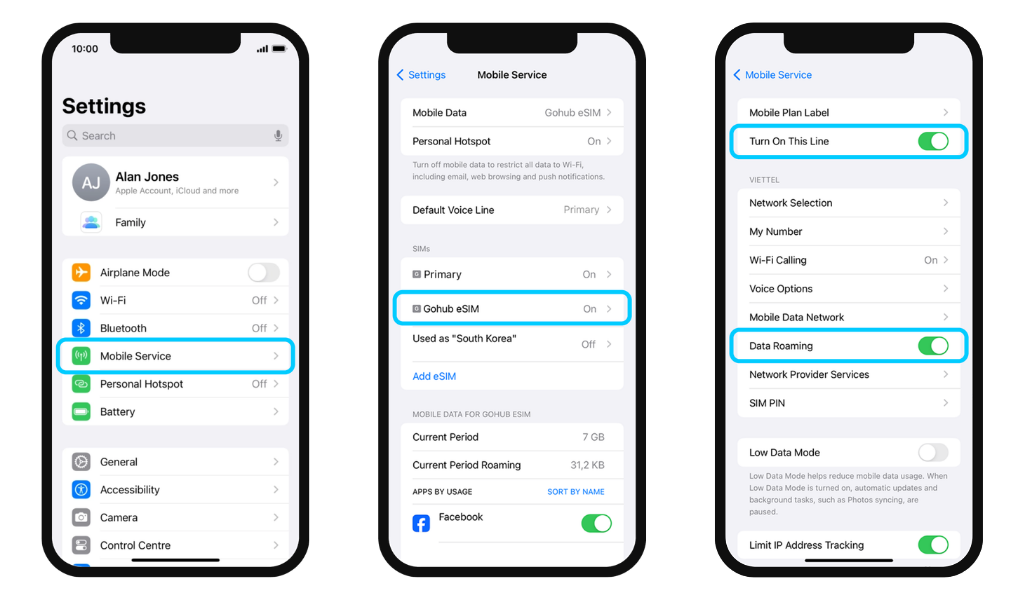
- iOS: Settings → Mobile Service → Select your Gohub eSIM → Turn On This Line
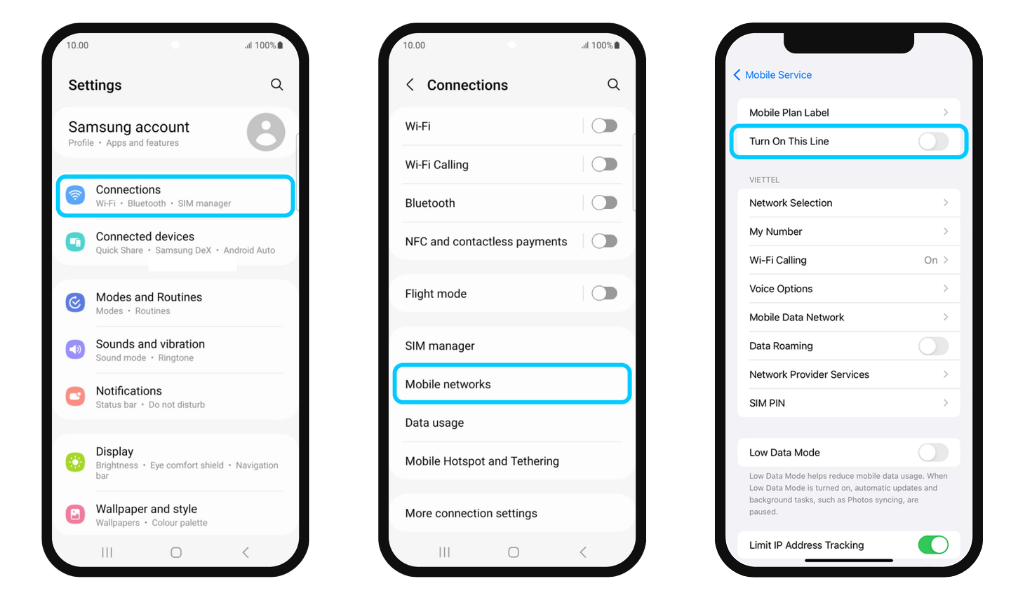
- Android: Settings → Connections → SIM Manager → Toggle your Gohub eSIM on
Step 2: Enable Data Roaming
With your eSIM line selected, turn on Data Roaming.
- iOS: Settings → Mobile Service → Select your Gohub eSIM → Data Roaming ON
- Android: Settings → Connections → Mobile Networks → Data Roaming ON
Step 3: Set your Gohub eSIM as the default data line
Make sure your phone is using the Gohub eSIM for mobile data, not your home SIM.
- iOS: Settings → Mobile Service → Mobile Data → Select your Gohub eSIM
- Android: Settings → Connections → SIM Manager → Mobile Data → Select your Gohub eSIM
✅ That's it. You should be connected within a few seconds of landing.
Not connecting after these steps? See Troubleshooting & Support