WhatsApp 24/7:+1 (302) 899-2888
Help and contact
Gohub Logo – Travel eSIM Provider
HomeAbout UsBuy eSIM
Login
Loading page, please wait...
Gohub Logo – Travel eSIM Provider
Download Gohub App on the App StoreApp StoreDownload Gohub App on the Google PlayGoogle Play

Popular Destinations

ThailandChinaVietnamJapanSouth KoreaTaiwanSingaporeMalaysia

Gohub

About UsCareersPartner with us

eSIM

How to install eSIMSupported DevicesData UsageCarrierEsim Travel GuideEsim News

Help

Help CenterUsing your eSIMTroubleshootingCompatible devicesFAQ

Follow Us

FacebookLinkedInInstagramTikTok
© 2026 Gohub. All rights reserved.
Privacy PolicyTerms of Service
Using your eSIM
  1. Help center
  2. /Using your eSIM
  3. /How do I install my eSIM on Android?

How do I install my eSIM on Android?

Steps may vary slightly depending on your Android model, but the general flow is the same across most devices. Make sure you're on Wi-Fi before you start.

Method 1 - Scan the QR code (Recommended)

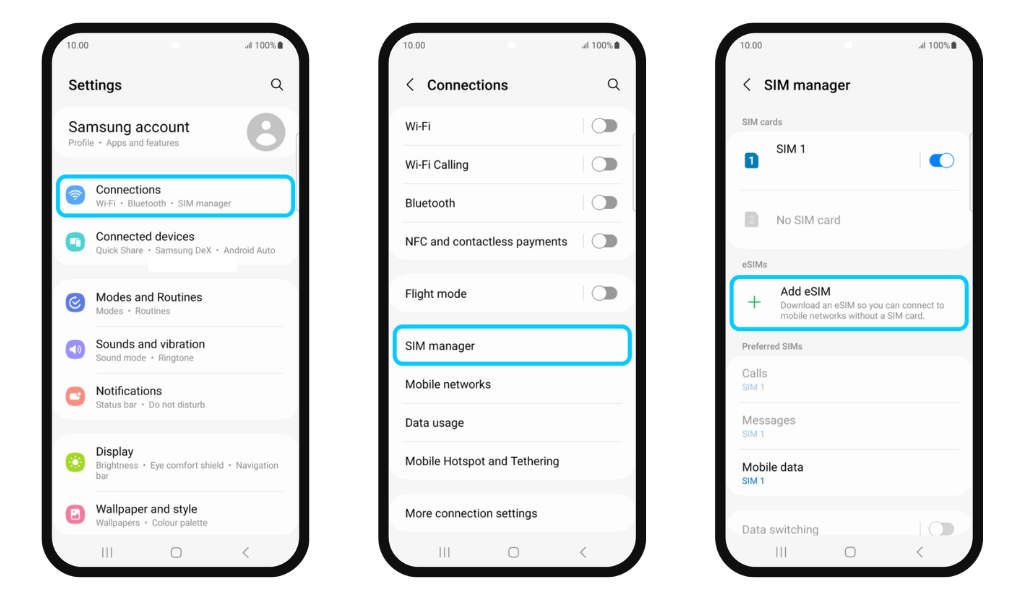
  1. Go to Settings → Connections
  2. Tap SIM Manager
  3. Tap Add eSIM

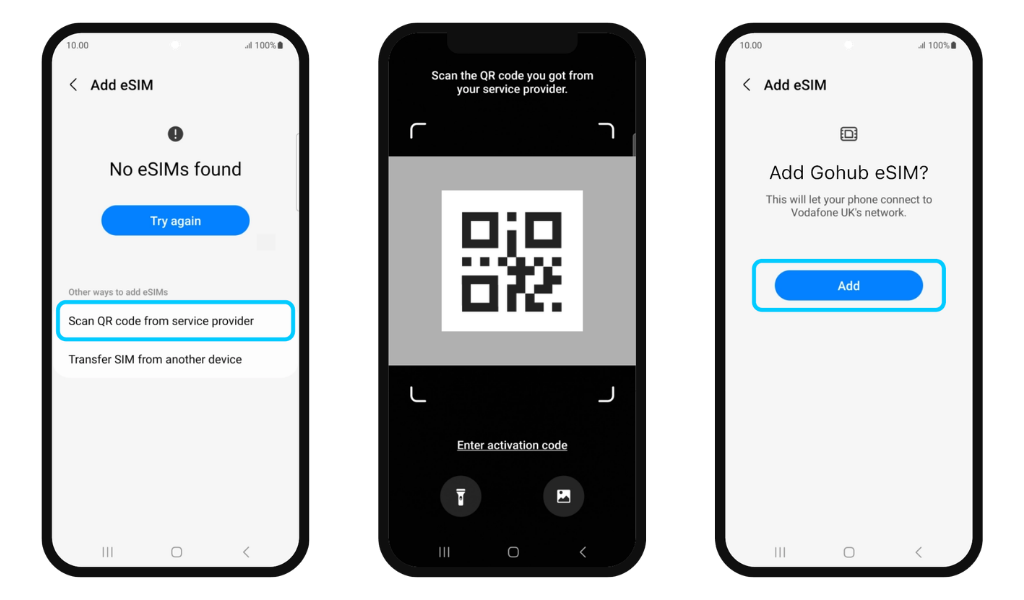
  1. Select Scan QR code from service provider
  2. Scan the QR code directly - or tap the upload icon to select a screenshot from your gallery (QR image upload is only available on Samsung Galaxy S20 and newer, and select Android models)
  3. Tap Add to complete the setup

Method 2 - Enter activation code manually (if QR scan doesn't work)

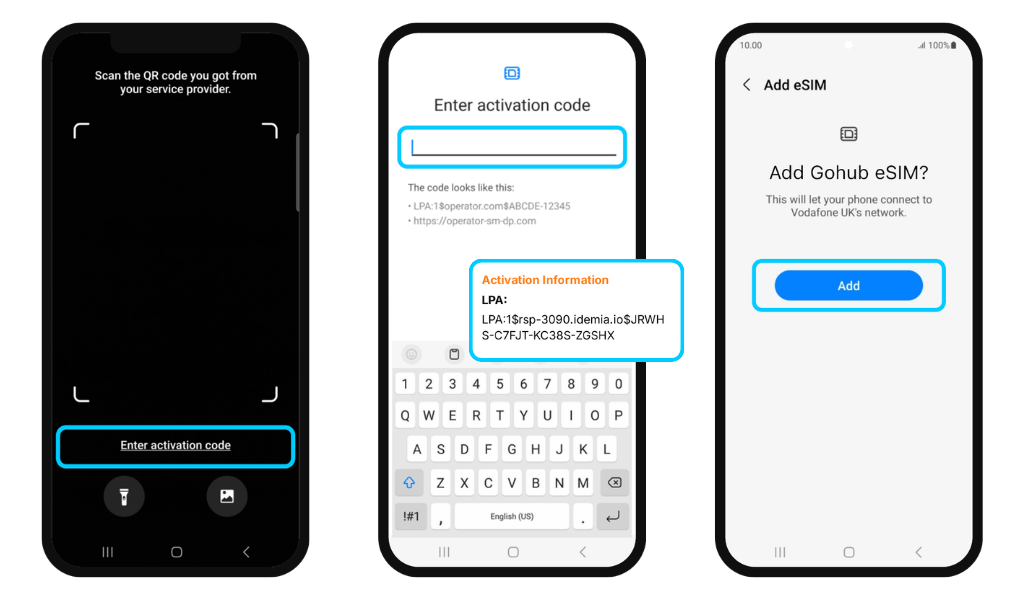
  1. On the QR scan screen, tap Enter activation code
  2. Open your Gohub confirmation email and copy the activation code provided (it will follow a format similar to: LPA:1$operator.com$ABCDE12345)
  3. Paste or type the code into the field → tap Done
  4. Tap Add to complete the setup

✅ Your eSIM is now installed and ready.

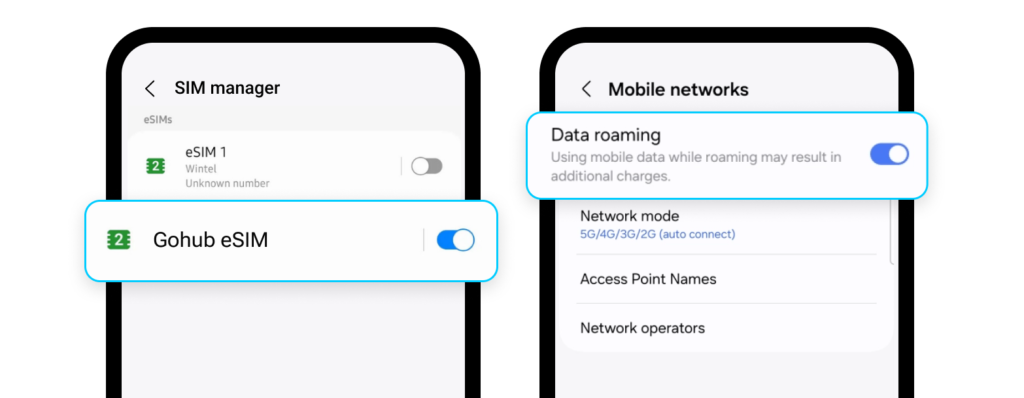
The only thing left to do is turn on Data Roaming and Mobile Data when you land to start using the internet. Make sure to enable it only after you arrive at your destination. Turning it on early may cause your plan's validity to start counting down before your trip begins.
Related guides

  • What do I need before installing my eSIM?
  • Can I install my eSIM before my trip?
  • How do I install my eSIM on iPhone?
  • My eSIM plan says "Special Activation Required" - What do I need to do?
  • My eSIM plan requires KYC verification. What is that and how do I complete it?
  • I installed my eSIM. Do I need to do anything else before I travel?
  • What do I need to do when I arrive at my destination to start using my eSIM?
  • Why should I wait until I land before turning on Data Roaming?