

KYC Guide - Taiwan Joytel SIM card
According to official regulations from the Government, to ensure the safety of user information abroad and prevent illegal activities, please verify your identity (KYC) before using your SIM card.
Need Support?
If you encounter any issues during the KYC process, please contact Gohub 24/7 Customer Service via:
- Email: cs@gohub.com
- WhatsApp: +1 (302) 899-2888
Notice!
- Please install the eSIM and identity verification (KYC) 2 - 3 hours before your flight.
- The KYC verification process will take approximately 30 minutes to 1 hour.
- Once KYC is successful on one device, the eSIM cannot be transferred to another device.
- Please ensure you have an internet connection during the KYC process. Items you will need: Passport; Phone with front and rear cameras.
- Please take a full photo of the front of your passport, including the code at the bottom. Do not cover any part of the passport.
- When taking the photo, avoid any obstructions, reflections, and shadows on the passport. Place the passport on a flat surface to take the photo.
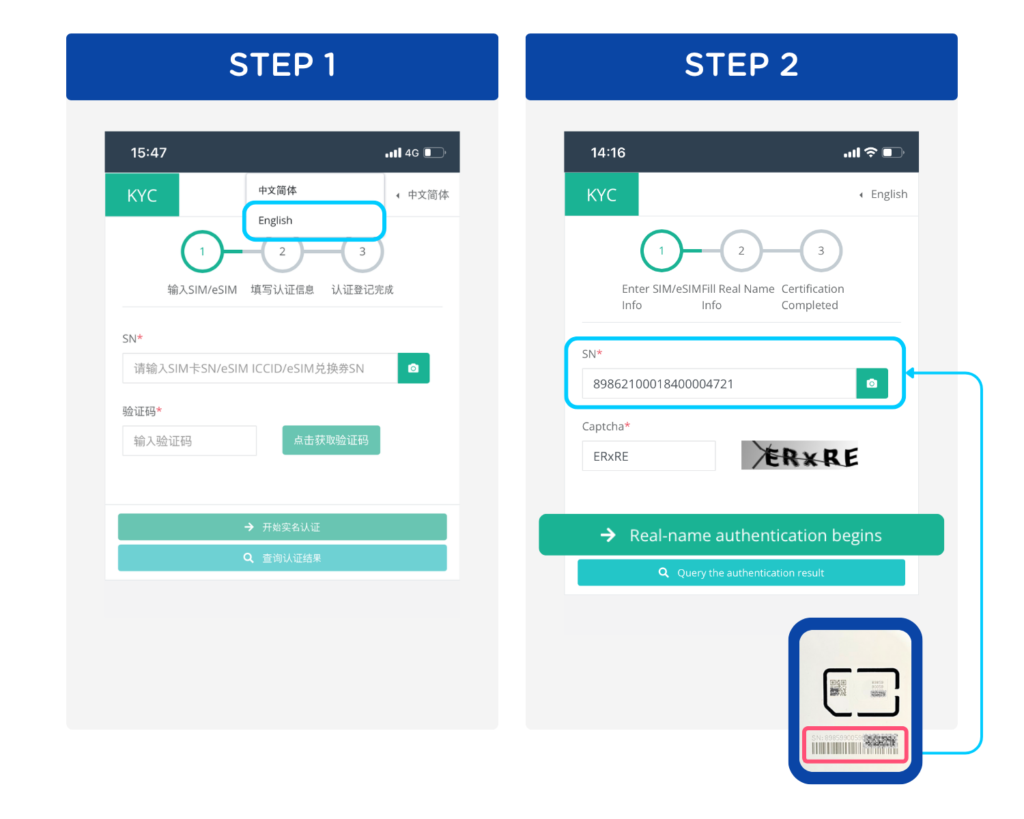
Step 1: Access the following link using the device on which you want to use the SIM card: https://kyc.esim.exchange. Select the language switch button > English
Step 2:
- Enter your SIM SN code. This is the code provided on your SIM frame. (Tip: You can scan the SN code by tapping the camera icon for easy input!)
- Tap 'Get a captcha' then enter the captcha code in the box provided
- Once done, click 'Real-name authentication begins' to move to the next step
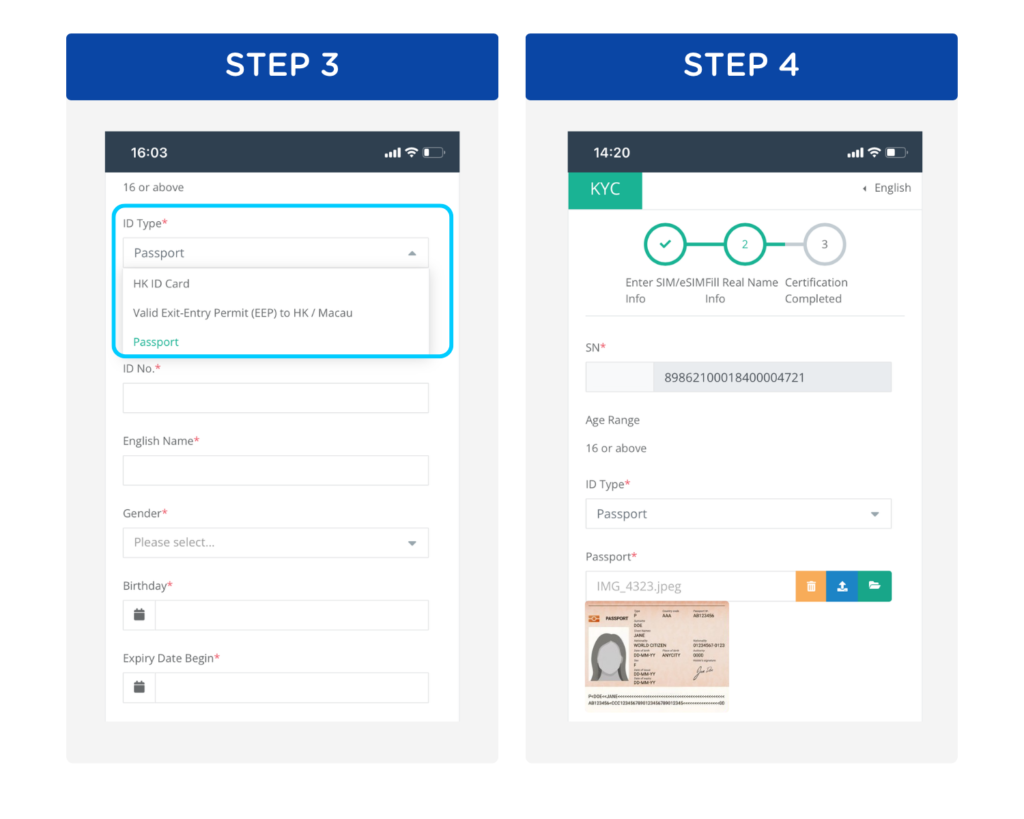
Step 3: Under the 'ID Type', select 'Passport'
Step 4:
- Upload your passport photo. Don't forget to press 'Upload' to confirm the submission
- Fill in the required information marked with (*), exactly as shown on your passport
Note: 🔒 Your data is safe! Joytel follows strict security measures to protect your personal information. Your details are encrypted and used only for verification purposes.
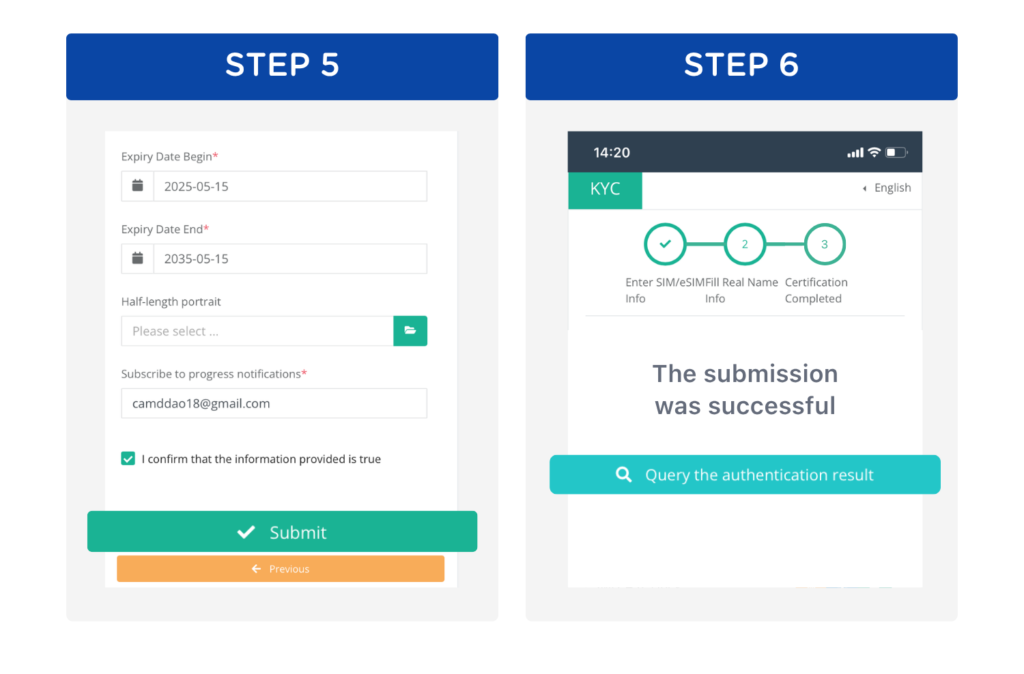
Step 5: Tick the confirmation box and press 'Submit'
Step 6:
- Wait a moment while the system processes your request. After pressing the 'Submit' button, the page will respond like this.
- You can track your KYC status anytime in the 'Query' section
Once approved, your KYC is successfully completed, and you're all set to use your Joytel SIM card!