

KYC Guide - 3HK eSIM
According to official regulations from the Government, to ensure the safety of user information abroad and prevent illegal activities, please verify your identity (KYC) before using your eSIM.
Need Support?
If you encounter any issues during the KYC process, please contact Gohub 24/7 Customer Service via:
- Email: cs@gohub.com
- WhatsApp: +1 (302) 899-2888
Notice!
- Please install the eSIM and identity verification (KYC) 2 - 3 hours before your flight.
- The KYC verification process will take approximately 30 minutes to 1 hour.
- Once KYC is successful on one device, the eSIM cannot be transferred to another device.
- Please ensure you have an internet connection during the KYC process. Items you will need: Passport; Phone with front and rear cameras.
- Please take a full photo of the front of your passport, including the code at the bottom. Do not cover any part of the passport.
- When taking the photo, avoid any obstructions, reflections, and shadows on the passport. Place the passport on a flat surface to take the photo.
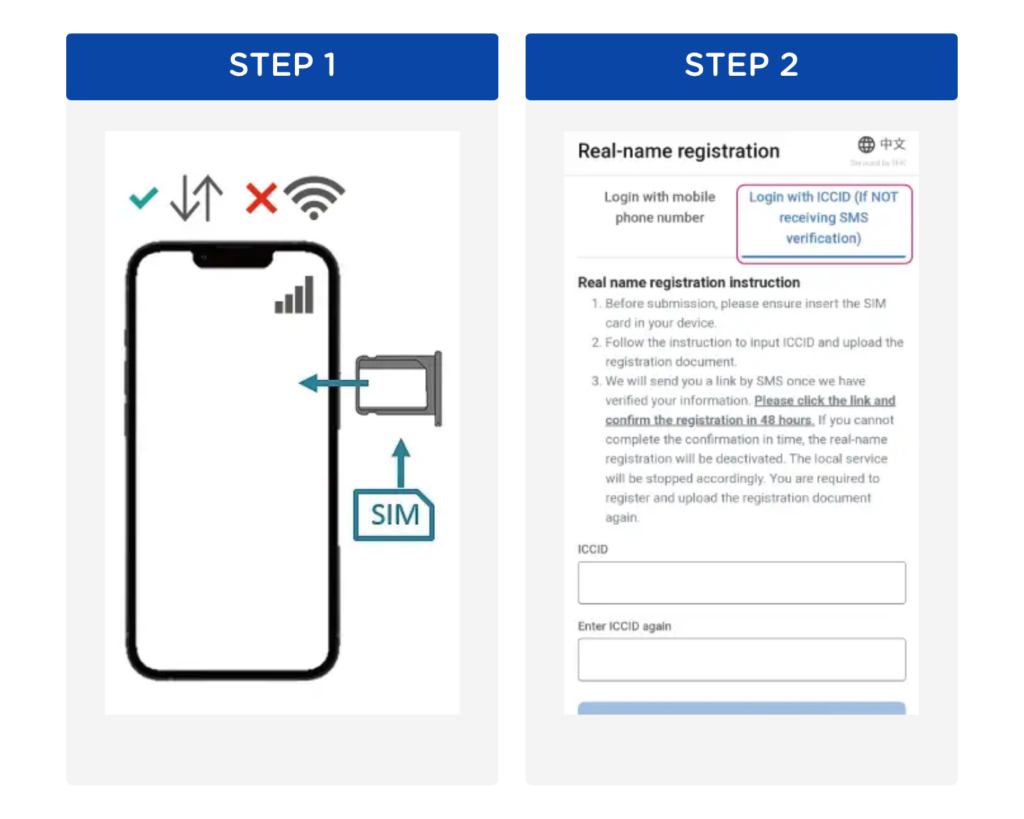
Step 1: Install eSIM into your mobile device, enable Mobile Data and turn off Wi-Fi to connect to mobile network
Step 2: Visit website https://www.three.com.hk/prepaid/account/en/rnr-reg and select "Login with ICCID" to login
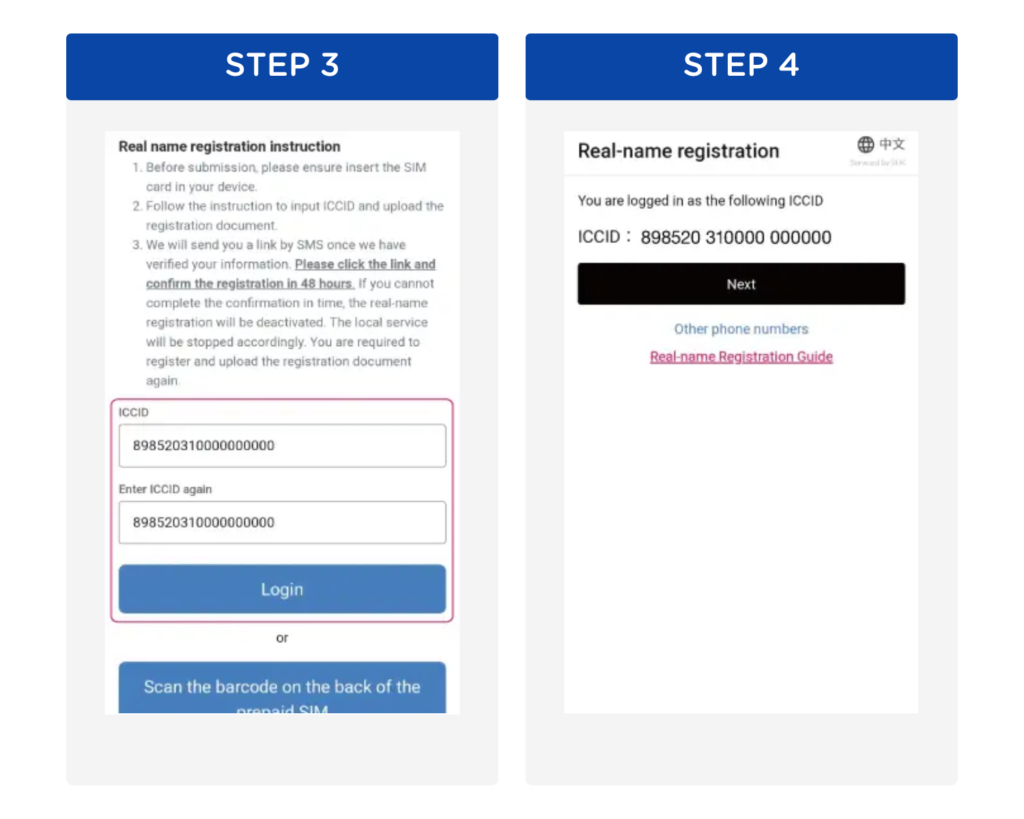
Step 3: Enter the ICCID code with the prefix 89852 twice (The ICCID code is the Product code provided in the successful order email) > Click Login.
Step 4: Verify the ICCID, then click "Next"
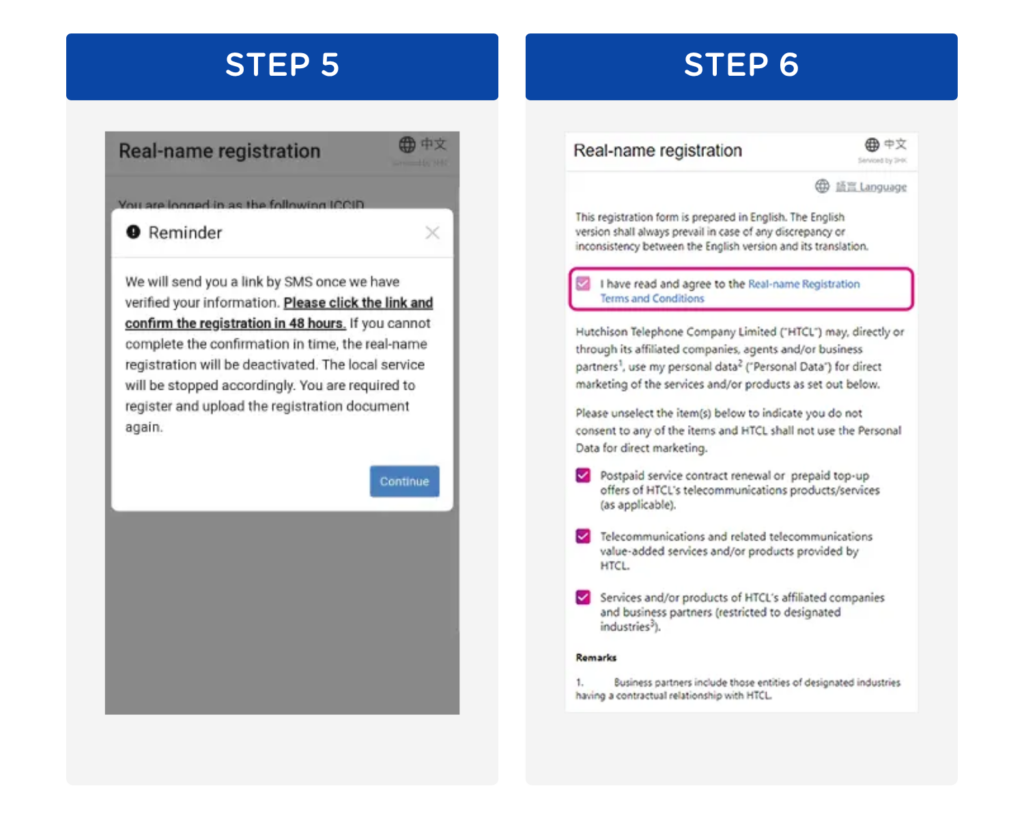
Step 5: Read the reminder and press "Continue"
Step 6: Read real-name registration terms and conditions and privacy policy before going to the next step
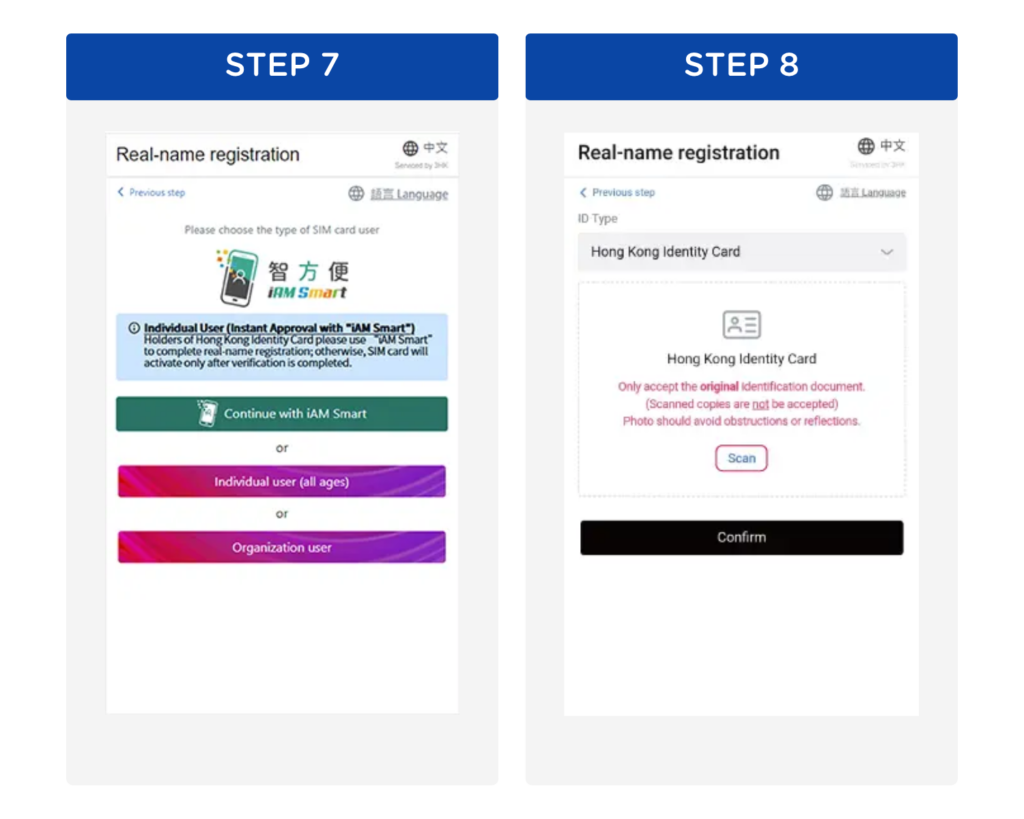
Step 7: Choose "The type of SIM card user"
Step 8: Choose "ID Type" and press "Scan"
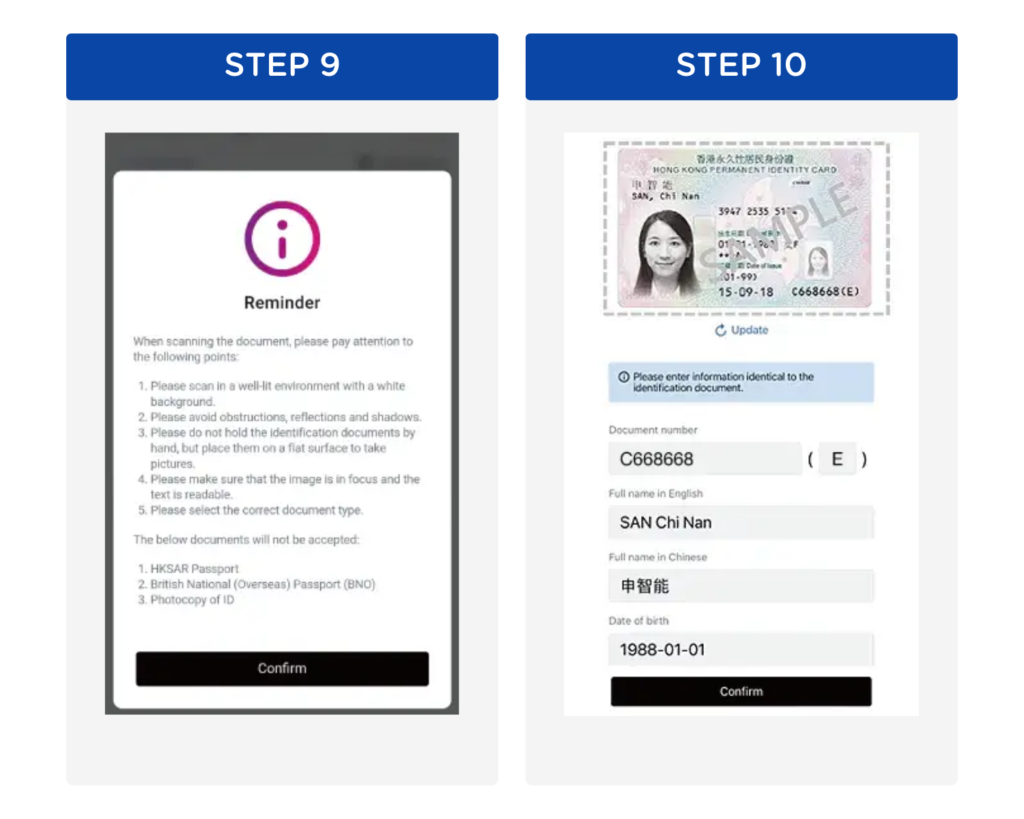
Step 9: Refer to the reminder for scanning ID > "Confirm" to start scanning (Reminder: If autofill information is incorrect, please click "Update" to rescan. All manual changes will be manually assessed, requiring a longer processing time)
Step 10: After successful scan, the system will fill in the information automatically
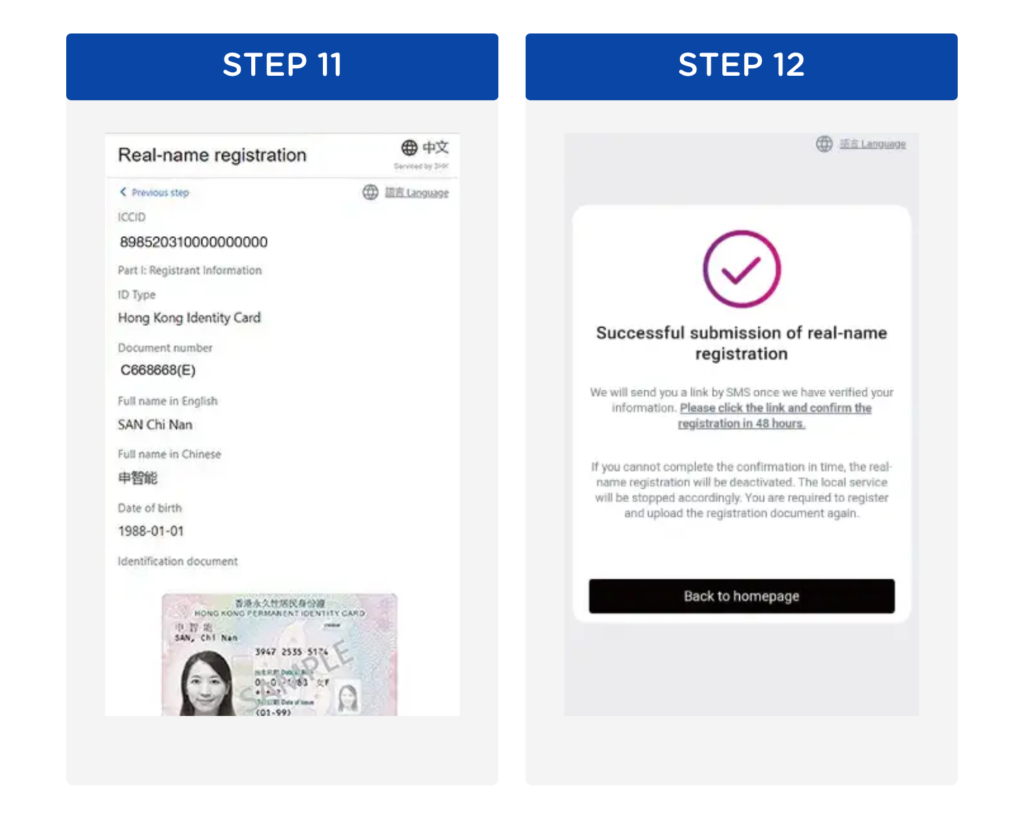
Step 11: Verify your information before submission
Step 12: Completed submission of real-name registration. A verification link will be sent via SMS to your prepaid number once your information is verified. Please click the link and confirm your registration in 48 hours
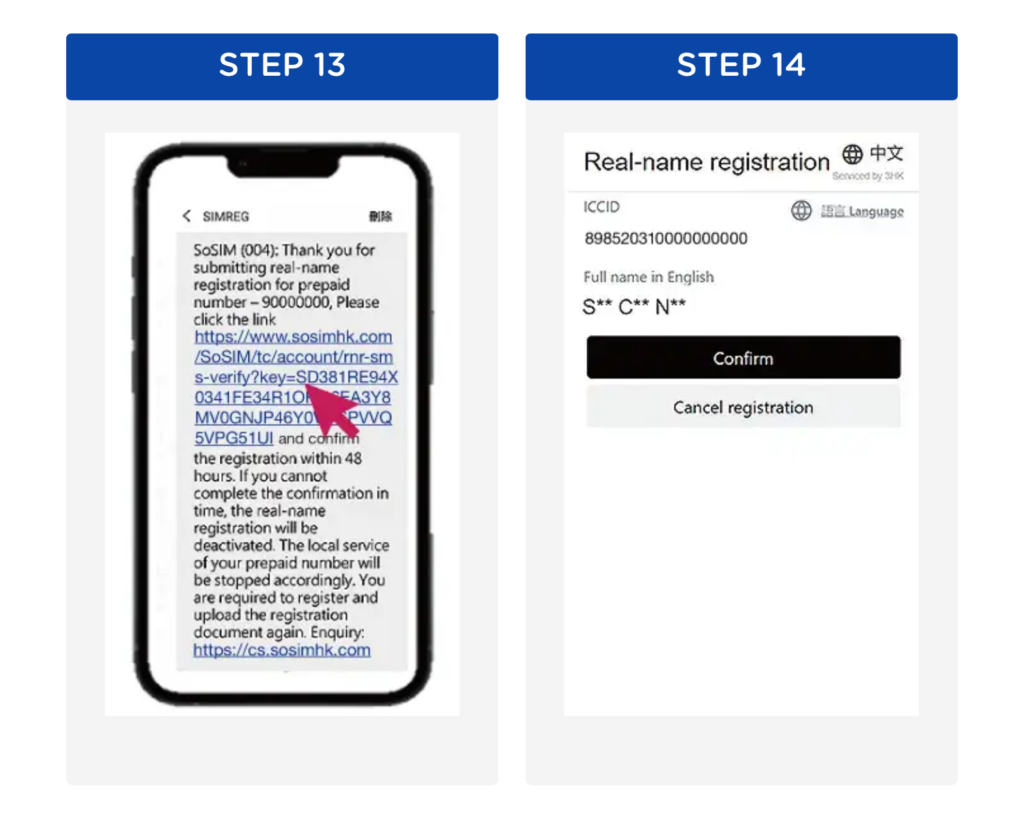
Step 13: Click the link to complete the real-name registration after receiving SMS verification
Step 14: Verify the information, then press "Confirm"
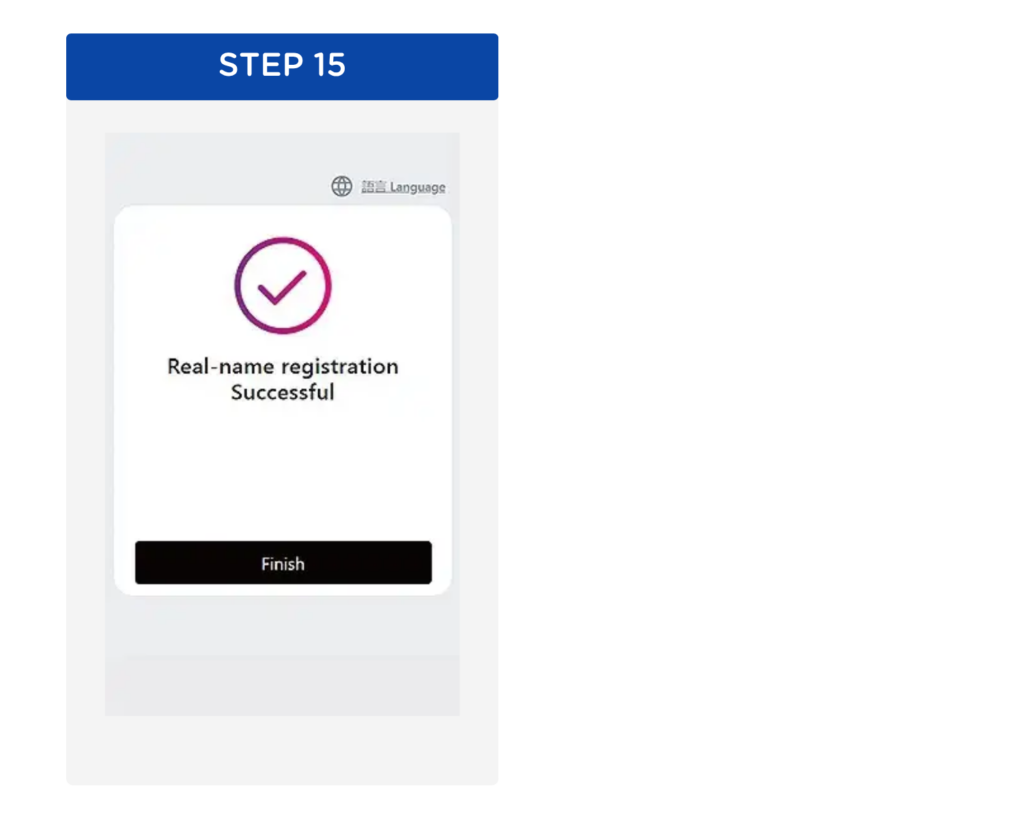
Step 15: Real-name registration successful