Activation Guide - T-mobile
Need Support?
If you encounter any issues during the eSIM activation process, contact Gohub Customer Service via:
- Email: cs@gohub.com
- WhatsApp: +1 (302) 899-2888
Thank you for choosing eSIM from Gohub!
Below are the steps to activate your eSIM after receiving your Order Confirmation Email.
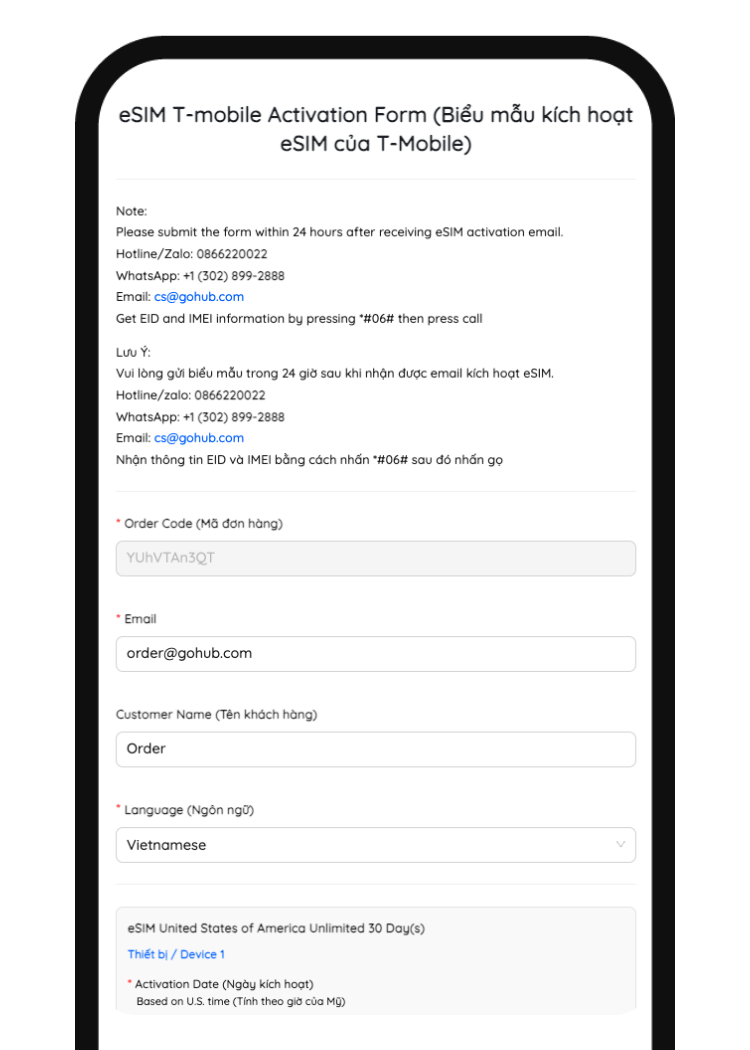
Step 1: Fill Out the Activation Form
- Right after your order is confirmed, you will receive an email from Gohub.
- In the email, look for and tap the link titled "eSIM Activation Form".
- Fill in all required information as instructed in the form.
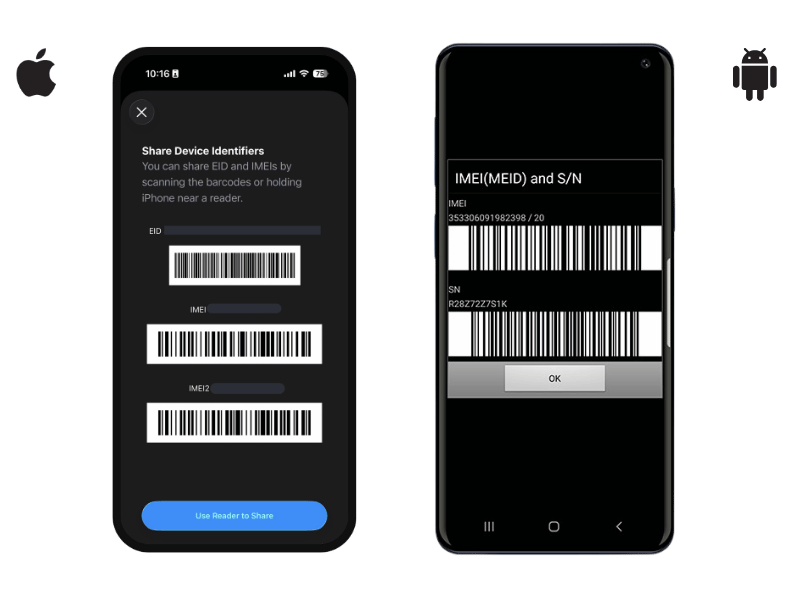
How to find Device Information
- Go to your device's dial pad and press *#06#
- The device information will then appear as shown in the image
Step 2: Submit the Form and Wait for Confirmation
- Once completed, tap Submit to send the form.
- After successfully submitting, you will receive a confirmation email from us.
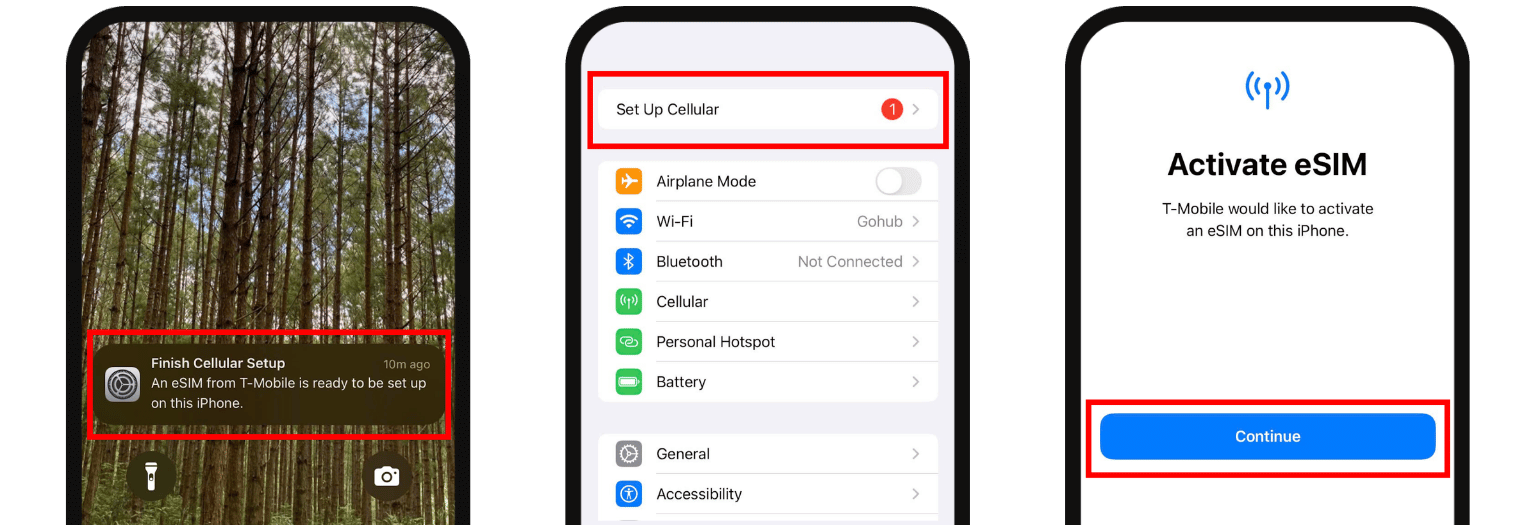
- Note: Once you receive a notification on your phone, please activate your eSIM within 2 hours to ensure it takes effect.
Step 3: Activate eSIM on Your Device
When the notification appears on your device:
- Tap Go to Settings.
- Tap Set Up Cellular Plan.
- Tap Continue to complete the activation.
When the activation date has arrived (but there's still no notification on the device), you can follow the instructions below:
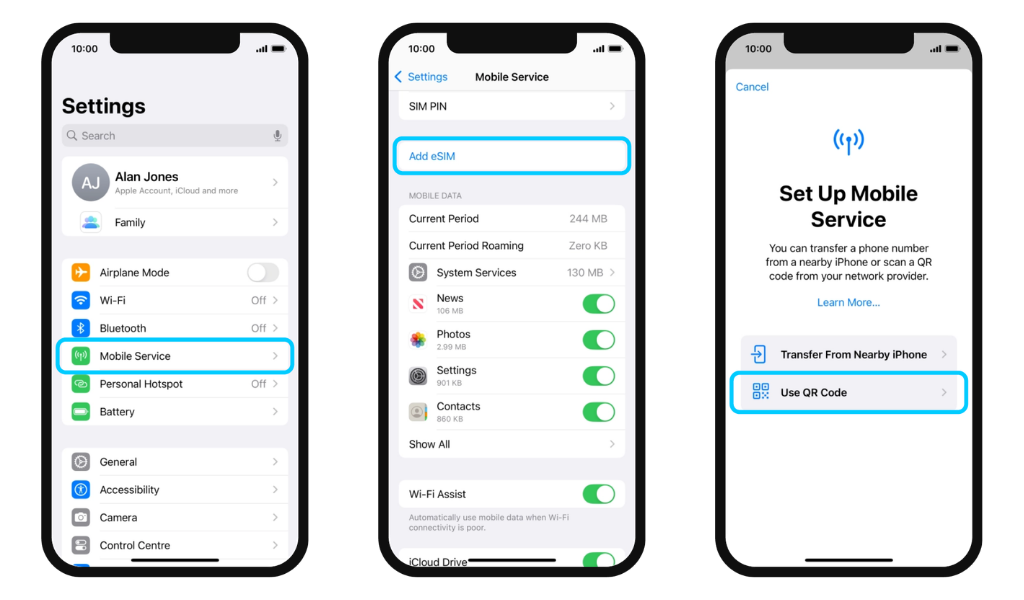
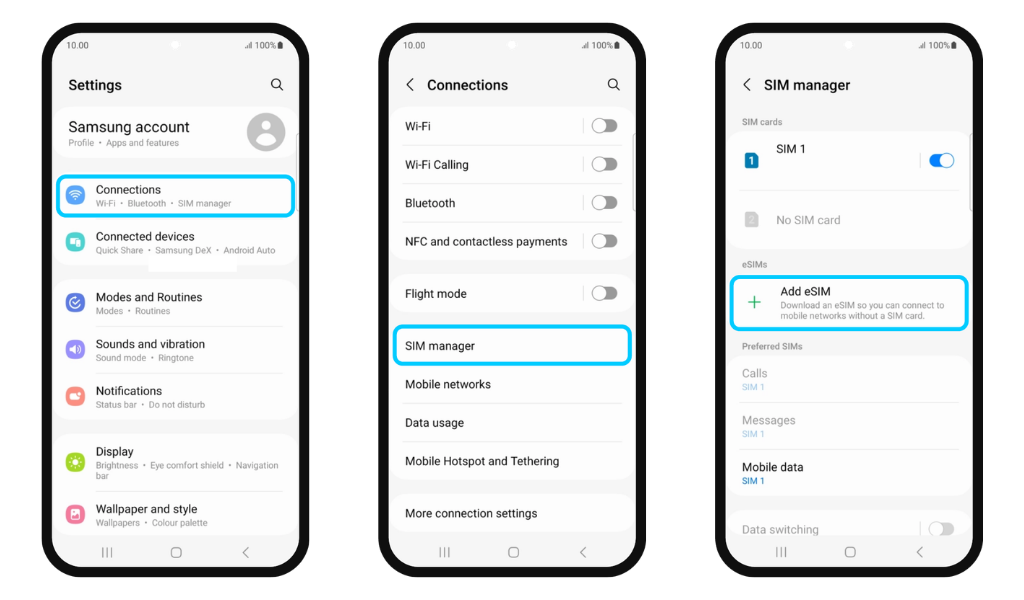
1. Add eSIM
For iPhone: Go to Settings > Cellular > Add eSIM
For Android: Go to Settings > Connections > SIM Manager > Add eSIM
2. Scan QR Code
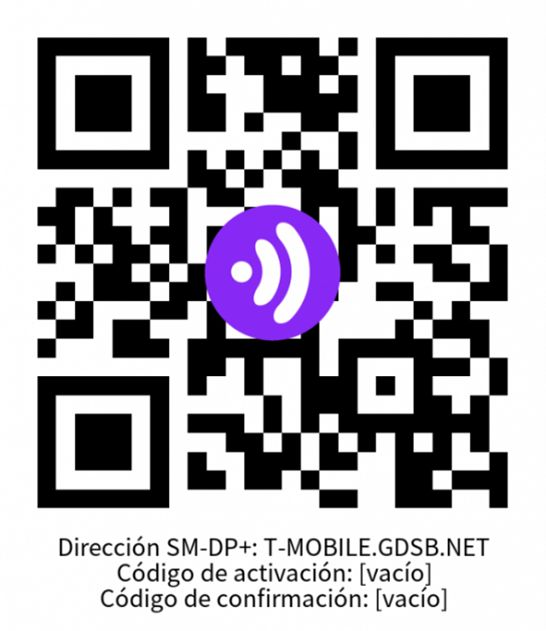
Use the QR code below if you don't already have an eSIM ready to download