

Activation Guide - Kango SIM card
Need to activate your SIM on the same day of purchase?
In case of an emergency, if you need to activate your SIM card on the same day of purchase, please fill out the form and contact Gohub’s Customer Support via:
- Email: cs@gohub.com
- WhatsApp: +1 (302) 899-2888
Notice!
- Our system will activate the SIM card at least 24 hours after the form is filled out. Therefore, the activation date entered in this form should be at least 24 hours from the form submission date.
- Please note to limit installation to devices other than the registered device.
- Please ensure you have an internet connection during the KYC process. Items you will need: Passport; Phone with front and rear cameras.
- Please take a full photo of the front of your passport, including the code at the bottom. Do not cover any part of the passport.
- When taking the photo, avoid any obstructions, reflections, and shadows on the passport. Place the passport on a flat surface to take the photo.
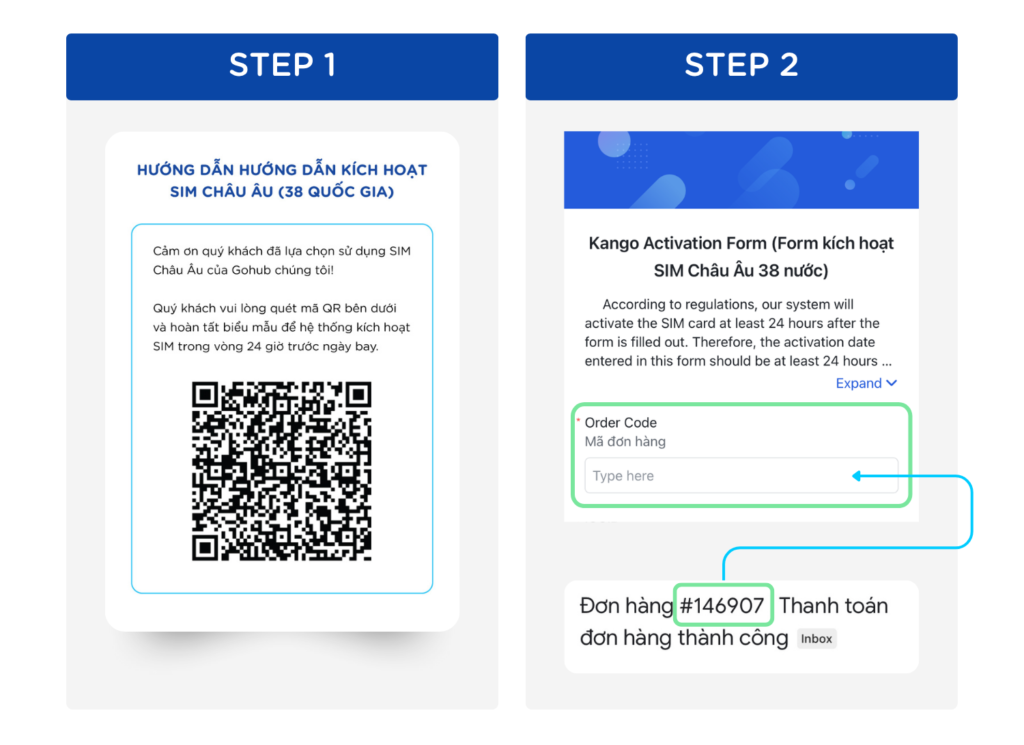
Step 1: Access this link or scan the QR code on the KYC instruction sheet
Step 2: Enter your order number
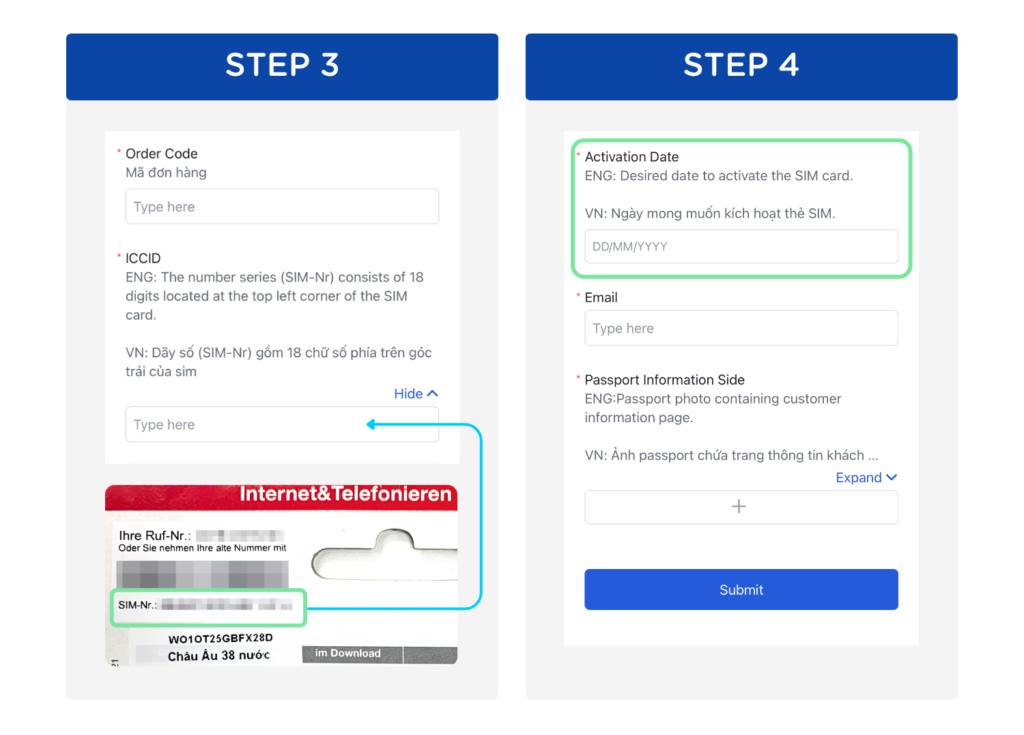
Step 3: Enter the ICCID. This is the 18-digit number (SIM-Nr) located on the top-left corner of the SIM card packaging
Step 4: Enter the desired activation date for the SIM card
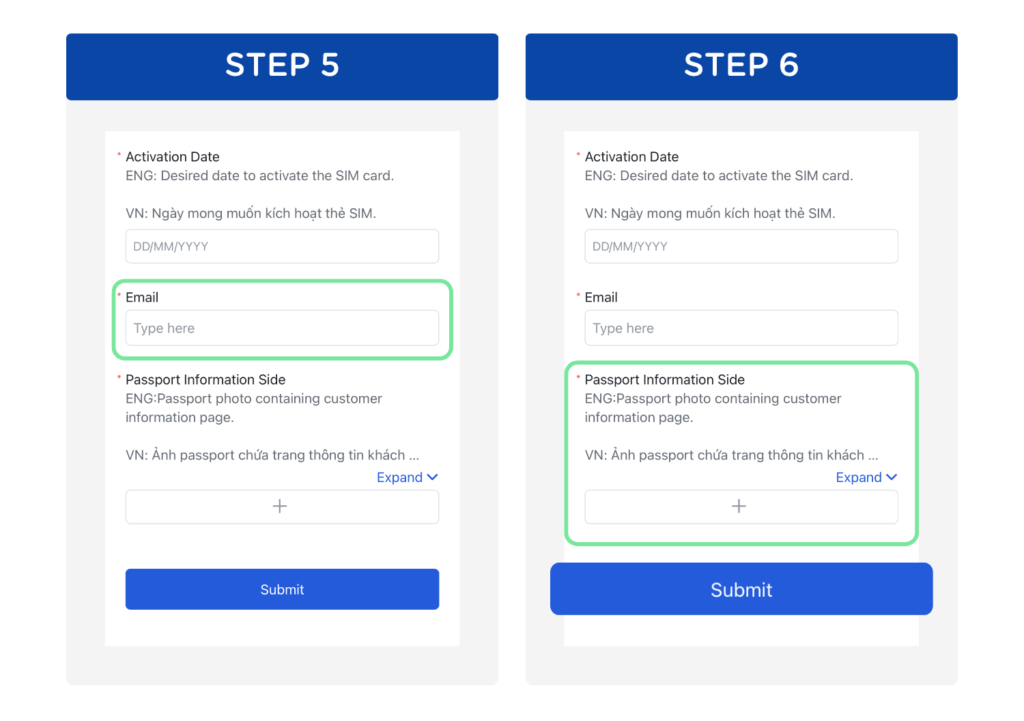
Step 5: Enter your email address
Step 6: Take a photo of your passport that includes your personal information, then tap 'Submit'