

How to switch APN settings to use TikTok and ChatGPT
Note This guide applies to certain international travel SIM/eSIM plans that require APN configuration changes to access TikTok and ChatGPT. For direct assistance, please contact Gohub’s 24/7 Customer Support via email: cs@gohub.com or WhatsApp: +1 (302) 899-2888
1. Before departure:
Please log out of your TikTok account and disable location services for the TikTok app.
2. Upon arrival at the destination country:
After installing the SIM or eSIM successfully, complete the APN configuration according to the instructions below. Once the APN setup is completed, log back into the TikTok app.
1. For iOS
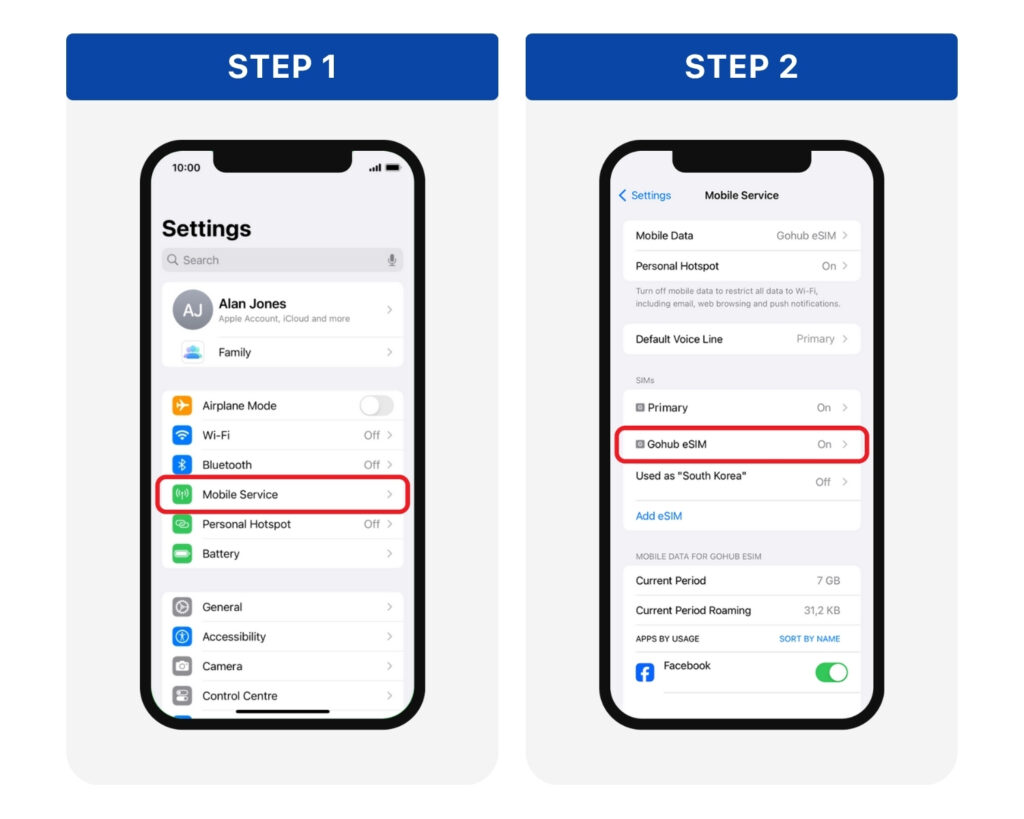
Step 1: Go to Settings > Mobile Service
Step 2: Choose the eSIM/SIM you are currently using from the SIM list
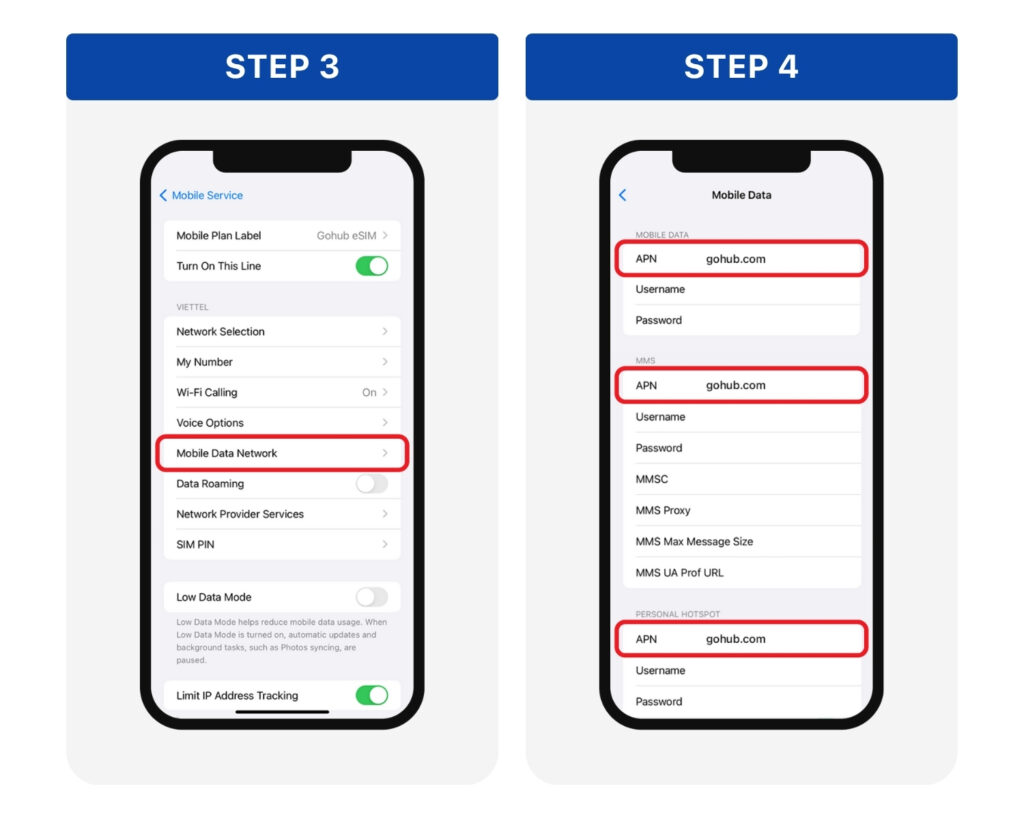
Step 3: Go to Mobile Data Network
Step 4: In 3 APN fields, delete the old information and enter: gohub.com > Tap back to automatically save the changes.
Turn Mobile Data and Data Roaming back on > Then open TikTok or ChatGPT to check the connection.
If TikTok is still not accessible after the APN configuration, please perform the following troubleshooting steps:
Method 1: Uninstall the TikTok app and reinstall it.
Method 2: Log in to TikTok via the mobile web browser first, then return to the app and log in again.
2. For Android
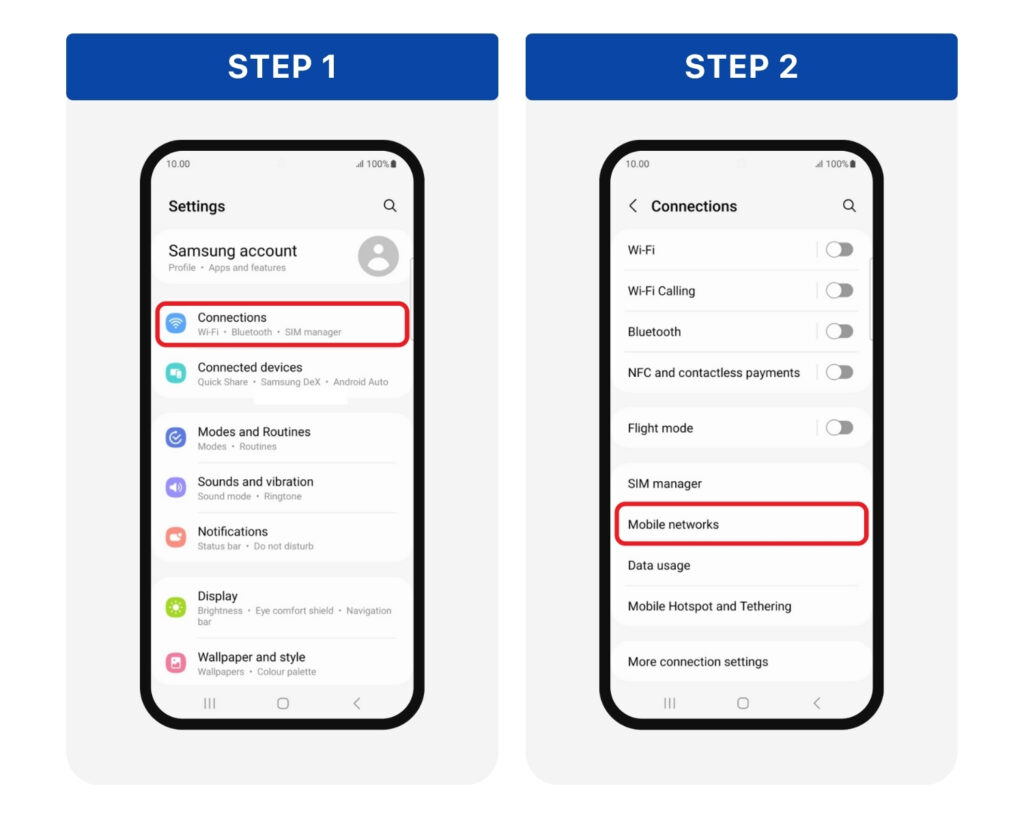
Step 1: Go to Settings > Connections
Step 2: Tap Mobile Networks
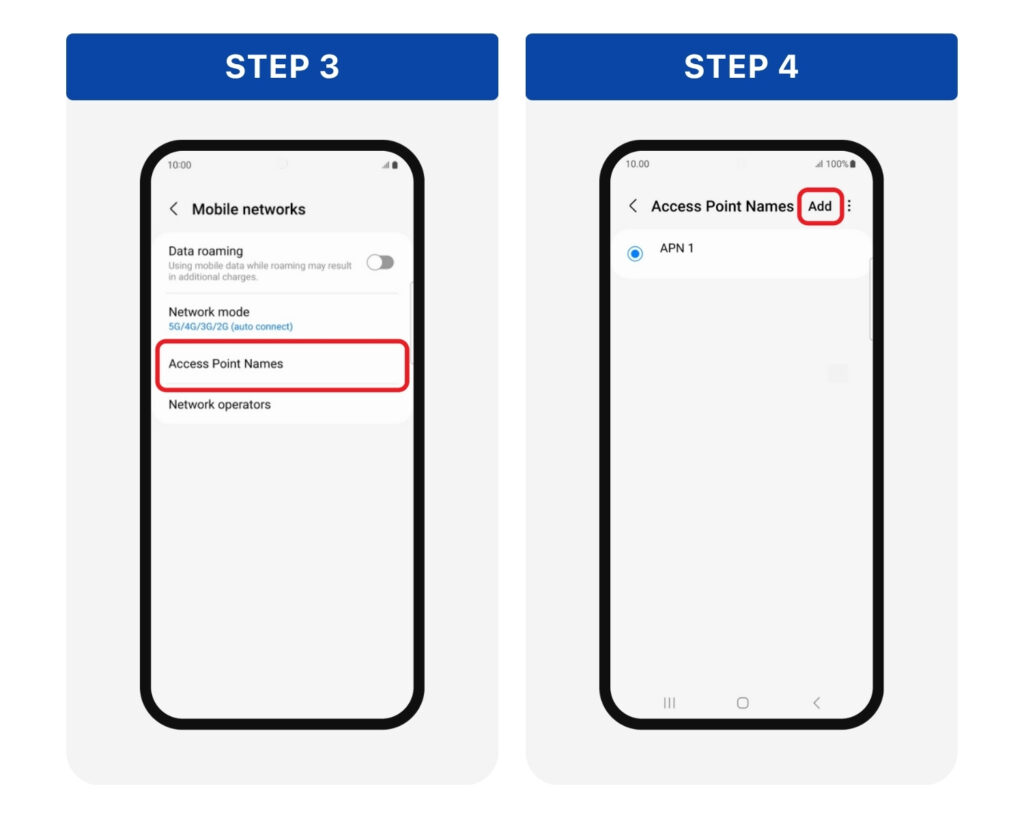
Step 3: Tap Access Point Names
Step 4: Tap the “+” or Add button to create a new APN
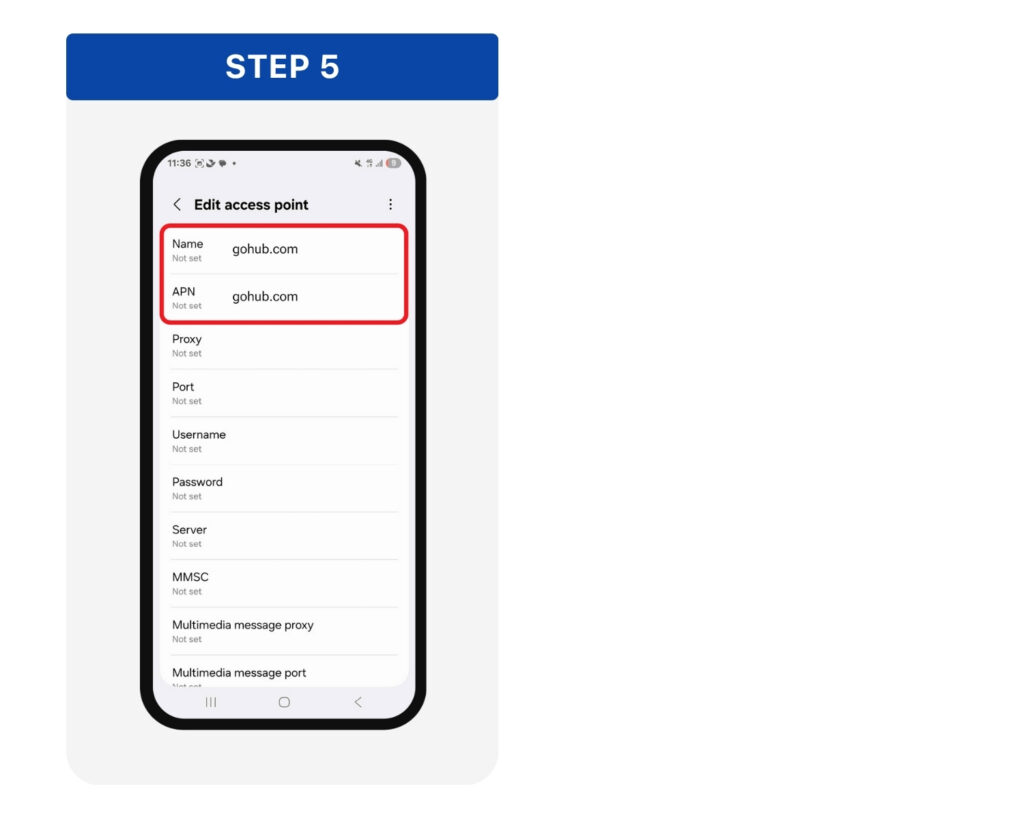
Step 5: Enter gohub.com in both the Name and APN fields > Tap Save or go back > Select the new APN as the default.
Turn Mobile Data and Data Roaming back on > Then open TikTok or ChatGPT to check the connection.
If TikTok is still not accessible after the APN configuration, please perform the following troubleshooting steps:
Method 1: Uninstall the TikTok app and reinstall it.
Method 2: Log in to TikTok via the mobile web browser first, then return to the app and log in again.