

What happens after I complete my purchase?
Once payment is confirmed, you'll see a "Your payment was successful" screen. From there, your eSIM details will be delivered in two ways within 5 minutes:
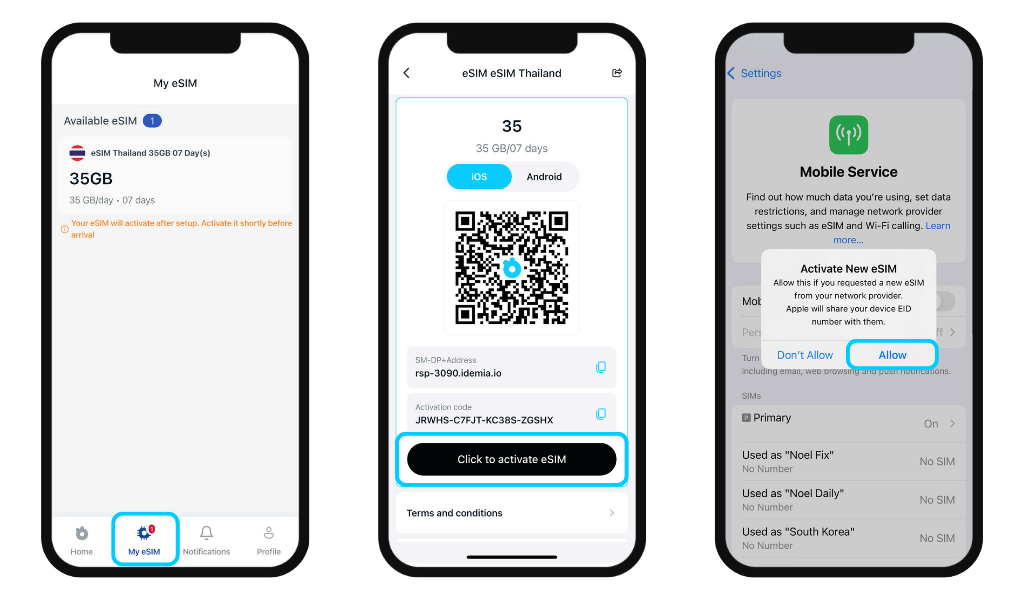
In the app - My eSIM section
Your eSIM appears automatically in the My eSIM tab. Tap "Click to activate eSIM" to begin installation instantly - no need to open your email.
Via email
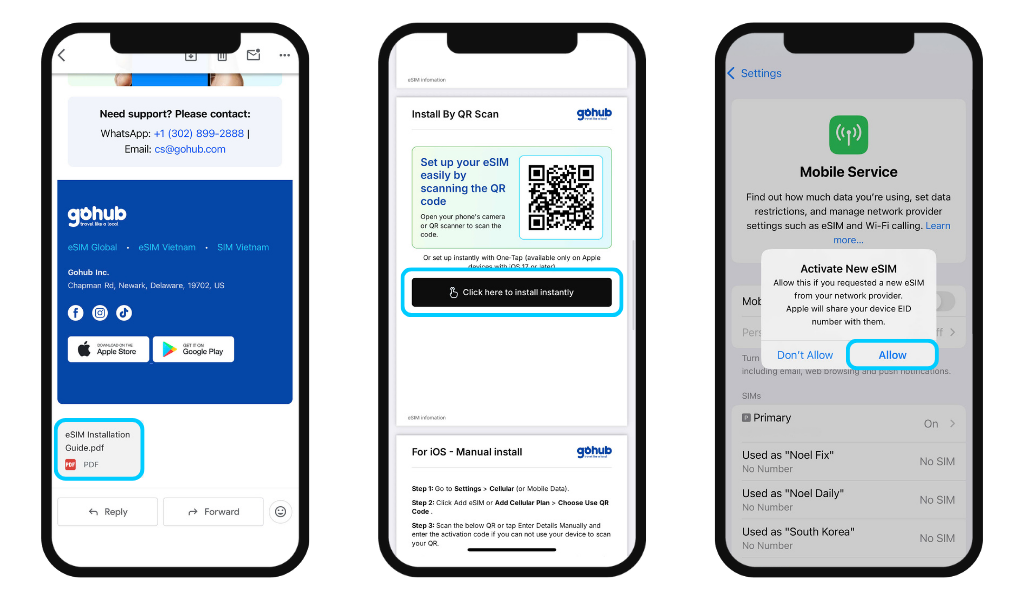
Gohub sends a confirmation email to your registered address with your full order details and a PDF attachment containing:
- Your eSIM information (order code, data, validity, ICCID, expiration date)
- QR code for installation
- One-tap installation button (available on Apple devices with iOS 17 or later)
- Step-by-step installation guides for your device
- Important notes to read before installing
Tip:
- We recommend installing your eSIM before you travel - not at the airport.
- Didn't receive your email within 5 minutes? Check your spam folder or contact Gohub support.