

WhatsApp 24/7:+1 (302) 899-2888
Help and contact
Gohub Logo – Travel eSIM Provider
HomeAbout UsBuy eSIM
Login
Loading page, please wait...
Gohub Logo – Travel eSIM Provider
Download Gohub App on the App StoreApp StoreDownload Gohub App on the Google PlayGoogle Play

Popular Destinations

ThailandChinaVietnamJapanSouth KoreaTaiwanSingaporeMalaysia

Gohub

About UsCareersPartner with us

eSIM

How to install eSIMSupported DevicesData UsageCarrierEsim Travel GuideEsim News

Help

Help CenterUsing your eSIMTroubleshootingCompatible devicesFAQ

Follow Us

FacebookLinkedInInstagramTikTok
© 2026 Gohub. All rights reserved.
Privacy PolicyTerms of Service
Buying your Gohub eSIM
  1. Help center
  2. /Buying your Gohub eSIM
  3. /Do I need an account to buy an eSIM on Gohub?

Do I need an account to buy an eSIM on Gohub?

Yes - both the Gohub website and app require you to be logged in before checkout. The good news is that signing in is effortless: just enter your email, or continue with your Google, Facebook, or Apple ID. No forms to fill out, no password to create - your account is set up automatically the first time you sign in.

You can log in anytime by tapping the Login button, or simply wait until checkout and you'll be prompted to sign in then.

Having an account also means everything you need is saved in one place:

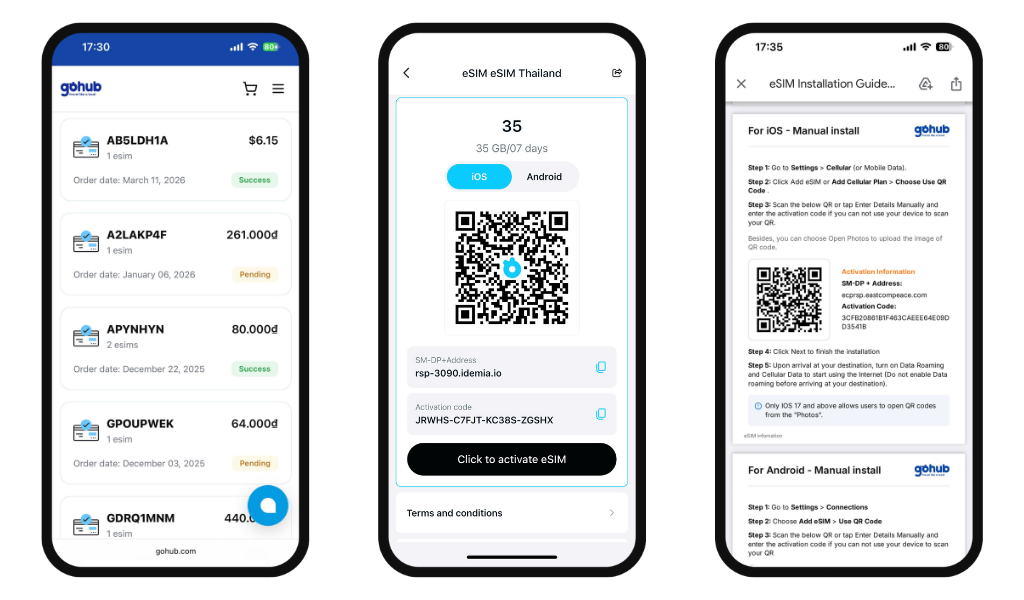
  • Order history - all your past and current eSIM purchases
  • Activation instructions - accessible anytime, even after purchase
  • QR code access - on the app, you can scan your QR code directly from the My eSIM section without searching through your email
Related guides

  • How do I create a Gohub account?
  • Should I buy my eSIM on the Gohub app or website?
  • How do I find the right eSIM plan for my destination?
  • What information do I need before choosing a plan?
  • How do I place an order on the Gohub website?
  • How do I place an order on the Gohub app?
  • How do I apply a promo code on the Gohub website?
  • How do I apply a promo code on the Gohub App?