How do I place an order on the Gohub app?
1. Login
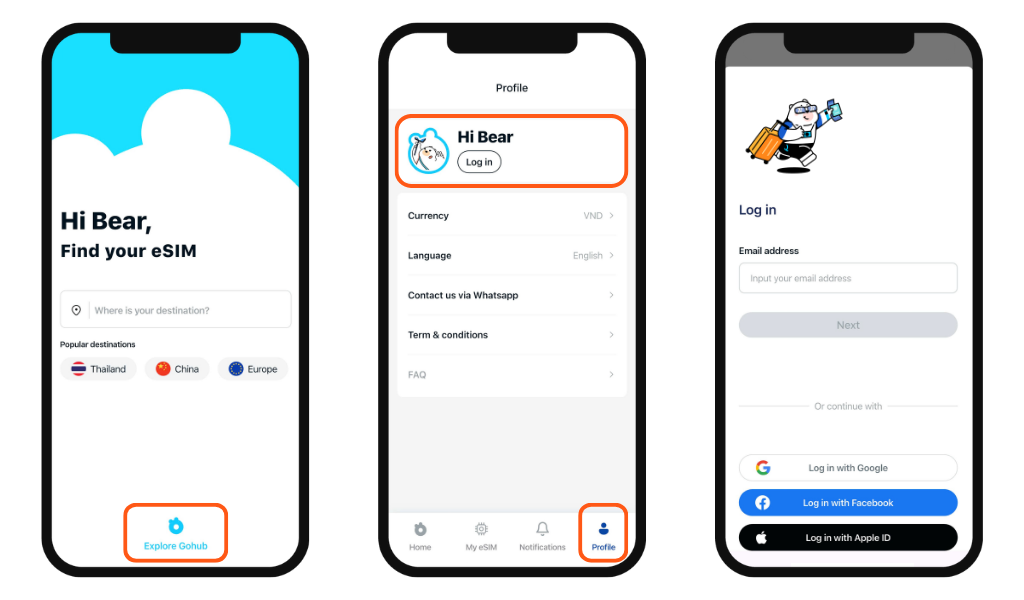
From the app's home screen, tap Explore Gohub → Go to the Profile section → Tap Login. Then sign in using the same options: email, Google, Facebook, or Apple ID.
2. Search for your destination
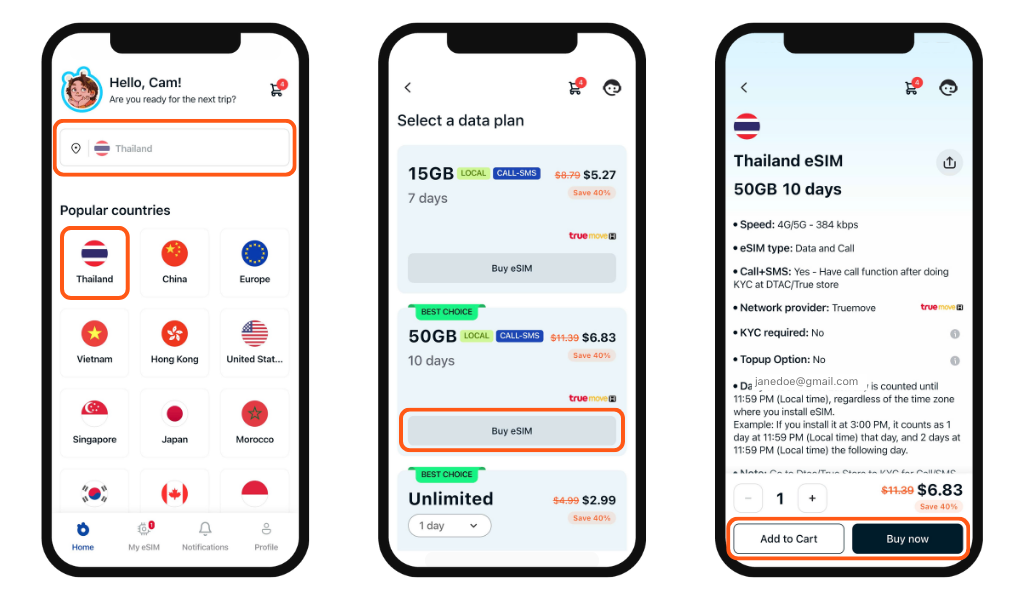
Switch to the Home section, then type directly into the search bar or tap a country from the popular countries list
3. Select a plan
Tap "Buy eSIM" on any plan card to view its full details, including data amount, validity, network speed, and any important notes such as KYC requirements.
4. Add to cart or buy now
- Tap "Add to Cart" to continue browsing and purchase multiple plans at once
- Tap "Buy Now" to go directly to checkout
5. Apply a promo code
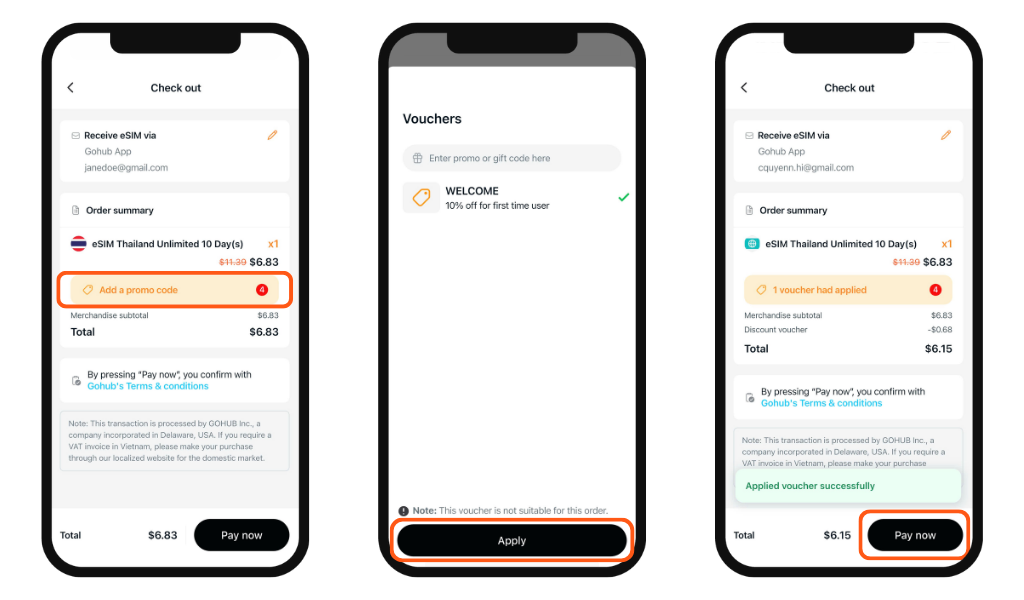
At the checkout screen, tap "Add a promo code" to open the Vouchers panel. Enter your code manually or select an available coupon from the list, then tap "Apply".
6. Complete payment
Review your order summary, confirm Gohub's Terms & Conditions, then tap "Pay now" to finish your purchase.
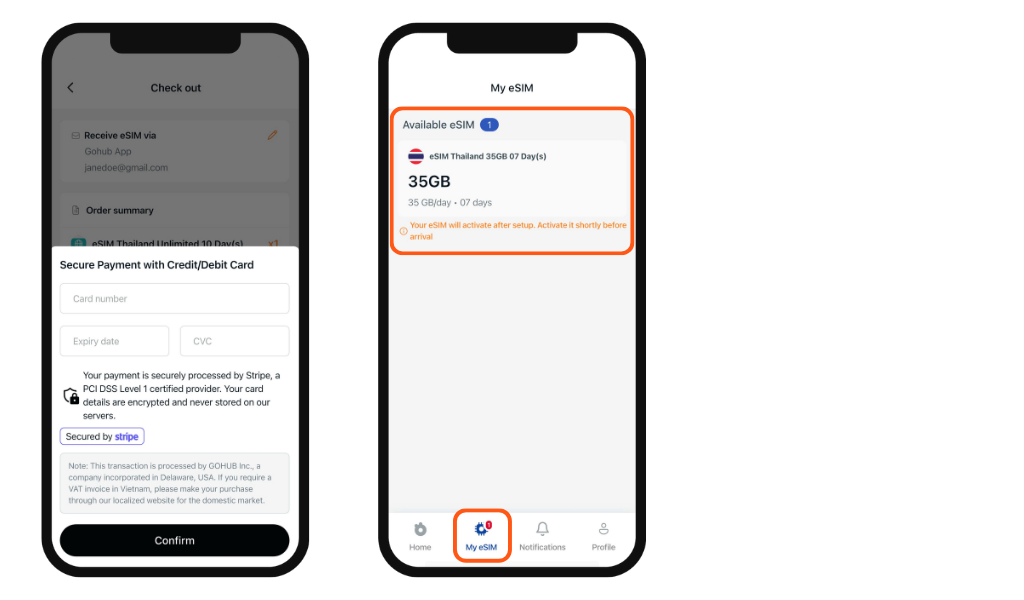
Once payment is confirmed, your eSIM will be available in two places: in the My eSIM section of the app for instant access, and in your registered email inbox as a backup.