

How do I apply a promo code on the Gohub App?
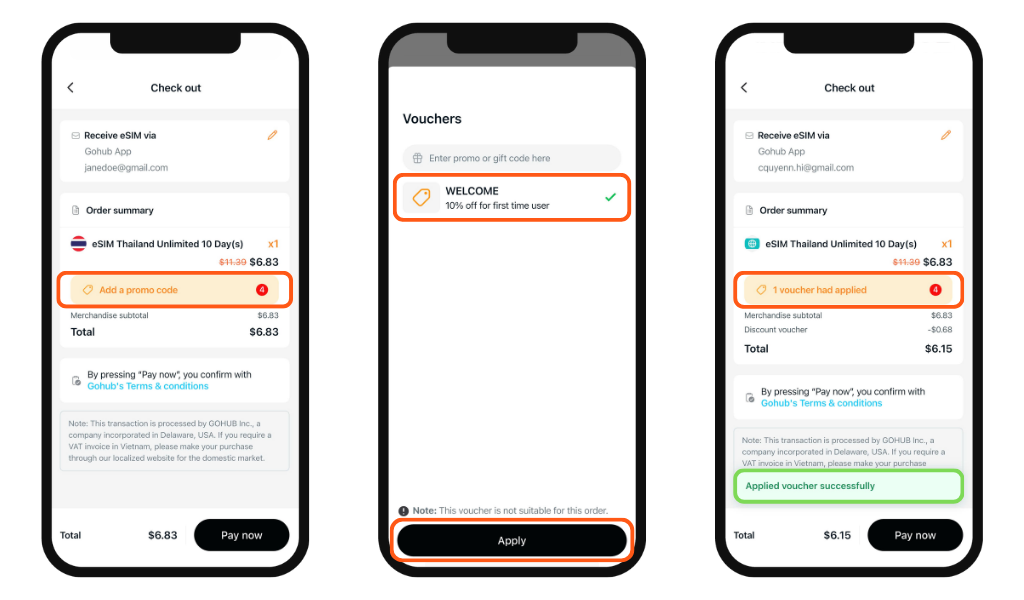
At the checkout screen, tap "Add a promo code" to open the Vouchers panel. You'll see two options:
Option 1: Select an available coupon
Gohub automatically displays coupons you're eligible for. Tap one to select it - a green checkmark will appear to confirm your selection, then tap "Apply" to redeem it.
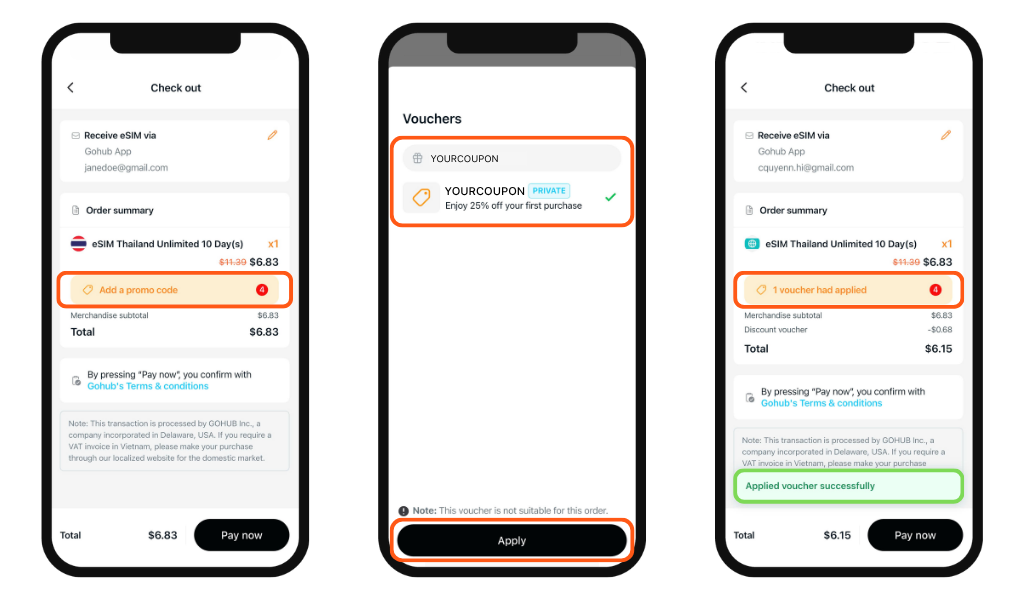
Option 2: Enter a code manually
Have a private or exclusive code from Gohub? Type it directly into the "Enter promo or gift code here" field at the top of the Vouchers panel. The matching coupon will appear below automatically. Tap "Apply" to redeem it.
Seeing a red message?
There are two common reasons a code may not apply:
- Your order total hasn't reached the minimum spend required for that coupon
- The code cannot be used on plans that are already on sale. Check the coupon's conditions and try again, or contact Gohub support if you need help.
Tip: Some codes are order-value based - the more you buy, the bigger the discount unlocked.