

How do I check if my Android phone supports eSIM?
The quickest way to check is directly in your phone's settings.
Go to Settings → Connections → SIM manager.
- If you see "Add eSIM" → your device supports eSIM
- If this option is not there → your device does not support eSIM
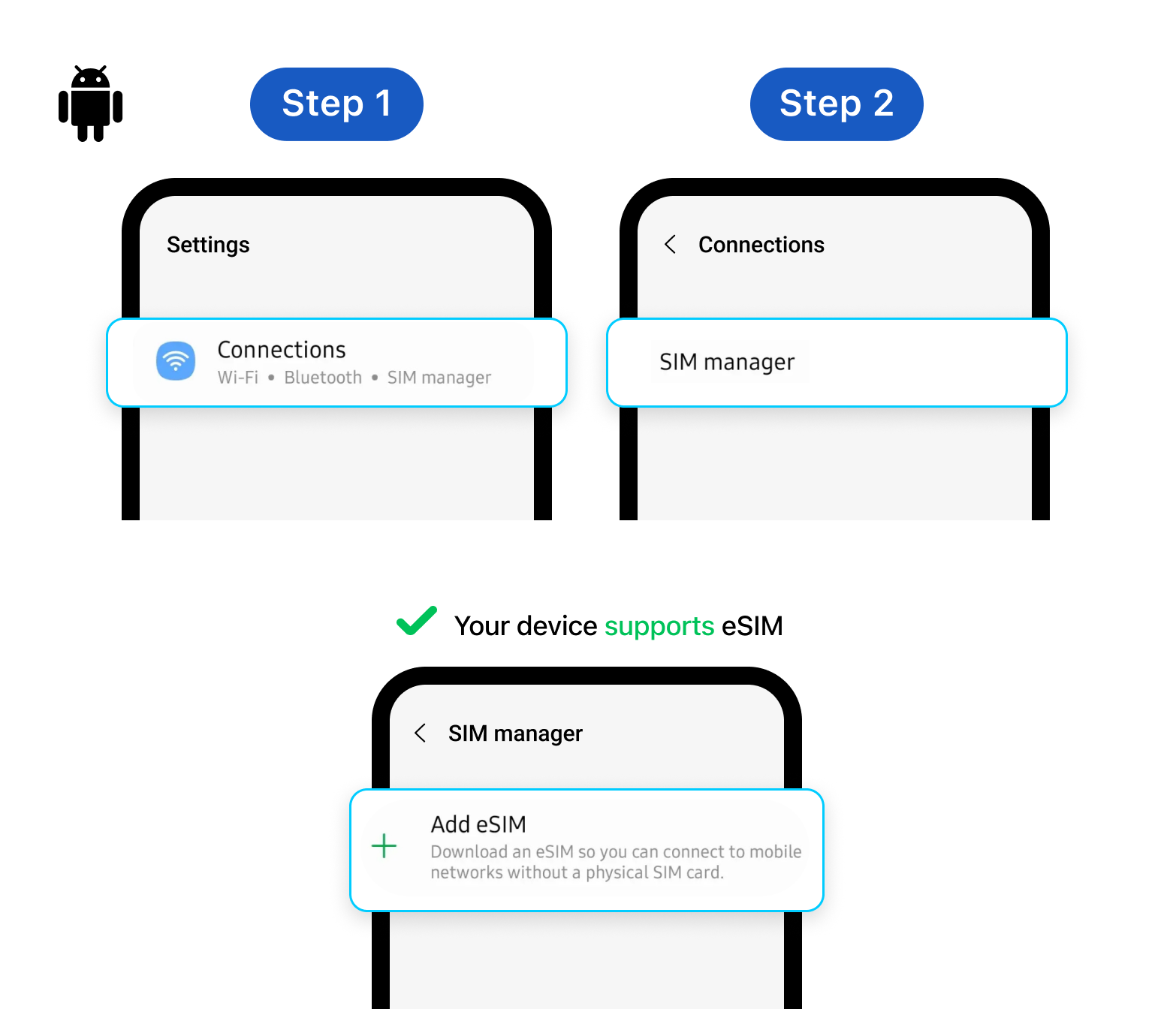
Note: These steps may look slightly different depending on your Android brand, but the path is generally the same for most devices.
Devices confirmed not to support eSIM
- All Samsung S20 FE & S21 FE models
- All Samsung devices purchased in China, Hong Kong, Macao, or Taiwan
- Most Samsung devices purchased in South Korea, except: Galaxy S23, S23+, S23 Ultra, Z Flip4, Z Fold4, Z Flip5, Z Fold5, and A54 5G
- Google Pixel 3 purchased in Australia, Japan, or Taiwan
- Google Pixel 3a purchased in Japan or Southeast Asia
Confirmed your Android supports eSIM? Check your device here