

eSIM for Slow Travel: The Complete Guide for Long-Stay & Remote Travelers (2025)

Slow travel changes everything, especially how you stay connected.
When you are on the road for 30, 60, or even 180 days, internet access stops being a nice to have and becomes part of your daily setup. You are not just checking maps or uploading photos anymore. You are joining video calls, receiving banking codes, backing up files, crossing borders, and trying to keep work and life running smoothly from unfamiliar places.
That is where most eSIM advice starts to fall apart.
Many guides are written for short holidays. They focus on quick installs, tourist use, and “best eSIM for X country” lists. But slow travelers, digital nomads, and long-term remote workers face a very different set of problems.
Costs that quietly increase after the first month
“Unlimited” plans that slow down without warning
Border crossings that force repeated reinstalls
Hotspot limits that break your work setup
Lost phones, two-factor codes, and number recovery stress
This guide is built specifically for slow travel.
Instead of pushing a single “best” option, it helps you understand how to think about eSIMs over long periods. You will learn how to compare eSIMs with local SIMs, how to spot hidden limits, how to plan for multi country trips, and how to protect your connection when things go wrong.
By the end, you will not just know which eSIM to choose. You will understand why a certain setup works for your travel style, your work needs, and your tolerance for risk.
Next, we will look at what slow travel really means for mobile connectivity and why long stays require a different approach.
TL;DR: The Best eSIM Strategy by Travel Style
If you want a fast answer before diving into the details, this section is for you.
The right eSIM setup depends less on the country and more on how you travel, how long you stay, and how you use the internet.
Here is a practical overview used by slow travelers and remote workers.
Best eSIM setup by travel pattern
Travel style | Typical duration | Main priority | Recommended strategy |
|---|---|---|---|
One country slow stay | 30 to 90 days | Lowest long term cost | Country eSIM or local SIM with top ups |
One country long stay | 90 days or more | Stability and renewals | Local SIM or country eSIM with clear FUP |
Two to five countries | 2 to 4 months | Balance of cost and convenience | Regional eSIM |
Frequent border crossings | Ongoing | Zero setup friction | Regional or global eSIM |
Remote work heavy | Full time | Speed and hotspot access | High data plan with hotspot allowed |
Banking and 2FA critical | Any | Keep home number active | Dual SIM setup with home SIM + eSIM |
First time slow traveler | Any | Simplicity and safety | eSIM first, local SIM later if needed |
How to read this table correctly
This is not about finding the cheapest plan on paper. It is about reducing failure points over time.
A country eSIM may look more expensive than a local SIM, but it saves time, avoids registration issues, and is easier to replace if something goes wrong. A global eSIM may look convenient, but it can come with higher costs and lower network priority over long periods.
The goal of this guide is to help you choose a setup that stays reliable after the first month, not just one that works on day one.
Next, we will break down what slow travel really changes about mobile connectivity and why long stays require a different way of thinking compared to short trips.
What Slow Travel Really Means for Mobile Connectivity
Slow travel is not just a longer vacation. It changes how you depend on your phone and your internet connection.
On a short trip, mobile data is mostly used for navigation, messaging, and casual browsing. If something goes wrong, you can tolerate it for a few days. On a slow trip, your phone becomes part of your daily system. When the connection fails, real problems follow.
Here are the main ways slow travel changes your connectivity needs.
Cost problems appear over time
Many plans look affordable at first. After the first month, costs start to creep up.
You may need repeated top ups. You may discover that an unlimited plan slows down after a certain point. You may realize that reinstalling new plans every few weeks is more expensive than expected.
What matters is not the price for seven days or fourteen days. What matters is the total cost over 30, 60, or 90 days, including top ups and replacements.
Performance issues are harder to ignore
Short term travelers can live with slow speeds for a day or two. Slow travelers usually cannot.
Remote work, video calls, file uploads, cloud backups, and hotspot use expose problems quickly. A plan that works fine for messaging and maps may fail under real work conditions.
This is why slow travelers notice issues like:
Full signal but slow data
Video calls dropping during peak hours
Hotspot not working even with enough data
Border crossings create friction
If you cross borders during a long trip, small setup tasks turn into repeated interruptions.
Installing new eSIM profiles, scanning QR codes again, and managing multiple plans becomes tiring over time. This is where regional plans or a stable long term strategy matter more than short term savings.
Operational risks matter more than price
Slow travelers depend on their phone for more than internet access.
Banking apps, two factor authentication, airline accounts, work tools, and personal communication all rely on stable connectivity. Losing access to your number or your data connection can lock you out of important accounts.
This is why topics like dual SIM usage, phone theft recovery, and eSIM transfer rules become critical for long stays.
The key shift in mindset
For slow travel, the goal is not to find the best deal.
The goal is to build a low-maintenance, resilient setup that keeps working week after week.
In the next section, we will compare eSIMs and local physical SIM cards through this slow travel lens and explain when each option actually makes sense for stays longer than 30 days.
eSIM vs Physical SIM: What’s the Difference? – GSMA
eSIM vs Local Physical SIM for Long Stays (30 to 180 Days)
This is the first real decision most slow travelers face. Should you rely on an eSIM for the long term, or switch to a local physical SIM after arrival?
There is no universal winner. The right choice depends on cost over time, setup effort, and how much risk you are willing to manage.
Why price alone is a misleading comparison
Many comparisons stop at price per GB. That works for short trips, but it breaks down for long stays.
For slow travel, you need to think in terms of total ownership cost, not just data price. That includes how often you need to recharge, how easy it is to fix problems, and what happens if something goes wrong.
The real differences between eSIM and local SIM
Factor | eSIM | Local physical SIM |
|---|---|---|
Purchase time | Minutes online | Often hours in store |
Language barrier | None | Common |
ID requirement | Usually no | Often required |
Setup complexity | Low | Medium to high |
Top ups | Online anytime | App or physical shop |
Replacement if lost | Easier | Harder |
Best use case | Convenience and flexibility | Lowest long term cost |
When an eSIM makes more sense for slow travel
An eSIM is often the better option when:
You want to stay connected immediately on arrival
You value low maintenance and fast replacement
You rely on your phone for work and 2FA
You plan to move between cities or countries
You want a backup that does not depend on local stores
Even if the data cost is slightly higher, the reduction in friction can be worth it over several months.
When a local physical SIM can be better
A local SIM often makes sense when:
You are staying in one country for a long time
You are comfortable with local registration rules
You want the lowest possible monthly cost
You do not need frequent border crossings
You can tolerate visiting stores for setup and support
In many countries, local SIMs offer larger data packages at lower prices once you are fully registered.
A common slow travel strategy
Many experienced slow travelers combine both.
They start with an eSIM for the first few weeks. This provides immediate connectivity and flexibility. If they settle in one place, they later switch to a local SIM for cost savings while keeping the eSIM as a backup.
This hybrid approach reduces risk without locking you into a single option.
In the next section, we will look at one of the biggest sources of frustration for long stays. Unlimited data plans and how fair usage policies quietly limit your speed over time.
The “Unlimited” Data Trap: Fair Usage Policies Explained
Unlimited data sounds perfect for slow travel. In reality, it is one of the most misunderstood parts of long term connectivity.
Many slow travelers only discover the limits after a few weeks, when speeds suddenly drop and basic tasks become painful.
What unlimited usually means in practice
In most cases, unlimited does not mean unlimited high speed data.
It usually means one of the following:
A fixed amount of high speed data per day, then throttled
A fixed amount of high speed data per month, then slowed
Speed reduction during busy hours or network congestion
Restrictions on video streaming or hotspot usage
After the high speed allowance is used, speeds may drop to levels that work for messaging but not for video calls, uploads, or remote work.
Why this hits slow travelers harder
On short trips, throttling may go unnoticed. On long stays, it becomes a daily problem.
Slow travelers often use more data because of:
Regular video meetings
Cloud backups and file sync
Software updates
Hotspot use for laptops or tablets
An unlimited plan that works fine in week one can become frustrating by week three.
How to spot hidden limits before you buy
Before choosing an unlimited plan, look for these warning signs.
No numbers mentioned anywhere in the plan description
Vague wording like optimized, managed, or subject to policy
No clear statement about hotspot or tethering
No mention of local partner networks
No explanation of speed after limits are reached
If the provider does not clearly explain what happens after heavy usage, assume there is a restriction.
Throttling versus poor signal
One common confusion is mixing throttling with coverage issues.
Throttling often feels like this:
Full signal bars
Pages load slowly
Video calls lag or freeze
Speed improves late at night
Poor coverage usually feels different:
Signal drops in specific locations
Connection cuts out entirely
Switching locations fixes the problem
Understanding the difference helps you troubleshoot faster.
When unlimited plans still make sense
Unlimited plans can still work for slow travel when:
Your usage is moderate
You mainly browse, message, and navigate
You rarely use hotspot
You are in a country with strong networks and low congestion
For heavy remote work, a clearly defined high data plan is often more reliable than an unlimited one with unclear limits.
Next, we will look at how plan type affects long trips and whether country, regional, or global eSIMs make more sense when you cross borders over time.
Country, Regional, or Global eSIMs: How to Choose for Long Trips
Once you understand cost and data limits, the next big decision is plan scope. This matters even more for slow travelers who move between cities or countries over time.
Choosing the wrong plan type can lead to constant reinstalls, rising costs, or unreliable speeds.
The three main eSIM plan types
Most travel eSIMs fall into one of these categories.
Country plans
These work in one specific country and usually connect to local networks directly.
Regional plans
These cover multiple countries within a region, such as Europe, Southeast Asia, or North America.
Global plans
These work across many countries worldwide using roaming agreements.
Each type solves a different problem.
How country eSIMs behave on long stays
Country eSIMs are often the best choice when you stay in one place for a while.
They usually offer:
Lower cost per GB
Better speeds and stability
Clearer data limits
Easier troubleshooting
The downside is flexibility. If you cross a border, the plan stops working and you need to install a new one.
For slow travelers who settle in one country for 30 to 90 days, this trade off is often worth it.
When regional eSIMs make more sense
Regional eSIMs are designed for travelers who move between nearby countries.
They reduce setup friction by:
Avoiding repeated installs
Keeping one active profile
Maintaining continuous connectivity across borders
The trade off is usually a slightly higher cost and sometimes lower network priority compared to country plans. For many slow travelers, the convenience outweighs the difference.
Regional plans are a strong fit if you plan to visit two to five countries over several months.
The reality of global eSIMs
Global eSIMs prioritize convenience above everything else.
They are useful when:
You cross borders frequently
Your route is unpredictable
You want a single backup connection
For long term use, they often come with:
Higher prices
More aggressive throttling
Lower priority on local networks
Global plans are best treated as a safety net or secondary option rather than a primary long stay solution.
A simple decision rule
You can use this rule to simplify the choice.
If you stay in one country for more than a month, start with a country eSIM.
If you move across several countries in the same region, use a regional eSIM.
If you cross borders often or unpredictably, use a global eSIM as backup.
In the next section, we will cover another common source of confusion for long stays. Whether you need to provide a passport or identification to use an eSIM and how this differs from local SIM registration rules.
Do You Need a Passport or ID to Use an eSIM?
This is one of the most common questions slow travelers ask, especially if they have dealt with SIM registration rules before.
The short answer is that it depends on what type of SIM you are using and how it is provisioned, not just on the country you are in.
Why SIM registration exists
Many countries require identification for local SIM cards to reduce fraud and improve security. This usually applies to SIMs sold by local carriers inside the country.
If you have ever bought a physical SIM at an airport or phone shop and been asked for your passport, this is why.
How travel eSIMs are different
Most travel eSIMs are data only and are provisioned through international or roaming based systems rather than local consumer SIM registration channels.
Because of this, they often do not require you to submit a passport or ID at the time of purchase or activation.
This is one reason eSIMs are popular with travelers who want to avoid paperwork, language barriers, or store visits.
What slow travelers should understand clearly
There are three important distinctions to keep in mind.
First, local SIM rules do not always apply to travel eSIMs. A country that requires ID for physical SIMs may still allow data only eSIMs to work without registration.
Second, rules vary by provider. Some eSIM providers may ask for basic information during checkout, while others do not. This is a provider policy, not always a legal requirement.
Third, long stays increase scrutiny. While rare, some countries enforce stricter rules for long term local SIM use. This affects local SIMs far more than travel eSIMs.
When you are more likely to need ID
You should expect to provide identification if:
You buy a local physical SIM from a carrier store
You activate a local eSIM directly from a national operator
You sign up for a long term contract or phone number
In these cases, passport or national ID is usually required.
When ID is usually not required
You typically do not need ID when:
Using a short or mid term travel eSIM
Using a data only eSIM for connectivity
Activating an eSIM purchased online before arrival
This makes eSIMs especially useful during the first weeks of slow travel.
A practical slow travel approach
Many experienced slow travelers use eSIMs early in the trip to avoid registration complexity. If they later settle long term in one country and want the lowest cost, they then consider a local SIM and complete the required registration.
This approach keeps things simple while preserving flexibility.
Next, we will move into security and privacy. We will look at whether an eSIM is actually safer than a physical SIM if your phone is lost or stolen and what steps matter most for recovery during long trips.
Security and Privacy: Is an eSIM Safer Than a Physical SIM?
For slow travelers, security is not just about hackers or data leaks. It is about what happens when something goes wrong while you are far from home.
A lost phone, a stolen bag, or a locked account can disrupt work, travel plans, and access to money. This is where the differences between eSIMs and physical SIM cards become important.
What happens when a phone with a physical SIM is stolen
With a physical SIM, the card can be removed from the phone immediately.
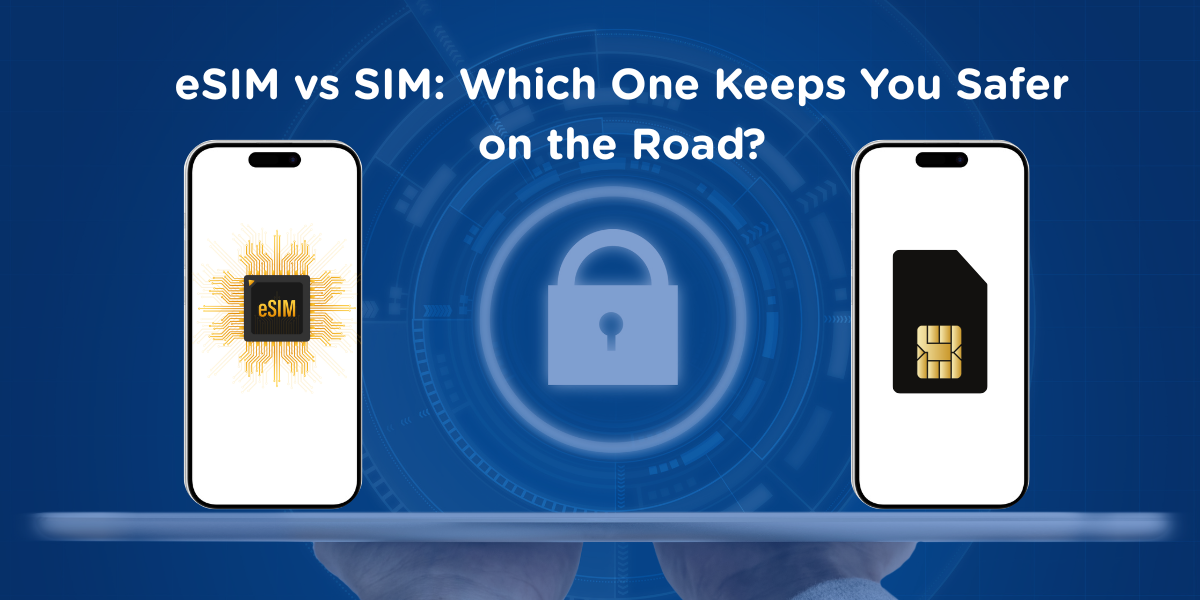
Once removed, a thief may be able to:
Insert the SIM into another device
Receive SMS based two factor codes
Attempt account recovery or SIM swap attacks
Even if your phone is locked, the SIM itself can still be misused until you contact the carrier and suspend the line.
For slow travelers who rely on banking apps and work accounts, this creates a real risk window.
How eSIMs change the risk profile
An eSIM cannot be physically removed from the phone.
If your device is stolen:
The eSIM stays tied to that device
You can remotely lock or erase the phone
The data connection usually stops once the phone is disabled
This does not make eSIMs invincible, but it reduces the chance of immediate SIM misuse compared to physical cards.
For many slow travelers, this alone is a strong reason to prefer eSIMs for data access.
What eSIMs do not protect you from
It is important to be clear about limitations.
An eSIM does not automatically protect:
Your cloud account if passwords are weak
Apps that are already logged in
Poor device security settings
This is why eSIM safety works best when combined with:
Strong phone passcodes
Account level security
Remote wipe enabled
Should you use a VPN with an eSIM?
A VPN can add an extra layer of privacy, but it is not mandatory for every situation.
Using a VPN makes sense when:
You handle sensitive work data
You access financial services regularly
You travel in regions with weak network security
However, VPNs can slightly reduce speed, especially on already congested mobile networks. For video calls or large uploads, this can matter.
A practical approach for slow travelers is to:
Use a VPN by default for browsing and sensitive tasks
Turn it off temporarily for speed critical work if needed
Choose modern protocols that balance security and performance
The slow travel security mindset
Security for long trips is about damage control, not perfection.
eSIMs reduce certain risks, especially around SIM removal and quick recovery. They do not replace basic digital hygiene.
In the next section, we will move from security to setup. We will look at how to manage dual SIM phones so you can use an eSIM for data while keeping your home number active for calls and two factor authentication.
Dual SIM Setup: Keep Your Home Number While Using eSIM Data
For slow travelers, losing access to your home number can be more disruptive than losing data speed.
Banking alerts, two factor authentication, airline accounts, work logins, and even messaging apps may depend on that number. This is why dual SIM management is a core part of a long stay setup.
What dual SIM actually means in practice
Most modern phones allow two active lines at the same time. One line can handle data, while the other handles calls and SMS.
In a slow travel setup, this usually looks like:
Your eSIM is used for mobile data
Your home physical SIM or home eSIM stays active for calls and texts
This allows you to stay reachable without paying for roaming data on your home plan.
How to avoid accidental roaming charges
The most common mistake is leaving data enabled on the home SIM.
To prevent this:
Set the eSIM as the default line for mobile data
Disable data roaming on the home SIM
Keep calls and SMS enabled on the home line only
This setup ensures that your phone never uses expensive roaming data while still receiving important messages.
Why this matters for long stays
Short term travelers sometimes rely on app based authentication or email. Slow travelers often cannot.
Over weeks or months, you will likely need:
Bank verification codes
Account recovery messages
Airline or visa related alerts
Work related SMS based logins
If your home number is inactive or unreachable, resolving these issues from abroad can take days.
Dual SIM and battery or performance concerns
Running two lines at once has minimal impact on battery life for most modern devices. The bigger risk is configuration error, not hardware limitation.
Once set correctly, dual SIM phones are stable enough for long term use.
A recommended slow travel configuration
Many experienced slow travelers use:
Home SIM or home eSIM for calls and SMS only
Travel eSIM for all data usage
WiFi calling enabled on the home line when available
This setup provides redundancy without complexity.
Next, we will look at a small decision that often causes confusion. When to activate an eSIM and whether it is better to do it before you leave or after you arrive at your destination.
When to Activate an eSIM: Before Departure or After Landing
Activation timing seems like a small detail, but for slow travelers it can affect cost, stress, and even how many days of data you actually get.
The right choice depends on how the eSIM counts time and how much flexibility you need at the start of your trip.
How eSIM activation usually works
Most eSIM plans start their validity in one of two ways.
Some plans start counting days as soon as the eSIM is installed on your phone.
Others start counting days only when the eSIM first connects to a supported network.
This difference is critical for long stays.
When activating before departure makes sense
Activating before you leave is usually the better option when:
You want internet immediately after landing
You expect limited or unreliable airport WiFi
The plan only starts counting after first network connection
You want time to test the eSIM while still at home
For slow travelers who depend on instant connectivity for transport, accommodation access, or work messages, this can reduce stress on arrival.
When it is better to wait until after landing
Waiting to activate can be the smarter choice when:
The plan starts counting days at installation
You are staying long term and want to avoid wasting days
You have reliable WiFi at your destination
You are installing multiple eSIMs and want to control timing
For long stays, losing even a few days at the start can add up over time.
A simple rule to avoid mistakes
Before installing any eSIM, always check one thing.
Does the plan start counting days at installation or at first connection?
If the answer is unclear, assume it starts at installation and wait until you arrive.
A low risk slow travel approach
Many slow travelers follow this method:
Install the eSIM before departure but keep it disabled
Activate mobile data only after landing
Confirm the eSIM connects correctly before relying on it
This gives you the best of both worlds. Setup is done in advance, but data usage starts when you actually need it.
Next, we will look at device compatibility. We will cover how to check if your phone is truly unlocked and whether it supports the network bands used in your destination, which is another common cause of connection issues during long trips.
Device Compatibility: Unlock Status, Network Bands, and Hidden Limits
Many slow travel connectivity problems are not caused by the eSIM itself. They are caused by device limitations that are easy to miss before you leave.
A phone that supports eSIM does not automatically work well everywhere.
First check that your phone is truly unlocked
An unlocked phone can connect to any compatible network. A locked phone cannot.
Phones are often locked when:
They were bought through a carrier contract
They are still under payment plans
The carrier restricts international use
Even if your phone supports eSIM, a carrier lock can prevent it from connecting to local networks abroad.
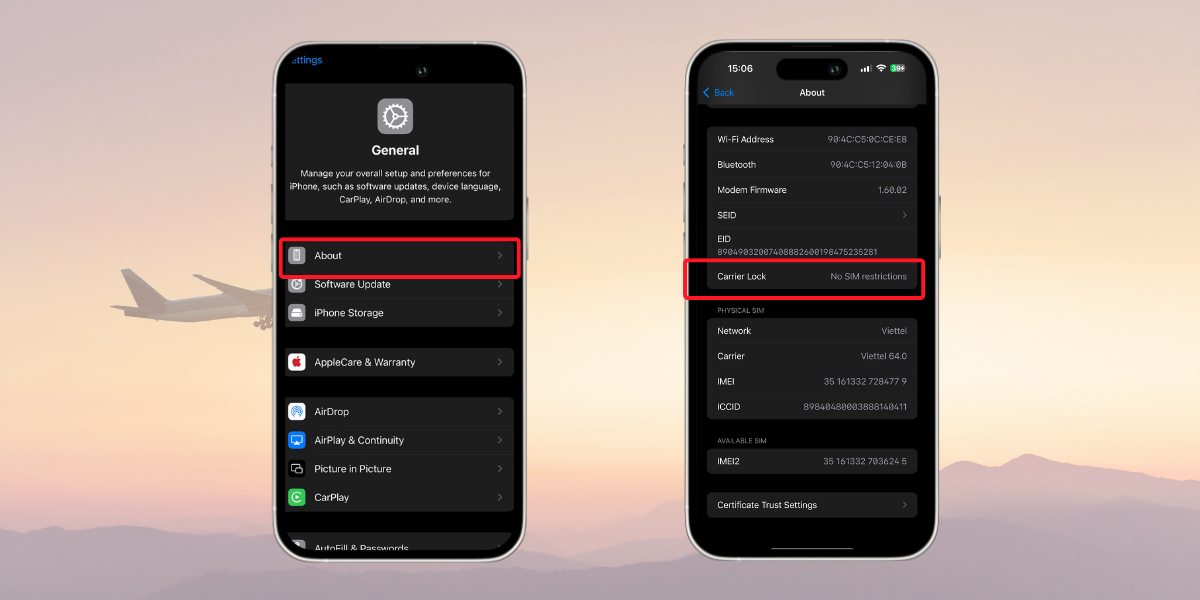
Before traveling, confirm that:
Your carrier confirms the phone is unlocked
There are no regional restrictions
International eSIM use is allowed
This is especially important for long stays, because unlocking a phone remotely from another country can be difficult.
eSIM support is not the same as full network support
Most phones advertise eSIM compatibility, but connectivity also depends on supported LTE and 5G bands.
Different regions use different frequency bands. A phone that works perfectly in one country may fall back to slower networks in another.
Common issues slow travelers experience include:
5G not available even though the plan supports it
Strong signal but poor speeds
Better performance on LTE than 5G in some regions
This is usually caused by band mismatch, not the eSIM.
Why this matters more for long stays
On a short trip, slower speeds may be tolerable. Over several months, they affect daily work, calls, and uploads.
For remote workers, missing a key band can mean:
Unstable video calls
Higher latency
Slower cloud sync
Reduced hotspot performance
This is why checking band compatibility before committing to a long term setup is critical.
A practical compatibility checklist
Before relying on an eSIM for slow travel, confirm the following:
Your phone is unlocked
Your phone model supports eSIM globally, not region locked versions
Apple’s eSIM-Compatible Devices
Check Android eSIM compatibility – Android CentralYour phone supports common LTE bands in your destination
Your phone supports at least basic 5G bands if you plan to use 5G
Your operating system is updated
If you are unsure, assume LTE will be your baseline and plan data usage accordingly.
A slow travel mindset for compatibility
Perfect compatibility everywhere is rare. The goal is not maximum speed, but consistent and predictable performance.
In the next section, we will plan for failure scenarios. What happens if your phone is lost, stolen, or upgraded mid trip and whether you can transfer your eSIM without losing connectivity.
What Happens If Your Phone Is Lost, Stolen, or Replaced Mid Trip
This is the scenario most travelers hope never happens, but slow travelers should plan for it anyway.
Over a long trip, the chances of losing a phone, damaging it, or upgrading to a new one increase. Knowing how eSIMs behave in these situations helps you avoid panic and long periods without connectivity.
Can you transfer an eSIM to a new phone
The answer depends on the provider and how the eSIM was issued.
Some eSIMs can be reinstalled on a new device using the original QR code or activation details. Others are locked to the first device they are installed on and require provider support to reissue.
This is why slow travelers should never assume that an eSIM is freely transferable.
Common misconceptions about eSIM transfers
Many people believe that:
A QR code can be reused unlimited times
An eSIM automatically syncs across devices
Resetting a phone will keep the eSIM active
These assumptions are often wrong.
In many cases:
QR codes are single use
Deleting the eSIM removes access permanently
A factory reset may erase the eSIM profile
Understanding this before something goes wrong saves time later.
What to do immediately if your phone is lost or stolen
If your phone goes missing, take these steps as soon as possible:
Lock the device remotely using your account tools
Suspend or block the eSIM through the provider if available
Secure important accounts that use SMS or app based authentication
Contact the eSIM provider for reissue instructions
The faster you act, the less disruption you will face.
A slow travel backup strategy
Experienced slow travelers prepare for this in advance.
A practical setup includes:
Saving eSIM purchase emails and QR codes securely
Keeping provider support contact details offline
Carrying a secondary device if work critical
Knowing which providers allow reissuance
If connectivity is essential for your work, redundancy matters more than convenience.
When a local SIM complicates recovery
Local physical SIMs can be harder to replace abroad. You may need:
Another store visit
Another registration process
Proof of identity again
In contrast, many travel eSIMs can be reissued remotely, which is a key advantage for long trips.
Next, we will focus on daily reliability for remote work. We will estimate how much data slow travelers actually use and how to avoid running out or being throttled mid month.
Reliable Internet for Remote Work While Traveling
For slow travelers who work online, connectivity problems are not an inconvenience. They directly affect income, deadlines, and professional trust.
This section focuses on realistic data needs and the most common reliability issues that appear during long stays.
How much data do remote workers actually need per month
Data usage estimates online are often too vague. For slow travel, it helps to break usage down by activity.
Here is a practical baseline for one person working remotely.
Activity | Typical usage |
|---|---|
Video calls (1 hour) | 0.6 to 1.2 GB |
Messaging and email | Low |
Cloud sync and backups | 1 to 3 GB per day |
Browsing and research | Moderate |
Streaming video (HD) | About 3 GB per hour |
For many remote workers, 30 to 50 GB per month is a realistic minimum. Heavy video calls, large file transfers, or frequent streaming can push this higher.
If you regularly use hotspot for a laptop, plan for more.
Why running out of data hurts more on long trips
On a short trip, running out of data is annoying. On a long stay, it creates repeated interruptions.
You may need to:
Buy emergency top ups at higher prices
Reinstall new plans
Work around throttled speeds
This is why it is usually safer to overestimate monthly data needs rather than aim for the minimum.
Hotspot and tethering considerations
Not all eSIM plans allow hotspot usage, even if they include enough data.
For remote work, this matters because:
Some apps behave better on laptops
File uploads are easier on computers
Tablets and secondary devices rely on tethering
Before choosing a plan, confirm that hotspot or tethering is explicitly allowed. If this is unclear, assume it may be restricted.
Why speeds can be slow even with full signal
One of the most frustrating slow travel problems is seeing full signal bars but experiencing poor performance.
This usually happens because of:
Fair usage policy throttling
Network congestion during peak hours
Low priority roaming connections
Automatic connection to a slower network
Signal strength alone does not indicate speed.
A quick troubleshooting flow for slow speeds
If your connection feels slow, try the following steps in order:
Check whether you have reached any data limits
Toggle airplane mode on and off
Restart the device
Switch between 5G and LTE
Manually select another available network if possible
Test speeds at different times of day
These steps resolve many performance issues without reinstalling anything.
Planning for consistency, not peak speed
For slow travel, consistency matters more than headline speeds.
A stable connection that works every day is more valuable than a fast connection that slows unpredictably. When evaluating eSIMs for long stays, prioritize plans with clear data rules and predictable behavior.
Next, we will wrap everything together and explain how to choose the right eSIM setup based on your travel style, work needs, and tolerance for risk.
Final Takeaway: How to Choose the Right eSIM for Slow Travel
There is no single best eSIM for slow travel. What works well for one traveler can fail for another after a few weeks.
The right approach is to match your connectivity setup to how you actually travel and work.
Start with your travel pattern
Ask yourself a few honest questions.
Are you staying in one country for a long time, or moving every few weeks
Do you cross borders often, or only once or twice
Do you rely on video calls, hotspot use, or cloud uploads
How disruptive would it be to lose access for a day
Your answers matter more than the name of any provider.
Choose simplicity first, then optimize
For most slow travelers, the safest starting point is an eSIM.
It gives you:
Immediate connectivity on arrival
Easy setup without paperwork
Remote replacement if something goes wrong
Once you are settled and understand your real data usage, you can decide whether switching to a local SIM makes sense for cost savings.
Build a resilient setup, not a perfect one
Long trips are unpredictable. Phones get lost. Networks slow down. Plans change.
A resilient setup usually includes:
Dual SIM usage to protect your home number
Clear data limits instead of vague unlimited claims
A plan that allows hotspot if you work from a laptop
A backup option for emergencies
This mindset reduces stress over time.
Think in months, not days
Many connectivity decisions are optimized for short trips. Slow travel requires a longer view.
Instead of asking which plan is cheapest today, ask which setup will still work after the first month, the second month, and the third month.
That shift in thinking is the key to staying connected without constant troubleshooting.
If you want to go deeper into any part of this guide, the sections above link to focused articles on cost comparison, security, setup, and troubleshooting. Use them as building blocks to create a connectivity system that supports your travel, not one that adds friction to it.
You now have the framework. The next step is choosing and configuring the setup that fits your slow travel style.

Frequently Asked Questions About eSIMs for Slow Travel
Is an eSIM cheaper than a local SIM for long stays?
Not always. Local SIMs are often cheaper per GB after the first month, but eSIMs can be more cost effective when you factor in setup time, registration, replacement, and flexibility. For many slow travelers, the lower maintenance of an eSIM offsets the higher data price.
Do unlimited eSIM plans really have limits?
Yes, most do. Unlimited usually means unlimited access with a fair usage policy. After a certain amount of high speed data, speeds may be reduced. Always look for clear numbers and speed descriptions before choosing an unlimited plan.
Can I keep my home number active while using an eSIM?
Yes. Most modern phones support dual SIM. You can use the eSIM for data and keep your home SIM active for calls and SMS, including two factor authentication codes, without using roaming data.
Should I activate my eSIM before traveling or after I arrive?
It depends on how the plan starts counting days. If it starts at installation, wait until you arrive. If it starts at first network connection, you can install it before departure and activate it after landing. When in doubt, install early but keep data turned off.
Does an eSIM support hotspot and tethering?
Some plans do, some do not. Hotspot support is not guaranteed and is often restricted on unlimited plans. If you work from a laptop, confirm that hotspot use is explicitly allowed before buying.
Is an eSIM safer if my phone is stolen?
In many cases, yes. An eSIM cannot be physically removed like a SIM card. This reduces the risk of immediate misuse. You should still enable device locks, remote wipe, and strong account security.
Can I transfer my eSIM to a new phone if mine is lost or upgraded?
Sometimes. Transfer rules depend on the provider. Some allow reinstallation or reissue, others lock the eSIM to the original device. Always save your eSIM details and check transfer policies before relying on it long term.
How much data do digital nomads usually need per month?
Many remote workers use between 30 and 50 GB per month. Heavy video calls, cloud backups, and hotspot use can push this higher. It is safer to overestimate than to run out mid month during a long stay.
If you still have questions, revisit the relevant sections above for deeper explanations and step by step guidance tailored to long stay travel.

Hi! Mình là Lala Wren, một content creator yêu xê dịch và đam mê chia sẻ trải nghiệm thực tế cho cộng đồng Gohub. Trong nhiều năm qua, mình đã đặt chân đến Thái Lan, Hàn Quốc, Nhật Bản, Singapore, Malaysia, Bali và nhiều điểm đến thú vị khác trên khắp châu Á. Cùng mình tìm hiểu tất tần tật từ khâu chuẩn bị eSIM, Visa, lịch trình và địa điểm nổi bật cho chuyến đi sắp tới của bạn nhé!
View all articles →Related articles
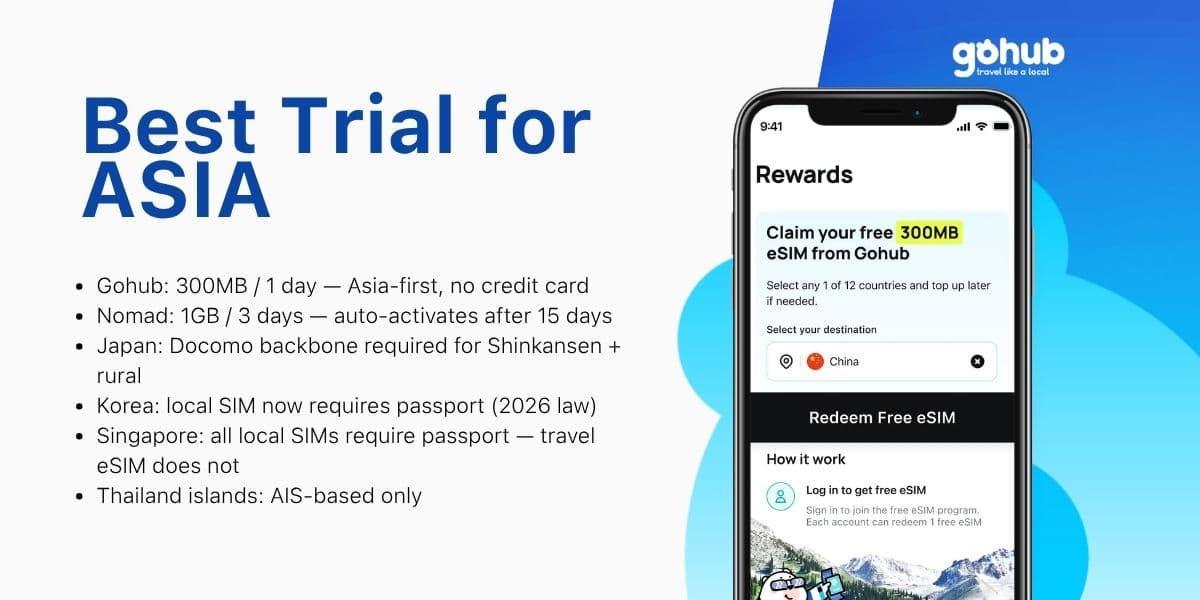
Free eSIM Asia 2026: Best Trial for Japan, Korea, Thailand and Singapore
Traveling to Japan, Korea, Thailand, or Singapore? Compare free eSIM trials by destination, trip length, and KYC requirements — find the right option for your Asia itinerary.
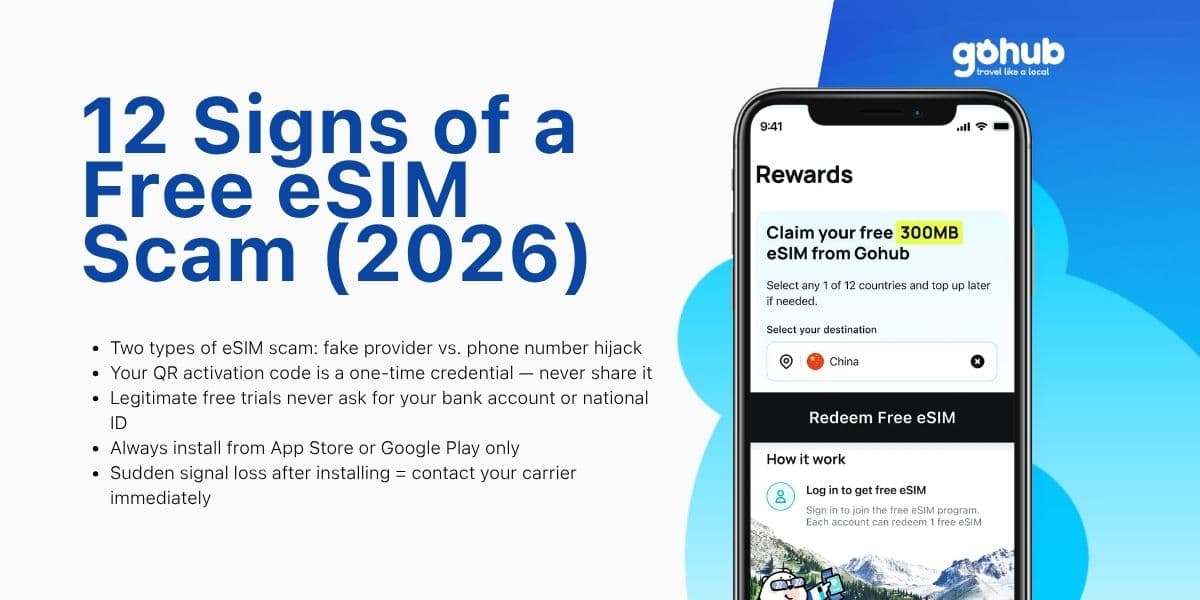
12 Signs of a Free eSIM Scam and How to Protect Yourself (2026)
Fake QR codes, "free unlimited" traps, SIM swap attacks — learn the 12 warning signs of a free eSIM scam and how to verify any provider before you install. Updated March 2026.
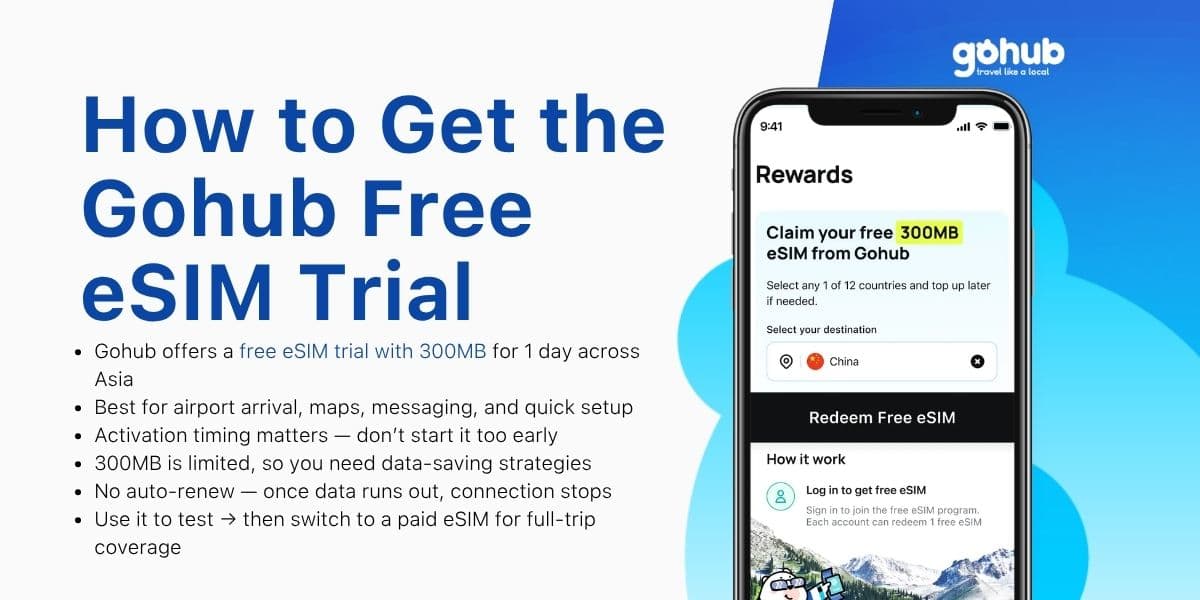
How to Get Gohub Free eSIM Trial (300MB/1 Day for Asia)
Get a Gohub free eSIM trial with 300MB for 1 day across Asia. Learn how to activate, use data efficiently, and avoid common setup issues.
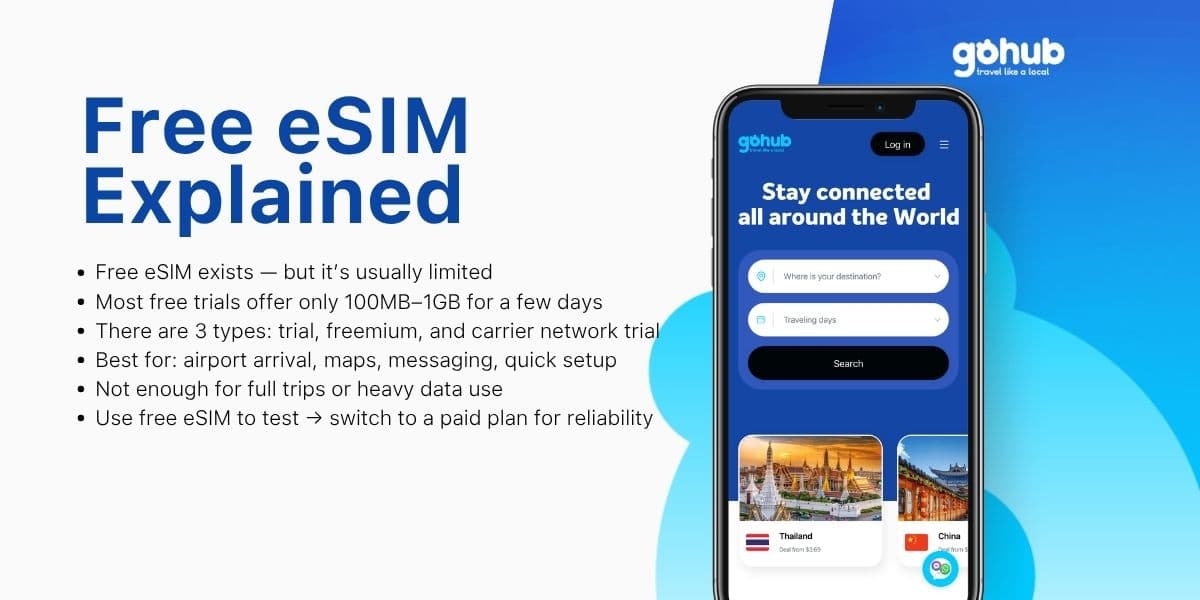
Free eSIM Explained: Is a Free eSIM Trial Really Free? (2026)
What is a free eSIM? Learn the difference between eSIM trials, freemium eSIMs, and carrier network trials before you use one for travel.
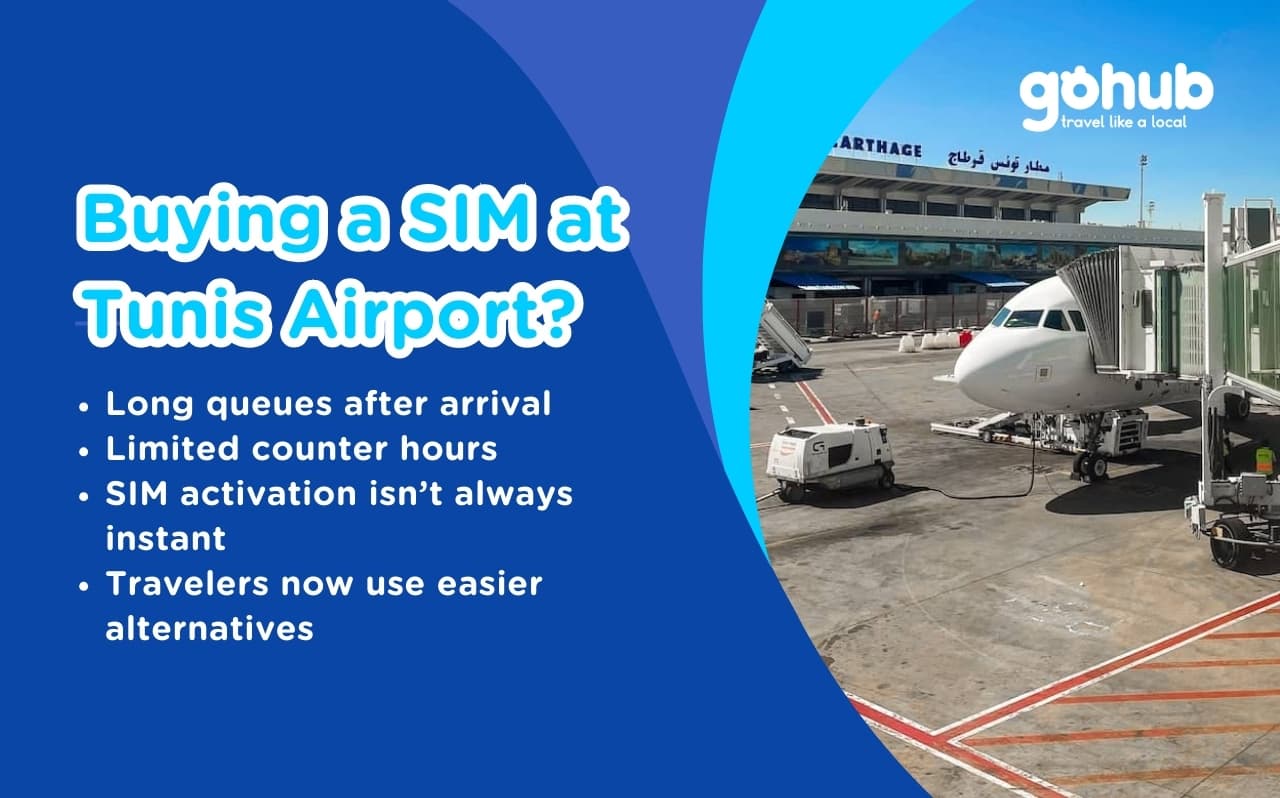
Tunis Airport SIM vs eSIM (2026): How to Get Internet Fast After Landing
Avoid long queues and SIM activation problems at Tunis Airport. Discover better connectivity options for travelers to Tunisia in 2026.
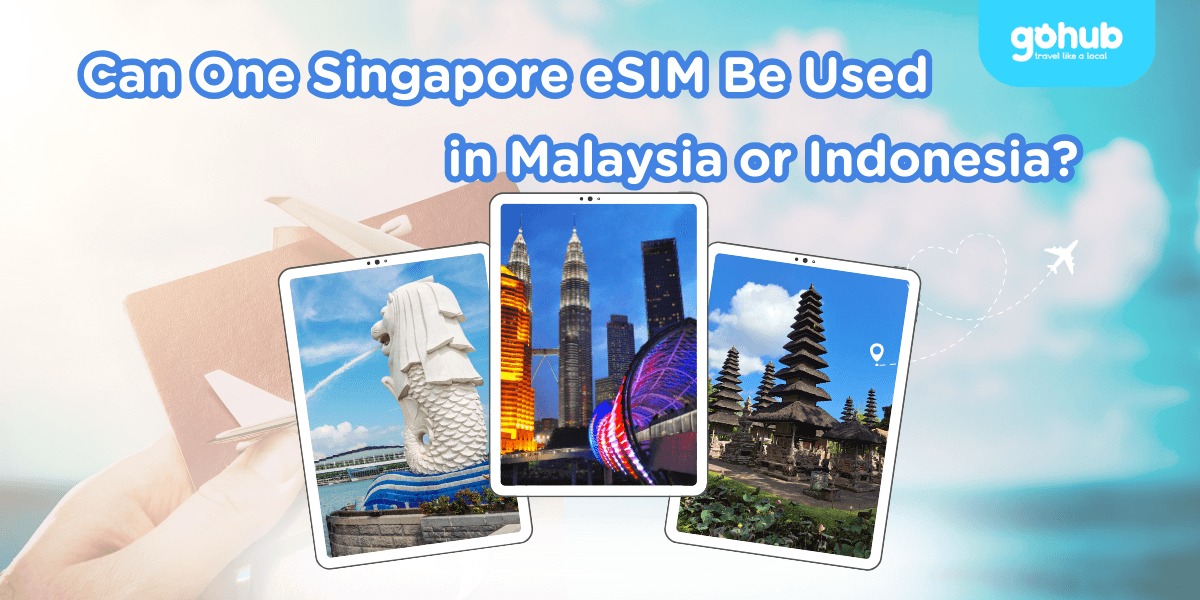
Can One Singapore eSIM Be Used in Malaysia or Indonesia? Coverage & Data Explained
Singapore eSIM Malaysia Indonesia: learn when one regional eSIM covers all three countries, how data limits work, and when separate plans make sense.