

eSIM at Barcelona El Prat Airport: Does It Work Right After Landing? (2026 Guide)

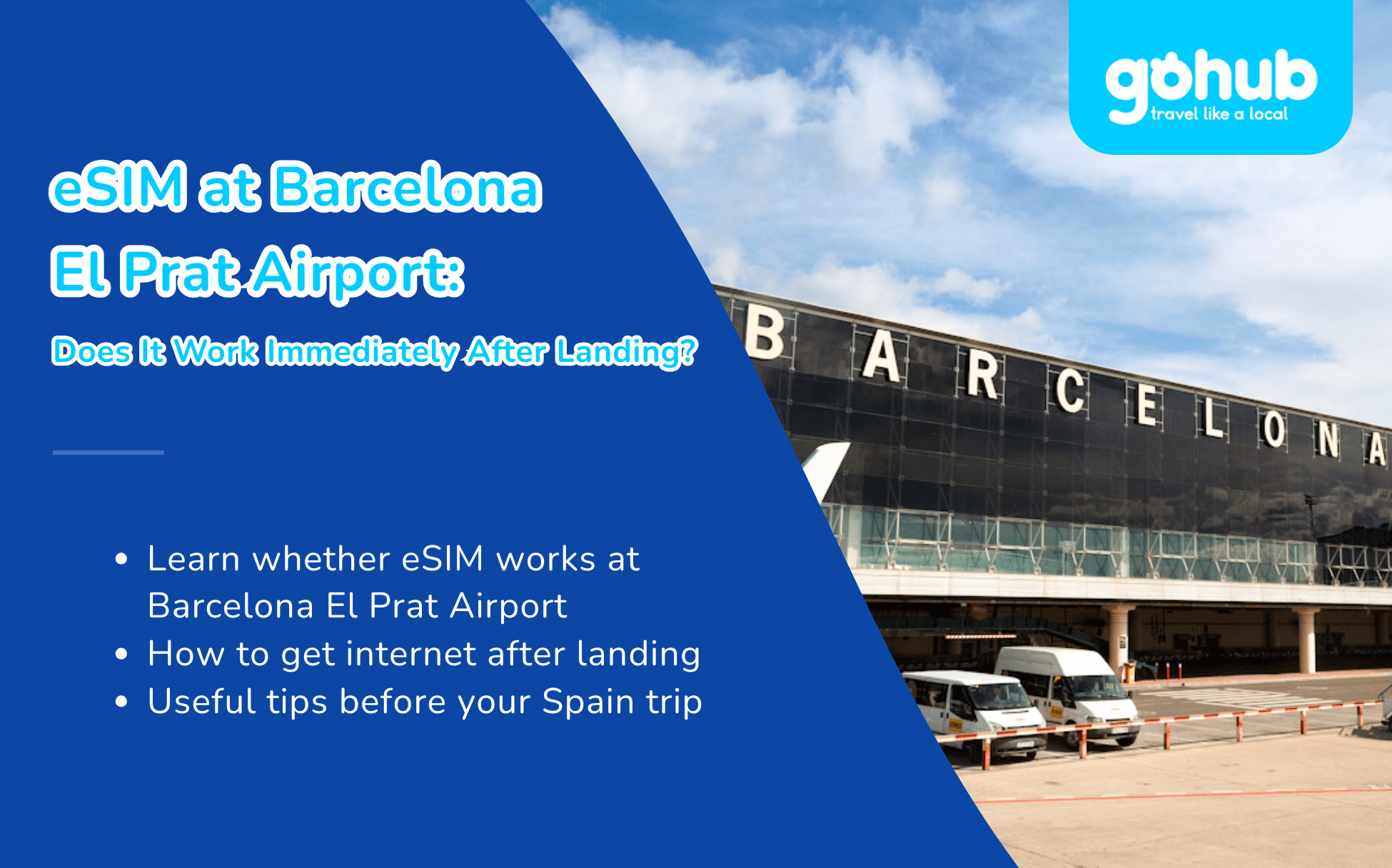
You have just landed at Josep Tarradellas Barcelona-El Prat Airport after a long flight. Before you check the Aerobús schedule, message your hotel, open Google Maps, or pull up your Sagrada Família ticket, you need one thing first: internet.
Quick Answer
Yes, a travel eSIM can work at Barcelona El Prat Airport within minutes of landing. If you install it before departure, you usually only need to turn off airplane mode, enable the eSIM line, and switch on data roaming for that line. In most cases, your phone can connect to a local Spanish network before or around the time you reach baggage claim.
Flying to Barcelona? Get your Spain eSIM ready before departure. Gohub offers instant QR delivery, easy setup, 24/7 support, and 1-hour eSIM replacement in supported cases, so you can skip airport SIM queues and connect right after landing.
This 2026 guide covers how to get connected at BCN: airport WiFi, SIM shop reality, eSIM setup, transport into the city, Barcelona arrival tips, and quick fixes if your eSIM does not connect.

1. Can You Use an eSIM Immediately at Barcelona Airport?
Yes. A Gohub Spain eSIM can connect to a local Spanish network shortly after you land at either Terminal 1 or Terminal 2. The process usually takes 2 to 5 minutes:
Turn off airplane mode.
Enable your eSIM line in settings.
Turn on data roaming for the eSIM line.
Wait for your phone to register on the local network.
The most common mistake is forgetting to turn on data roaming for the travel eSIM. This does not mean roaming on your home SIM. Your home SIM and travel eSIM have separate settings, so make sure roaming is enabled only for the eSIM line you want to use for data.
One note for European travelers: if your home mobile plan is from another EU country, it may already include roaming in Spain under EU roaming rules. A travel eSIM matters most for visitors from outside the EU, such as the US, UK, Asia, or Australia, where international roaming can become expensive. You can also compare eSIM vs international roaming costs before your trip.
Not sure your phone supports eSIM? Check Gohub’s device checker before you buy. Most newer iPhones, Samsung Galaxy models, and Google Pixel phones support eSIM, but your phone must also be carrier-unlocked.

2. Your Internet Options at BCN: Airport WiFi, SIM Shop, or eSIM
Option | Cost | Setup time | Works outside airport? | Best for |
|---|---|---|---|---|
Airport free WiFi | Free | Quick setup; portal or email verification may be required | No | Quick messages inside the terminal |
Physical SIM shop | Varies by store and package | 20 to 40 minutes including queue and identity registration | Yes | Longer stays or phones without eSIM |
Travel eSIM | Fixed online price | 2 to 5 minutes after landing if installed before departure | Yes | Most short trips, holidays, and business travel |
There are three things worth knowing before you choose.
First, Barcelona Airport offers free WiFi through airport operator Aena. The network is commonly listed as “Airport Free Wifi Aena”. You may need to access the welcome portal and verify your email or log in with Aena Club before full access. It is useful inside the terminal, but it is not a complete travel data solution once you leave the airport.
Second, physical SIM cards are available from carrier stores, electronics shops, and resellers in Barcelona. Options inside the airport can be limited, and prices vary by store and package. Buying a physical prepaid SIM in Spain usually requires identity registration, so travelers should expect to show a passport or valid ID.
Third, an eSIM avoids the airport queue. You buy online before your trip, receive the QR code or installation details by email, install it on WiFi, and enable it after landing. For most short-term visitors, this is the fastest way to get mobile data at Barcelona Airport.
Browse current Spain eSIM plans before your flight so your setup is ready before you land.
3. eSIM vs Physical SIM at Barcelona Airport
Feature | Travel eSIM | Physical SIM in Spain |
|---|---|---|
Buy before arrival | Yes | Usually no, unless arranged in advance |
Airport queue | No | Often yes |
Identity registration | No for the eSIM buyer setup | Usually required |
Keep your home SIM active | Yes | Only if your phone supports dual SIM |
Connection after landing | Usually 2 to 5 minutes | Often 20 to 40 minutes including queue and setup |
Price transparency | Fixed online price | Varies by store and package |
Best for | Short trips, first-time visitors, business travelers, families | Long stays or non-eSIM phones |
For most stays under a month, eSIM is the practical winner. You keep your home SIM active for calls, SMS, and banking OTPs while your eSIM handles mobile data in Spain.
A physical SIM can still make sense if you are staying longer, need a Spanish phone number, or your phone does not support eSIM.
Not sure which plan fits your Spain trip? Browse Spain eSIM plans and choose based on your travel days and data needs. Every plan is covered by Gohub’s 1-hour eSIM replacement policy in supported cases, so you have help if activation does not work as expected.
4. Barcelona Arrival Tips That Actually Save Time
4.1. Getting to the city center: Aerobús, Metro L9 Sud, train, taxi, or ride-hailing
Option | Route | Good to know |
|---|---|---|
Aerobús A1 / A2 | A1 serves Terminal 1, A2 serves Terminal 2, with service to central Barcelona including Plaça de Catalunya | Frequent and convenient for first-time visitors; tickets can be booked online |
Metro L9 Sud | Connects both airport terminals to the Barcelona metro network | A special airport ticket or valid airport-including pass is required; some standard tickets are not valid for airport stations |
R2 Nord train | Runs from Terminal 2 toward key city stations such as Barcelona Sants and Passeig de Gràcia | Useful if you land at T2; a free airport shuttle connects T1 and T2 |
Taxi | Official taxis are available outside the terminals | Convenient with luggage; airport rides have regulated fares and conditions |
Ride-hailing | App availability may include services such as Uber, Cabify, or Free Now | No Grab in Spain; check app availability and pickup instructions when you land |
With mobile data active, you can compare transport options in Google Maps while you are still walking through arrivals. That helps you choose between Aerobús, metro, train, taxi, or ride-hailing based on traffic, luggage, hotel location, and arrival time.
For most first-time visitors staying near Plaça de Catalunya, Eixample, Gothic Quarter, or Las Ramblas, Aerobús is often the simplest option. If your hotel is near a train or metro connection, the R2 Nord train or Metro L9 Sud may be more practical.
4.2. Book Sagrada Família before you arrive
Barcelona’s top attractions often use timed-entry digital tickets. Sagrada Família tickets are valid for the selected time slot, so it is better to book in advance, keep the QR ticket on your phone, and screenshot it as a backup.
Mobile data is useful the moment you land because you can retrieve ticket emails, open map directions, check entry times, and adjust your route without relying on airport WiFi.

4.3. Keep your phone secure but your maps ready
Barcelona is generally easy to navigate, but crowded areas such as La Rambla, busy metro stations, and major attractions are known for pickpocket risk. Keep your phone secure, avoid leaving it exposed on café tables, and use live navigation before you enter crowded areas instead of stopping in the middle of the street.
Mobile data also helps if something goes wrong. You can contact your hotel, block a card, message your bank, or find the nearest police station without searching for public WiFi.
4.4. Day trips: Montserrat, Girona, and Sitges
Barcelona is a strong base for day trips. Montserrat is reachable by train plus rack railway or cable car, while Girona and Sitges are popular train trips from the city.
Mobile data helps you check train times, platform changes, and return schedules in real time. For Montserrat or rural areas, screenshot your return route in advance because signal may be weaker in mountain areas.
5. Set Up Your eSIM Before You Fly
Set up your eSIM while you still have stable WiFi. Do not wait until you are standing at the airport exit.
Step 1: Check compatibility
Before buying, confirm that your phone supports eSIM and is carrier-unlocked. You can start with Gohub’s device checker.
Step 2: Buy your Spain eSIM
Choose a plan from Gohub’s Spain eSIM page based on your trip length and data needs.
Step 3: Install the eSIM on WiFi
After purchase, Gohub sends the QR code or installation details by email. Install it while connected to stable WiFi at home, at your hotel, or before departure.
Do not delete the eSIM profile after installation. Most eSIM QR codes are single-use.
Step 4: Turn it on after landing
When you land in Barcelona:
Turn off airplane mode.
Enable the Gohub eSIM line.
Set mobile data to the Gohub eSIM.
Turn data roaming on for the Gohub eSIM.
Keep data roaming off for your home SIM to avoid roaming charges.
For setup help, follow Gohub’s how to install eSIM guide.
Continuing beyond Spain? A regional Europe eSIM can cover multiple countries on one plan, depending on your itinerary.
6. How Much Data Do You Need in Barcelona?
Travel style | Suggested data for 7 days | Covers |
|---|---|---|
Light use | 3 to 5GB | Maps, WhatsApp, browsing, basic search |
Normal travel use | 8 to 15GB | Aerobús or ride apps, Google Maps, social media, photo uploads, video calls |
Heavy use | 20GB+ | Reels, YouTube, hotspot, remote work, frequent uploads |
Digital nomad or content creator | Unlimited or high-data plan | Laptop hotspot, video calls, daily content uploads |
Most one-week visitors are comfortable with 8 to 15GB. If you plan to work remotely, upload daily Stories or Reels, stream video, or use hotspot often, choose 20GB or more.
Not sure about your usage? Estimate it with Gohub’s travel data calculator.
7. eSIM Not Connecting at Barcelona Airport? Try These Fixes
Work through these in order. The first two solve most cases.
1. Turn on data roaming for the eSIM line
Go to your mobile data settings and make sure data roaming is enabled for the Gohub eSIM.
2. Make sure mobile data uses the eSIM
Your phone may still be trying to use your home SIM for data. Set mobile data to the Gohub eSIM line.
3. Restart your phone
A quick restart often forces your phone to register on the local network.
4. Manually select a network
If automatic network selection does not work, manually select one of the available Spanish networks shown in your settings, such as Movistar, Vodafone, Orange, or Yoigo.
5. Check your plan validity
Make sure your eSIM plan has started correctly and has not expired.
6. Contact support
If you are still stuck, contact Gohub support. You can use airport WiFi inside the terminal to reach support if your eSIM has not connected yet.
8. Is an eSIM Worth It at Barcelona Airport?
Yes. For most non-EU travelers, using an eSIM at Barcelona Airport is the easiest way to get online after landing.
Instead of queueing for a physical SIM, completing identity registration, or relying on terminal WiFi, you can walk out with mobile data already working. You can check transport, book a ride, open maps, retrieve attraction tickets, contact your hotel, and keep your home SIM active for OTPs and calls.
A physical SIM still makes sense for longer stays or phones without eSIM support. But for short holidays, business trips, family travel, and first-time visitors, a travel eSIM is usually faster and more convenient.
Ready for Barcelona? Get your Gohub Spain eSIM before departure. Install it on WiFi, enable it when you land, and stay connected from BCN to Eixample, Gothic Quarter, Sagrada Família, Montserrat, Girona, Sitges, and beyond.
Planning to visit more than one country in Europe? Compare Europe regional eSIM plans for Spain, France, Italy, Portugal, Germany, and other popular destinations.
Prices, airport services, SIM shop offers, transport fares, and mobile network conditions can change. Always check the latest details before you travel.
FAQ
1. Does eSIM work inside Barcelona El Prat Airport?
Yes. A Spain eSIM can connect to a local Spanish network within minutes of landing at Terminal 1 or Terminal 2, as long as your phone supports eSIM, is unlocked, and the eSIM has been installed correctly.
2. Does Barcelona Airport have free WiFi?
Yes. Airport operator Aena provides free WiFi inside the terminals, commonly listed as “Airport Free Wifi Aena”. You may need to access the welcome portal and verify your email or log in with Aena Club before full access.
3. How much does a SIM card cost at Barcelona Airport?
SIM card prices vary by store, brand, and package, and in-terminal options can be limited. Buying a physical prepaid SIM in Spain usually requires identity registration, so travelers should expect to show a passport or valid ID. A Gohub Spain eSIM gives you fixed online pricing and no airport queue.
4. Is eSIM cheaper than buying a SIM card at Barcelona Airport?
It depends on the package, but an eSIM gives you fixed online pricing and avoids airport queue time. For short trips, many travelers choose eSIM because it is faster to set up and does not require a physical SIM swap.
5. Is there Grab at Barcelona Airport?
No. Grab does not operate in Spain. For airport transport, use Aerobús, metro, train, official taxis, or ride-hailing apps that are available locally, such as Uber, Cabify, or Free Now.
6. Can I keep my home SIM active while using an eSIM?
Yes. This is one of the main benefits of eSIM. You can keep your home SIM active for calls, SMS, and banking OTPs while your travel eSIM handles mobile data in Spain.
7. Do EU travelers need an eSIM in Spain?
Not always. If your home plan is from another EU country, it may already include roaming in Spain. Travel eSIMs are most useful for visitors from outside the EU or anyone who wants a separate travel data plan.
8. How much data do I need for one week in Barcelona?
Most travelers need around 8 to 15GB for one week in Barcelona. Light users can manage with 3 to 5GB, while content creators, remote workers, and heavy hotspot users should choose 20GB or more.
9. Should I install the eSIM before or after my flight?
Install it before you fly. Use stable WiFi at home or before departure, then enable the eSIM line and data roaming after landing. Do not delete the eSIM profile during your trip because many QR codes are single-use.
10. Why is my eSIM not connecting at Barcelona Airport?
The most common reason is that data roaming is turned off for the eSIM line. Turn on data roaming for the travel eSIM, set mobile data to the eSIM, restart your phone, and manually select a local network if needed.
11. Does the same Spain eSIM work in Madrid and the rest of Spain?
Yes. A Spain eSIM works across Spain, including Barcelona, Madrid, Valencia, Seville, Malaga, Bilbao, and the Balearic Islands, subject to local network coverage.
12. Should I choose a Spain eSIM or Europe eSIM?
Choose a Spain eSIM if your trip is only in Spain. Choose a Europe eSIM if you will also visit nearby countries such as France, Portugal, Italy, Germany, or the Netherlands during the same trip.

Yêu thích công nghệ. Từ góc nhìn kỹ thuật, chia sẻ những nội dung dễ hiểu giúp người dùng nắm rõ cách eSIM hoạt động và chọn được eSIM phù hợp.
View all articles →Related articles
eSIM at Abu Dhabi Airport (AUH): Setup, Cost & Best Plans 2026
Zayed International Airport now hands out a free 10GB SIM for 24 hours. How it works, where it falls short, and when a UAE eSIM plan is still worth it.
Best eSIM for Vietnam in 2026: 8 Options Compared
Which eSIM is best for Vietnam in 2026? Compare Gohub, Airalo, Holafly, Nomad, Ubigi and local SIMs on price, data, coverage and registration.
Best eSIM for USA Travel in 2026: 5 Providers Compared
Which eSIM is best for the USA in 2026? We compare Gohub, Airalo, Holafly, Nomad and Ubigi on price, network, hotspot and US numbers, plus setup steps.
How to Use TikTok in China with a Gohub eSIM
Learn how to set up your Gohub eSIM and adjust TikTok settings before traveling to China for reliable access throughout your trip.
Internet in Vietnam for Tourists: The Complete 2026 Guide
Compare eSIM, SIM cards, and WiFi options for Vietnam. See which carrier holds up in Sapa and the Mekong Delta, data needs, and setup tips for 2026.
Internet in South Korea for Tourists: The Complete 2026 Guide
Heading to Korea? Compare eSIM, tourist SIM cards, and pocket WiFi rental, plus why KTX and Seoul's subway have some of the fastest connections anywhere