



South Korea eSIM
South Korea eSIM
Enjoy fast, reliable internet with trusted local networks worldwide.

Trusted by 500K+ happy global customers since 2018
Enjoy fast, reliable internet with trusted local networks worldwide.
happy global customers since 2018

1-Hour eSIM Replacement
Korea eSIM for Travelers – SK Telecom & LG U+ 5G, Easy Setup
South Korea eSIM Coverage in Seoul, Busan & Jeju
Gohub’s South Korea eSIM connects to SK Telecom and LG U+ 4G/5G networks in Seoul, Busan, Jeju and other major destinations. Signal can be weaker in remote mountains and on smaller islands, depending on the eSIM plan you choose.
Flexible South Korea eSIM Data Plans at Competitive Prices
Choose daily, fixed or Unlimited data plans for a short Seoul city break or a longer trip across South Korea. Hotspot sharing is available on supported plans.
Stay Connected with Your Favorite Apps in South Korea
Get around with Naver Map or KakaoMap, message hotels and tours on KakaoTalk, and keep up with TikTok, social apps and ChatGPT wherever you have signal.
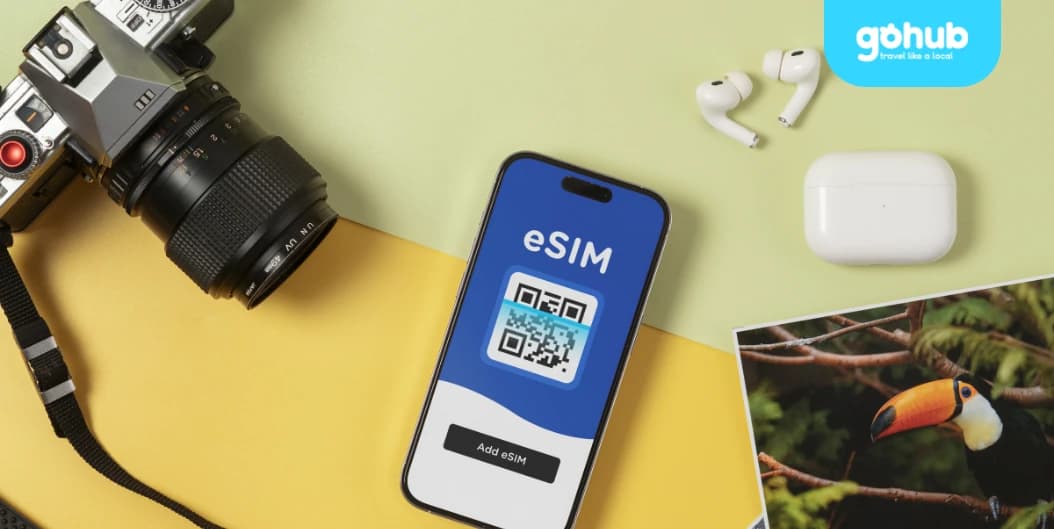
Instant QR Delivery, No Physical SIM Required
Get your eSIM QR code by email right after payment and go online within minutes, with no physical SIM required and no roaming fees. Check the Plan details to see when validity starts.
1-Hour eSIM Replacement and 24/7 Support
If you hit an activation or usage issue, Gohub’s 1-hour replacement and 24/7 support are here to help.
How to Install and Activate Your South Korea eSIM

Choose your destination and duration
Select your destination and number of days to get your Gohub eSIM
Remember check your device compatibility before purchase.

Receive your eSIM instantly
Your QR code or manual installation code will be sent to your email.
💌 Quick and easy setup, just scan and go!
Activate and enjoy your trip
Install your eSIM before your journey, and activate data when you arrive at your destination to stay connected seamlessly.

Download our app for support
Get instant support, manage your eSIM, and track your data usage with our mobile app.


How Much Data Do You Need for a South Korea Travel eSIM?
Think about what you’ll do online each day, then choose a validity period that covers your whole stay in South Korea. Whether you pick a Gohub South Korea eSIM with daily or fixed data, matching the plan to your habits helps your data go further.
1GB/day or 5GB
Maps, messages & bookings
A smaller allowance may suit you if you mainly use Naver Map or KakaoMap, send messages and use hotel Wi-Fi for bigger downloads.
2GB/day or 10GB
Browsing, photos & social media
Choose more data if you regularly browse, upload photos and use social apps while you’re out exploring Seoul, Busan or Jeju.
3GB/day, 20GB or Unlimited
Video calls, streaming & hotspot
Choose a larger allowance, 3GB/day or an Unlimited plan if you stream video, take video calls or share data with a laptop, since these activities can use data quickly. Unlimited plans include 500 MB of high-speed data per day, then continue at 10 Mbps.
Travel tip: save app updates and automatic photo backups for Wi-Fi to make your data go further.
Frequently asked questions
An eSIM is a digital SIM built into your phone that lets you activate a mobile data plan by scanning a QR code, with no physical SIM card needed. With Gohub, there are also no roaming fees.
Gohub eSIM for South Korea works with all eSIM-capable smartphones — including iPhone XS/XR and later, Samsung Galaxy S20 and later, and Google Pixel 3 and later. Your phone must be network-unlocked; carrier-locked devices will not accept a third-party eSIM. Check Settings > Cellular > Add eSIM on iPhone, or SIM Manager on Android, to confirm support or check with our supported devices checker.
Scan the QR code from your email while on Wi-Fi.
On iPhone, go to Settings > Cellular > Add eSIM.
On Android, go to Settings > Connections > SIM Manager (Samsung) or Settings > Network & Internet > SIMs (Pixel and others).
When you arrive in South Korea, switch the eSIM on and turn on data roaming for it. Some plans activate as soon as you install them, so check when your plan starts before you scan the QR code (see the next question).
It depends on the plan. Some start when you install the eSIM, others on first connection in South Korea. Check "Activation" in Plan details.
No. Gohub's South Korea eSIMs are data-only, so you can buy and install them online without a passport.
No. It's data-only, so calls and texts go through your home SIM or apps like WhatsApp over mobile data.
Yes. Hotspot works on Gohub South Korea plans, and shared data comes out of your plan. Check Plan details for any hotspot limit.
Your speed drops to the level shown in Plan details. Daily and fixed-data plans slow to 256 kbps, and Unlimited plans give 500 MB of high-speed data a day, then 10 Mbps. The eSIM stops working when your days end.
Yes. It connects to SK Telecom and LG U+ automatically, with strong signal in Seoul, Busan, Jeju and other cities and weaker signal in remote mountains and on smaller islands.
Don't delete it, because the QR code works only once. Check you're on Wi-Fi, your phone is unlocked and data roaming is on, then restart your phone. Still stuck? Contact our 24/7 support. Our 1-hour replacement covers activation and usage issues.
An eSIM is easier: there's no device to carry, charge or return. A pocket WiFi connects several devices, but an eSIM can share data through hotspot too.
Usually, yes. Seoul's subway has strong signal, and KTX signal can drop briefly in tunnels. Download offline maps and your tickets before you board.
Only partly. South Korea restricts detailed map data, so Google Maps gives limited walking, driving and transit directions. Use Naver Map or KakaoMap instead, and download them before you arrive.
KakaoTalk and Naver Map work over mobile data, but Baemin and Coupang may need a Korean phone number to verify your account. Since the eSIM is data-only, sign up before your trip using your home SIM.