

eSIM at Hong Kong Airport: How to Get Online After Landing

1. Quick Answer
Yes. You can use an eSIM at Hong Kong International Airport immediately after landing if your device supports eSIM and your plan has been installed before arrival.
For most international travelers, the easiest option is to install a Hong Kong eSIM before departure and activate it once the aircraft lands. This allows you to access maps, ride-hailing apps, hotel bookings, messaging apps, and travel documents without searching for a SIM shop or relying entirely on airport WiFi.
Hong Kong International Airport offers free WiFi throughout the passenger terminal according to the Hong Kong International Airport WiFi information page. However, many travelers prefer mobile data because it continues working after leaving the airport.
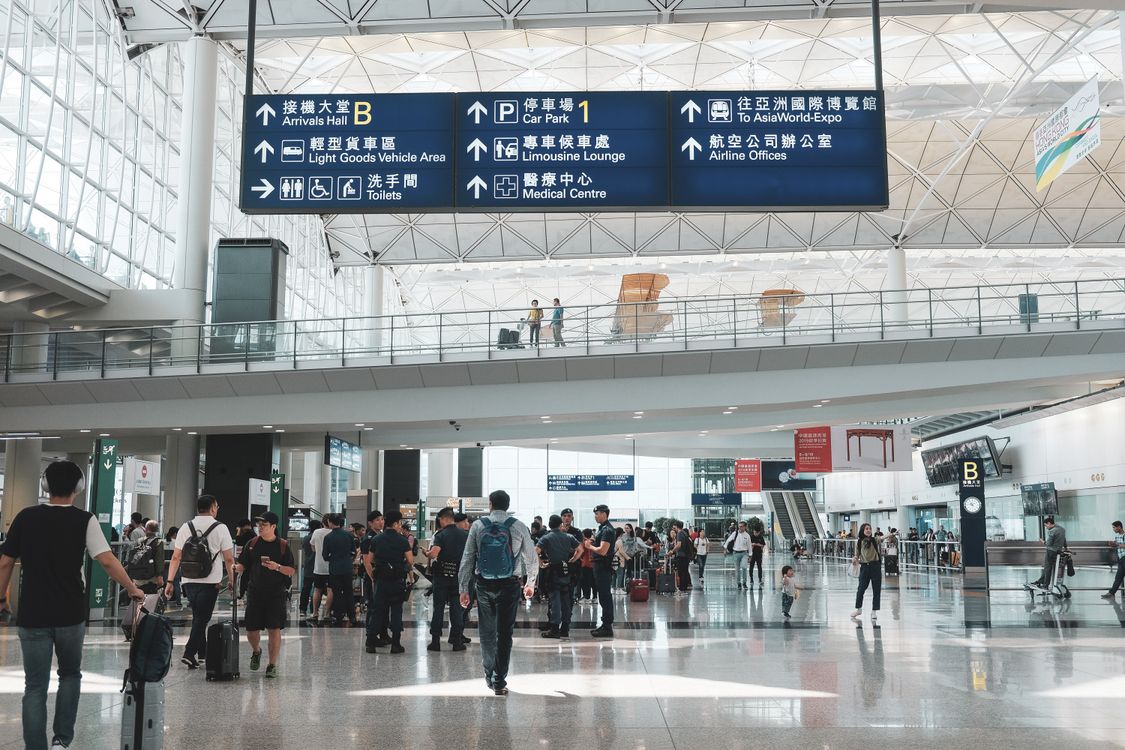
Traveler using an eSIM at Hong Kong International Airport after landing
2. eSIM at Hong Kong Airport: Summary Table
Option | Best For | Main Benefit | Limitation |
|---|---|---|---|
Travel eSIM | Most international travelers | Connect immediately after landing | Requires eSIM-compatible phone |
Airport WiFi | Short-term airport use | Free internet access | Limited once you leave the airport |
Airport SIM/eSIM | Travelers who prefer in-person purchase | Available after arrival | May require queueing |
International Roaming | Travelers who want no setup | Uses existing number | Often more expensive |
Local SIM Card | Longer stays | May include local number | Requires SIM replacement |
3. Why You Need Mobile Data at Hong Kong Airport
Many travelers need internet access before they even leave the arrivals area.
Common tasks include:
Booking an Uber or taxi
Contacting hotels or hosts
Accessing boarding passes and travel documents
Checking train or airport transport information
Navigating with Google Maps
Messaging family and friends
Using translation apps
Accessing work emails
While airport WiFi can help initially, having your own mobile data provides a more seamless experience throughout your journey.
Travelers heading directly into Hong Kong can review available Hong Kong eSIM plans
4. Can You Use an eSIM Immediately After Landing?
Yes. Most travelers can connect within a few minutes after landing if:
The eSIM was installed before departure
The phone is unlocked
The plan includes Hong Kong coverage
The eSIM is activated correctly

Activating an eSIM after landing at Hong Kong Airport
Typical process:
Turn off airplane mode.
Enable your travel eSIM.
Select the eSIM as the mobile data line.
Enable data roaming if required by the provider.
Wait for network registration.
Connection speed and availability generally depend on:
Device model
Network partner
Airport location
Temporary network congestion
For this reason, coverage should be described as generally strong rather than guaranteed everywhere.
5. Can You Buy a SIM or eSIM at Hong Kong Airport?
Yes. Hong Kong International Airport has telecom and SIM card retailers in the arrivals area. Availability, operators, pricing, and opening hours may change, so travelers should verify details through the Hong Kong International Airport retail directory before travel.
Buying at the airport may be useful if:
You forgot to purchase an eSIM
Your phone does not support eSIM
You prefer in-person assistance
However, many travelers choose to install an eSIM before departure so they can connect immediately after landing rather than searching for a store.
6. Airport WiFi vs eSIM vs Roaming vs Local SIM
Feature | eSIM | Airport WiFi | Roaming | Local SIM |
|---|---|---|---|---|
Works Immediately After Landing | Yes | Inside airport only | Yes | After purchase |
Requires Physical SIM | No | No | No | Yes |
Keeps Home Number | Usually | Yes | Yes | Usually No |
Airport Queue Required | No | No | No | Often |
Cost Control | Generally Good | Free | Depends on carrier | Usually Good |
Works Outside Airport | Yes | No | Yes | Yes |
If you're deciding between roaming and eSIM, see our guide on international roaming vs eSIM
7. Recommended Data by Traveler Type
Traveler Type | Suggested Data |
|---|---|
Layover Traveler | 1GB–3GB |
Weekend Visitor | 5GB–10GB |
One-Week Tourist | 10GB–20GB |
Business Traveler | 10GB–20GB |
Digital Nomad | 20GB+ |
Hong Kong + Asia Trip | Regional Plan |
If your trip continues beyond Hong Kong, a regional plan may be more convenient than switching plans between countries.
Travelers visiting multiple destinations can compare Asia eSIM plans
8. Setup Checklist Before Flying
Before departure:
Confirm your phone supports eSIM.
Verify the device is unlocked.
Purchase your Hong Kong eSIM.
Install the eSIM while connected to stable WiFi.
Save the QR code and setup instructions.
Label the eSIM profile clearly.
Download offline maps.
Save hotel details offline.
Review your provider's activation instructions.
You can check supported devices in our guide to eSIM-compatible phones
9. How to Activate Your eSIM After Landing
After arrival at Hong Kong International Airport:
Disable airplane mode.
Open cellular settings.
Enable your travel eSIM.
Select it for mobile data.
Enable data roaming if instructed.
Wait for network connection.
Test internet access.
If connection does not work immediately:
Restart your device.
Verify mobile data settings.
Confirm the activation date has started.
Connect temporarily to airport WiFi and contact support if needed.
10. Getting from Hong Kong Airport to the City
This is not a transport guide, but mobile data is useful immediately after arrival because many travelers need to compare transport options in real time.
Popular choices include:
Airport Express
Taxi services
Ride-hailing apps
Airport buses
The Hong Kong International Airport transportation guide should always be checked for the latest schedules and operational updates.
Having an active eSIM allows you to compare routes and communicate with hotels during your journey into the city.
Traveler using mobile data while taking the Airport Express from Hong Kong Airport
11. Arrival Connectivity Checklist
Before leaving the airport:
Confirm mobile data is working.
Test Google Maps.
Verify hotel information is accessible.
Check ride-hailing apps.
Ensure your home SIM is not using expensive roaming data.
Save important addresses offline.
Confirm messaging apps are functioning.
Charge your phone if needed.
A quick test before exiting the arrivals area can prevent connectivity issues later.

Hong Kong International Airport
If Hong Kong is your primary destination, reviewing available Hong Kong eSIM plans before departure can help you avoid airport queues and get online more quickly after landing.
Travelers visiting several countries in the region may also prefer an Asia-wide plan instead of purchasing separate country plans.
Using an eSIM at Hong Kong Airport is one of the simplest ways to get mobile data immediately after landing.
While airport WiFi can serve as a useful backup and local SIM cards remain available, many travelers prefer the convenience of installing an eSIM before departure and activating it upon arrival.
With mobile data ready from the moment you land, it becomes easier to navigate the airport, arrange transportation, contact accommodations, and start your trip with fewer connectivity concerns.
FAQ
1. Can I use an eSIM at Hong Kong Airport immediately after landing?
Yes. Most travelers can connect within minutes after disabling airplane mode and enabling their travel eSIM.
2. Can I buy an eSIM at Hong Kong Airport?
Yes. SIM and eSIM-related services are generally available at the airport, although availability and opening hours may vary.
3. Does Hong Kong Airport offer free WiFi?
Yes. Hong Kong International Airport provides free WiFi throughout the passenger terminal.
4. Should I install my eSIM before landing?
Yes. Installing before departure is usually the easiest approach and helps avoid setup issues after arrival.
5. Is airport WiFi enough for my trip?
Airport WiFi is useful inside the terminal, but a mobile data connection is typically more convenient once you leave the airport.
6. Can I use my Hong Kong eSIM throughout Hong Kong?
Most Hong Kong eSIM plans provide coverage across the territory, depending on the provider and network partner.
7. Is an eSIM cheaper than international roaming?
Often yes, although costs vary depending on your home carrier and travel data usage.
8. Why is my eSIM not working after landing?
Common causes include incorrect activation settings, airplane mode still being enabled, data roaming disabled, or temporary network registration delays.
9. Can I keep my home number while using an eSIM?
Yes. Many modern devices support dual SIM functionality, allowing you to keep your home SIM active.
10. Do I need a Hong Kong eSIM or an Asia eSIM?
A Hong Kong eSIM is usually sufficient for trips limited to Hong Kong. An Asia eSIM may be more convenient for multi-country travel.
Airport services, WiFi availability, SIM retailers, transport schedules, entry requirements, and mobile network performance may change over time. Always verify time-sensitive information through Hong Kong International Airport, government authorities, transport operators, and your eSIM provider before travel.

Yêu thích công nghệ. Từ góc nhìn kỹ thuật, chia sẻ những nội dung dễ hiểu giúp người dùng nắm rõ cách eSIM hoạt động và chọn được eSIM phù hợp.
View all articles →Related articles
eSIM at Abu Dhabi Airport (AUH): Setup, Cost & Best Plans 2026
Zayed International Airport now hands out a free 10GB SIM for 24 hours. How it works, where it falls short, and when a UAE eSIM plan is still worth it.
Best eSIM for Vietnam in 2026: 8 Options Compared
Which eSIM is best for Vietnam in 2026? Compare Gohub, Airalo, Holafly, Nomad, Ubigi and local SIMs on price, data, coverage and registration.
Best eSIM for USA Travel in 2026: 5 Providers Compared
Which eSIM is best for the USA in 2026? We compare Gohub, Airalo, Holafly, Nomad and Ubigi on price, network, hotspot and US numbers, plus setup steps.
How to Use TikTok in China with a Gohub eSIM
Learn how to set up your Gohub eSIM and adjust TikTok settings before traveling to China for reliable access throughout your trip.
Internet in Vietnam for Tourists: The Complete 2026 Guide
Compare eSIM, SIM cards, and WiFi options for Vietnam. See which carrier holds up in Sapa and the Mekong Delta, data needs, and setup tips for 2026.
Internet in South Korea for Tourists: The Complete 2026 Guide
Heading to Korea? Compare eSIM, tourist SIM cards, and pocket WiFi rental, plus why KTX and Seoul's subway have some of the fastest connections anywhere