

eSIM at Haneda Airport: How to Get Mobile Data After Landing

1. Quick Answer
Yes. If you install your travel eSIM before departure, you can usually connect to a supported Japanese mobile network shortly after landing at Haneda Airport.
For most international travelers, using an eSIM is one of the easiest ways to get internet access immediately after arrival. Instead of searching for a SIM card counter or relying entirely on airport WiFi, you can activate mobile data directly on your phone and start using maps, train apps, messaging services, and travel bookings.

Haneda Airport International Terminal arrivals hall
Haneda Airport offers free WiFi throughout passenger terminals according to the official Haneda Airport WiFi information page, making it a useful backup connection during arrival. However, most travelers prefer mobile data once they leave the terminal.
2. Haneda Airport Connectivity Summary
Option | Best For | Main Advantage | Limitation |
|---|---|---|---|
Travel eSIM | Most international travelers | Setup before departure | Requires eSIM-compatible device |
Airport WiFi | Temporary use inside terminal | Free access | Limited once you leave airport |
Airport SIM/eSIM Counter | Travelers needing in-person support | Available after arrival | May require waiting or store availability |
International Roaming | Convenience seekers | No additional setup | Often more expensive |
Physical SIM | Longer stays | Local SIM option | Requires SIM swap |
3. Why You Need Mobile Data After Landing at Haneda Airport
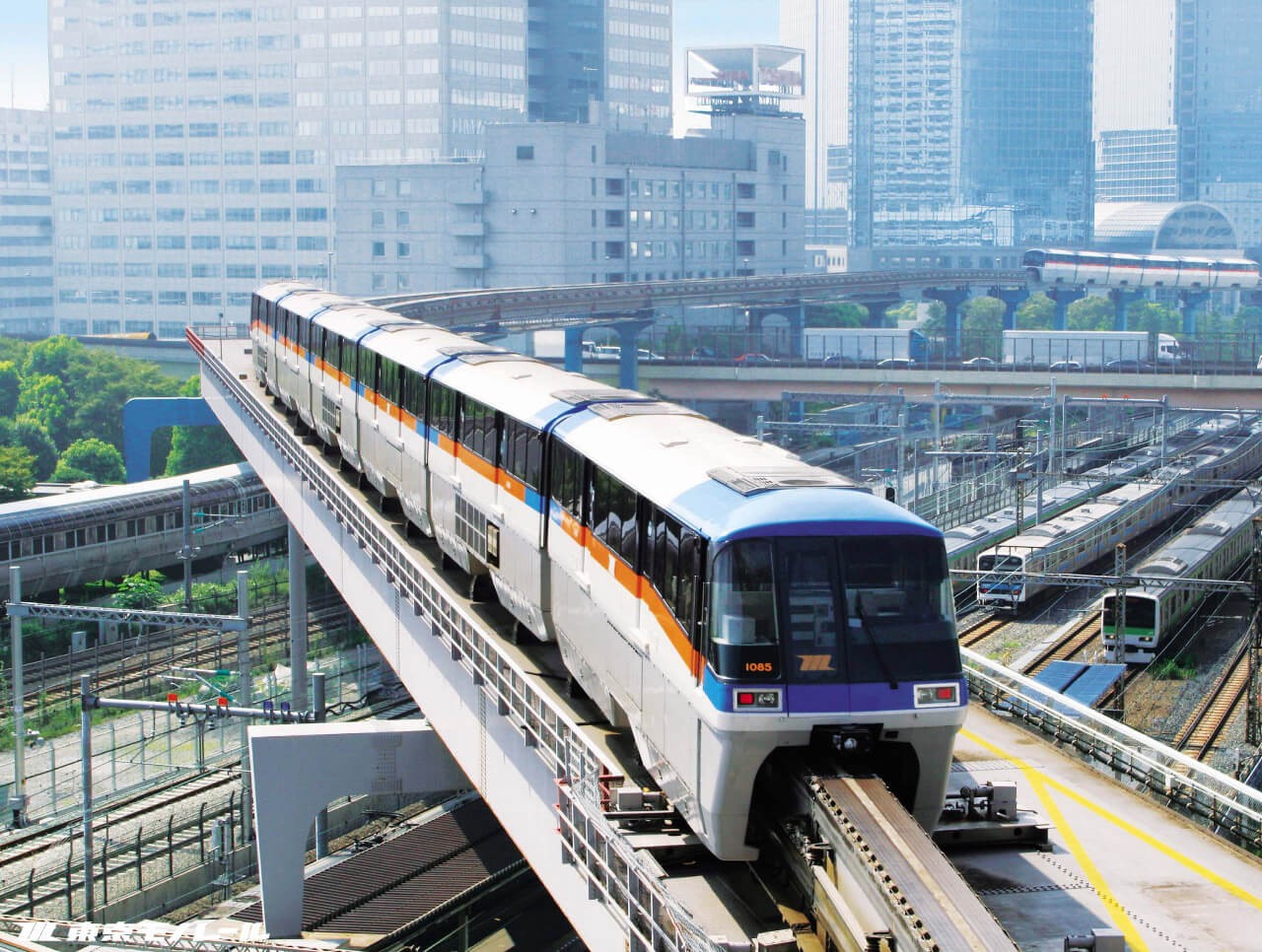
Tokyo Monorail: Haneda Airport to Tokyo - Japan Rail Pass
Haneda Airport is one of Japan's primary international gateways and is located much closer to central Tokyo than Narita Airport.
Most travelers need internet access immediately after arrival to:
Check train schedules
Book airport transfers
Use Google Maps
Access hotel confirmations
Use translation apps
Contact family, friends, or colleagues
Access digital tickets and reservations
Although Haneda provides free airport WiFi, having your own mobile data is generally more convenient once you leave the airport and begin traveling around Tokyo or elsewhere in Japan.
Travelers planning to stay in Japan can review available Japan eSIM plans
4. Can You Use an eSIM Immediately After Landing at Haneda Airport?
Yes.
If your eSIM has already been installed before departure, activation typically requires only a few steps:
Turn off Airplane Mode.
Enable your travel eSIM.
Select the eSIM as your data line.
Enable data roaming if required by your provider.
Wait for the phone to connect to a supported Japanese network.
Connection speed and network availability may vary depending on:
Device model
eSIM provider
Network partner
Airport location
Temporary network congestion
Most travelers are able to connect before leaving the arrivals area.
5. Can You Buy a SIM or eSIM at Haneda Airport?
Yes.
Haneda Airport has telecommunications services and SIM-related vendors in international arrival areas. Availability, product selection, operating hours, and terminal locations can change, so travelers should verify current information through Haneda Airport's official airport services pages before departure.
Buying at the airport may be useful if:
Your phone does not support eSIM
You forgot to purchase a plan before traveling
You prefer in-person assistance
However, many travelers prefer installing an eSIM before departure to avoid queues and setup delays after arrival.
6. Airport WiFi vs eSIM vs Roaming vs Local SIM
Feature | Airport WiFi | eSIM | Roaming | Local SIM |
|---|---|---|---|---|
Available Immediately | Inside airport | Yes | Yes | After purchase |
Works After Leaving Airport | No | Yes | Yes | Yes |
Requires Store Visit | No | No | No | Usually |
Keeps Home SIM Active | N/A | Yes | Yes | Usually No |
Cost Control | Moderate | High | Varies | Moderate |
Airport WiFi is useful as a backup connection. For travelers who need continuous internet access throughout Tokyo and Japan, eSIMs generally provide a more flexible option.
If you're comparing costs, see our guide to international roaming vs eSIM
7. Recommended Data by Traveler Type
Traveler Type | Suggested Data |
|---|---|
Weekend Visitor | 3GB–5GB |
One Week Vacation | 5GB–10GB |
Business Traveler | 10GB–20GB |
Remote Worker | 20GB+ |
Japan Multi-City Trip | 10GB–20GB+ |
Actual usage depends on navigation, video streaming, hotspot use, and cloud services.
For travelers continuing beyond Japan, consider regional plans that cover multiple destinations.
Exploring Asakusa, Tokyo, Japan
8. Setup Checklist Before Flying to Japan
Before departure:
Confirm your phone supports eSIM.
Verify the device is carrier-unlocked.
Install the eSIM while connected to stable WiFi.
Save installation instructions offline.
Keep a copy of the QR code.
Download offline maps.
Save hotel information.
Disable roaming on your home SIM if necessary.
If you're unsure whether your phone supports eSIM technology, check our guide to eSIM-compatible phones
9. Activation Steps After Landing
After arriving at Haneda Airport:
Disable Airplane Mode.
Enable the installed eSIM.
Select it as your active data line.
Enable data roaming if required.
Wait for network registration.
Test connectivity with maps or messaging apps.
If the eSIM does not connect immediately:
Restart your phone.
Check APN settings if required.
Verify activation instructions.
Use airport WiFi to contact support if needed.
10. Getting from Haneda Airport to Tokyo
This article focuses on connectivity rather than transportation, but mobile data becomes especially useful once you begin traveling into Tokyo.
Common options include:
Tokyo Monorail
Keikyu Line
Airport Limousine Bus
Taxi
Ride-hailing services
For current routes, fares, and service updates, consult Haneda Airport's official transportation information before travel.
With an active eSIM, you can compare routes, monitor schedules, and communicate with your accommodation in real time.
11. Entry Requirements Reminder
Entry requirements for Japan can change based on nationality and travel purpose.
Before departure, travelers should verify requirements using official Japanese government immigration resources rather than relying on third-party travel websites.
This article focuses on airport connectivity and does not provide immigration advice.
12. Arrival Connectivity Checklist
Before leaving Haneda Airport:
Mobile data is working.
Maps load correctly.
Hotel information is accessible.
Transportation apps are functioning.
Messaging apps are connected.
Home SIM roaming is configured correctly.
QR code and setup instructions are saved.
Battery level is sufficient for onward travel.

Inside Haneda International Airport
If Haneda Airport is your first stop in Japan, reviewing a dedicated Japan eSIM plan before departure can help you avoid airport setup delays and get connected shortly after landing.
Travelers visiting multiple countries in Asia may also want to compare regional Asia eSIM options before departure.
Using an eSIM at Haneda Airport is one of the simplest ways to get mobile data shortly after arrival in Tokyo.
While Haneda Airport provides free WiFi and SIM purchasing options may be available on-site, installing an eSIM before departure typically provides the smoothest arrival experience. You can activate your plan shortly after landing, access transportation and travel information immediately, and stay connected throughout your journey in Japan.
FAQ
1. Can I use an eSIM immediately after landing at Haneda Airport?
Yes. Most travelers can connect shortly after disabling Airplane Mode and enabling their installed eSIM.
2. Does Haneda Airport have free WiFi?
Yes. Haneda Airport provides free WiFi throughout passenger terminal areas, although availability and performance may vary.
3. Should I install my eSIM before arriving in Japan?
Yes. Installing before departure helps avoid setup issues and allows faster connectivity after landing.
4. Can I buy an eSIM at Haneda Airport?
SIM and connectivity services may be available at Haneda Airport. Availability and operating hours can vary, so travelers should verify current information before arrival.
5. Is airport WiFi enough after landing?
Airport WiFi is useful as a backup, but mobile data is generally more convenient once you leave the terminal.
6. Can I use a Japan eSIM outside Tokyo?
Most Japan eSIM plans support nationwide usage, although coverage depends on the provider, network partner, location, and congestion.
7. Is an eSIM cheaper than international roaming?
In many cases, yes. However, pricing varies depending on your home carrier and travel needs.
8. Why is my eSIM not working after landing?
Common causes include incorrect settings, disabled roaming, activation issues, or temporary network registration delays.
9. Can I keep my home phone number while using an eSIM?
Yes. Most modern dual-SIM devices allow you to keep your primary SIM active while using an eSIM for data.
10. Do I need a Japan eSIM or an Asia eSIM?
A Japan eSIM is typically suitable for Japan-only travel. An Asia eSIM may be more convenient if your itinerary includes multiple countries.
Airport services, shop locations, transport routes, operating hours, fares, WiFi policies, entry requirements, and mobile coverage can change over time. Always verify time-sensitive information through official sources such as Haneda Airport, Japanese government authorities, transport operators, your airline, and your eSIM provider before traveling.

Yêu thích công nghệ. Từ góc nhìn kỹ thuật, chia sẻ những nội dung dễ hiểu giúp người dùng nắm rõ cách eSIM hoạt động và chọn được eSIM phù hợp.
View all articles →Related articles
eSIM at Abu Dhabi Airport (AUH): Setup, Cost & Best Plans 2026
Zayed International Airport now hands out a free 10GB SIM for 24 hours. How it works, where it falls short, and when a UAE eSIM plan is still worth it.
Best eSIM for Vietnam in 2026: 8 Options Compared
Which eSIM is best for Vietnam in 2026? Compare Gohub, Airalo, Holafly, Nomad, Ubigi and local SIMs on price, data, coverage and registration.
Best eSIM for USA Travel in 2026: 5 Providers Compared
Which eSIM is best for the USA in 2026? We compare Gohub, Airalo, Holafly, Nomad and Ubigi on price, network, hotspot and US numbers, plus setup steps.
How to Use TikTok in China with a Gohub eSIM
Learn how to set up your Gohub eSIM and adjust TikTok settings before traveling to China for reliable access throughout your trip.
Internet in Vietnam for Tourists: The Complete 2026 Guide
Compare eSIM, SIM cards, and WiFi options for Vietnam. See which carrier holds up in Sapa and the Mekong Delta, data needs, and setup tips for 2026.
Internet in South Korea for Tourists: The Complete 2026 Guide
Heading to Korea? Compare eSIM, tourist SIM cards, and pocket WiFi rental, plus why KTX and Seoul's subway have some of the fastest connections anywhere