

Best eSIM for Bangkok: How to Stay Connected During Your Trip

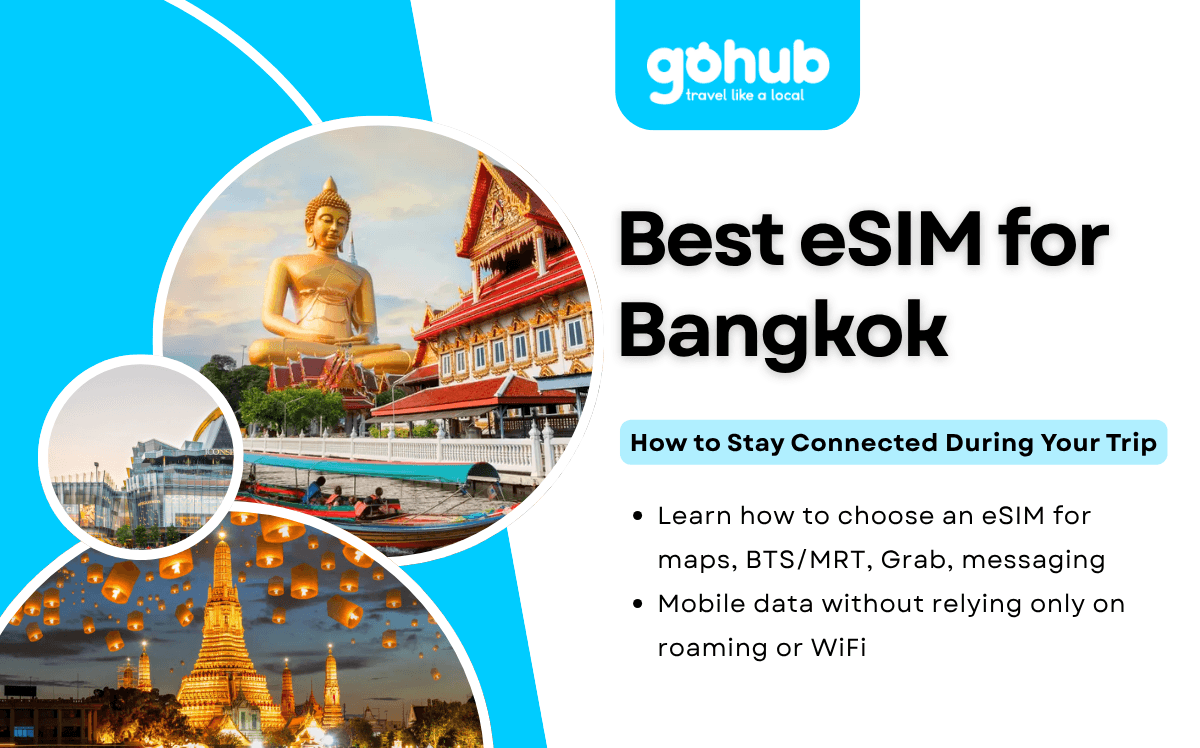
Looking for the best eSIM for Bangkok usually means one thing: you want reliable mobile data for maps, transport, Grab, messaging, hotel communication, and travel apps without depending only on public WiFi or expensive roaming.
Bangkok is a busy city where mobile data can make daily travel much smoother. Whether you are navigating BTS and MRT routes, booking a ride, translating menus, checking hotel details, or planning a day trip, having internet access on your phone can save time and reduce stress.
An eSIM is one of the easiest ways to stay connected in Bangkok because you can install it before travel and activate mobile data after arrival without swapping a physical SIM card.
1. Quick Answer
Yes, you can use an eSIM in Bangkok if your phone supports eSIM and your plan includes Thailand coverage.
For most international travelers, the best eSIM for Bangkok is one that offers enough data for maps, messaging, transport apps, and travel bookings, with coverage across Thailand if your trip continues beyond the city.
Activation and performance can vary depending on your provider, device, network partner, location, and congestion. For a smoother arrival, install your eSIM before departure and activate it after landing.
If Thailand is your main destination, reviewing Thailand eSIM plans before travel can help you stay connected in Bangkok without relying only on public WiFi.
2. Bangkok Connectivity Summary Table
Question | Quick Answer |
|---|---|
Can I use an eSIM in Bangkok? | Yes, if your device supports eSIM and your plan includes Thailand. |
Should I install it before arrival? | Yes, installation is easier on stable WiFi before flying. |
Is public WiFi enough in Bangkok? | Useful as backup, but not ideal for full-trip connectivity. |
Can I buy a SIM card in Bangkok? | Yes, but availability, registration, and setup time can vary. |
Can I use eSIM on BTS, MRT, and Grab? | Generally yes, depending on coverage and network conditions. |
Can I use the same eSIM across Thailand? | Generally yes, if your plan includes Thailand coverage. |
Is eSIM better than roaming? | Often more predictable, but it depends on your home carrier. |
Best for which traveler? | Tourists, business travelers, digital nomads, and multi-city Thailand visitors. |
3. Why Travelers Need Mobile Data in Bangkok
Bangkok is a city where mobile data is useful throughout the day. Even if your hotel has WiFi, you will likely need internet while moving around the city.
Common reasons travelers need mobile data in Bangkok include:
Using Google Maps or Apple Maps.
Checking BTS Skytrain and MRT routes.
Booking Grab, taxis, or private transfers.
Contacting hotels, hosts, or tour operators.
Accessing restaurant reservations.
Translating menus, signs, and messages.
Opening digital tickets and booking confirmations.
Using banking, payment, and travel apps.
Messaging family, friends, or colleagues.
Planning day trips to places outside central Bangkok.
The Tourism Authority of Thailand provides official visitor information through its Bangkok destination page, but when you are moving around the city, mobile data is what helps you use maps, transport apps, and booking tools in real time.

Traveler using an eSIM while exploring Bangkok.
4. Can You Use an eSIM in Bangkok?
Yes. Travelers can use an eSIM in Bangkok as long as their phone is eSIM-compatible, carrier-unlocked, and the chosen plan supports Thailand.
The typical process is simple:
Choose a Thailand eSIM plan before travel.
Install the eSIM profile using stable WiFi.
Arrive in Bangkok.
Turn off airplane mode.
Enable the eSIM as your mobile data line.
Turn on data roaming if required by your provider.
Wait for the phone to register on a local network.
Most travelers use eSIM data for maps, Grab, messaging, email, social media, and browsing. Speeds and signal quality may vary depending on your provider, device, network partner, location, building type, and congestion.
Before buying a plan, check whether your phone is listed among eSIM-compatible phones.
5. Public WiFi in Bangkok: Is It Enough?
Public WiFi can be useful in Bangkok, especially in hotels, airports, cafés, shopping malls, coworking spaces, and some tourist-friendly areas.
However, public WiFi is not always enough for a full trip because:
You may need to register or accept terms each time.
WiFi quality can vary by location.
You may lose connection while moving between places.
It may not be available on the street, in taxis, or during day trips.
Public networks may be less convenient for sensitive tasks.
If you arrive through Suvarnabhumi Airport, the airport provides free WiFi. According to Suvarnabhumi Airport’s official WiFi information, travelers can connect to “AOT Airport Free Wi-Fi by NT” and use the service for 60 minutes after login.
Airport WiFi can help you check setup instructions or contact your hotel after landing, but mobile data is more practical once you leave the airport and start moving around Bangkok.
6. Can You Buy a SIM Card in Bangkok?
Yes, travelers can buy local SIM cards in Bangkok at airports, mobile carrier stores, shopping malls, and some convenience stores. However, the experience may vary depending on where you buy it.
Buying a local SIM card may involve:
Finding a store or counter.
Showing your passport for registration.
Choosing a data package.
Waiting in line.
Swapping your physical SIM card.
Adjusting phone settings.
Checking whether your phone is unlocked.
For travelers who prefer in-person support, a local SIM can be a reasonable option. But if you want to get connected without visiting a shop, an eSIM installed before arrival is usually more convenient.
7. eSIM vs Public WiFi vs Roaming vs Local SIM
Feature | eSIM | Public WiFi | Local SIM | International Roaming |
|---|---|---|---|---|
Setup before travel | Yes | No | No | Usually no |
Requires physical SIM | No | No | Yes | No |
Works around Bangkok | Yes | Limited | Yes | Yes |
Works across Thailand | Generally yes | No | Yes | Yes |
Keeps home number active | Usually yes | Yes | Usually no | Yes |
Cost predictability | Generally good | Free | Medium | Varies by carrier |
Queue required | No | No | Often | No |
Best for | Most travelers | Backup use | Long stays or in-person setup | Convenience with home carrier |
Public WiFi is useful as a backup. Local SIM cards can work well for longer stays but require purchase and setup after arrival. International roaming is convenient, but costs and limits depend heavily on your home carrier.
For a deeper comparison, read international roaming vs eSIM.
8. Recommended Data by Traveler Type
Traveler Type | Recommended Data |
|---|---|
Light traveler | 3GB–5GB |
Weekend visitor | 5GB–10GB |
One-week Bangkok trip | 10GB–20GB |
Business traveler | 10GB–20GB |
Content creator | 20GB+ |
Digital nomad | 20GB+ |
Multi-city Thailand traveler | 20GB+ |
Multi-country Asia traveler | 20GB+ or regional plan |
A light traveler who mainly uses maps and messaging may be fine with 3GB–5GB. A typical tourist using maps, Grab, social media, and restaurant searches may prefer 10GB–20GB for a week. Heavy users who rely on hotspot, video calls, cloud uploads, or short-form video should consider larger data allowances.
For travelers staying in Bangkok and continuing to Chiang Mai, Phuket, Krabi, Pattaya, or other destinations, Thailand eSIM plans can help keep mobile data active across supported areas, depending on provider coverage and network partners.
9. Best eSIM Use Cases in Bangkok
The best eSIM for Bangkok is not just about data size. It should support the way you actually travel around the city.
Useful eSIM use cases in Bangkok include:
Checking walking routes in areas like Sukhumvit, Siam, Silom, and Old Town.
Navigating BTS and MRT connections.
Booking Grab or taxis during busy periods.
Translating Thai menus, signs, and messages.
Accessing hotel booking confirmations.
Opening digital tickets for attractions or tours.
Checking weather before outdoor plans.
Coordinating with friends or tour guides.
Planning day trips from Bangkok.
Using banking, payment, or travel apps when needed.
Mobile data is especially useful because Bangkok can be busy, spread out, and traffic-heavy. A stable connection helps you adjust plans in real time.
10. Setup Checklist Before Arriving in Bangkok
Before you travel:
Confirm your phone supports eSIM.
Make sure your device is carrier-unlocked.
Buy your eSIM before departure.
Install the eSIM while connected to stable WiFi.
Save the QR code or manual setup details offline.
Save activation instructions offline.
Check whether data roaming must be enabled.
Download offline maps of Bangkok.
Save your hotel address in English and Thai if possible.
Keep airport WiFi as a backup option.
If you are unsure about device support, check this guide to eSIM-compatible phones before purchasing a plan.

Installing a Thailand eSIM before traveling to Bangkok.
11. Activation Steps After Arrival
After arriving in Bangkok:
Turn off airplane mode.
Open your phone’s mobile network settings.
Enable the installed eSIM.
Set the eSIM as your mobile data line.
Turn on data roaming if your provider requires it.
Wait for network registration.
Test mobile data with maps or messaging apps.
Restart your phone if the connection does not appear.
Check APN settings if your provider provides manual setup details.
Activation is usually straightforward, but it may not be instant for every traveler. Device settings, provider activation rules, and local network conditions can affect the process.
12. Transport and Navigation Context
This article is not a Bangkok transport guide, but mobile data is very useful for navigating the city.
Bangkok travelers commonly use:
BTS Skytrain.
MRT.
Airport Rail Link.
Grab.
Taxis.
Buses.
River boats.
Private transfers.
The BTS Skytrain Route and Fares page helps travelers plan BTS journeys, while the Bangkok MRT system map is useful for checking MRT routes. Having mobile data lets you compare routes, check station names, follow walking directions, and adjust plans when the city is busy.
If you arrive through Suvarnabhumi Airport, the airport’s official transportation page lists options including taxis, Grab, public buses, vans, car rental, and the Airport Rail Link.

Traveler using mobile data for navigation in Bangkok.
13. Coverage Expectations in Bangkok and Across Thailand
Mobile data coverage is generally strong in central Bangkok, especially in commercial districts, shopping areas, hotels, transport hubs, and major tourist zones.
However, performance may vary in:
Underground areas.
High-rise buildings.
Crowded stations.
Large malls.
Dense indoor markets.
Peak travel times.
Rural or island destinations outside Bangkok.
Coverage and speed depend on your provider, device, network partner, location, and congestion. No eSIM provider can guarantee perfect performance everywhere, so it is helpful to keep offline maps and hotel details saved as a backup.
14. Short Note for Travelers Continuing Beyond Bangkok
If your trip continues beyond Bangkok to destinations such as Phuket, Chiang Mai, Krabi, Koh Samui, Pattaya, or Ayutthaya, reviewing Thailand eSIM plans before departure can help you keep mobile data active across supported areas without relying only on public WiFi.
For travelers visiting multiple countries in the region, such as Thailand, Vietnam, Singapore, Malaysia, Cambodia, or Indonesia, Asia eSIM plans may be useful for broader regional coverage across supported destinations.
15. Thailand Entry Requirements Note
Entry requirements vary by nationality, passport, trip length, and travel purpose. This article is not a visa guide, but travelers should check current requirements before departure through the official Thailand eVisa portal or the nearest Thai embassy or consulate.
FAQ
1. Can I use an eSIM in Bangkok?
Yes. You can use an eSIM in Bangkok if your phone supports eSIM, your device is unlocked, and your plan includes Thailand coverage.
2. What is the best eSIM for Bangkok travel?
The best eSIM for Bangkok is one that fits your data needs, supports Thailand coverage, works with your device, and can be installed before arrival. Avoid choosing based only on price.
3. Should I install my eSIM before arriving in Bangkok?
Yes. Installing your eSIM before arrival is usually easier because you can use stable WiFi and save setup instructions before your trip.
4. Is public WiFi enough in Bangkok?
Public WiFi can help in hotels, malls, cafés, and airports, but it is not ideal as your only connection. Mobile data is more useful for maps, transport, Grab, and messaging while moving around the city.
5. Can I buy a SIM card in Bangkok?
Yes. SIM cards are available at airports, telecom stores, malls, and some convenience stores. Availability, registration requirements, packages, and store hours can vary.
6. Can I use my eSIM on BTS, MRT, and Grab in Bangkok?
Generally yes. An eSIM with Thailand coverage should work for transport apps, route planning, and Grab, depending on provider, device, network partner, location, and congestion.
7. Can I use the same eSIM across Thailand?
Generally yes, if your eSIM plan includes Thailand coverage. Performance may vary by city, indoor location, island area, or rural destination.
8. Is an eSIM cheaper than international roaming in Bangkok?
Often, but not always. It depends on your home carrier’s roaming rates, trip length, and data usage.
9. Why is my eSIM not working in Bangkok?
Common causes include airplane mode still being enabled, the wrong data line selected, roaming disabled, delayed activation, APN settings, or device compatibility issues.
10. Can I keep my home phone number while using an eSIM?
Yes. Many dual-SIM phones let you keep your home SIM active for calls or texts while using the eSIM for mobile data.
11. Should I choose a Thailand eSIM or an Asia eSIM?
Choose a Thailand eSIM if your trip is mainly in Thailand. Choose an Asia eSIM if your itinerary includes multiple supported countries in the region.
Public WiFi, transport services, SIM card availability, store hours, entry requirements, and mobile network performance may change. Travelers should verify details through official city, transport, airport, government, and eSIM provider sources before departure.

Yêu thích công nghệ. Từ góc nhìn kỹ thuật, chia sẻ những nội dung dễ hiểu giúp người dùng nắm rõ cách eSIM hoạt động và chọn được eSIM phù hợp.
View all articles →Related articles
eSIM at Abu Dhabi Airport (AUH): Setup, Cost & Best Plans 2026
Zayed International Airport now hands out a free 10GB SIM for 24 hours. How it works, where it falls short, and when a UAE eSIM plan is still worth it.
Best eSIM for Vietnam in 2026: 8 Options Compared
Which eSIM is best for Vietnam in 2026? Compare Gohub, Airalo, Holafly, Nomad, Ubigi and local SIMs on price, data, coverage and registration.
Best eSIM for USA Travel in 2026: 5 Providers Compared
Which eSIM is best for the USA in 2026? We compare Gohub, Airalo, Holafly, Nomad and Ubigi on price, network, hotspot and US numbers, plus setup steps.
How to Use TikTok in China with a Gohub eSIM
Learn how to set up your Gohub eSIM and adjust TikTok settings before traveling to China for reliable access throughout your trip.
Internet in Vietnam for Tourists: The Complete 2026 Guide
Compare eSIM, SIM cards, and WiFi options for Vietnam. See which carrier holds up in Sapa and the Mekong Delta, data needs, and setup tips for 2026.
Internet in South Korea for Tourists: The Complete 2026 Guide
Heading to Korea? Compare eSIM, tourist SIM cards, and pocket WiFi rental, plus why KTX and Seoul's subway have some of the fastest connections anywhere