
How to switch APN settings to use TikTok and ChatGPT (iOS)
📌 Note This guide applies to certain international travel SIM/eSIM plans that require APN configuration changes to access TikTok and ChatGPT. For direct assistance, please contact Gohub’s 24/7 Customer Support: Email: cs@gohub.com WhatsApp: +1 (302) 899-2888
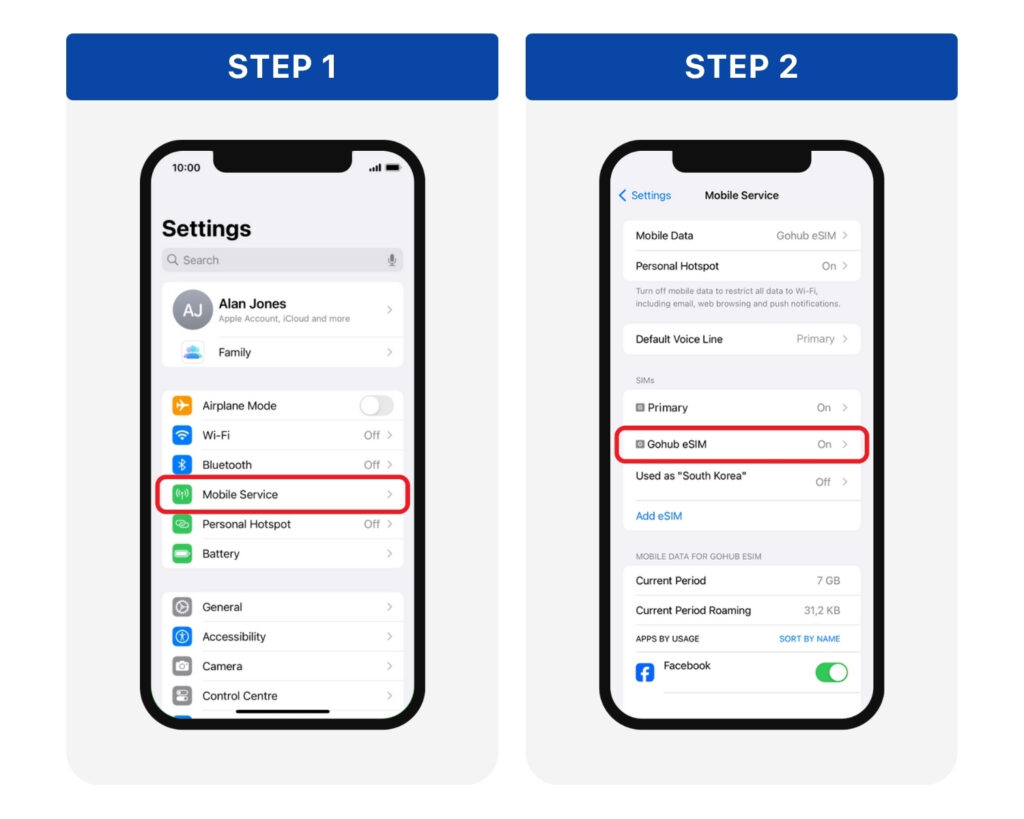
**Step 1: **Go to Settings > Mobile Service **Step 2: **Choose the eSIM/SIM you are currently using from the SIM list
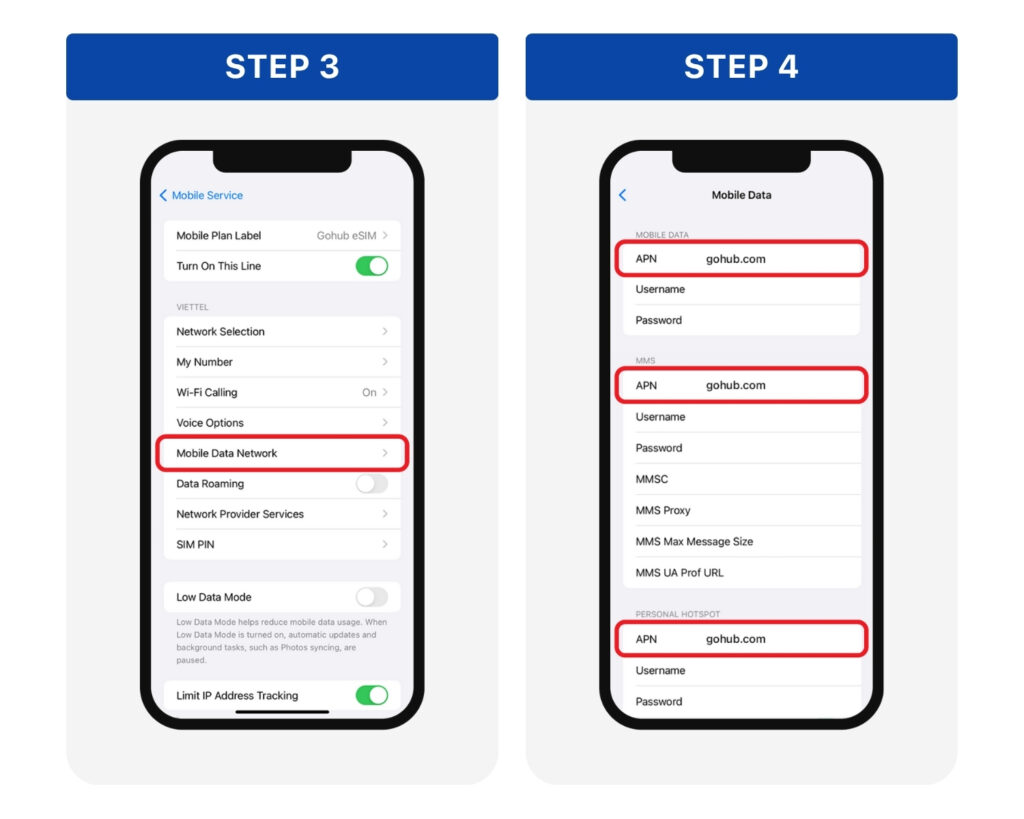
Step 3: Go to Mobile Data Network Step 4: In 3 APN fields, delete the old information and enter: gohub.com > Tap back to automatically save the changes.
Turn Mobile Data and Data Roaming back on > Then open TikTok or ChatGPT to check the connection.