
How to switch APN settings to use TikTok and ChatGPT (Android)
📌 Note This guide applies to certain international travel SIM/eSIM plans that require APN configuration changes to access TikTok and ChatGPT. For direct assistance, please contact Gohub’s 24/7 Customer Support: Email: cs@gohub.com WhatsApp: +1 (302) 899-2888
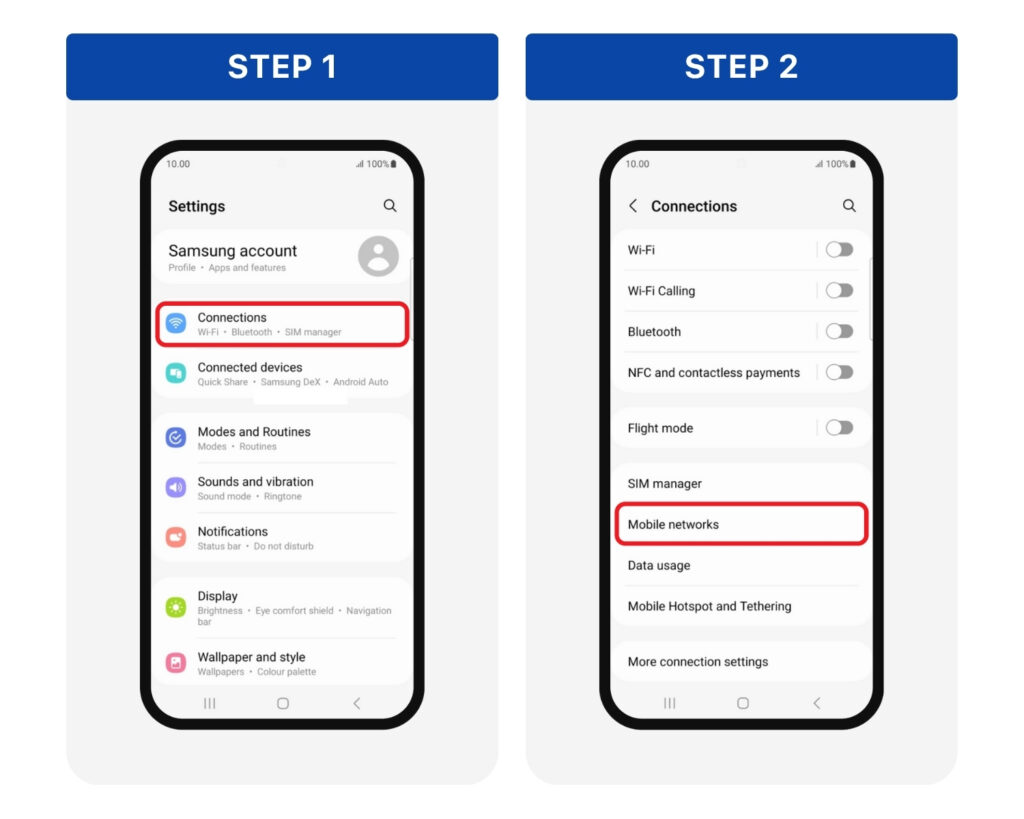
**Step 1: **Go to Settings > Connections **Step 2: **Tap Mobile Networks
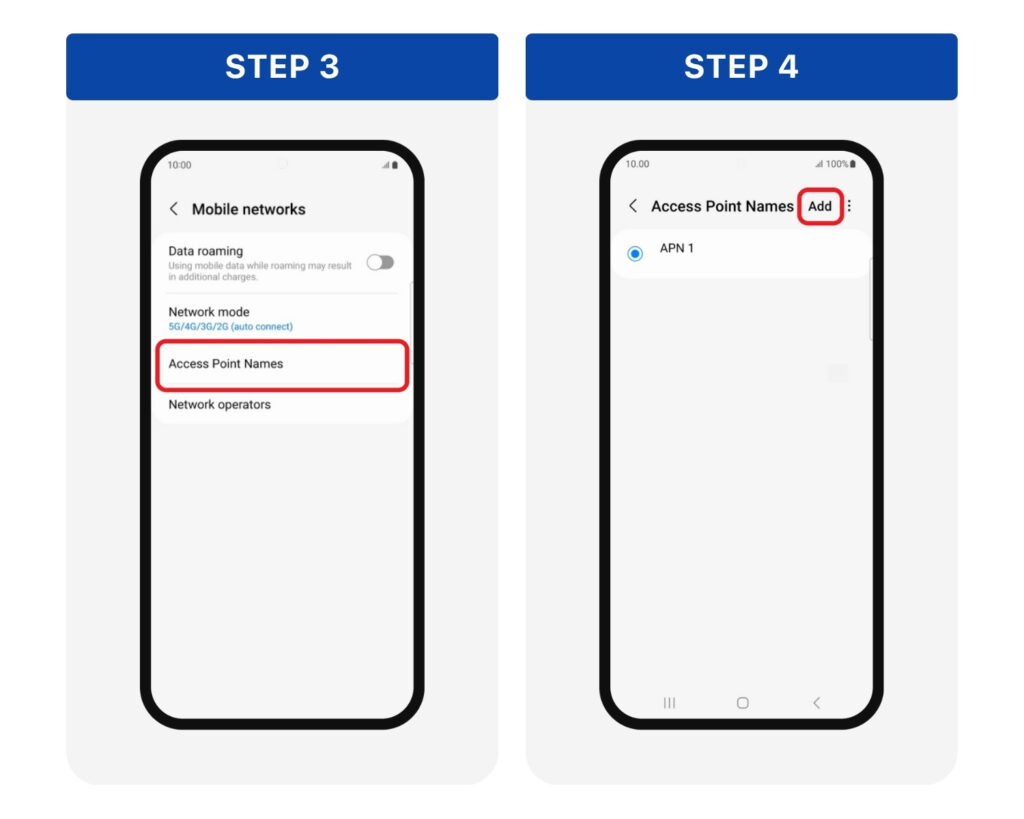
Step 3: Tap Access Point Names Step 4: Tap the “+” or Add button to create a new APN
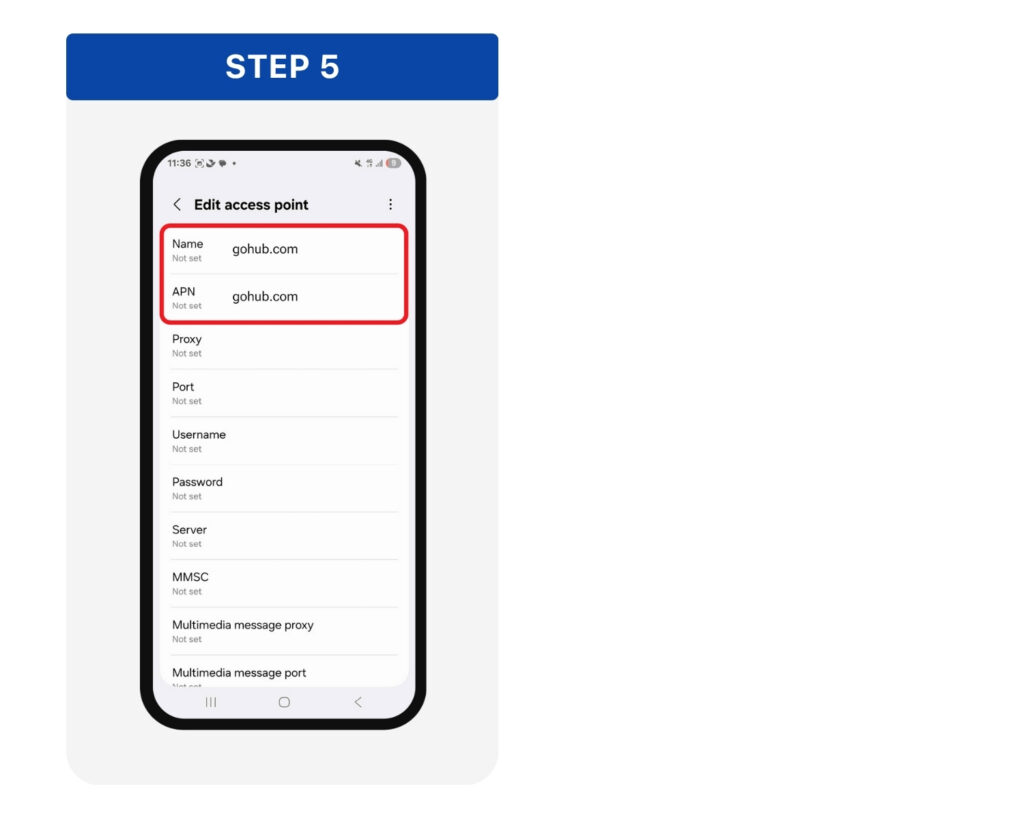
Step 5: Enter gohub.com in both the Name and APN fields > Tap Save or go back > Select the new APN as the default.
Turn Mobile Data and Data Roaming back on > Then open TikTok or ChatGPT to check the connection.