

eSIM at Madrid-Barajas Airport (MAD): Get Online the Moment You Land

Adolfo Suárez Madrid-Barajas Airport (MAD) is Spain's largest and busiest airport, and a major gateway between Europe and Latin America. It handles tens of millions of passengers a year across terminals T1, T2, T3, T4 and the T4 satellite (T4S). Whether Madrid is your destination or a connection, you will want mobile data the moment you land, for maps, your ride into the city, hotel check-in and messaging home.
For many travelers, the easiest way to arrive already connected is a travel eSIM: buy it online, install it before you fly, and switch it on after landing. This guide explains your options at MAD and how to set one up.
Quick answer
Yes, you can use an eSIM as soon as you land at Madrid-Barajas, provided your phone supports eSIM and the plan covers Spain. Installing it before departure is the easiest option: after landing, turn off airplane mode, select the travel eSIM for mobile data, enable data roaming for that line if your provider requires it, and wait a few minutes for the network to register.
Madrid Airport also provides free Wi-Fi after a quick email sign-in. If you prefer to buy on arrival, SimLocal InMotion currently sells physical SIM cards and eSIMs in the public arrivals areas of Terminal 1 and Terminal 4.
Connectivity options at Madrid Airport
You have four ways to get online at MAD. Here is how they compare.
Feature | Travel eSIM | Airport Wi-Fi | Airport SIM/eSIM shop | Home roaming |
|---|---|---|---|---|
Online right after landing | Yes, once activated | Inside terminal only | During store hours (T1, T4) | Yes |
Works outside the airport | Yes | No | Yes | Yes |
Needs a physical card | No | No | SIM or eSIM available | No |
Identity verification | Depends on plan/provider | Email sign-in | Usually required for prepaid SIMs | No additional verification |
Keep your home number | Usually (dual SIM) | Yes | Depends on phone setup | Yes |
How you pay | Prepaid plan | Free | Prepaid plan | Carrier billing |
Does Madrid Airport have free Wi-Fi? Yes. Aena, the airport operator, provides free Wi-Fi. Connect to the network "Airport Free Wifi Aena", then open the welcome portal and sign in with your email as a guest (or with an Aena Club account). You get 15 minutes to confirm your email, after which access is free with no time limit. Free Wi-Fi is available across the airport terminals. Full steps are on the official Aena Wi-Fi page. As with any public airport Wi-Fi, avoid accessing sensitive accounts unless necessary, and remember the connection is intended for use within the airport.
For a full cost comparison against your home plan, see eSIM vs. international roaming.
How to use an eSIM after landing in Madrid
An eSIM is a digital SIM built into your phone. You can install a travel plan by scanning a QR code, entering the installation details manually or following your provider's app-based instructions. Set it up at home while you still have stable Wi-Fi.
Before you fly:
Confirm your phone is eSIM-compatible and carrier-unlocked with the Gohub device checker.
Choose a plan. For a Spain-only trip, pick a Spain eSIM. For a wider itinerary, a Europe eSIM covers multiple countries on one plan.
Install the eSIM profile you receive (Settings, then Mobile/Cellular, then Add eSIM on most phones) and label the line "Travel".
Keep the travel eSIM turned off, or leave data roaming disabled for that line, until you reach Spain, unless your provider gives different instructions.
The plan's validity period may begin at installation, at manual activation, or at the first connection to a supported network, depending on the plan. Check your provider's activation policy before you install it, and follow the instructions included with your Gohub order.
After you land:
Turn off airplane mode.
Select your travel eSIM as the line for mobile data.
Turn on data roaming for that line (a travel eSIM connects to a local partner network, so this is normal).
Wait a few minutes for the network to register, then open Maps to confirm you are online.
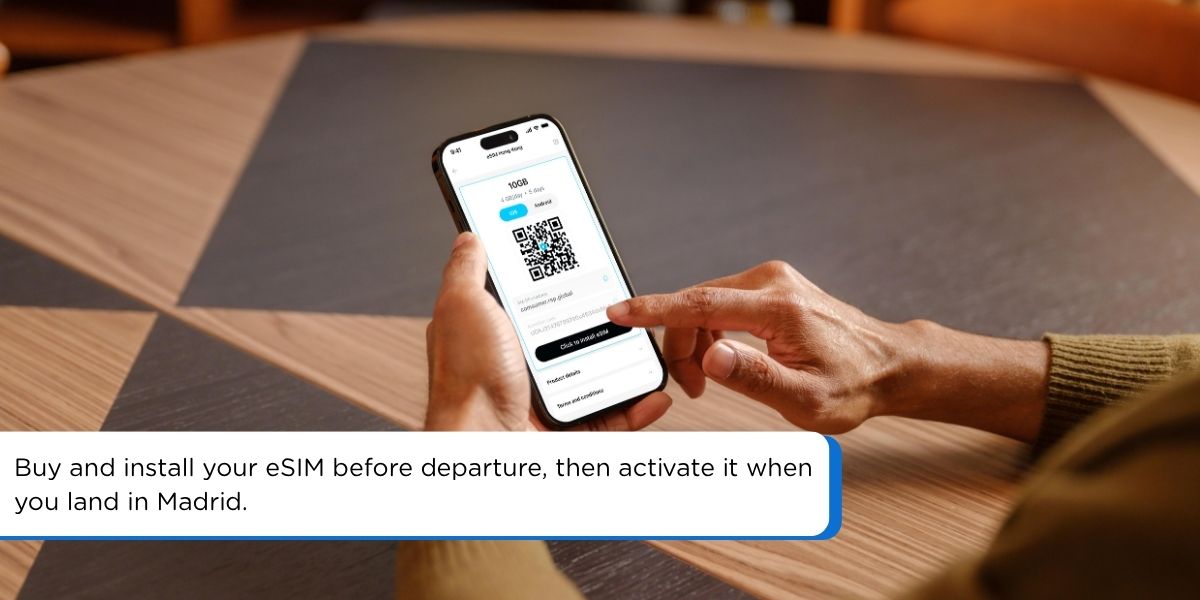 Buy and install your eSIM before departure, then activate it when you land in Madrid.
Can you buy a SIM card or eSIM at Madrid Airport?
Yes. Madrid-Barajas currently has SimLocal InMotion stores in the public arrivals areas of Terminal 1 and Terminal 4. According to Aena, these stores sell physical SIM cards and eSIMs from providers including MásMóvil, Cube, Lyca and Lebara. The listed opening hours are 6:00 to 22:00, though Aena notes these can change on special dates.
If you arrive at T2 or T3, or outside store hours, buying a travel eSIM online before departure can be more convenient than transferring between terminals or waiting until you reach the city.
If you buy a Spanish prepaid SIM, expect to present a valid identity document, usually a passport for international visitors. The retailer normally completes the registration during purchase. Many international travel eSIMs do not require this in-store step, although identity verification may still apply to certain plans or providers.
Airport availability, plans and hours can change, so check the official Aena listing for SimLocal InMotion before relying on an airport purchase. For a longer-stay cost view, see eSIM vs a local physical SIM.
How much data do you need in Spain?
These are planning estimates based on typical usage, not fixed requirements. Video streaming, cloud backups and hotspot use can raise consumption quickly.
Usage pattern | Practical estimate |
|---|---|
Short layover, messaging and flight checks | Under 1 GB |
Weekend with maps, browsing and social media | 2 to 5 GB |
One week of regular travel use | 5 to 10 GB |
Frequent video, calls or hotspot use | 10 to 20 GB or more |
Multi-country trip | Choose by total trip length and usage |
Getting from Madrid Airport to the city
With data active, you can check live routes and choose the best option for your terminal and destination.
Metro Line 8: Connects the Aeropuerto T1-T2-T3 and Aeropuerto T4 stations with Nuevos Ministerios. The airport stations require a €3 airport supplement on top of the applicable Metro fare. For Gran Vía, Sol or other central areas, you will normally transfer to another line. See the official Aena metro page.
Cercanías train (C-1): Renfe's C-1 line connects Terminal 4 with stations including Chamartín, Nuevos Ministerios, Atocha, and Príncipe Pío. Passengers arriving at T1, T2 or T3 first need to reach T4. See the official Aena trains page.
Airport Express bus (Line 203): Operates 24 hours a day between the airport and central Madrid. Daytime services include Atocha Station, while overnight services may start or end at Plaza de Cibeles instead. Aena currently lists a standard fare of €5. See the official Aena bus page.
Taxi: Official ranks are outside arrivals. A flat fare of €33 applies for trips between the airport and destinations inside Madrid's M-30 ring road. See the official Aena taxi page.
Ride-hailing: App-based services operate, but pickup points vary by terminal, so check the app after collecting your luggage.
Fares, routes and timetables can change, so confirm them on the official Aena pages before travelling.
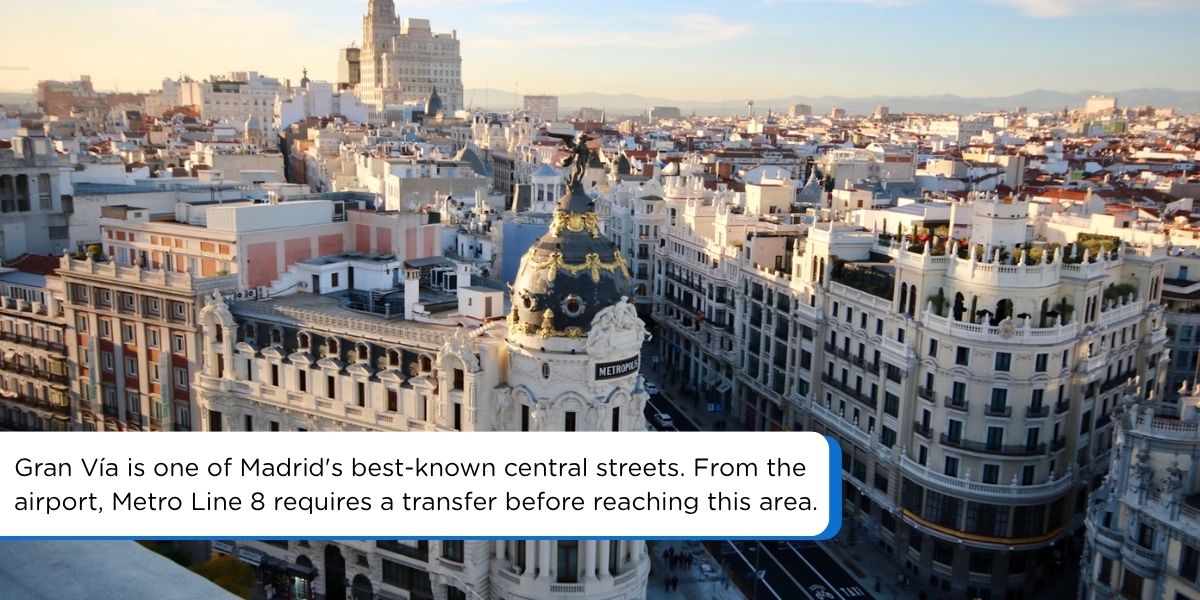 Gran Vía is one of Madrid's best-known central streets. From the airport, Metro Line 8 requires a transfer before reaching this area. Photo by Jorge Fernández Salas on Unsplash.
Troubleshooting: eSIM not working after landing
If you are not online a couple of minutes after arrival, work through these checks:
Airplane mode is off.
Your travel eSIM, not your home SIM, is set as the mobile data line.
Data roaming is on for the travel eSIM line.
Restart the phone to force a fresh network search.
Confirm any APN settings from your provider's instructions.
If it still fails, connect to the free airport Wi-Fi and contact your provider's support. For more detailed setup checks, see Gohub's eSIM troubleshooting guide.
FAQ
Can I use an eSIM immediately after landing at Madrid Airport?
Yes, if you installed it before departure and your plan includes Spain. The eSIM usually connects to a supported network within a few minutes after you switch the line on.
Can I buy an eSIM at Madrid Airport?
Yes. Aena lists SimLocal InMotion stores in the public arrivals areas of T1 and T4, selling both physical SIM cards and eSIMs. That said, buying and installing a travel eSIM before departure gives you more plan choices and avoids depending on store location or opening hours.
Does Madrid Airport have free Wi-Fi?
Yes, free via the "Airport Free Wifi Aena" network after a quick email sign-in. It is a good backup but does not follow you outside the airport.
Do I need a passport to buy a SIM card in Spain?
Spanish prepaid SIMs require identity verification. International visitors should expect to present a valid passport, although accepted documents can depend on the retailer and the buyer's nationality.
Is an eSIM cheaper than roaming?
Often, though it depends on your home carrier and how much data you use. A prepaid travel eSIM has a fixed price, which makes the data cost easier to predict.
Can I keep my home phone number while using an eSIM?
Yes. On many dual-SIM phones you can keep your primary line active for calls and texts while the eSIM handles data. Your home carrier may still charge for roaming calls or texts, so check its roaming policy and turn off data roaming on your home line.
Should I choose a Spain eSIM or a Europe eSIM?
Pick a Spain eSIM for a Spain-only trip, or a Europe eSIM if you are visiting several European countries.
Get connected before you land in Madrid
For a Spain-only trip, compare Gohub's Spain eSIM plans. If Madrid is one stop on a wider itinerary, a Europe eSIM may let you use one plan across several supported countries. Check the network, data allowance, validity period and activation policy before choosing a plan.
Related airport guides
Continuing to another European hub? Our companion guides walk through the same arrival steps for Barcelona-El Prat Airport and Charles de Gaulle Airport.
Sources
Airport services, Wi-Fi, retailers, transport options and fares can change. Confirm the latest details with Aena, the relevant transport operator and your eSIM provider before you travel.

Hi! Mình là Lala Wren, một content creator yêu xê dịch và đam mê chia sẻ trải nghiệm thực tế cho cộng đồng Gohub. Trong nhiều năm qua, mình đã đặt chân đến Thái Lan, Hàn Quốc, Nhật Bản, Singapore, Malaysia, Bali và nhiều điểm đến thú vị khác trên khắp châu Á. Cùng mình tìm hiểu tất tần tật từ khâu chuẩn bị eSIM, Visa, lịch trình và địa điểm nổi bật cho chuyến đi sắp tới của bạn nhé!
Ver todos os artigos →Related articles
Melhor eSIM para Viagem aos EUA em 2026: 5 Provedores Comparados
Qual eSIM é o melhor para os EUA em 2026? Comparamos Gohub, Airalo, Holafly, Nomad e Ubigi em preço, rede, hotspot e números dos EUA, além dos passos de configuração.
Melhor eSIM para o Vietnã em 2026: 8 Opções Comparadas
Qual eSIM é o melhor para o Vietnã em 2026? Compare Gohub, Airalo, Holafly, Nomad, Ubigi e SIMs locais em preço, dados, cobertura e registro.
eSIM no Aeroporto O'Hare de Chicago (ORD): Guia de Chegada 2026
Chegue conectado em O'Hare. Onde realmente comprar um SIM no Terminal 5, como funciona o Wi-Fi gratuito da Boingo e por que um eSIM Gohub supera ambos em 2026.
eSIM no Aeroporto de Cancún (CUN): Evite as Filas e Mantenha-se Conectado 2026
Os primeiros quiosques de SIM do Aeroporto de Cancún são consistentemente os mais caros do terminal. Veja onde os balcões das operadoras do CUN realmente estão, como o WiFi gratuito funciona e por que um eSIM do México supera ambos em 2026.
eSIM no Aeroporto de Abu Dhabi (AUH): Configuração, Custo e Melhores Planos 2026
O Aeroporto Internacional Zayed agora distribui um SIM gratuito de 10GB por 24 horas. Como funciona, onde fica aquém e quando um plano eSIM dos EAU ainda vale a pena.
Internet na Tailândia para Turistas: O Guia Completo 2026
A planear uma viagem à Tailândia? Compare eSIM vs SIM turístico, AIS vs True vs dtac, e cobertura ilha a ilha para escolher a melhor forma de se manter conectado.