

Internet in the USA for Tourists: The Complete 2026 Guide

Landing in the US with no data plan is one of the fastest ways to waste the first hours of a trip. You need a map to find your hotel, a rideshare app to get there, and a way to text home that you landed safely, and none of that works if your phone has no signal.
The good news is that getting online in the US is easier than it used to be. There are more options than ever, from digital eSIMs you can install before you even board the flight to short-term tourist plans that two major carriers only launched this year. This guide compares every realistic option so you can pick the right one for your trip, whether that is a three-day city break or a month-long road trip across national parks.
Your Options at a Glance
Option | Typical cost | Setup time | Best for | Main drawback |
|---|---|---|---|---|
Low to moderate | Minutes, before you fly | Most tourists, short to medium trips | Requires an eSIM-compatible, unlocked phone | |
Physical SIM card | Low to moderate | 15 to 30 minutes at a store | Longer stays, need a real US number | Store visit, ID required, airport prices are inflated |
Data roaming (home carrier) | High | Instant, no setup | Convenience over cost, very short trips | Often the most expensive option by far |
Public WiFi | Free | Instant | Backup connectivity, light browsing | Slower, less secure, not always available |
Pocket WiFi rental | Moderate | Pickup/delivery required | Groups sharing one connection | Extra device to carry and charge |
What's New for Tourists in 2026
If you read an older guide to getting online in the US, you likely only saw three choices: buy a local SIM, use an eSIM from a third-party provider, or pay for roaming. That changed in May 2026, when two of the three major US carriers launched connectivity products built specifically for international visitors.
T-Mobile introduced its U.S. Pass, a prepaid eSIM sold directly to travelers with no store visit required. AT&T followed with eSIM by AT&T, its own short-term visitor eSIM. Both are notable because they come straight from the network operators themselves rather than a resale partner, and both are new enough that most existing "internet in the USA" guides do not mention them yet.
Comparing the Big 3 US Carriers
Coverage quality still varies by carrier and by region, so it is worth knowing each one's reputation before you choose a plan.
T-Mobile
T-Mobile is generally considered the strongest choice for 5G speed in cities and other urban travel areas. Its U.S. Pass eSIM is aimed directly at visitors: a 7-day pass costs $25, 10 days is $30, 14 days is $35, and 30 days is $50, before taxes and fees. Every tier includes unlimited talk and text in the US, Mexico, and Canada, plus unlimited 5G data with a set amount of high-speed priority data during the pass period (the 7-day pass, for example, includes 50GB of premium data and 14GB of hotspot data). You install it via QR code before you land, so there is no store visit at all, as T-Mobile detailed in its official launch announcement.
AT&T
AT&T tends to hold up better on highways and in rural stretches between cities, which matters if your trip includes road trips or drives between national parks. In May 2026, AT&T became the first major US carrier to launch a short-term eSIM package built for international visitors, called eSIM by AT&T. It is sold in 1, 7, 15, and 30-day passes, with all prices including tax and fees upfront, and covers unlimited data on AT&T's network plus 5GB of high-speed hotspot data (speeds drop after that). At launch, the pass did not yet include calls and texts, with unlimited talk and text listed as coming soon, so check the current details before assuming it covers calling. The setup is also different from T-Mobile's: you purchase and activate it through AT&T's own Connect on Demand app after you arrive in the US, rather than installing it before you fly, according to AT&T's official launch announcement.
Verizon
Verizon is usually the strongest option for rural and remote coverage across the US, which is worth knowing if your itinerary includes national parks or smaller towns. One important correction here: Verizon does not currently sell a short-term tourist eSIM the way T-Mobile and AT&T do. Its well-known "TravelPass" is actually built for Verizon's own US customers who are traveling outside the country, not for visitors coming into the US, so it will not help you as a tourist. If you want service on Verizon's network as a visitor, you buy a standard prepaid plan at a retail store: options run from around $35 (calls and texts only, no data) to $45 (15GB of data) up to $60 or more for unlimited data. You will need a passport or other photo ID to buy one, but you do not need a US address or Social Security number.
eSIM vs Physical SIM vs Roaming vs Public WiFi
eSIM (recommended for most trips)
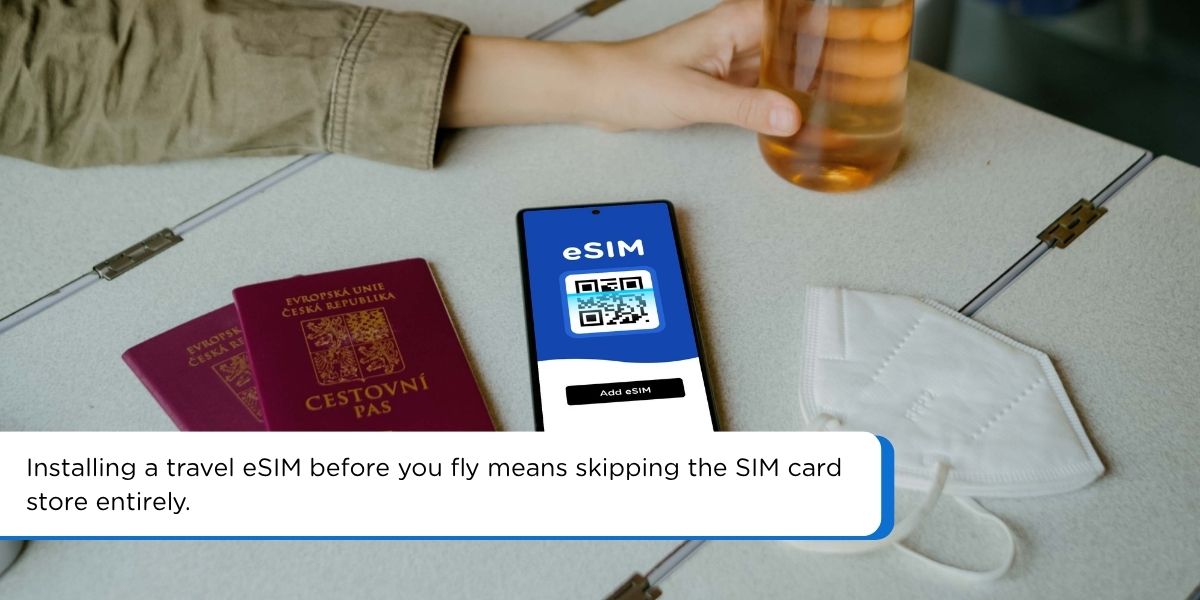
An eSIM is a digital SIM profile you install by scanning a QR code, so there is no physical card to find, swap, or lose. You can install it on WiFi before you even leave home, and it activates the moment you land and turn on data roaming for that line. Your regular SIM stays active in the other slot, so calls and texts from home still come through. This makes eSIM the most convenient option for most short and medium-length trips, provided your phone is unlocked and eSIM-compatible (most iPhones from the XS onward and recent Samsung, Google Pixel, and other Android flagships support it).
Physical SIM card
A physical SIM still makes sense if you want a real US phone number or you are staying long enough that a carrier's standard monthly plan is cheaper per gigabyte. You will need an unlocked phone and a passport or photo ID; no US address or SSN is required. T-Mobile and AT&T SIMs are widely available at their own stores, big-box retailers like Walmart and Target, and electronics stores. If you are buying at the airport, expect to pay 30 to 50 percent more than you would at a regular store away from the terminal, since airport kiosks charge a convenience premium.
Data roaming from your home carrier
Roaming is the path of least resistance: your phone just works the moment you land, with no setup at all. It is also usually the most expensive way to get online in the US, so it tends to make sense only for very short trips or as a backup if your eSIM or SIM has an issue.
Public WiFi
Free WiFi is common at hotels, airports, cafes, and fast-food chains like Starbucks and McDonald's, and it is a reasonable way to save data for maps or messaging. It is not the most secure option, though, since public networks can be vulnerable to interception. Avoid logging into banking apps or anything sensitive on open WiFi, and use a VPN if you need to.
How Much Data Do You Actually Need
Matching your plan to your actual usage saves money without leaving you short on your last day.
Usage level | Daily activity | Data per day |
|---|---|---|
Light | Maps, messaging, occasional social media | 1 to 3GB |
Moderate | Navigation, social media, some video calls | 3 to 5GB |
Heavy | Streaming, video calls, uploading photos/video, remote work | 5GB or more, or unlimited |
Road trips tend to use more data than city stays, since turn-by-turn navigation running for hours adds up fast. If your itinerary is mostly driving between cities or national parks, lean toward a higher tier or an unlimited plan.
Special Cases: National Parks, Road Trips, and Alaska/Hawaii
Coverage in the US is strong in cities and along interstate highways, but it thins out fast once you leave them. Expect signal gaps in the deeper parts of national parks such as Yellowstone, Grand Canyon, Yosemite, and Zion, even though nearby gateway towns usually have solid coverage. Downloading offline maps and any music or directions you need before you head into the backcountry is worth the extra five minutes.
If your trip includes Alaska, Hawaii, or a US territory like Puerto Rico or Guam, do not assume your plan automatically covers them. Some travel eSIMs and carrier plans are built around the 48 contiguous states only, so check the coverage details before you buy if your itinerary goes beyond the mainland.
Understanding "Unlimited" Data
"Unlimited" is one of the most misused words in travel data plans. In practice, most unlimited plans give you a set amount of high-speed data per day or for the life of the plan, after which your speed drops to a much slower tier for the remainder of the period, a policy usually called a fair-use cap. This is standard across the industry, not a sign of a bad plan, but it does mean two "unlimited" plans can behave very differently in practice. Before buying, check how much high-speed data is actually included and what speed you get after that threshold, especially if you plan to stream video or do video calls.
Step-by-Step: Setting Up Your eSIM Before You Fly
Check compatibility first. Confirm your phone is unlocked and eSIM-capable before you buy anything.
Install while on WiFi, ideally a few days before departure rather than at the gate, in case anything needs troubleshooting. Note that not every provider works this way; AT&T's own eSIM, for example, is purchased and activated through its app only after you land, so check your specific provider's process ahead of time.
Read the activation instructions the moment you receive them. Some higher-tier unlimited plans require manual activation using your device's EID and IMEI numbers rather than a simple QR scan. In that case, you typically get an activation notification within a few hours of purchase and then a short window, often just 2 to 3 hours, to complete activation before you need to contact support to have the eSIM refreshed. Do not leave this step until you are boarding.
Keep your home SIM active in the other slot so calls and texts from family or work still reach you.
Turn on data roaming for the eSIM line once you land, and you should be online within a few minutes.
Note your plan's validity window. Most travel eSIMs need to be activated and used within a set number of days of purchase or delivery, so buying too far in advance can mean the plan expires before your trip starts.
Frequently Asked Questions
Do I need a US SIM card as a tourist?
Not necessarily. Most tourists get better value and convenience from a travel eSIM, which skips the store visit entirely. A physical SIM is worth it mainly for longer stays or if you specifically need a US phone number.
Is an eSIM better than roaming in the USA?
For most trips, yes. Roaming through your home carrier is the easiest option since it requires no setup, but it is typically far more expensive per gigabyte than a travel eSIM or a local prepaid plan.
Does Verizon have a tourist eSIM?
No. Unlike T-Mobile and AT&T, Verizon does not currently offer a short-term eSIM built for international visitors. Its TravelPass product is for Verizon customers traveling outside the US, not for tourists visiting. Visitors who want Verizon coverage buy a standard prepaid plan at a retail store instead.
What's the cheapest way to get internet in the USA?
Public WiFi is free but inconsistent and less secure. Among paid options, a travel eSIM sized to your actual daily data use is usually the most cost-effective choice for trips under a month.
Will my eSIM work in Alaska or Hawaii?
Check before you buy. Some plans, including some travel eSIMs, are built around the 48 contiguous states only, so confirm coverage if your itinerary includes Alaska, Hawaii, or a US territory.
If you would rather skip comparing carrier stores altogether, Gohub's USA eSIM runs on T-Mobile's network and installs in minutes from your phone, with plans sized for everything from a short city stay to a longer cross-country trip.

Hi! Mình là Lala Wren, một content creator yêu xê dịch và đam mê chia sẻ trải nghiệm thực tế cho cộng đồng Gohub. Trong nhiều năm qua, mình đã đặt chân đến Thái Lan, Hàn Quốc, Nhật Bản, Singapore, Malaysia, Bali và nhiều điểm đến thú vị khác trên khắp châu Á. Cùng mình tìm hiểu tất tần tật từ khâu chuẩn bị eSIM, Visa, lịch trình và địa điểm nổi bật cho chuyến đi sắp tới của bạn nhé!
查看全部文章 →Related articles
2026年美國旅遊最佳eSIM:5家供應商比較
2026年哪款eSIM最適合美國?我們從價格、網路、熱點和美國號碼方面,比較Gohub、Airalo、Holafly、Nomad和Ubigi,並提供設定步驟。
2026 年越南最佳 eSIM:8 種方案比較
哪種 eSIM 最適合 2026 年的越南?比較 Gohub、Airalo、Holafly、Nomad、Ubigi 和當地 SIM 卡,從價格、數據、覆蓋範圍和註冊方面進行分析。
芝加哥奧黑爾機場 (ORD) 的 eSIM:2026 入境指南
抵達奧黑爾機場後保持連線。在第五航廈哪裡可以買到 SIM 卡、免費 Boingo WiFi 如何運作,以及為什麼 Gohub eSIM 在 2026 年會是更好的選擇。
坎昆機場 (CUN) 的 eSIM:免排隊,保持連線 2026
坎昆機場內最先看到的 SIM 卡攤位通常是航廈中最昂貴的。了解 CUN 的電信業者櫃檯實際位置、免費 WiFi 如何運作,以及為何墨西哥 eSIM 在 2026 年能勝過這兩者。
阿布達比機場 (AUH) 的 eSIM:設定、費用與 2026 年最佳方案
扎耶德國際機場現正發放免費 10GB SIM 卡,有效期 24 小時。本文將探討其運作方式、缺點,以及何時阿聯酋 eSIM 方案仍然值得。
泰國旅客上網:2026完整指南
正在規劃泰國之旅嗎?比較eSIM與觀光SIM卡、AIS、True、dtac電信比較,以及各島嶼覆蓋範圍,選擇最適合您的上網方式。