

Loading page, please wait...
Yes, you can use an eSIM at Heathrow Airport as soon as you land, as long as your phone supports eSIM, your plan is installed correctly, and the eSIM is enabled after arrival.
For most international travelers, the smoothest setup is to buy and install a UK eSIM before flying, then turn it on after landing at Heathrow. This helps you avoid roaming fees, airport queues, and relying only on public WiFi when you need maps, ride-hailing, hotel details, train schedules, or family messages right away.
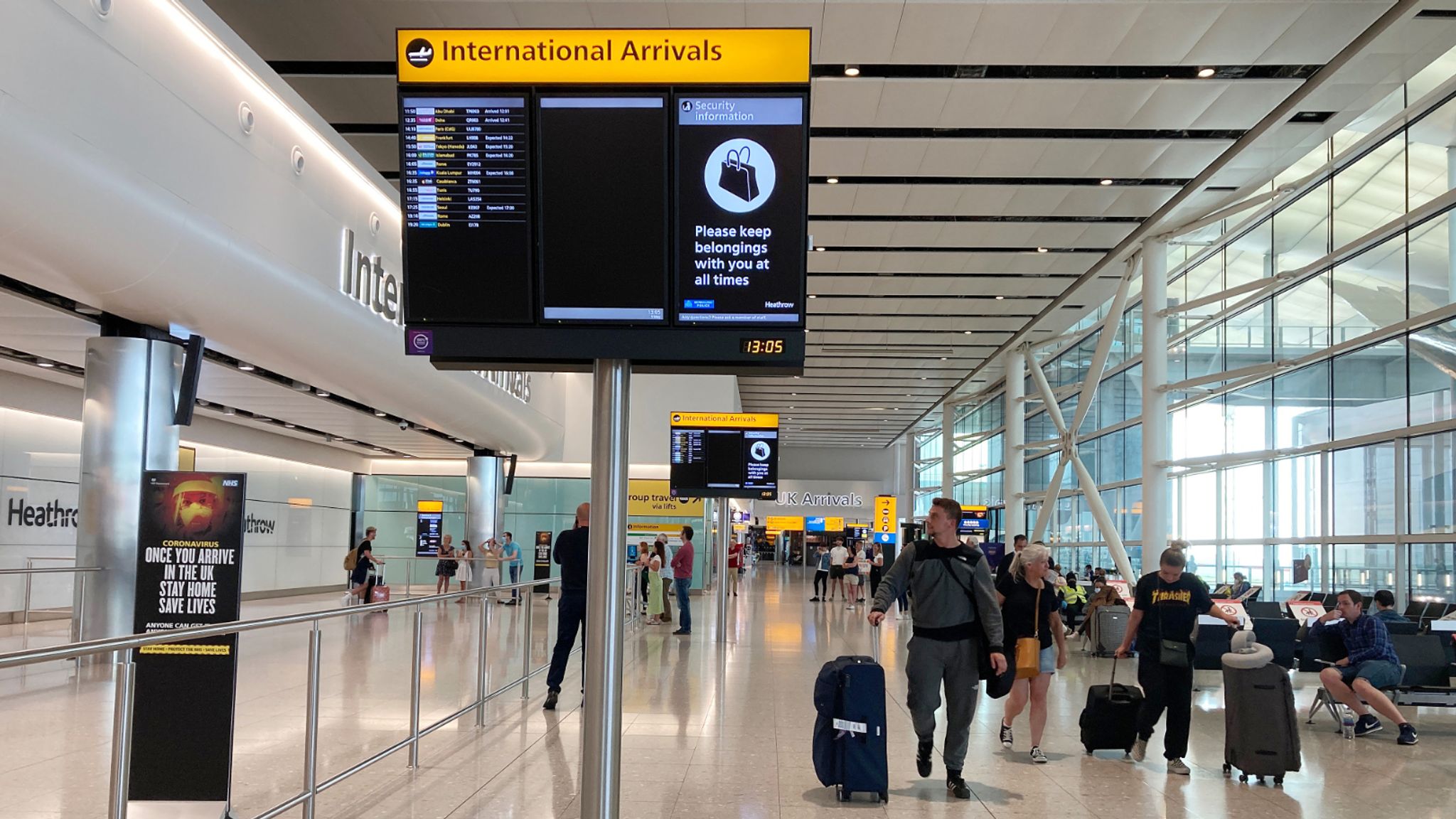
Travelers using eSIM at Heathrow Airport after arrival
Heathrow does offer free airport WiFi, which can be useful as a backup. You can also buy SIM or eSIM options at the airport through providers such as Sim Local, but availability, prices, and opening hours may vary by terminal and time of arrival. Check Heathrow’s official WiFi page and Heathrow’s official Sim Local listing before you travel.
Option | Best for | Main benefit | Watch out for |
|---|---|---|---|
Travel eSIM | Travelers who want data immediately after landing | Install before departure and connect after arrival | Requires eSIM-compatible, unlocked phone |
Heathrow WiFi | Short airport use or backup connection | Free WiFi available at Heathrow | Public WiFi may be less convenient once you leave the airport |
Airport SIM/eSIM shop | Travelers who prefer in-person purchase | Can buy after arrival | May involve queues, opening hours, and terminal availability |
International roaming | Travelers who want zero setup | Uses your home carrier | Can be expensive depending on your plan |
Local physical SIM | Longer UK stays needing calls/SMS | Local number may be available | Requires physical SIM swap and setup time |

Internet access from Heathrow Airport to central London using eSIM
Heathrow is one of the main arrival points for international travelers visiting London and the United Kingdom. Once you land, mobile data becomes useful almost immediately.
You may need internet access to:
Message your hotel or host
Open digital travel documents
Check immigration or arrival instructions
Use Google Maps, Apple Maps, or Citymapper
Book Uber, Bolt, taxi, or airport transfer
Check Heathrow Express, Elizabeth line, or Underground routes
Contact family, colleagues, or your travel group
Access email, work apps, or cloud documents
Airport WiFi can help while you are still inside the terminal. But once you move toward baggage claim, arrivals, train platforms, taxi areas, or your hotel, having your own mobile data is usually more convenient.
For travelers heading into London or continuing around the UK, reviewing UK eSIM plans before departure can make your arrival smoother.
Yes. In most cases, you can use your eSIM shortly after landing at Heathrow.
The best setup is:
Buy your UK eSIM before departure.
Install the eSIM while you still have stable WiFi.
Keep your travel eSIM turned off until your trip starts if instructed by your provider.
After landing, turn off airplane mode.
Enable the eSIM for mobile data.
Turn on data roaming for the eSIM line if required by the plan.
Wait a few minutes for the phone to connect to a UK network.
Some travelers may connect before reaching immigration or baggage claim. Others may need a few minutes, especially inside airport buildings or during busy network periods.
Connection quality depends on your eSIM provider, network partner, phone model, settings, terminal area, and network congestion. If you want to check UK coverage by area, the Ofcom mobile coverage checker is a useful official tool.
Yes, Heathrow has SIM-related services at the airport. Heathrow’s official website lists Sim Local stores across Terminals 2, 3, 4, and 5, with opening hours shown on the official listing. Heathrow also has a dedicated page for UK SIMs and phones at Heathrow, which references SIM and eSIM options for visitors.
Buying at the airport can work if:
You forgot to buy an eSIM before departure
Your phone is not eSIM-compatible
You prefer in-person help
You need a physical SIM card
However, buying after arrival may not be ideal if you land late, arrive during peak hours, are in a hurry, or need data before finding the shop.
For many travelers, installing an eSIM before flying is still the safer option because you can test installation while you have stable WiFi at home, then activate data after landing.
Option | Pros | Cons | Best use case |
|---|---|---|---|
Heathrow WiFi | Free, useful inside the airport, good backup | Public network, may require registration, less useful after leaving airport | Checking messages or installing an eSIM if needed |
Travel eSIM | No physical SIM, can install before travel, keeps your home SIM active | Needs compatible unlocked phone | Travelers who want mobile data right after landing |
International roaming | Very easy, keeps your regular number and plan | Can be expensive depending on home carrier | Short trips where cost is not a concern |
Airport SIM card | In-person purchase, can include local UK number | Requires queue, shop availability, physical SIM swap | Longer stays or travelers needing calls/SMS |
Regional eSIM | Useful for multi-country Europe trips | Coverage and allowance vary by plan | Travelers visiting the UK plus Europe |
Heathrow’s official WiFi page says WiFi is available throughout the terminal and free after registration for the duration of your stay at the airport. That makes it useful as a backup, but not a full replacement for mobile data once you start moving around London.
If you are comparing cost and convenience, this guide on international roaming vs eSIM can help you decide whether roaming or eSIM makes more sense for your trip.
Traveler type | Suggested data | Typical usage |
|---|---|---|
Short layover or 1–2 days in London | 3GB–5GB | Messaging, maps, transport checks |
Weekend tourist | 5GB–10GB | Maps, social media, light browsing |
One-week UK trip | 10GB–20GB | Daily navigation, messaging, photos, research |
Business traveler | 10GB–20GB+ | Email, video calls, hotspot, work apps |
Digital nomad or heavy user | 20GB+ or unlimited-style plan | Remote work, hotspot, streaming |
UK plus Europe trip | Regional Europe eSIM | Cross-border travel |
Do not choose only by price. Check:
Data allowance
Validity period
UK coverage
Whether hotspot is supported
Whether the plan is UK-only or Europe-wide
Activation policy
Refund or troubleshooting support
Whether your phone supports eSIM
If your trip is only in England, Scotland, Wales, or Northern Ireland, a UK eSIM plan is usually the most direct option. If Heathrow is your first stop before France, Italy, Spain, Germany, or other European destinations, compare Europe eSIM plans instead.
Before you fly, complete this checklist:
Confirm your phone is unlocked.
Check that your phone supports eSIM.
Buy the right UK or Europe eSIM plan.
Install the eSIM using stable WiFi before departure.
Save the QR code or installation instructions offline.
Label the eSIM line clearly, for example “UK Travel”.
Keep your primary SIM active if you need bank OTPs or calls.
Turn off data roaming on your home SIM to avoid accidental roaming charges.
Know whether your travel eSIM requires data roaming to be turned on.
Download offline maps as backup.
Save your hotel address and transfer details.
If you are unsure whether your device supports eSIM, check this guide to eSIM-compatible phones before purchasing.

Using UK eSIM in London after landing at Heathrow Airport
After your aircraft lands at Heathrow:
Turn off airplane mode.
Open mobile or cellular settings.
Select your travel eSIM as the mobile data line.
Keep your home SIM for calls or SMS if needed.
Turn on data roaming for the eSIM line if your provider requires it.
Wait a few minutes for the eSIM to connect.
Open a browser or maps app to test mobile data.
If it does not connect, restart your phone.
Check APN settings only if your provider’s instructions mention them.
Use Heathrow WiFi as backup if you need to contact support.
Avoid deleting the eSIM profile unless your provider tells you to. Many eSIM QR codes can only be installed once.
This is not a full airport transport guide, but mobile data is especially useful when choosing your route from Heathrow to London.
Common options include:
Heathrow Express to Paddington
Elizabeth line to central and east London
London Underground Piccadilly line
Coach or bus services
Taxi, Uber, Bolt, or pre-booked transfer
Heathrow’s official transport pages are the best source for route changes, fares, and service updates. Check the official Heathrow transport guide before you travel, especially if you arrive late at night or during rail disruption.
With an active eSIM, you can compare routes in real time, check platform changes, message your hotel, and share your ETA after landing.
Some travelers need a visa or Electronic Travel Authorisation before traveling to the UK. This depends on nationality, passport, and travel purpose.
This article focuses on airport connectivity, not immigration advice. Before flying, use the UK government entry requirements checker or GOV.UK visa guidance to confirm what you need.
Before leaving Heathrow, check that:
Your eSIM has signal.
Mobile data is working.
Your home SIM is not using expensive roaming data.
Google Maps or Citymapper can load routes.
Your hotel address is saved.
Your ride-hailing or transfer app is logged in.
You can receive important SMS or app messages.
Your battery is charged enough for the journey.
Heathrow WiFi is available as backup if needed.
A simple rule: install before flying, activate after landing, and test before leaving the airport.


Heathrow International Airport
If Heathrow is your first stop in the UK, you can review UK eSIM plans before departure and choose a data allowance that fits your trip length. For multi-country itineraries, compare Europe eSIM plans so you do not need to switch plans after leaving the UK.
Using an eSIM at Heathrow Airport is one of the easiest ways to get mobile data shortly after landing. Heathrow WiFi is useful inside the terminal, and airport SIM options may be available, but installing your eSIM before departure gives you more control when you arrive.
For most travelers, the best setup is simple: choose a UK or Europe eSIM before flying, install it on stable WiFi, activate it after landing, and test your connection before leaving the airport.
That way, you can use maps, transport apps, hotel messages, ride-hailing, and travel documents as soon as your London trip begins.
Yes. You can use an eSIM at Heathrow Airport if your phone supports eSIM, is unlocked, and your travel eSIM plan includes UK coverage.
Yes. It is better to install your eSIM before departure while you have stable WiFi. After landing, you can enable the eSIM and connect to a UK mobile network.
Yes. Heathrow offers free WiFi in the terminals after registration. It is useful as a backup, but mobile data is more convenient once you leave the airport.
Heathrow’s official website lists SIM and eSIM-related options, including Sim Local. Availability, store location, and opening hours can vary, so check Heathrow’s official pages before arrival.
Airport WiFi may be enough for short use inside the terminal. For maps, ride-hailing, hotel messaging, and transport after leaving Heathrow, an eSIM is usually more practical.
Most UK eSIM plans are designed for use across the United Kingdom, but coverage depends on the provider, network partner, device, location, and congestion.
Often, yes. Travel eSIM plans are usually more predictable than pay-per-use roaming, but the final comparison depends on your home carrier’s roaming package and your data needs.
Common reasons include airplane mode still being on, the wrong data line selected, data roaming disabled for the eSIM, poor indoor signal, APN settings, or the plan not being activated yet. Restart your phone and check your provider’s setup instructions.
Yes, most dual-SIM phones let you keep your home SIM active for calls or SMS while using the eSIM for mobile data.
Choose a UK eSIM if your trip is mainly in the United Kingdom. Choose a Europe eSIM if Heathrow is only your first stop before visiting other European countries.
Airport services, shop locations, transport routes, opening hours, fares, WiFi policies, entry requirements, and mobile coverage can change. Always confirm time-sensitive details through official sources such as Heathrow, GOV.UK, transport operators, your airline, and your eSIM provider before traveling.
One eSIM, data in 200+ destinations. Activates in minutes.
Code applies to your first order.