

Internet in China for Travelers: How to Stay Connected in 2026

Staying online in mainland China requires more preparation than in many other destinations. Services such as Google, Gmail, WhatsApp, Instagram, Facebook and YouTube are generally unavailable through standard mainland Chinese mobile networks and most hotel or public Wi-Fi connections.
That does not mean travelers have to arrive without working maps, messages or mobile data. The key is choosing the right type of connection before departure.
For most short trips, an international roaming eSIM is one of the simplest options. Some plans route mobile data through infrastructure outside mainland China, which may allow commonly used international apps to remain accessible without separate VPN software. However, this depends on the provider and the specific plan, not simply on whether the product uses eSIM technology.
This guide compares the main internet options in China, explains what to prepare before your flight and shows how to avoid common connection problems after arrival.
Quick Answer: What Is the Best Way to Get Internet in China?
For most tourists with a compatible, carrier-unlocked phone, a travel eSIM with confirmed international routing offers the easiest balance of convenience and cost.
It can be installed before departure, does not require replacing your physical SIM and may provide access to commonly used international apps over mobile data. Most travel plans are data-only, however, so they usually do not include a Chinese phone number.
Other options may work better in specific situations:
Use home-carrier roaming if you want the simplest setup and accept potentially higher costs.
Buy a local Chinese SIM if you need a local phone number or plan to stay longer.
Rent pocket Wi-Fi if several travelers or devices need to share one connection.
Use hotel or public Wi-Fi only as a secondary connection, not as your only internet plan.
Why Internet Access Is Different in Mainland China
Mainland China operates an extensive system of internet filtering commonly known as the Great Firewall. A range of international websites, social networks, messaging platforms, and news services may be restricted when traffic is routed through mainland Chinese internet infrastructure.
Travelers commonly report restrictions affecting services such as:
Google Search
Gmail
Google Maps
WhatsApp
Instagram
Facebook
YouTube
X
Some international news websites
App access can change over time, and availability may vary by connection type. A service that works over international mobile roaming may stop loading when the phone switches to hotel Wi-Fi.
Hong Kong and Macao have different internet environments, so travelers should not assume that connectivity will behave identically across all three destinations.
Internet Options in China at a Glance
Internet option | Access to international apps | Chinese phone number | Best for | Main limitation |
|---|---|---|---|---|
International roaming eSIM | Depends on the plan’s routing | Usually no | Short trips and easy setup | App access must be confirmed before purchase |
Home-carrier roaming | Often available, depending on the carrier | Keeps your home number | Travelers who prioritize convenience | Can be expensive |
Local Chinese SIM | Local restrictions generally apply | Usually yes | Longer stays and local services | Passport registration and restricted services |
Pocket Wi-Fi | Depends on the provider and routing | No | Groups and multiple devices | Extra device, charging and return requirements |
Hotel or public Wi-Fi | Local restrictions generally apply | No | Backup use | Login requirements, variable speed and security |
No option is best for every traveler. Your decision should depend on trip length, phone compatibility, data needs, whether you require a Chinese number, and which apps you need to use.
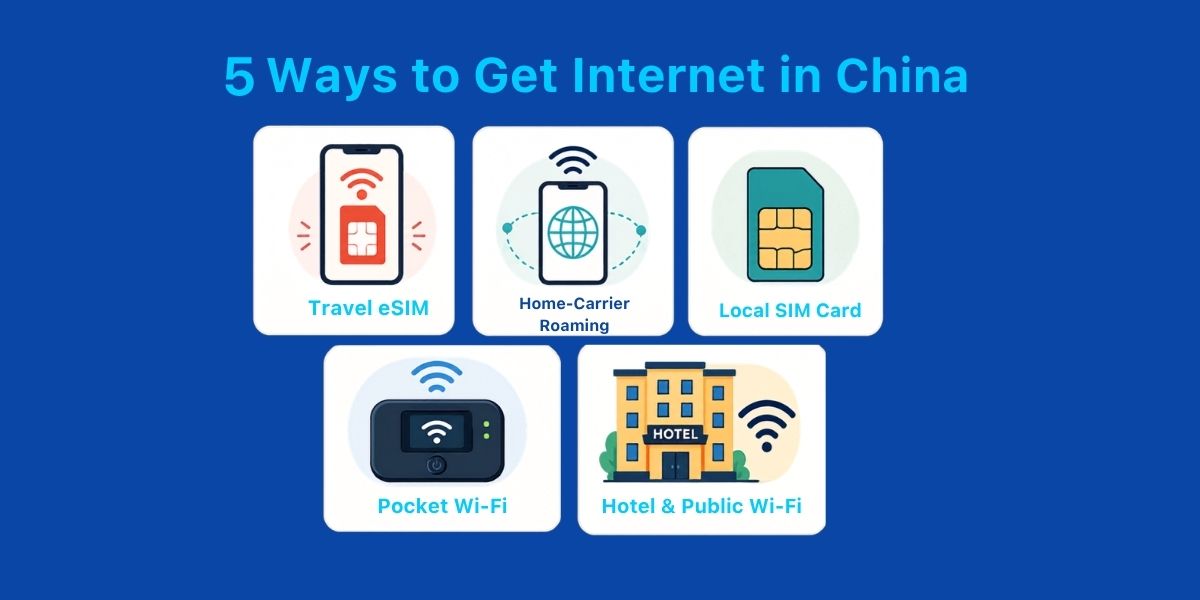 Travelers can choose between an international roaming eSIM, home-carrier roaming, a local SIM, pocket Wi-Fi and hotel Wi-Fi.
Option 1: International Roaming eSIM
A travel eSIM is a digital mobile plan that can be installed on a compatible phone without removing the physical SIM.
Many international plans connect to a local partner network for coverage while routing data through infrastructure outside mainland China. When a plan uses this type of routing, Google, WhatsApp, Gmail, and other international services may remain accessible over mobile data without separate VPN software.
This is not a universal feature of every travel eSIM. Before purchasing, confirm:
Whether the plan explicitly supports commonly used international apps
Whether it covers mainland China rather than only Hong Kong or Macao
Whether it is data-only
When the validity period begins
Whether data roaming must be enabled
Whether hotspot or tethering is supported
What happens after the high-speed data allowance is used
Travel plans are particularly useful for short stays because they can usually be installed before departure and activated when the phone connects to a supported network after arrival.
Important limitation
Most travel eSIMs do not provide a Chinese phone number. You may still encounter services that request a local number for registration, verification, or public Wi-Fi access.
A data connection gives you internet access, but it does not automatically solve every local account or SMS-verification requirement.
Option 2: Home-Carrier International Roaming
Using roaming from your normal mobile carrier requires the least preparation. You retain your existing phone number, and the phone may connect automatically after arrival.
International roaming traffic is often handled differently from standard local mobile data, so commonly restricted international apps may remain accessible. However, this depends on your carrier and roaming arrangement. Confirm app access directly with the carrier rather than assuming it will work.
The biggest drawback is cost. Some carriers offer daily travel passes, while others charge by data volume or apply high pay-as-you-go rates.
Before departure, check:
Daily or per-megabyte charges
Whether China is included in your travel pass
The high-speed data allowance
Whether hotspot use is permitted
Whether incoming calls and voicemail trigger charges
How to prevent accidental pay-as-you-go data use
This option may suit a short business trip, but travelers staying for a week or longer should compare the total cost with a separate travel data plan.
Option 3: Local Chinese SIM Card
Foreign visitors can apply for a local SIM at service outlets operated by providers such as China Mobile, China Unicom, and China Telecom. A passport or another accepted identity document is generally required for registration, according to the Chinese government’s Guide to Working and Living in China as Business Expatriates.
A local SIM can be useful when you:
Need a Chinese phone number
Plan to stay for several weeks or months
Need to register for services that require local SMS verification
Expect to make standard local calls
Mainly use Chinese apps and services
The main tradeoff is that mobile data is routed through mainland Chinese infrastructure. International services that are normally restricted should not be expected to work simply because you are using mobile data instead of Wi-Fi.
Buying a local SIM may also involve visiting an official service outlet, showing identification and choosing a suitable package. English-language assistance may vary by location.
Option 4: Pocket Wi-Fi
Pocket Wi-Fi is a portable router that connects to a mobile network and creates a private Wi-Fi connection for nearby devices.
It can be practical for:
Families or small groups
Travelers carrying phones, tablets and laptops
People whose phones do not support eSIM
Travelers who do not want to change their phone settings
However, pocket Wi-Fi does not automatically provide access to restricted international services. App availability depends on the provider’s underlying network and routing.
Before renting one, ask:
Whether international apps are supported
How many devices can connect
Whether there is a daily high-speed data limit
How long the battery lasts
Whether a deposit is required
Where the device must be collected and returned
What fees apply if the device is lost or returned late
The extra router also needs to remain charged and within range. If the person carrying it separates from the group, everyone else may lose internet access.
Option 5: Hotel and Public Wi-Fi
Hotels, airports, shopping centers, cafés, and train stations may offer Wi-Fi, but it should be treated as a backup rather than your main connection.
Potential limitations include:
International websites and apps may be restricted
A Chinese phone number may be required to receive a login code
Speeds may fall during busy periods
The login page may be available only in Chinese
The connection may disconnect after a period of inactivity
Public networks may carry additional privacy and security risks
Avoid using unsecured public Wi-Fi for sensitive transactions unless you understand and trust the connection. Mobile data is usually more convenient for navigation, ride-hailing, and payments while moving around.
Do You Need a VPN With a Travel eSIM?
It depends on the specific plan.
Some international roaming plans are designed to route mobile data outside mainland China. On those plans, commonly used international apps may remain accessible without separate VPN software.
Other plans may use different routing and remain subject to local restrictions. The fact that a product is delivered as an eSIM does not determine whether Google or WhatsApp will work.
Ask the provider a direct question before purchasing:
Does this specific mainland China plan support Google, Gmail, WhatsApp and Instagram over mobile data without separate VPN software?
Gohub’s current China travel plans are described as routing through international networks to support commonly used international apps. Performance and individual app availability can still vary because of carrier conditions, device settings and changes to local restrictions.
China regulates VPN services. Travelers should follow current local laws and official travel guidance. The UK government notes that online products and services such as VPNs must be licensed by the Chinese government. This article does not provide instructions for installing or using a VPN. See the current UK Government travel advice for China before departure.
Which Apps Should You Prepare Before Traveling?
A working connection is only part of the preparation. China uses a different ecosystem of payment, transport and navigation apps, so it is useful to set them up before leaving home.
Consider preparing:
WeChat is widely used for messaging, mini programs, and certain local services. Some features may require identity or payment verification.
Alipay
Alipay can support mobile payments and transport services. Depending on the city, travelers may be able to access metro or bus functions through the app.
Didi
Didi is widely used for ride-hailing. China’s official guide states that Didi-Greater China supports registration with foreign phone numbers and international credit cards, although account and payment acceptance can still vary.
Amap
Amap is a widely used local navigation service with strong domestic place and transport data. Language support and interface availability may depend on the app version and device.
A translation app
Download any required offline language packs before departure. This gives you a backup for menus, signs and addresses if mobile data temporarily drops.
Airline, railway and accommodation apps
Save your booking references and screenshots offline. For rail travel, keep your passport details and ticket information available even when the network is slow.
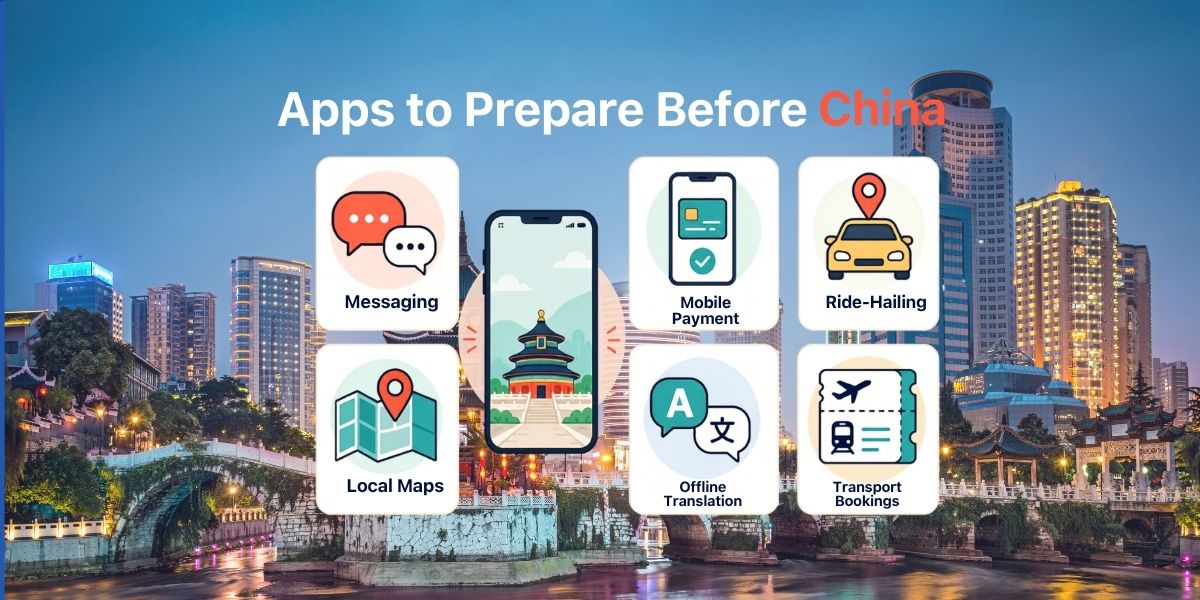 Set up essential payment, ride-hailing, navigation and translation apps before leaving home.
A Note About Google Maps in China
Even if Google Maps loads over your mobile data connection, it may not be the most reliable tool for local navigation.
Place listings, public transport information, business details, and local map data may be less complete or less current than they are in other countries. Travelers can also encounter location-display inconsistencies.
Keep at least one locally supported mapping option available and save the Chinese-language name and address of your hotel. This is particularly useful when showing a destination to a taxi driver or searching inside a local ride-hailing app.
How Much Data Do You Need?
Your data usage in China will depend on how often you use maps, translation, ride-hailing, social media, video calls and hotspot sharing.
Travel style | Typical activities | Suggested daily allowance |
|---|---|---|
Light | Messaging, occasional maps and basic browsing | 0.5 to 1 GB |
Regular | Maps, translation, ride-hailing and moderate social media | 1 to 2 GB |
Heavy | Video calls, frequent uploads, streaming or hotspot use | 3 GB or more |
For a seven-day trip:
7 to 10 GB may suit lighter users.
10 to 15 GB gives regular travelers more flexibility.
A larger or unlimited plan may be better for streaming, remote work or frequent hotspot use.
Actual usage varies by app settings, video quality, background updates and cloud backups. Disable automatic photo and video uploads if you want to conserve data.
Also check whether an “unlimited” plan reduces speed after a daily or total high-speed allowance. Unlimited access does not always mean unlimited full-speed data.
Does Mobile Data Work on High-Speed Trains and Metros?
Mobile data is generally available on major high-speed rail routes and in metro systems in large cities. However, coverage is never guaranteed throughout an entire journey.
Signal strength and speed can be affected by:
The local partner network
Long tunnels
Mountainous routes
Station congestion
Network maintenance
The number of passengers using the same network
Your device and supported frequency bands
Brief interruptions can occur even on popular routes. Before boarding, download or screenshot:
Your ticket and train number
Hotel name and address
Station names in Chinese
Essential messages
Maps for your arrival area
Transport instructions
This is safer than relying on continuous mobile coverage throughout the journey.
Can You Keep Your Home Number Active?
On a compatible, carrier-unlocked Dual SIM phone, you may be able to keep your home line active for calls and SMS while using the travel line for mobile data.
Apple confirms that supported iPhones can use one number as a home line and another as a travel line. The device must support the required Dual SIM configuration and may need to be carrier-unlocked. See Apple’s guides to using Dual SIM with an eSIM and using an eSIM while traveling internationally.
A safer setup is:
Set the travel eSIM as the cellular data line.
Turn on data roaming only for the travel eSIM when required by the provider.
Turn off data roaming for your home SIM.
Disable automatic cellular data switching.
Keep the home line active only if you need calls or SMS.
Check your home carrier’s roaming charges before departure.
Keeping your home SIM active does not make every service free. Your carrier may charge for incoming calls, outgoing calls, voicemail, sent messages or other roaming activity. Receiving banking OTP messages is also not guaranteed by the travel eSIM provider.
Before You Buy: Device Compatibility Checklist
Confirm all of the following before purchasing:
Your phone supports eSIM.
Your phone is carrier-unlocked.
The plan specifically covers mainland China.
The plan supports the international apps you need.
You understand when the validity period begins.
The plan duration covers your entire trip.
You know whether data roaming must be enabled.
You have checked the high-speed allowance and fair-use policy.
Hotspot use is supported if you need it.
You have stable Wi-Fi for installation before departure.
Do not rely only on the phone model name. The same model may have different eSIM capabilities depending on where it was purchased.
Setup Checklist Before Departure
Complete these steps while you still have a reliable internet connection:
Confirm that your phone is unlocked and eSIM-compatible.
Purchase a plan covering mainland China.
Read the activation and validity instructions.
Install the eSIM while connected to stable Wi-Fi.
Label the new line clearly, such as “China Data.”
Keep your home SIM as the default line for calls if needed.
Set the travel line as the mobile data line.
Turn off automatic data switching.
Download WeChat, Alipay, Didi, a local map app and offline translation data.
Save your QR code and installation instructions securely.
Screenshot your hotel address, tickets and emergency information.
Do not activate the plan early unless the provider confirms that validity begins only after connecting in China.
Installation and activation are not always the same event. Follow the instructions for your specific plan.
Troubleshooting After Arrival
If mobile data does not work, try these checks in order:
1. Confirm the correct data line
Open your mobile settings and make sure the travel eSIM is selected for cellular data.
2. Enable data roaming for the travel line
Many international plans require data roaming to be turned on. Keep roaming disabled for your home line unless you intentionally want to use it.
3. Turn off cellular data switching
This helps stop the phone from using your home SIM for data when the travel connection is temporarily weak.
4. Toggle airplane mode
Turn airplane mode on for approximately 20 seconds, then turn it off and wait for the phone to register on a local network.
5. Restart the phone
A restart can force the device to refresh its network registration.
6. Check the APN instructions
Some plans require a specific APN. Use only the APN supplied by the provider.
7. Test mobile data without Wi-Fi
If Google works on mobile data but stops working on hotel Wi-Fi, the eSIM may be functioning normally. The two connections use different routing.
8. Contact support before deleting the eSIM
Do not remove the eSIM profile unless instructed. Some profiles cannot be downloaded again after deletion.
Frequently Asked Questions
What is the easiest way to get internet in China as a tourist?
For many short-term visitors, an international roaming eSIM with confirmed mainland China coverage and international app access is the easiest option. It can usually be installed before departure and does not require a physical SIM swap.
Will Google and WhatsApp work in China?
They are generally restricted on standard mainland Chinese networks and most local Wi-Fi connections. They may work over an international roaming plan that routes data outside mainland China. Confirm this feature for the specific plan before purchase.
Does every travel eSIM work without a VPN?
No. App access depends on the plan’s network routing, not simply on the use of eSIM technology.
Can I buy a local SIM in China?
Yes. Foreign visitors can generally apply at an operator’s service outlet using a passport or another accepted identity document. A local SIM may provide a Chinese number, but local internet restrictions generally apply.
Is pocket Wi-Fi better than an eSIM?
Pocket Wi-Fi can be useful for groups or multiple devices. An eSIM is usually easier for an individual traveler because there is no separate router to collect, charge and return.
How much data do I need for seven days in China?
Light users may manage with 7 to 10 GB. Regular travelers may prefer 10 to 15 GB. Choose more data if you plan to stream, make video calls, upload frequently or use a hotspot.
Can I use my home SIM for OTP messages?
You may be able to keep your home line active on a compatible Dual SIM phone. However, OTP delivery depends on your bank and mobile carrier, and roaming charges may apply to other services.
Will mobile data work on Chinese trains?
Mobile data is generally available on major routes, but tunnels, terrain and network congestion can cause interruptions. Save important travel information offline before boarding.
Stay Connected From the Moment You Arrive
Preparing your internet connection before departure makes it easier to navigate, translate, book rides and contact people as soon as you land.
Choose a plan based on its actual routing, app support, validity and data policy rather than assuming every travel eSIM works the same way.
Explore Gohub’s China travel eSIM plans and install your plan before departure for a smoother arrival.

Hi! Mình là Lala Wren, một content creator yêu xê dịch và đam mê chia sẻ trải nghiệm thực tế cho cộng đồng Gohub. Trong nhiều năm qua, mình đã đặt chân đến Thái Lan, Hàn Quốc, Nhật Bản, Singapore, Malaysia, Bali và nhiều điểm đến thú vị khác trên khắp châu Á. Cùng mình tìm hiểu tất tần tật từ khâu chuẩn bị eSIM, Visa, lịch trình và địa điểm nổi bật cho chuyến đi sắp tới của bạn nhé!
Alle Artikel ansehen →