
Loading page, please wait...
WhatsApp 24/7:+1 (302) 899-2888
Looking for the best eSIM for Busan usually means one thing: you want reliable mobile data for maps, metro routes, taxis, messaging, hotel communication, bookings, translation, and day trips without relying only on public WiFi or expensive roaming.
Busan is a coastal city where travelers often move between beaches, markets, shopping districts, metro stations, restaurants, hotels, and nearby day-trip destinations. Mobile data can make that movement much easier, especially when you need real-time navigation, transport information, digital tickets, or hotel communication.
An eSIM is one of the easiest ways to stay connected in Busan because you can install it before travel and activate mobile data after arrival without swapping a physical SIM card.
Yes, you can use an eSIM in Busan if your phone supports eSIM and your plan includes South Korea coverage.
For most international travelers, the best eSIM for Busan is one that gives enough data for maps, messaging, metro and bus navigation, translation, restaurant searches, taxi apps, digital bookings, and day trips. If your trip continues beyond Busan to Seoul, Jeju, Gyeongju, Daegu, or other Korean destinations, choose a plan that supports South Korea-wide coverage.
Activation and performance can vary depending on your provider, device, network partner, location, indoor coverage, and congestion. For a smoother arrival, install your eSIM before departure and activate it after landing.
If South Korea is your main destination, reviewing South Korea eSIM plans before travel can help you stay connected in Busan without relying only on public WiFi.
Question | Quick Answer |
|---|---|
Can I use an eSIM in Busan? | Yes, if your phone supports eSIM and your plan includes South Korea. |
Should I install it before arrival? | Yes, installation is easier on stable WiFi before flying. |
Is public WiFi enough in Busan? | Useful as backup, but not ideal for full-trip connectivity. |
Can I buy a SIM card in Busan? | Yes, but registration, queues, and setup time can vary. |
Does eSIM work for metro, buses, and taxis? | Generally yes, depending on coverage and network conditions. |
Can I use the same eSIM across South Korea? | Generally yes, if your plan includes South Korea coverage. |
Is eSIM better than roaming? | Often more predictable, but it depends on your home carrier. |
Best for which traveler? | Tourists, business travelers, students, remote workers, and Korea multi-city travelers. |
Mobile data is useful in Busan because many daily travel tasks happen while you are moving around the city.
Common reasons travelers need mobile data in Busan include:
Using Google Maps, Naver Map, or KakaoMap.
Checking metro, bus, and train routes.
Booking taxis or ride-hailing services.
Contacting hotels, hosts, or tour operators.
Accessing restaurant reservations.
Translating Korean menus, signs, and messages.
Opening digital tickets and booking confirmations.
Checking beach, market, event, or festival information.
Messaging family, friends, or travel companions.
Planning day trips to Gyeongju, Geoje, Tongyeong, or other nearby areas.
The official Visit Busan travel guide provides destination and visitor information for the city, but mobile data is what helps you use maps, translation apps, booking tools, and transport information in real time while you move around.

Traveler using an eSIM while exploring Busan.
Yes. Travelers can use an eSIM in Busan as long as their phone is eSIM-compatible, carrier-unlocked, and the chosen plan supports South Korea.
The typical process is simple:
Choose a South Korea eSIM plan before travel.
Install the eSIM profile using stable WiFi.
Arrive in Busan.
Turn off airplane mode.
Enable the eSIM as your mobile data line.
Turn on data roaming if required by your provider.
Wait for the phone to register on a local network.
Most travelers use eSIM data for maps, metro navigation, messaging, email, social media, translation, restaurant searches, and booking confirmations. Speeds and signal quality may vary depending on your provider, device, network partner, location, indoor coverage, and congestion.
Before purchasing a plan, use Gohub’s Check compatible device tool to confirm that your phone supports eSIM.
Public WiFi can be useful in Busan, especially in hotels, cafés, restaurants, stations, airport areas, cultural facilities, and popular tourist zones.
Busan Metropolitan City says its Free Wi-Fi Service is available at many local tourist attractions, cultural facilities, and high-traffic areas. If you arrive through Gimhae International Airport, Korea Airports Corporation also provides free WiFi at airport terminals through the airport’s official WiFi information page.
However, public WiFi is not always enough for a full Busan trip because:
You may lose connection while walking between neighborhoods.
WiFi quality can vary by location.
Some networks may require login, terms, or registration.
It may not be available in taxis, during day trips, or in less central areas.
It may not be convenient for real-time metro, bus, or taxi updates.
Public networks may be less convenient for sensitive tasks.
Public WiFi is best treated as a backup. For daily navigation, transport, translation, messaging, and booking access, mobile data is usually more practical.
Yes, travelers can buy local SIM cards in South Korea through airport counters, telecom stores, convenience stores, or online pre-order services, depending on availability and provider policies.
Buying a local SIM card may involve:
Finding a store or counter.
Showing your passport or ID if required by the provider.
Choosing a prepaid data package.
Waiting in line.
Swapping your physical SIM card.
Checking whether your phone is unlocked.
Asking staff to help with setup.
For travelers who prefer in-person support, a local SIM can be a reasonable option. But if you want to avoid queues and get connected more smoothly, installing an eSIM before arrival is usually more convenient.
Feature | eSIM | Public WiFi | Local SIM | International Roaming |
|---|---|---|---|---|
Setup before travel | Yes | No | No | Usually no |
Requires physical SIM | No | No | Yes | No |
Works around Busan | Yes | Limited | Yes | Yes |
Works across South Korea | Generally yes | No | Yes | Yes |
Keeps home number active | Usually yes | Yes | Usually no | Yes |
Cost predictability | Generally good | Free | Medium | Varies by carrier |
Queue required | No | No | Often | No |
Best for | Most travelers | Backup use | Long stays or in-person setup | Convenience with home carrier |
Public WiFi is useful as a backup. Local SIM cards can work well for longer stays but require purchase and setup after arrival. International roaming is convenient, but costs and limits depend heavily on your home carrier.
For a deeper comparison, read international roaming vs eSIM.
Traveler Type | Recommended Data |
|---|---|
Light traveler | 3GB–5GB |
Weekend visitor | 5GB–10GB |
One-week Busan trip | 10GB–20GB |
Business traveler | 10GB–20GB |
Student or long-stay visitor | 20GB+ |
Content creator | 20GB+ |
Remote worker or digital nomad | 20GB+ |
South Korea multi-city traveler | 20GB+ |
Asia multi-country traveler | 20GB+ or regional plan |
A light traveler who mainly uses maps and messaging may be fine with 3GB–5GB. A typical Busan visitor using maps, metro and bus apps, translation, social media, restaurant searches, and booking apps may prefer 10GB–20GB for a week.
Heavy users who rely on hotspot, video calls, cloud uploads, reels, TikTok, YouTube, or remote work tools should consider larger data allowances.
For travelers staying in Busan and continuing to Seoul, Jeju, Daegu, Gyeongju, Incheon, or other destinations, South Korea eSIM plans can help keep mobile data active across supported areas, depending on provider coverage and network partners.
The best eSIM for Busan is not just about data size. It should support the way you actually move around the city.
Useful eSIM use cases in Busan include:
Navigating between Seomyeon, Haeundae, Nampo, Gwangalli, and Busan Station.
Checking metro and bus routes.
Booking taxis or ride-hailing services.
Translating Korean menus, signs, and messages.
Accessing digital tickets for attractions, tours, trains, or events.
Messaging hotel staff, hosts, or travel companions.
Looking up restaurant reservations and opening hours.
Checking beach weather, ferry routes, or day-trip plans.
Using banking, payment, or booking apps when needed.
Sharing live location with travel companions.
Mobile data is especially useful because Busan is spread out, and many routes involve switching between metro, buses, taxis, walking, and regional transport.
Before you travel:
Confirm your phone supports eSIM.
Use Gohub’s Check compatible device tool before purchasing a plan.
Make sure your device is carrier-unlocked.
Buy your eSIM before departure.
Install the eSIM while connected to stable WiFi.
Save the QR code or manual setup details offline.
Save activation instructions offline.
Check whether data roaming must be enabled.
Download offline maps of Busan.
Save your hotel or apartment address.
Keep airport or hotel WiFi as a backup option.
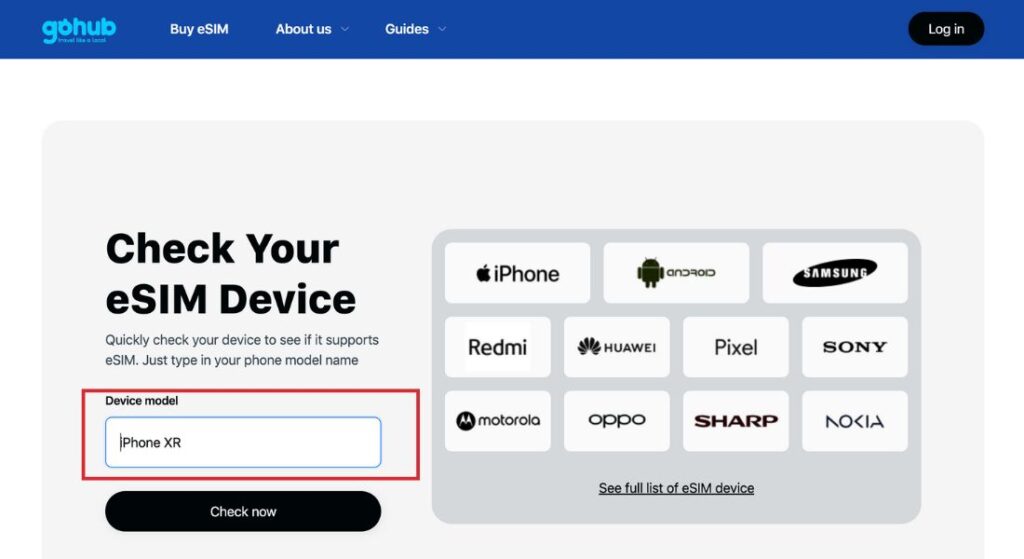
Traveler checking device compatibility before using an eSIM in Busan.
After arriving in Busan:
Turn off airplane mode.
Open your phone’s mobile network settings.
Enable the installed eSIM.
Set the eSIM as your mobile data line.
Turn on data roaming if your provider requires it.
Wait for network registration.
Test mobile data with maps or messaging apps.
Restart your phone if the connection does not appear.
Check APN settings if your provider provides manual setup details.
Activation is usually straightforward, but it may not be instant for every traveler. Device settings, provider activation rules, and local network conditions can affect the process.
This article is not a Busan public transport guide, but mobile data is very useful for moving around the city.
Busan travelers commonly use:
Metro.
Buses.
Taxis.
Local and regional trains.
Airport transportation.
Walking routes.
Ferries or boat services where relevant.
Ride-hailing or taxi apps where available.
The official Busan Transportation Corporation site provides metro route, user guide, and timetable information. Busan Metropolitan City also provides official maps of Busan, which can help travelers understand the city’s layout.
Having mobile data lets you check routes, station names, walking directions, service updates, and transfer options while moving around Busan.
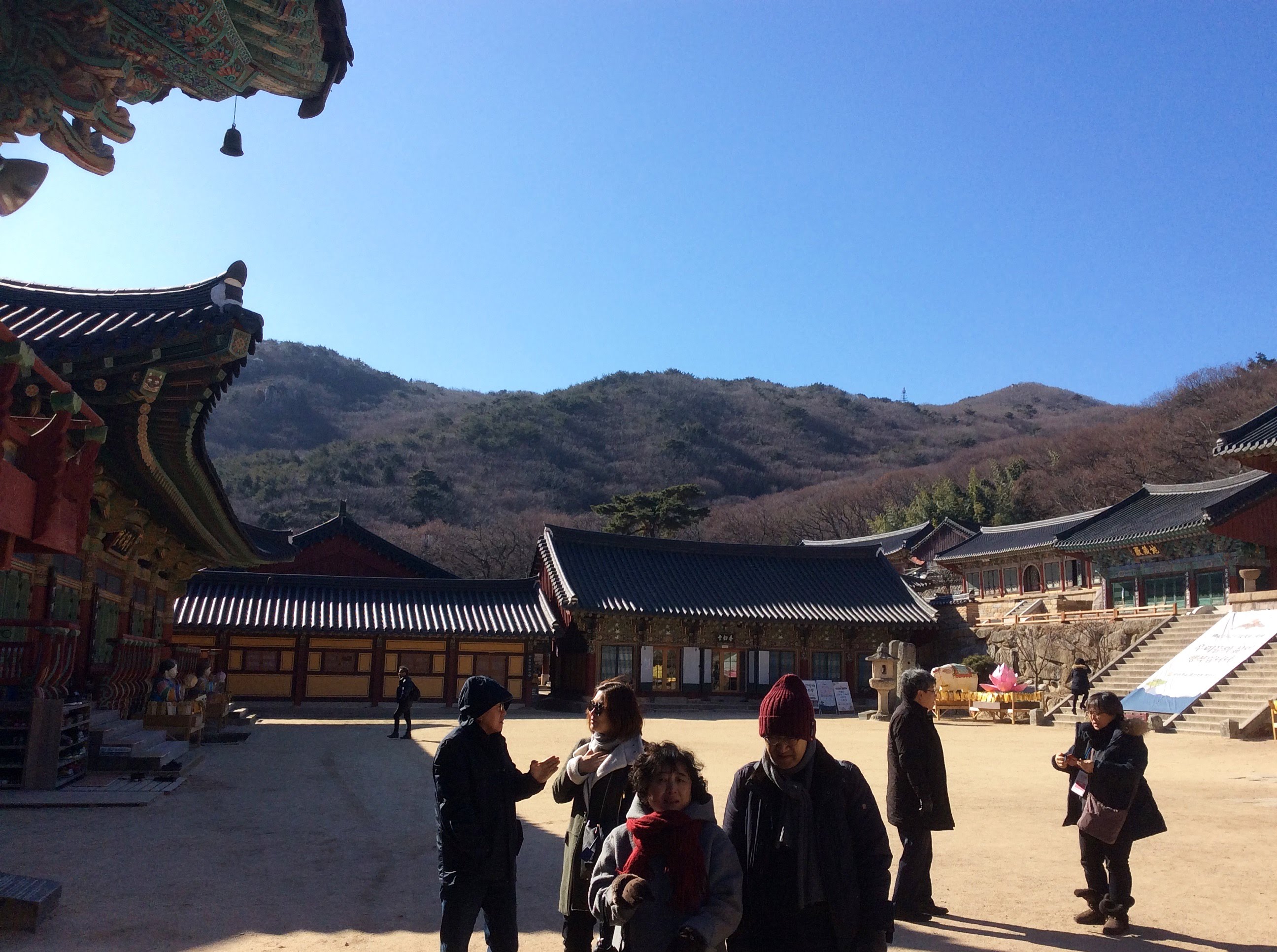
Traveler using mobile data for navigation in Busan.
Mobile data coverage is generally strong in central Busan, especially in commercial districts, hotels, restaurants, tourist zones, beaches, stations, and major transport corridors.
However, performance may vary in:
Underground metro sections.
Large indoor venues.
Dense market areas.
Crowded events.
Stadiums or concert areas.
Coastal viewpoints.
Mountain or hiking areas.
Remote day-trip locations.
Peak travel times.
Coverage and speed depend on your provider, device, network partner, location, and congestion. No eSIM provider can guarantee perfect performance everywhere, so it is helpful to keep offline maps, hotel details, and emergency contacts saved as a backup.
If your trip continues beyond Busan to destinations such as Seoul, Jeju, Daegu, Gyeongju, Incheon, or Gangneung, reviewing South Korea eSIM plans before departure can help you keep mobile data active across supported areas without relying only on public WiFi.
For travelers visiting multiple countries in the region, such as South Korea, Japan, Taiwan, Singapore, Thailand, or Vietnam, Asia eSIM plans may be useful for broader regional coverage across supported destinations.
Entry requirements vary by nationality, passport, trip length, and travel purpose. This article is not a visa guide, but travelers should check current rules before departure through the official K-ETA website or the nearest Korean embassy or consulate.
Yes. You can use an eSIM in Busan if your phone supports eSIM, your device is unlocked, and your plan includes South Korea coverage.
The best eSIM for Busan is one that fits your data needs, supports South Korea coverage, works with your device, and can be installed before arrival. Avoid choosing based only on price.
Yes. Installing your eSIM before arrival is usually easier because you can use stable WiFi and save setup instructions before your trip.
Public WiFi can help in hotels, cafés, airports, stations, and some tourist areas, but it is not ideal as your only connection. Mobile data is more useful for maps, transport, translation, bookings, and messaging while moving around.
Yes. SIM cards may be available through airport counters, telecom stores, convenience stores, or online pre-order services. Availability, registration requirements, packages, and store hours can vary.
Generally yes. An eSIM with South Korea coverage should work for route planning, maps, and transport apps, depending on provider, device, network partner, location, and congestion.
Generally yes, if your eSIM plan includes South Korea coverage. Performance may vary by city, indoor location, rural area, island, or network partner.
Often, but not always. It depends on your home carrier’s roaming rates, trip length, and data usage.
Common causes include airplane mode still being enabled, the wrong data line selected, roaming disabled, delayed activation, APN settings, or device compatibility issues.
Yes. Many dual-SIM phones let you keep your home SIM active for calls or texts while using the eSIM for mobile data.
Choose a South Korea eSIM if your trip is mainly in Busan or elsewhere in South Korea. Choose an Asia eSIM if your itinerary includes multiple supported countries in the region.
Public WiFi, transport services, SIM card availability, store hours, entry requirements, and mobile network performance may change. Travelers should verify details through official tourism, transport, airport, government, and eSIM provider sources before departure.